
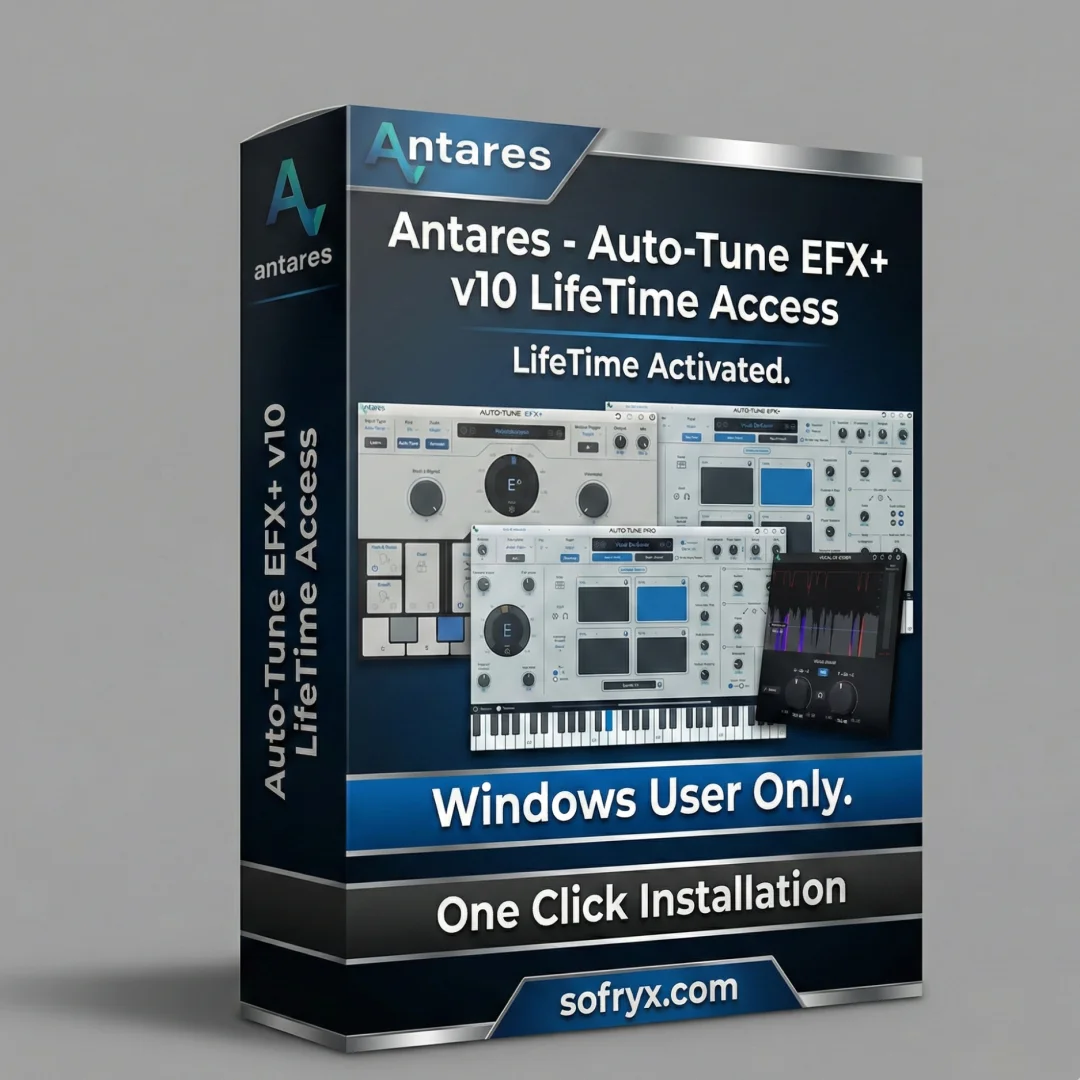


Auto-Tune EFX+ v10.0.1 – Vocal Effects & Pitch Correction
Original price was: $100.00.$10.00Current price is: $10.00.
Auto-Tune EFX+ v10.0.1 by Antares. Professional pitch correction with multi-effects rack, delay, reverb, distortion, EQ, and compression. Lifetime activation included.
Auto-Tune EFX+ v10.0.1 – Professional Vocal Effects & Pitch Correction
Elevate your vocal productions with Auto-Tune EFX+ v10.0.1 by Antares, the universal tool for creating professional vocals that combines industry-standard pitch correction with a comprehensive multi-effects rack. This is the evolved iteration of the legendary Auto-Tune software that has shaped countless hit records over two decades, now enhanced with advanced vocal processing, creative effects, and intuitive workflow tools.
Whether you’re recording pop vocals, mixing rap features, processing podcasts, engineering live sound, or crafting experimental vocal textures, Auto-Tune EFX+ v10.0.1 delivers both precise pitch correction and creative vocal effects processing in a single, unified plugin. With lifetime activation and no recurring subscription fees, this is a one-time investment in professional-grade vocal production.
What Is Auto-Tune EFX+ v10.0.1?
Auto-Tune EFX+ v10.0.1 is Antares’ powerful vocal processing solution designed for producers, engineers, and artists who need both transparent pitch correction and creative vocal effects in a single plugin. Unlike basic pitch correction tools that offer only tuning functionality, Auto-Tune EFX+ combines automatic pitch correction with a professional-grade effects rack, melodic pattern generation, and low-latency performance.
Antares’ official Auto-Tune EFX+ product page confirms that this version represents a comprehensive evolution of vocal production tools, bringing together pitch correction, effects processing, and creative synthesis in an intuitive, professional-grade interface.
Auto-Tune EFX+ is available in VST3 and AAX formats for 64-bit Windows 10+ systems, integrating seamlessly with modern DAWs while maintaining the low-latency performance essential for real-time vocal processing during recording and performance.
Core Features – Professional Vocal Effects & Pitch Correction
1. Professional-Grade Pitch Correction Engine
At its core, Auto-Tune EFX+ v10.0.1 delivers transparent, real-time pitch correction—the hallmark of Antares’ two decades of audio engineering expertise. The pitch correction engine analyzes incoming vocal audio and corrects off-pitch notes to your selected key and scale:
- Real-Time Processing: Minimal latency ensures flawless performance during recording
- Transparent Correction: Preserve natural vocal character while achieving pitch perfection
- Scale Selection: Choose major, minor, chromatic, or custom scales
- Key Selection: Lock to any key from C to B for scale-based correction
- Vibrato Preservation: Maintain natural vibrato while correcting pitch
- Breath & Noise Immunity: Ignore breath sounds and background noise
This pitch correction foundation makes Auto-Tune EFX+ essential for modern vocal production—whether you’re fixing subtle pitch issues in professional studio takes or providing real-time correction during live performance.
2. Multi-Effects Rack – Comprehensive Vocal Processing
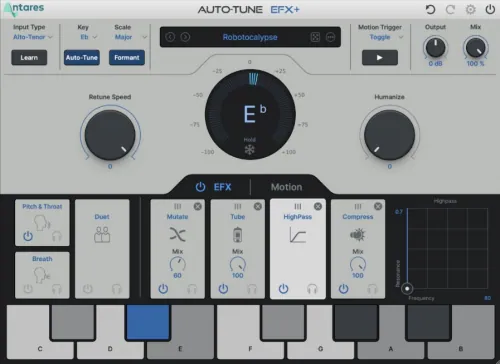
Auto-Tune EFX+ v10.0.1 includes a comprehensive multi-effects processing suite designed specifically for vocal enhancement and creative manipulation:
Delay Effect
Add spatial depth and rhythmic interest to vocals with professional-grade delay processing. Sound on Sound’s guide to vocal delay techniques documents how delay adds dimension and sophistication to vocal mixes. Auto-Tune EFX+ includes intuitive delay controls for time, feedback, and mix level.
Reverb Effect
Create lush, spacious vocal environments with integrated reverb processing. Choose from multiple reverb types (hall, room, plate, spring) and control decay time, pre-delay, and wet/dry mix. Reverb transforms intimate vocal takes into stadium-sized performances or maintains intimate proximity for close-miked recordings.
Distortion Effect
Add aggression, character, or vintage warmth to vocals with professional distortion processing. From subtle saturation to aggressive vocal destruction, distortion enables creative vocal sound design and character enhancement. Perfect for pop vocals needing edge, rap vocals requiring attitude, or experimental vocal textures.
Comprehensive EQ Processing
Shape vocal tone with integrated parametric EQ. Control frequency, gain, and Q factor for surgical or creative frequency shaping. EQ enables fixes (removing harsh frequencies, boosting clarity) and creative enhancement (adding presence, warmth, or unusual tonal character).
Professional Compression
Control vocal dynamics with integrated compression—essential for vocal consistency and professional sound. Adjust attack, release, ratio, and threshold to control peak levels, enhance sustain, or create pumping, rhythmic compression effects. Sweetwater’s vocal compression guide confirms compression is fundamental to professional vocal mixing.
3. Built-In Melodic Pattern Generator
Auto-Tune EFX+ v10.0.1 includes a revolutionary melodic pattern generator enabling creative vocal sequencing and harmonic exploration:
- Pattern Creation: Program melodic sequences and harmonic patterns
- MIDI-Triggered Patterns: Trigger melodic phrases via MIDI keyboard
- Arpeggiator Functionality: Create arpeggiated melodic sequences from single input notes
- Real-Time Manipulation: Adjust pattern timing, pitch, and effects in real-time
- Integration with Effects: Apply delay, reverb, and distortion to pattern-generated content
- Performance Control: Trigger and modulate patterns during live performance
The melodic pattern generator transforms Auto-Tune EFX+ from a pitch correction tool into a creative instrument capable of generating harmonic sequences, arpeggiated vocals, and experimental melodic textures—perfect for electronic producers, pop songwriters, and experimental artists.
4. Auto-Key Detection (Sold Separately) Integration
Auto-Tune EFX+ v10.0.1 is compatible with Auto-Key (Antares’ key detection tool, available separately), which automatically analyzes your music’s key and scale with one click. When integrated, Auto-Key eliminates manual key selection—Auto-Tune EFX+ automatically receives the correct key and scale information:
- One-Click Detection: Analyze any song and detect its key instantly
- Seamless Integration: Key detection feeds directly into Auto-Tune EFX+ for automatic configuration
- Workflow Acceleration: Eliminate key-hunting stress and guessing
- Accuracy Assurance: Ensure pitch correction uses correct scales for your music
While Auto-Key is a separate purchase, the integration option makes vocal production dramatically faster—especially when processing multiple songs in varied keys.
5. Minimal Processing Latency for Real-Time Performance
Professional-grade pitch correction traditionally introduces latency (delay between input and corrected output)—problematic for recording and live performance. Auto-Tune EFX+ v10.0.1 features minimized processing latency, enabling:
- Recording Performance: Hear pitch-corrected audio while recording without monitoring lag
- Live Performance: Real-time pitch correction with imperceptible delay
- Monitoring Comfort: Natural, responsive vocal monitoring during takes
- Performance Confidence: No timing issues or feedback from latency
Gearslutz discussion on pitch correction latency documents how latency affects recording quality and artist confidence—Auto-Tune EFX+ v10.0.1 addresses this with optimized real-time processing.
6. VST3 & AAX Plugin Format Support
Auto-Tune EFX+ v10.0.1 provides compatibility with modern plugin architectures:
- VST3 Format: Next-generation VST standard with improved DAW integration and automation
- AAX Format: Pro Tools compatibility for professional studio environments
- 64-Bit Architecture: Full 64-bit processing for modern computers
- Windows 10+ Support: Optimized for current Windows versions with ongoing compatibility
- Low CPU Usage: Efficient processing engine minimizes CPU overhead
VST3 support ensures Auto-Tune EFX+ integrates with modern DAWs including Cubase, Studio One, Reaper, Bitwig, and others, while AAX format maintains professional studio compatibility with Pro Tools.
7. Intuitive User Interface for Creative Workflows
Auto-Tune EFX+ v10.0.1’s interface balances professional power with visual clarity:
- Real-Time Pitch Display: See incoming pitch in real-time on a visual grid
- Effect Rack Visualization: Organize and control effects intuitively
- Pattern Generator Interface: Create and edit melodic patterns visually
- Quick Parameter Access: Common controls are immediately accessible
- Customizable Workflow: Organize interface elements for your specific needs
- Visual Feedback: See correction amount, effect processing, and pattern activity in real-time
The interface design ensures you spend time making creative decisions rather than menu-diving, while still providing access to professional-grade controls.
================================================================================
System Requirements – Windows 10+ VST3/AAX
| Requirement | Specification |
|---|---|
| Operating System | Windows 10 or Windows 11 (64-bit required) |
| Plugin Formats | VST3 and AAX (64-bit only) |
| DAW Compatibility | Any VST3-capable DAW (Cubase, Studio One, Reaper, etc.) or AAX-capable DAW (Pro Tools) |
| RAM Memory | Minimum: 4 GB | Recommended: 8 GB or more |
| Processor | Intel Core i5 / i7, AMD Ryzen, or equivalent |
| Hard Drive Space | 400 MB for installation |
| Internet Connection | NOT required after offline activation |
| DAW Version Requirements | Modern DAW versions supporting VST3 or AAX plugin architecture |
Note: Auto-Tune EFX+ v10.0.1 is a Windows-only plugin (Windows 10+). Mac users should refer to Auto-Tune Pro 11 or other macOS-compatible versions. VST3 format requires compatible DAW support; if your DAW only supports VST2, AAX format will provide compatibility via Pro Tools.
================================================================================
Professional Use Cases – Who Uses Auto-Tune EFX+
Pop & Commercial Music Vocal Mixing
Pop producers and mixing engineers use Auto-Tune EFX+ v10.0.1 for both pitch correction and creative vocal enhancement. Transparent pitch correction handles imperfect takes while the integrated effects rack adds dimension and character without requiring separate plugins.
Hip-Hop & Rap Vocal Processing
Hip-hop and rap engineers rely on Auto-Tune EFX+ for both subtle pitch correction and aggressive creative effects. The distortion effect adds attitude to rap vocals, while delay and reverb create spatial interest. The melodic pattern generator enables creative harmonic layering.
Electronic Music & Synth-Pop Production
Electronic producers use Auto-Tune EFX+ to process vocal elements as synthesizer-like instruments. The melodic pattern generator enables creation of harmonic sequences and arpeggiated vocal textures. Effects processing adds the electronic character modern synth-pop demands.
Live Sound Engineering & Concert Mixing
Professional live sound engineers integrate Auto-Tune EFX+ into real-time mixing systems for concert vocals. The low-latency design enables real-time pitch correction without timing issues. Effects processing adds polish to live vocal performances.
Podcast & Voice-Over Production
Podcast producers and voice-over engineers use Auto-Tune EFX+ to subtly correct pitch variations in spoken word, enhance clarity via EQ, and add spatial effects. The transparent pitch correction ensures natural-sounding corrected audio.
Music Education & Vocal Coaching
Music instructors use Auto-Tune EFX+ as a teaching tool—showing students visually how their pitch performs against target notes, then playing corrected versions for comparison and reference.
Experimental & Avant-Garde Vocal Production
Experimental artists explore Auto-Tune EFX+ v10.0.1’s creative potential—using aggressive pitch correction, melodic pattern generation, and effect processing to create unusual vocal textures and unconventional sonic results.
================================================================================
Key Advantages Over Competing Pitch Correction Tools
Auto-Tune EFX+ vs. Melodyne
Melodyne offers detailed polyphonic pitch editing but lacks integrated effects processing and real-time melodic pattern generation. Auto-Tune EFX+ excels for rapid mixing workflows and creative effects integration without requiring separate plugins.
Auto-Tune EFX+ vs. Basic Pitch Correction
Basic pitch correction tools fix pitch errors only. Auto-Tune EFX+ combines correction with professional effects (delay, reverb, distortion, EQ, compression) and melodic pattern generation—eliminating the need for multiple plugins and streamlining vocal processing workflows.
Auto-Tune EFX+ vs. Waves Tune
Waves Tune offers solid pitch correction but lacks the comprehensive effects rack, melodic pattern generator, and modern VST3 support. Auto-Tune EFX+ is more feature-complete for integrated vocal processing.
Auto-Tune EFX+ vs. Native Instruments Vocal Plugins
Native Instruments offers vocal processing tools but not dedicated pitch correction with integrated effects. Auto-Tune EFX+ specializes in the combination of pitch correction and vocal effects processing.
================================================================================
Installation & Activation – Easy Setup
Prerequisites
- Windows 10 or Windows 11 (64-bit required)
- DAW with VST3 or AAX plugin support
- 400 MB free hard drive space
- 4 GB RAM minimum (8 GB recommended)
- Administrator access to your computer
- Valid serial number (included with lifetime-activated package)
Installation Steps
- Download Windows Installer: Download Auto-Tune EFX+ v10.0.1 installer for Windows.
- Run Installer: Execute the installer and follow the setup wizard.
- Select Plugin Formats: Choose VST3, AAX, or both formats during installation.
- Choose Installation Location: Select installation directory (default is Program Files).
- Rescan Plugins in DAW: Open your DAW and rescan VST3/AAX plugins to detect Auto-Tune EFX+.
- Activate License: Enter your serial number when prompted. Offline activation codes supported for air-gapped systems.
- Insert on Vocal Track: Load Auto-Tune EFX+ v10.0.1 on a vocal track and test with sample audio.
- Verify Processing: Confirm real-time pitch correction and effects processing work correctly.
Activation: Air-gapped or offline systems can use Antares’ authorization code method.
================================================================================
Frequently Asked Questions (FAQ)
Q1: Is Auto-Tune EFX+ v10.0.1 available for Mac?
Auto-Tune EFX+ v10.0.1 is Windows-only (Windows 10+ 64-bit). Mac users should consider Auto-Tune Pro 11, which is fully compatible with macOS and includes Apple Silicon native support. Check Antares’ website for current Mac-compatible versions.
Q2: Can I use Auto-Tune EFX+ during live vocal recording?
Yes. The minimal processing latency design enables real-time pitch correction during recording. Many producers monitor through Auto-Tune EFX+ during tracking to hear pitch-corrected reference audio, then decide whether to re-record takes.
Q3: Does Auto-Tune EFX+ work with my DAW?
Auto-Tune EFX+ works with any DAW supporting VST3 (Cubase, Studio One, Reaper, Bitwig) or AAX (Pro Tools). If your DAW doesn’t support VST3 or AAX, check if it supports VST2—though VST3 is recommended for modern functionality.
Q4: What’s the difference between Auto-Tune EFX+ and Auto-Tune Pro?
Auto-Tune Pro 11 is the most comprehensive version with advanced Graph Mode editing, 4-part harmony generation, and ARA2 support. Auto-Tune EFX+ v10.0.1 is a focused tool combining pitch correction with effects processing and melodic pattern generation—ideal for producers who want integrated effects without separate plugins.
Q5: Can I adjust the amount of pitch correction applied?
Yes. Auto-Tune EFX+ includes correction amount controls—from transparent subtle correction to aggressive pitch snapping. Adjust correction aggressiveness based on whether you want imperceptible fixing or obvious processed vocal effects.
Q6: Is the reverb/delay/distortion good enough to avoid separate plugins?
Auto-Tune EFX+ v10.0.1’s effects are professional-grade and sufficient for most vocal processing tasks. However, if you require specialized reverb emulations or vintage effect processors, you may want separate specialized effects plugins alongside Auto-Tune EFX+.
Q7: Does Auto-Tune EFX+ require internet for activation?
No. Auto-Tune EFX+ uses offline authorization codes. Your Windows computer requires no internet connection for installation or regular use—activate once with your serial number and the license becomes permanent.
Q8: Can Auto-Tune EFX+ be used for both pitch correction and creative effects?
Absolutely. Many producers use Auto-Tune EFX+ v10.0.1 in subtle, transparent mode for vocal correction during mixing—then use the effects rack (distortion, delay, reverb, EQ, compression) creatively to enhance and shape vocal tone. The melodic pattern generator enables additional creative possibilities.
Only logged in customers who have purchased this product may leave a review.




Reviews
There are no reviews yet.