



SpectraLayers Pro 12 — Lifetime Licence | Sofryx
Original price was: $300.00.$15.00Current price is: $15.00.
Buy SpectraLayers Pro 12 genuine lifetime licence for spectral audio editing. Professional audio software. Tested & verified. Instant delivery & 24/7 support
SpectraLayers Pro 12 — Advanced Audio Spectral Editing Software
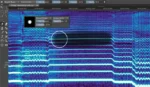
Steinberg SpectraLayers Pro 12 is the first utterly visual editing system for audio. This revolutionary software extends traditional visualization of spectral editors to every aspect of editing sounds, including how they mix. Directly edit spectral data, open advanced sonic worlds, and use innovative enhancements to traditional audio editing techniques for the first time. Visualize audio in incredible new ways, including 3D visualization.
SpectraLayers employs the model of high-end image editors — not just the interface, but what you can do with sound and how you do it. Despite its advanced technology, SpectraLayers is immediately familiar and instantly powerful. The most natural, powerful, and precise editing happens directly in the spectral medium.
Used by professional audio engineers, mastering specialists, and sound designers worldwide, SpectraLayers delivers unmatched control over audio content. Work with mixes like they were individual tracks. Integrate these abilities into your DAW and other professional tools seamlessly. Experience audio editing redefined.
Key Features of SpectraLayers Pro 12
- Visual Spectral Editing: First utterly visual editing system for audio. Edit spectral data directly with intuitive interface familiar to image editors.
- Advanced Selection Engine: Powerful selection tools provide precision control over audio editing. Select specific frequency ranges, time windows, and amplitude levels.
- Selection-Based Effects: Revolutionary approach to audio effects. Apply processing only to selected spectral content for unprecedented control.
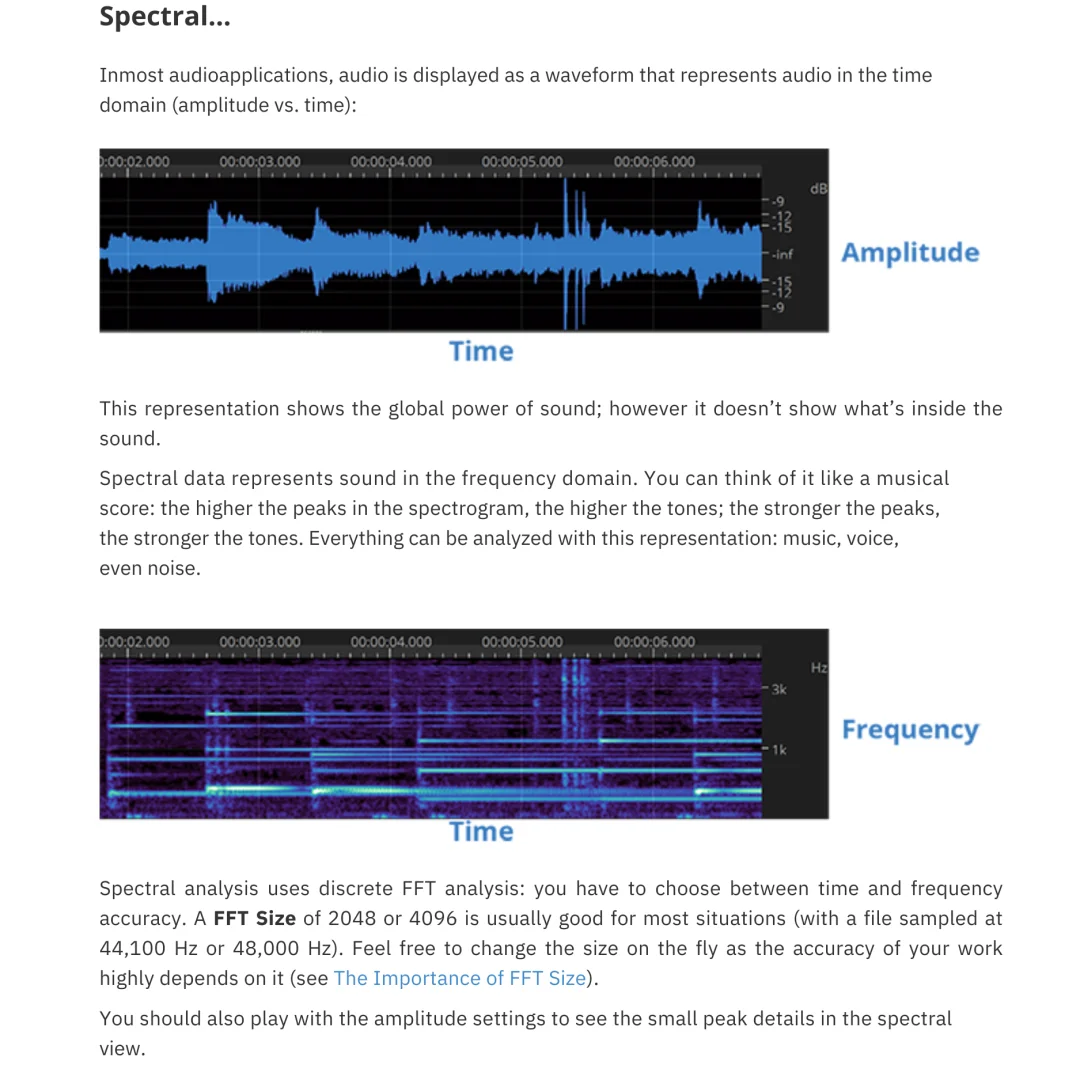
- 3D Audio Visualization: Visualize audio in incredible new ways including 3D representation. See time, frequency, and amplitude simultaneously.
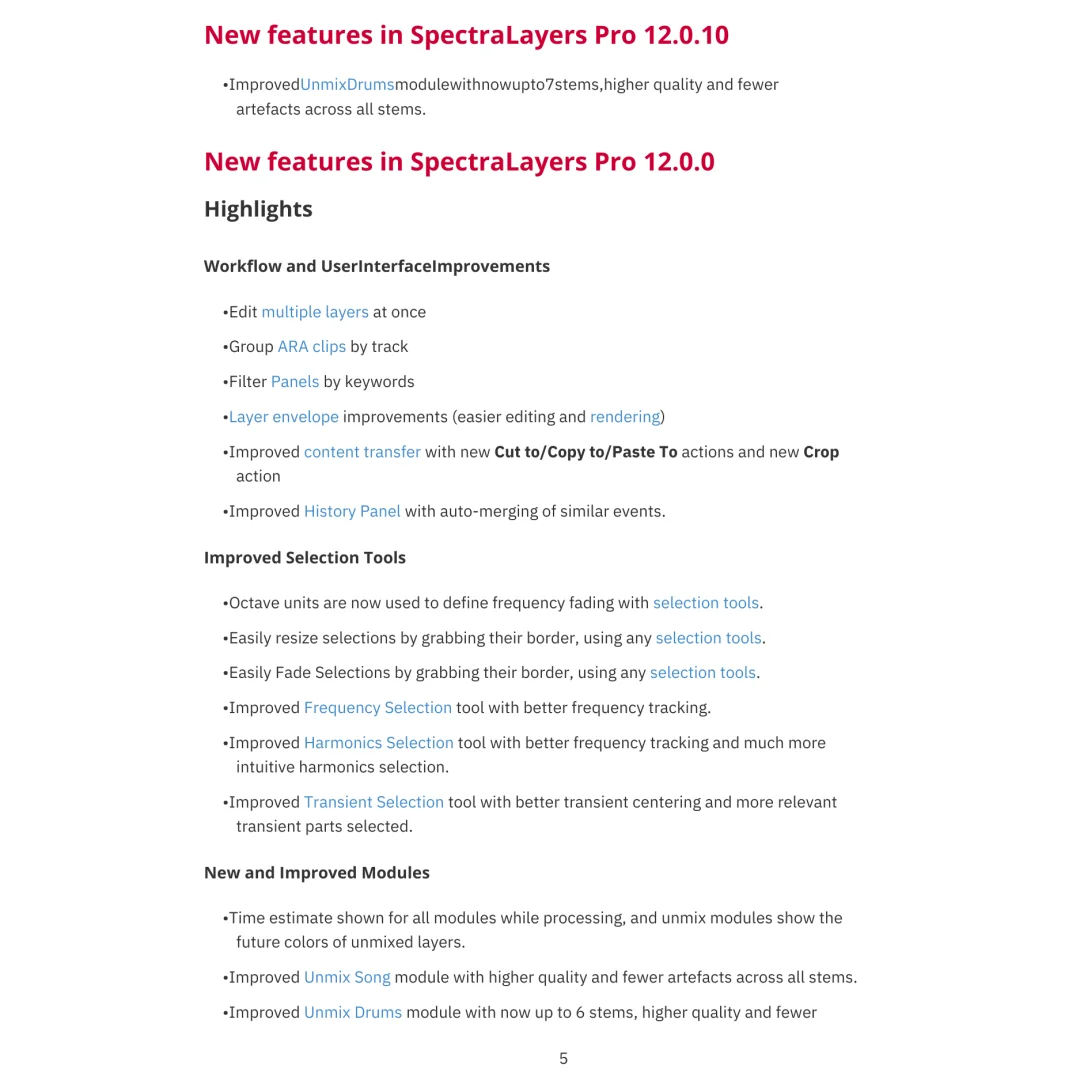
- 22 Advanced Editing Tools: Comprehensive toolset for modification, drawing, selection, measurement, marking, and listening with precision control.
- Retouching and Restoration: Professional-grade audio restoration for cleaning up recordings. Remove noise, clicks, pops, and unwanted frequencies.
- Mix-Like-Tracks Workflow: Work with complete mixes as if they were individual tracks. Extract, edit, and transform mix elements.
- DAW Integration: Seamless integration with all major DAWs and professional audio tools. Extend your workflow without leaving your creative environment.
Why Buy From Sofryx?
- Personally tested by Sofryx Team before every listing goes live
- Genuine Working licence — not cracked, not trial, fully verified
- One-time payment — lifetime activation, zero renewal fees
- Instant access via your website dashboard after payment
- 24/7 Telegram support available for all installation queries
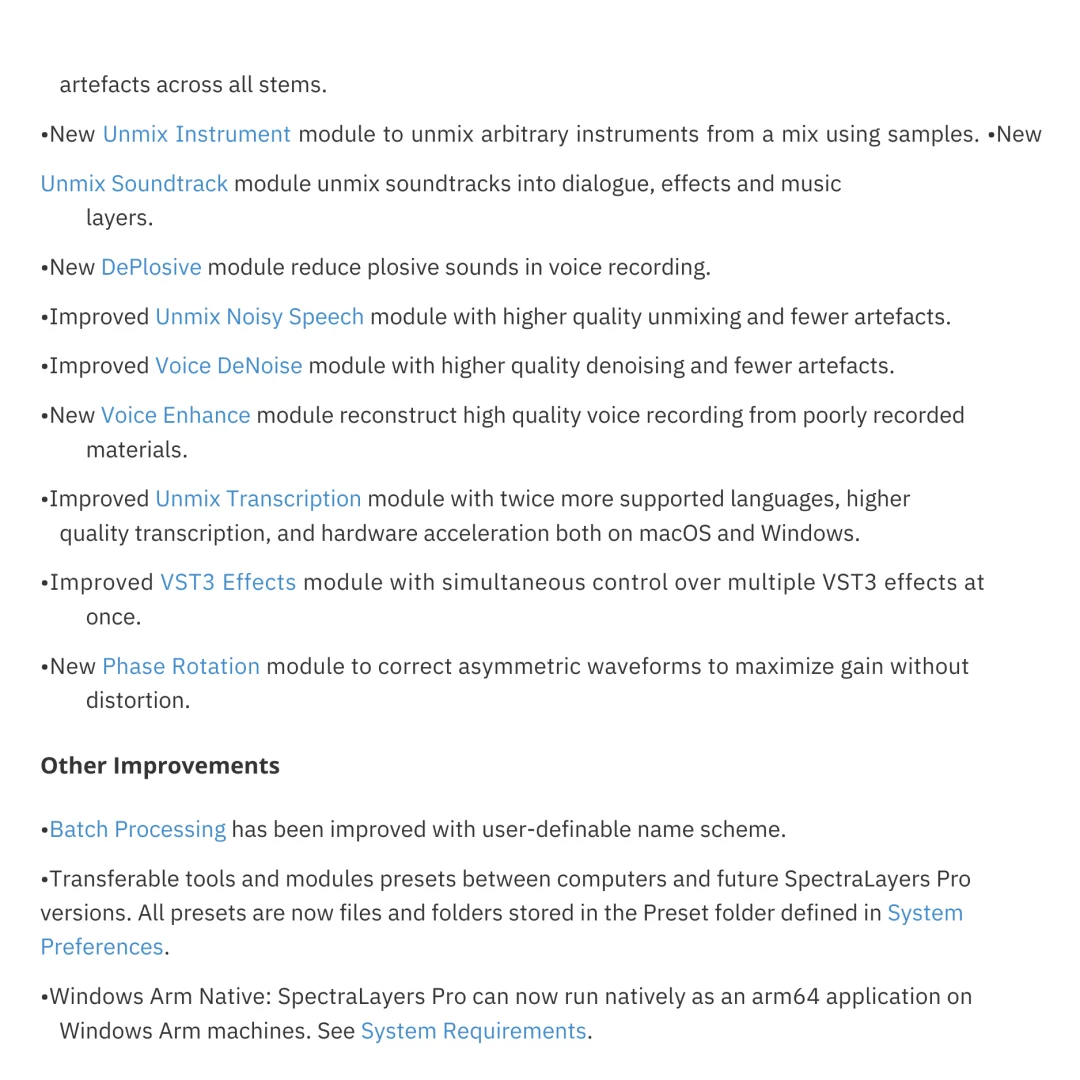
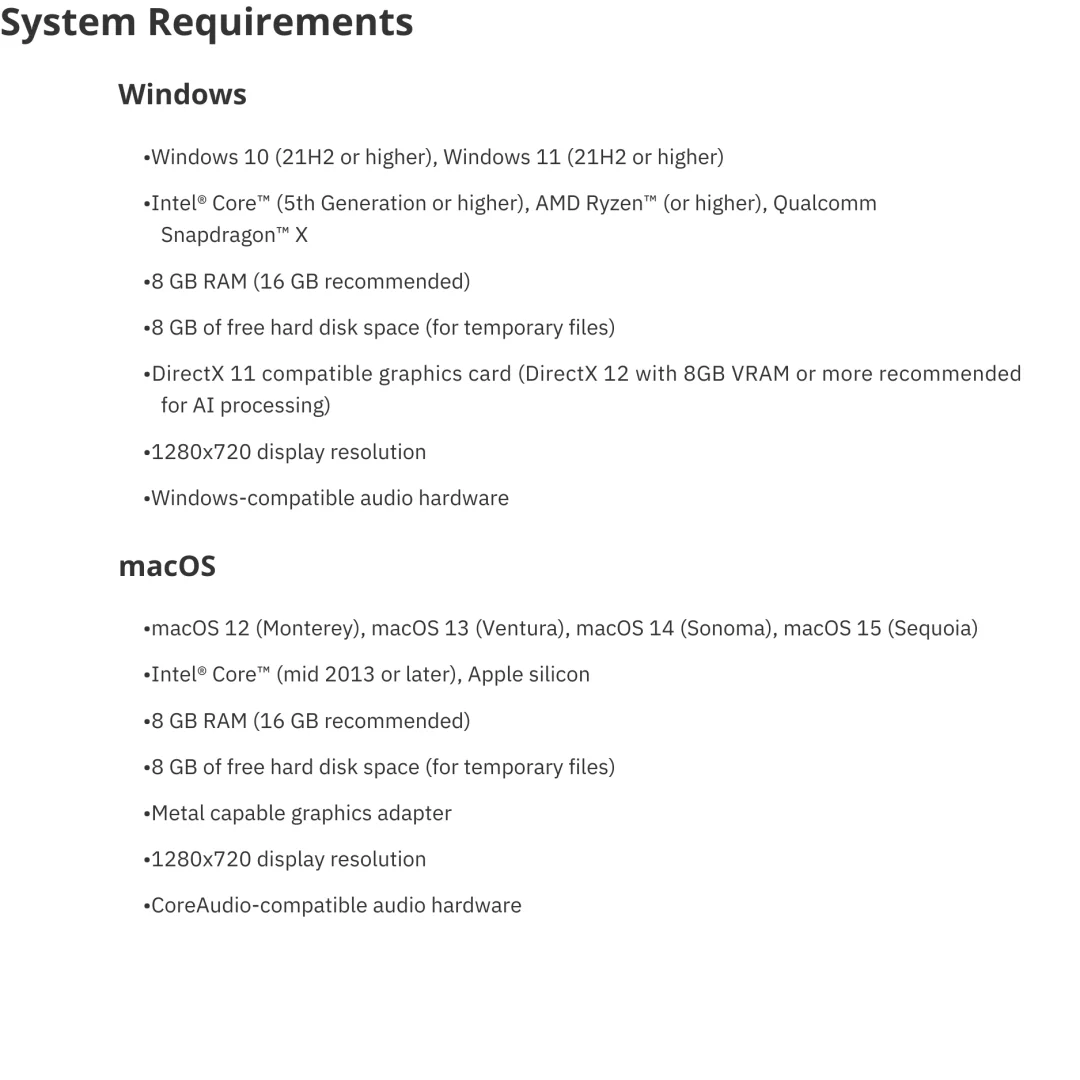
System Requirements
Windows System Requirements: Windows 10 (21H2 or higher) or Windows 11 (21H2 or higher). Intel Core (5th Generation or higher), AMD Ryzen, or Qualcomm Snapdragon X processor.
Windows RAM: 8 GB of RAM minimum (16 GB recommended for large projects and efficient performance).
Windows Storage: 8 GB of free hard disk space for installation and temporary files. DirectX 11 compatible graphics card (DirectX 12 with 8GB VRAM recommended).
macOS System Requirements: macOS 12 (Monterey), macOS 13 (Ventura), macOS 14 (Sonoma), or macOS 15 (Sequoia).
macOS Hardware: Intel Core (mid-2013 or later) or Apple Silicon processor. 8 GB of RAM minimum (16 GB recommended). Metal-capable graphics adapter. 8 GB of free hard disk space for installation and temporary files.
All Platforms: 1280×720 display resolution minimum. CoreAudio-compatible (macOS) or Windows-compatible audio hardware. Internet connection for activation and updates.
What You Get After Purchase
- Complete SpectraLayers Pro 12 installation package for Windows or macOS
- Genuine lifetime activation licence for unlimited professional use
- Full access to all spectral editing and restoration tools
- Access to complete tool library and effects collection
- Download link via your Sofryx.com account dashboard
- Step-by-step installation guide with comprehensive tutorial
- Priority Telegram support for activation and technical assistance
Who Is This For?
SpectraLayers Pro 12 is ideal for professional audio engineers needing advanced editing capabilities. Mastering specialists rely on SpectraLayers for precise audio manipulation and restoration. Sound designers benefit from innovative spectral editing for creative sound design.
Music producers use SpectraLayers for detailed mix editing and audio content separation. Audio post-production professionals employ SpectraLayers for film and podcast sound design. Recording studios worldwide integrate SpectraLayers into professional workflows.
Podcast producers clean audio and enhance clarity. Audio restoration specialists recover damaged recordings. Speech researchers and linguists analyze audio content. Whether professional studio or independent creator, SpectraLayers provides powerful tools.
Revolutionary Spectral Editing Interface
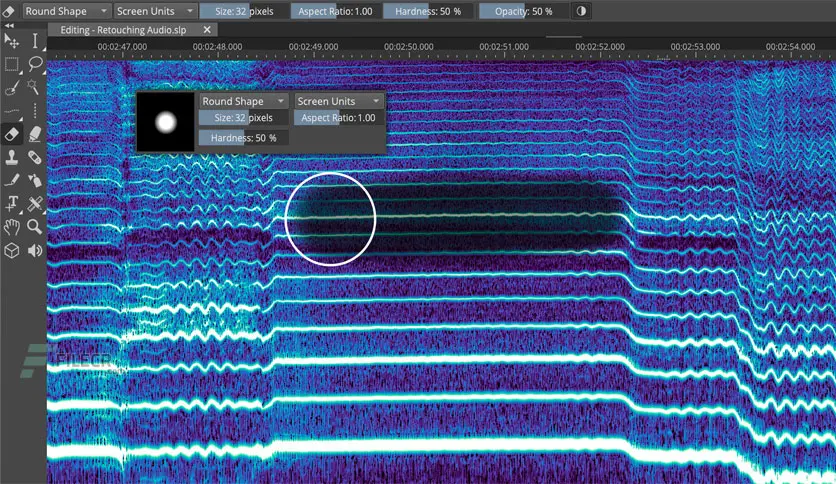
SpectraLayers introduces visual audio editing as never before. Paint and brushes, retouching and photographs, video and frames — SpectraLayers brings this editing model to audio.
Start with spectral domain where time, frequency, and amplitude are visible. Use pressure-sensitive stylus or mouse for intuitive editing. Drawing tools create expressive audio modifications.
Waveform visualization shows audio content clearly. Zoom in for precise editing or zoom out for overview perspective. Real-time playback provides immediate audio feedback.
Save favorite editing presets for workflow consistency. Templates accelerate production. Customize interface for personal workflow preferences.
Advanced Selection Engine
Powerful selection tools provide unprecedented precision in audio editing. Select by frequency range, time window, amplitude level, or combination criteria.
Magic wand selection automatically identifies similar audio content. Frequency-specific selection isolates problem frequencies. Time-based selection targets specific moments in audio.
Invert, expand, shrink, and feather selections. Combine multiple selections for complex editing tasks. Saved selections recall instantly for consistency.
Feathering prevents artifacts at selection boundaries. Smooth transitions between edited and unedited content. Professional results without obvious editing artifacts.
Selection-Based Effects Processing
Unique approach to audio effects processing. Apply effects only to selected spectral content, not entire audio file. Unprecedented control over effect application.
EQ specific frequencies without affecting others. Compress only problem frequency ranges. Apply reverb only to selected time window. Creative possibilities previously impossible.
Combine multiple effects in selection-based workflow. Stack processing for complex sound design. Non-destructive editing maintains original content safety.
Real-time preview shows effect impact before commitment. Undo unlimited edits for experimentation confidence. Tweak settings with immediate audio feedback.
Professional Audio Retouching and Restoration
Professional-grade restoration tools clean up problematic recordings. Remove background noise without affecting audio quality. Eliminate clicks, pops, and digital artifacts.
Surgical precision targets only unwanted content. Preserve vocal quality while removing background noise. Maintain instrument clarity while removing rumble.
Denoise algorithms trained on professional audio. Automatic problem detection identifies issues. Manual tools provide override control when needed.
Before and after comparison shows improvement clearly. A/B switching between original and restored version. Confidence in restoration quality before finalizing.
Mix-Like-Tracks Workflow Innovation
Revolutionary approach to mixing and editing. Work with complete stereo mixes as if they were individual tracks. Extract vocals from mixed recordings.
Separate instruments from complex mixes. Reduce vocal level in finished mix. Remove specific instrument from mix non-destructively.
Isolate problem frequencies in finished productions. Fix mastering issues in final mix. Extend artistic possibilities previously limited.
Source separation preserves audio quality and musicality. Non-invasive processing maintains original character. Creative remixing possibilities unlimited.
Seamless DAW Integration
SpectraLayers integrates smoothly into professional workflows. Works alongside Cubase, Nuendo, Logic Pro, Pro Tools, and other major DAWs.
Open audio from DAW directly in SpectraLayers. Edit spectrally with precision tools. Return edited audio to DAW project.
Maintain project continuity without complicated workflows. Save time with native integration. Professional results without workflow disruption.
Plugin format support enables direct integration. Standalone operation for detailed editing. Choose workflow that matches your preferences.
Frequently Asked Questions
Q: How do I activate and use SpectraLayers Pro 12 after purchase?
After purchase, you’ll receive complete installation files and activation instructions via your Sofryx account dashboard. Download SpectraLayers Pro 12 for your operating system (Windows or macOS) from “My Account → Downloads.” Run the installer package. SpectraLayers installs to your system programs folder. Open SpectraLayers and enter your activation credentials when prompted. A detailed installation guide covers first-time setup including preferences configuration. Telegram support provides priority assistance with any installation questions. Most users have SpectraLayers running within 20 minutes of purchase.
Q: Is this a genuine licence or a cracked version?
This is 100% genuine SpectraLayers Pro 12 lifetime licence, not a cracked or trial version. Activation is authentic and Steinberg-issued, providing legitimate permanent access to all advanced spectral editing features. Sofryx Team personally verifies and tests each licence before listing to ensure quality and functionality. You receive genuine Steinberg support for updates and technical assistance. Your lifetime activation means you own this licence indefinitely without expiration or renewal requirements.
Q: Can I use SpectraLayers Pro 12 on multiple computers?
Yes, SpectraLayers standard licence permits installation on multiple computers. You can install and activate on your primary workstation and one backup machine using the same licence. Deactivate on one computer and activate on another as your setup changes. This flexibility is ideal if you work on multiple systems, maintain backup workstations, or work across different studio locations. For professional facilities with multiple workstations, contact Sofryx about volume licensing options and special pricing.
Q: Will I receive future software updates for SpectraLayers Pro 12?
Your SpectraLayers Pro 12 lifetime licence includes all updates for the 12 version line. Performance improvements, bug fixes, and feature enhancements are provided free throughout the support cycle. Steinberg regularly releases updates adding functionality and capabilities. If Steinberg releases major new versions (SpectraLayers 13 or later), upgrading would require purchase of new version. However, your SpectraLayers 12 licence remains valid indefinitely. Continue using SpectraLayers 12 without mandatory upgrades. Contact Sofryx for discounted upgrade pricing when new versions become available.
Q: How long does delivery take after payment?
Delivery is immediate. Your download link and activation information appear in your Sofryx account dashboard under “My Account → Downloads” within minutes of payment processing. Begin SpectraLayers installation immediately. No physical shipping required—this is fully digital software. Most users have SpectraLayers downloaded and activated within 15-20 minutes of purchase. Once activated, you have immediate access to all advanced spectral editing, restoration, and mix manipulation tools.
Q: Which operating system versions are compatible with SpectraLayers Pro 12?
SpectraLayers Pro 12 is available for both Windows and macOS. Windows versions require Windows 10 (21H2 or higher) or Windows 11 (21H2 or higher) with Intel Core (5th Gen or higher), AMD Ryzen, or Snapdragon X processors. macOS versions support macOS 12 (Monterey), macOS 13 (Ventura), macOS 14 (Sonoma), and macOS 15 (Sequoia) on Intel Core (mid-2013 or later) or Apple Silicon Macs. Both platforms require 8GB RAM minimum (16GB recommended), 8GB free disk space, and compatible graphics adapter. Older OS versions (Windows 8.1 and earlier, macOS 11 and earlier) are not supported.
Q: What is your refund policy?
Please review the complete Refund Policy at bydigital.in/refund-policy/. Refunds are available within 48 hours if the software fails to activate or function as described. Since SpectraLayers is professional audio editing software, sales are final after successful activation. We stand behind the quality of our activation and provide comprehensive technical support. Contact our support team immediately if you experience any activation or installation issues for prompt resolution.
Q: How do I get support if I have an installation problem?
Windows and macOS Users: Complete installation instructions are provided with your download. If SpectraLayers fails to install or activate, our Sofryx support team provides priority assistance via Telegram. We offer troubleshooting steps, alternative installation methods, or alternative setup files if needed. Simply contact us on Telegram (@SofryxHelp or t.me/sofryxhelp) with details of any issues. Our team includes experienced audio engineers and professionals who can provide remote assistance via screenshare if necessary. Most installation issues are resolved within 1-2 hours of contacting support.
Only logged in customers who have purchased this product may leave a review.

Reviews
There are no reviews yet.