
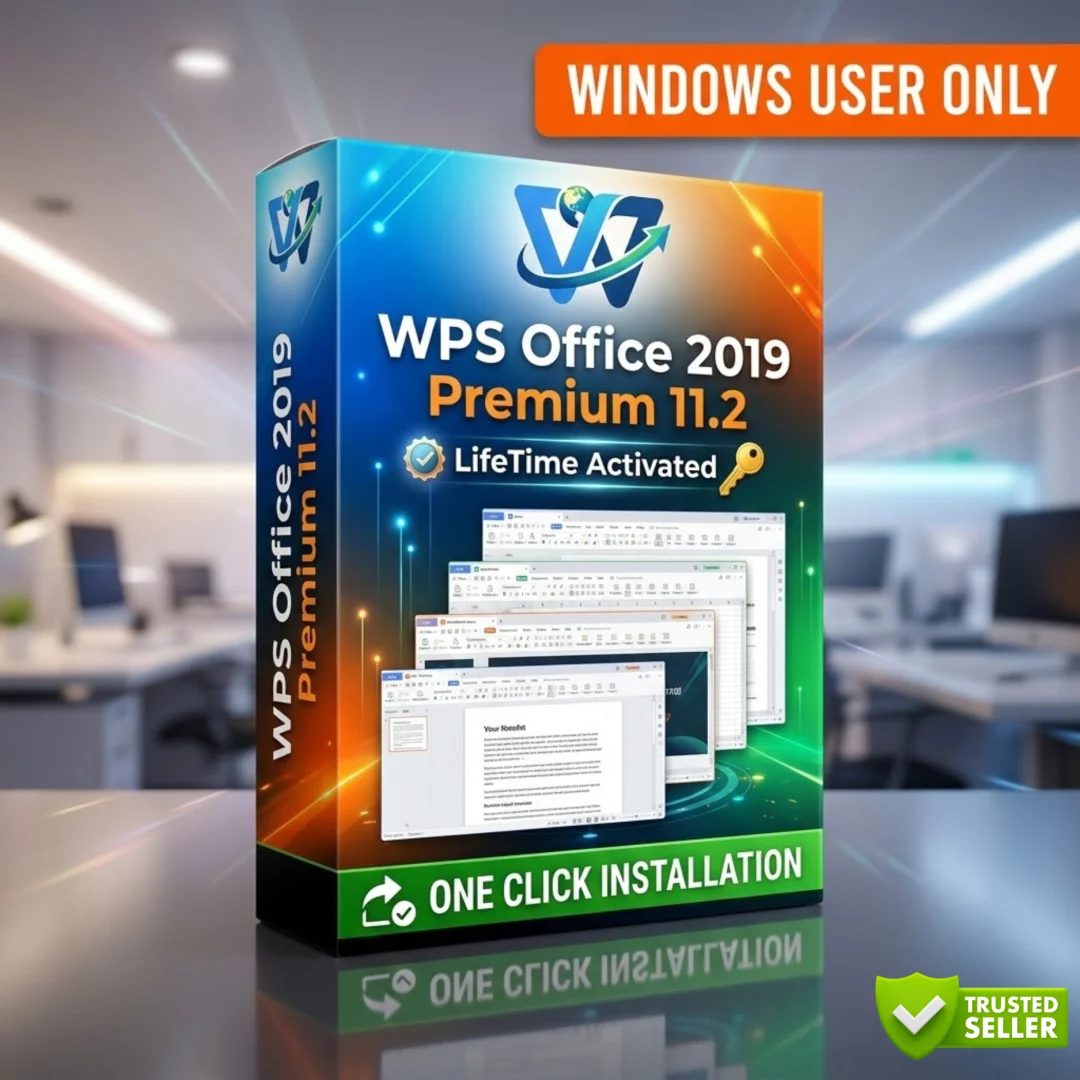




WPS Office Pro – Lifetime Licence | Sofryx
Original price was: $300.00.$15.00Current price is: $15.00.
Buy genuine WPS Office Pro lifetime licence with instant delivery. Personally tested Microsoft Office alternative with Writer, Spreadsheet and Presentation tools.
WPS Office Pro – The Complete Office Suite You Own Forever
WPS Office Pro is a powerful and lightweight office productivity suite that delivers full compatibility with Microsoft Word, Excel, and PowerPoint files. Whether you are a student working on college assignments, a freelancer managing client documents, or a small business owner creating professional spreadsheets and presentations, WPS Office Pro gives you everything you need without the burden of monthly subscription fees. Built by Kingsoft, this suite has earned the trust of over 500 million users worldwide. When you buy WPS Office Pro lifetime licence from Sofryx, you get a genuine, personally tested activation that works on your computer from day one.
Key Features of WPS Office Pro
- Full Microsoft Office Compatibility: Open, edit, and save DOC, DOCX, XLS, XLSX, PPT, and PPTX files without any formatting issues or conversion errors.
- Built-in PDF Tools: Export any document, spreadsheet, or presentation directly to PDF format without needing additional software.
- Tabbed Document Interface: Switch between multiple open documents using browser-style tabs within a single window for faster multitasking.
- VBA Macro Support: Automate repetitive tasks and run macros using full Visual Basic for Applications support across all modules.
- Lightweight Performance: Install quickly and run smoothly even on older or modest hardware with minimal system resource usage.
- Writer, Spreadsheet, and Presentation: Access three professional-grade applications in one suite covering all your document creation needs.
- Collaboration Ready: Use commenting, change tracking, and review tools to work on documents with colleagues or clients seamlessly.
- 10000+ Templates and 200+ Fonts: Choose from a massive library of professionally designed templates and fonts to create polished documents instantly.
Why Buy From Sofryx
- Personally tested by Mani before every listing goes live
- Genuine manufacturer-issued licence – not cracked, not trial
- One-time payment – lifetime activation, zero renewal fees
- Instant access via your website dashboard after payment
- Telegram support available for all installation queries
System Requirements
- Operating System: Windows 7, 8, 10, 11 or macOS 10.12 and above
- RAM: 2 GB minimum (4 GB recommended)
- Processor: Dual-core processor or higher
- Storage: 2 GB available disk space
- GPU: Not required
What You Get After Purchase
- Licence key or activation file
- Official download link via your account dashboard
- Step-by-step installation guide (video or written)
- Telegram support contact for installation help
Who Is This For
WPS Office Pro is built for anyone who needs a reliable office suite without paying for expensive subscriptions. Students can draft essays, build presentations, and manage study schedules with ease. Freelancers and remote workers benefit from the lightweight design and ability to handle client files in Microsoft Office formats without compatibility headaches. Small business owners can create invoices, financial spreadsheets, and professional reports. Educators and teachers can prepare lesson plans, grade sheets, and classroom presentations. Home users who simply need to write letters, manage household budgets, or create personal projects will find WPS Office Pro to be the most affordable and capable solution available. If you have ever searched for a genuine WPS Office alternative to Microsoft Office, this is the product you have been looking for.
WPS Writer – Professional Word Processing
WPS Writer is the word processing component of WPS Office Pro and it handles everything you would expect from a modern document editor. It opens and saves DOC, DOCX, RTF, TXT, HTM, and several other formats without any loss of formatting. The rich formatting toolbar gives you complete control over fonts, paragraph spacing, columns, tables, styles, and colours. You can insert images, shapes, charts, and tables directly into your documents. The built-in spelling checker helps you catch errors before sharing your work. Writer also includes a mail merge feature that lets you send personalised documents to multiple recipients, which is perfect for newsletters, invoices, or marketing mailers. Password protection and granular read and write permissions keep your sensitive documents secure. With over 50 productivity shortcuts built into the application, your workflow stays efficient from start to finish.
WPS Presentation – Create Stunning Slides
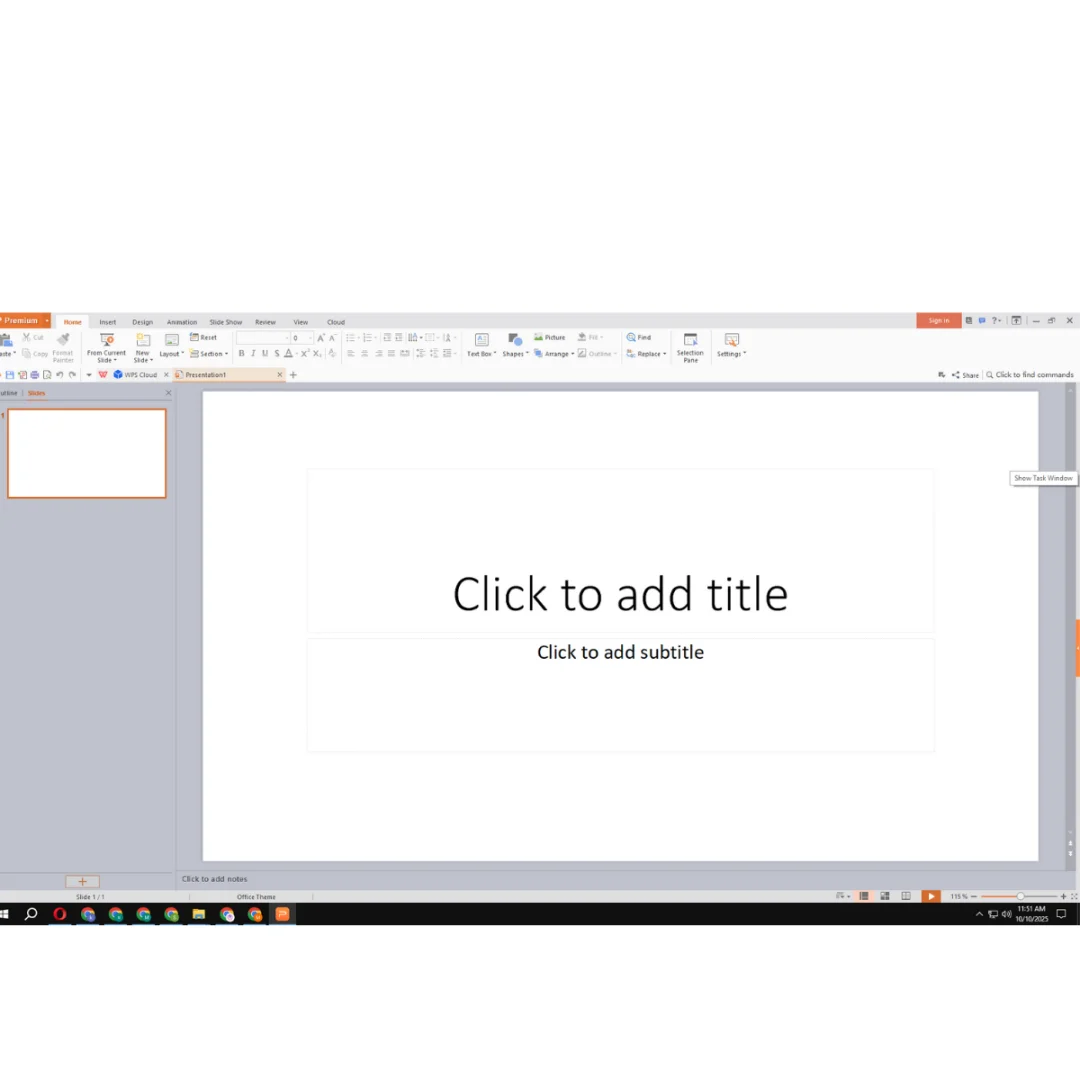
WPS Presentation opens PPT, PPTX, and PPS files including formats created in PowerPoint 2007 and newer versions. The creative tools give you advanced control over fonts, shapes, transitions, and animations to build visually engaging slideshows. You have access to over 230 fonts, WordArt styles, and professionally designed templates that help you create polished presentations in minutes. Multimedia integration lets you embed videos, audio clips, and images directly into your slides. When connected to external displays such as projectors or televisions, WPS Presentation adapts to widescreen formats and offers a dedicated presenter mode for better control during meetings or lectures. You can also export your finished presentation as a PDF for easy sharing with colleagues who may not have presentation software installed.
WPS Spreadsheet – Powerful Data Management
WPS Spreadsheet is fully compatible with XLS and XLSX files, making it a seamless replacement for Microsoft Excel in everyday data tasks. The application includes hundreds of built-in formulas and functions that cover financial calculations, statistical analysis, logical operations, and text manipulation. You can create charts, graphs, pivot tables, and use conditional formatting to visualise your data clearly. Sorting, filtering, and data validation tools help you manage large datasets without confusion. Pre-made templates for budgeting, project planning, and financial tracking save you time on routine tasks. Macro support through VBA lets you automate repetitive operations, and collaboration features including comments and history tracking make team projects straightforward. Whether you are tracking sales numbers, managing inventory, or building financial models, WPS Spreadsheet delivers the functionality you need.
Tabbed Interface for Better Productivity
One of the standout features that sets WPS Office Pro apart from traditional office suites is its tabbed document interface. Instead of opening separate windows for each file, WPS displays your open documents as tabs within a single window, similar to how modern web browsers handle multiple web pages. This design makes it significantly easier to switch between documents, compare content side by side, and manage your workspace without cluttering your taskbar. Combined with the unique folder browsing tool that lets you navigate through document directories directly within the application, WPS Office Pro provides a document management experience that is more efficient and organised than what you get with conventional office software. This feature alone saves considerable time for users who regularly work with multiple files at once.
Built-in PDF Export and Conversion
Every module in WPS Office Pro includes a built-in PDF export tool, which means you can save any document, spreadsheet, or presentation as a PDF file without installing third-party software. This is a genuine advantage over some competing office suites that require separate plugins or paid add-ons for PDF creation. The PDF export feature preserves your formatting, fonts, images, and layout exactly as they appear on screen. You can also reduce file size during export to make sharing easier through email or messaging platforms. For users who regularly need to distribute documents in a universal format that looks the same on every device, this built-in capability eliminates extra steps and keeps your workflow smooth. If you need advanced PDF editing beyond what WPS offers, consider pairing it with Adobe Acrobat Pro DC from our store.
VBA Macro and OLE Automation Support
WPS Office Pro includes full support for Visual Basic for Applications, commonly known as VBA macros. This means you can automate repetitive tasks, create custom functions, and build sophisticated workflow solutions directly within Writer, Spreadsheet, and Presentation. If you already have existing macros created in Microsoft Office, they will work in WPS Office Pro in most cases without modification. OLE Automation support allows WPS to integrate with other Windows applications, enabling advanced document workflows that pull data from multiple sources. For power users, IT professionals, and anyone who values efficiency, macro support transforms WPS Office Pro from a simple document editor into a comprehensive productivity platform. This level of automation capability is rarely found in free or low-cost office alternatives, making WPS Office Pro an exceptional value at its price point.
Security and Document Protection
Keeping your documents safe is a priority, and WPS Office Pro delivers multiple layers of protection. The autosave feature ensures that your work is preserved even if your computer loses power or crashes unexpectedly. Document encryption lets you lock files with passwords so that only authorised users can open them. You can set granular permissions that control whether recipients can only read a document or also edit it. These security features are consistent across Writer, Spreadsheet, and Presentation, giving you uniform protection regardless of the file type you are working with. For businesses handling confidential information and professionals managing client data, these built-in security tools provide peace of mind without requiring additional software purchases. As reviewed on Capterra, WPS Office has earned strong ratings for its reliability and feature set across thousands of verified user reviews.
Collaboration and Team Review Tools
WPS Office Pro is designed with teamwork in mind. The commenting system lets multiple users leave notes, suggestions, and feedback directly within documents, spreadsheets, and presentations. Change tracking records every edit made to a document, making it easy to see who changed what and when. You can accept or reject changes individually, giving you full control over the final version of any file. These collaboration features work seamlessly whether your team uses WPS Office or Microsoft Office, so there is no barrier to working with colleagues who prefer different software. For remote teams and distributed workforces, this cross-compatibility ensures that file sharing and collaborative editing remain smooth and frustration-free. The ability to share documents quickly via integrated email support further streamlines the review and approval process. For more about office productivity suites, trusted review sites offer detailed comparisons.
Language Support and Spell Check
WPS Office Pro officially supports multiple languages including English, Spanish, French, German, Portuguese, Russian, Japanese, and more. Additional language packs are available to extend support even further. The built-in spell check tool works across all modules to help you catch typing errors and improve document quality before sharing or printing. For users working in multilingual environments or creating documents for international audiences, this broad language support ensures that WPS Office Pro adapts to your needs rather than limiting them. The spell checker integrates naturally into the editing workflow, underlining potential errors as you type so you can correct them immediately without interrupting your work. You can also reference the official WPS Office documentation for detailed guides on configuring language packs and customising spell check settings for your preferred language.
Why WPS Office Pro Beats Expensive Subscriptions
The biggest advantage of buying WPS Office Pro lifetime licence from Sofryx is that you pay once and own it forever. There are no monthly fees, no annual renewals, and no surprise price increases. Compare this to subscription-based office suites that charge you year after year for the same basic functionality. WPS Office Pro gives you the same core capabilities at a fraction of the long-term cost. The lightweight installation means you do not need a powerful computer to run it effectively, which saves additional money on hardware. With a tabbed interface, built-in PDF tools, an integrated search panel, and the unique folder browsing feature for document management, WPS Office Pro actually includes workflow enhancements that some premium competitors do not offer. For users looking at genuine productivity software, you can also explore other tools in our Windows Software collection. The ISO document standards that WPS supports ensure your files remain compatible and accessible across different platforms and applications.
Frequently Asked Questions
Q: How do I activate WPS Office Pro after purchase
To activate WPS Office Pro after your purchase from Sofryx, follow the installation instructions that are included with your download. A detailed video guide or written instruction document will be provided alongside the setup file in your account dashboard. The activation process is straightforward and typically takes only a few minutes to complete. Simply download the setup file, run the installer, and apply your licence key or activation file as directed in the guide. If you encounter any difficulty during the activation process, our Telegram support team is available to assist you step by step until the software is fully activated on your computer.
Q: Is this a genuine licence or a cracked version
Every product listed on Sofryx is a genuine manufacturer-issued licence that has been personally tested by Mani before being made available for sale. This is not a cracked, pirated, or trial version of the software. You receive a legitimate activation that works exactly as the developer intended. Sofryx takes pride in offering only authentic software licences, which means you get the full feature set, proper functionality, and peace of mind knowing that your software is legally licensed. We do not sell modified, patched, or unofficial versions of any product in our store.
Q: Can I use this on multiple computers
Yes, multiple device use is supported with your WPS Office Pro licence purchased from Sofryx. You can install and activate the software on more than one computer, allowing you to work seamlessly across your desktop and laptop or share access with family members in your household. The licence details provided after purchase will include specific information about device limits and activation steps for each machine. If you have any questions about setting up the software on additional devices, our Telegram support team can guide you through the process to ensure smooth installation on every computer you need.
Q: Will I receive future software updates
There is no immediate need to update after installation, as the version you receive is fully functional and tested. If a software update becomes necessary in the future due to compatibility requirements or new feature releases, you can contact Mani directly through our Telegram support channel. The update will be provided free of charge within one year of your purchase date. This approach ensures that you always have access to a working version of the software without worrying about forced updates or compatibility issues that could disrupt your workflow during critical projects.
Q: How long does delivery take after payment
Delivery is instant. Immediately after your payment is confirmed, download links become available in your My Account dashboard under the Downloads section on the Sofryx website. There is no waiting period, no manual processing, and no shipping delay because this is a digital delivery product. You can begin downloading and installing WPS Office Pro within minutes of completing your purchase. The dashboard also stores your licence key or activation file, so you can access your purchase details at any time in the future if you need to reinstall the software on a new computer or after a system reset.
Q: Which operating system versions are compatible
WPS Office Pro is compatible with Windows 7, Windows 8, Windows 10, and Windows 11 on the PC side. For Mac users, macOS 10.12 Sierra and all later versions are supported. The software runs smoothly on both 32-bit and 64-bit systems. You need a minimum of 2 GB of RAM, though 4 GB is recommended for the best performance when working with large files. A dual-core processor and 2 GB of available disk space complete the system requirements. These modest hardware requirements mean that WPS Office Pro works well even on older computers that may struggle with heavier office suites.
Q: What is your refund policy
For complete details about refunds, returns, and eligibility conditions, please visit the full Refund Policy page on our website at bydigital.in/refund-policy. The policy page outlines all the terms and conditions that apply to digital software purchases made through our store. We encourage every customer to read the refund policy before making a purchase so that you have a clear understanding of your rights and our obligations. If you have specific questions about the refund process that are not covered on the policy page, you can reach out to our Telegram support channel for clarification.
Q: How do I get support if I have an installation problem
If you encounter any installation problems, Sofryx offers dedicated support through multiple channels. Windows users can receive remote support via AnyDesk, UltraViewer, or Zoom Meeting, where our team connects to your computer and resolves the issue directly. Mac users receive detailed installation instructions to follow independently. If the software fails to install on a Mac, an alternative setup file along with revised instructions will be provided promptly. You can reach our support team through Telegram at t.me/sofryxhelp for quick assistance. Our goal is to ensure that every customer gets the software running successfully on their machine regardless of their technical experience level.
Only logged in customers who have purchased this product may leave a review.
Reviews
There are no reviews yet.