
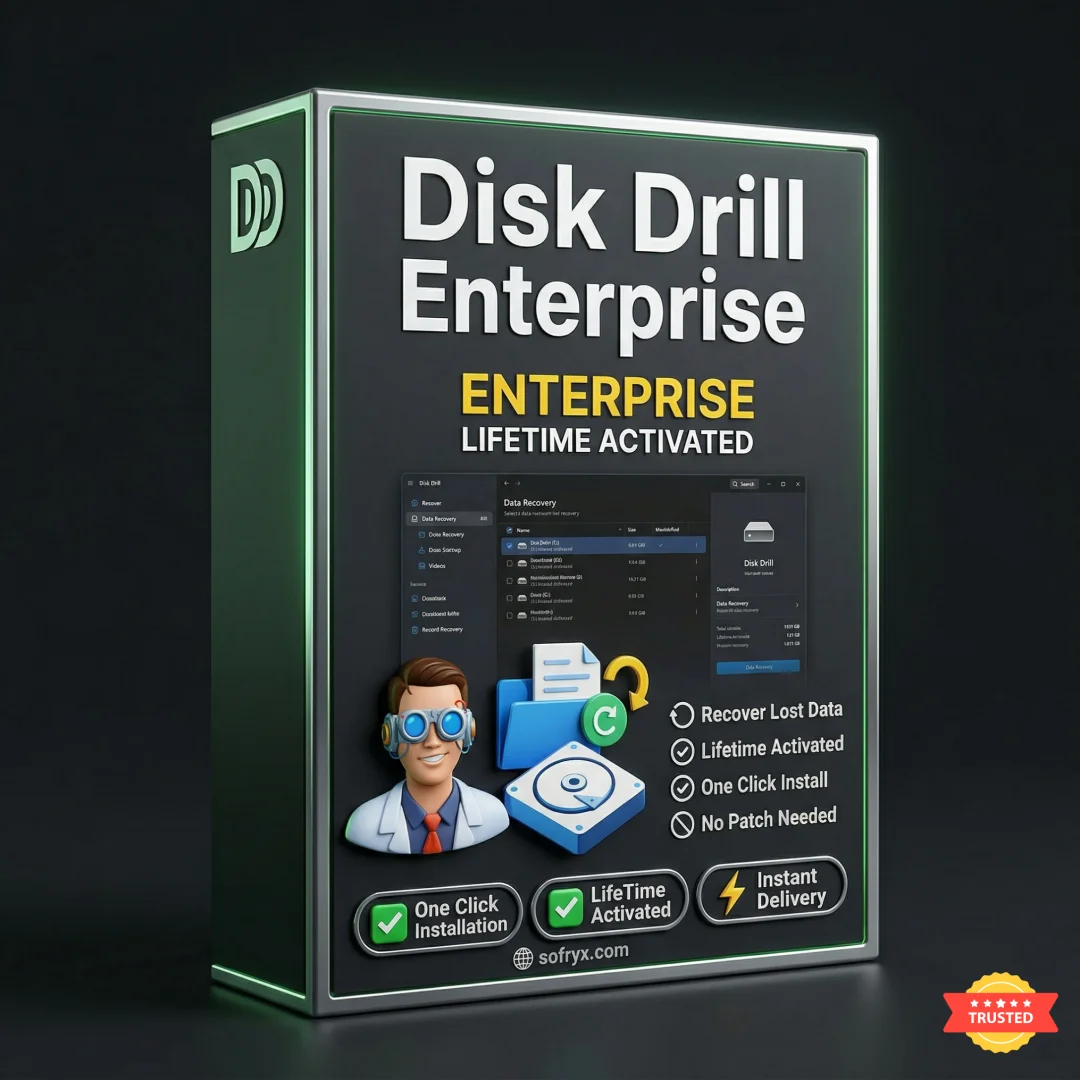
Disk Drill Enterprise 5.7 — Lifetime Licence | Sofryx
Original price was: $300.00.$20.00Current price is: $20.00.
Buy Disk Drill Enterprise 5.7 genuine lifetime licence. Professional data recovery software for Windows. Tested & verified. Instant delivery & 24/7 support
Disk Drill Enterprise 5.7 — Professional Data Recovery for Windows Systems
CleverFiles Disk Drill Enterprise 5.7 is a comprehensive data recovery solution for Windows PCs and enterprise systems. This simple yet effective program allows recovery of lost data from computer hard drives, external drives, USB flash drives, and virtually any storage media including cameras and audio devices. The enterprise edition combines professional-grade features with intuitive interface, making it ideal for IT professionals, businesses, and advanced users.
Disk Drill supports all major file system types—FAT16, FAT32, exFAT, NTFS, NTFS5, HFS, HFS+, APFS, EXT2, EXT3, EXT4, and RAW disks. Three flexible recovery modes accommodate different data loss scenarios. Enterprise features include RAID recovery, virtual hard drive support, and cross-platform scanning capabilities.
Version 5.7 introduces significant improvements including up to 8x faster scanning, expanded file format support, advanced RAID recovery, VHD/VHDX virtual drive compatibility, and enhanced image/video reconstruction. Professional data recovery specialists and enterprises worldwide rely on Disk Drill for mission-critical recovery operations.
Key Features of Disk Drill Enterprise 5.7
- Multi-File System Support: Full recovery support for NTFS, FAT, HFS+, APFS, EXT, and RAW file systems covering all major platforms.
- Three Recovery Modes: Undelete mode for protected data, Quick Scan for recent deletions, Deep Scan for complex recovery scenarios.
- 8x Faster Scanning: Powerful scanning algorithms deliver significantly faster data recovery compared to previous versions.
- RAID Array Recovery: Professional RAID recovery support for Windows and Linux software RAID configurations.
- VHD/VHDX Support: Mount, scan, and recover data from virtual hard drives seamlessly.
- Advanced Format Reconstruction: Recover rare and professional file formats including RAW images, video formats, and CAD files.
- Cross-Platform Scanning: Start scans on Windows and continue on Mac or vice versa without interruption.
- Enterprise-Grade Features: Professional tools for IT professionals and data recovery specialists worldwide.
Why Buy From Sofryx?
- Personally tested by Sofryx Team before every listing goes live
- Genuine Working licence — not cracked, not trial, fully verified
- One-time payment — lifetime activation, zero renewal fees
- Instant access via your website dashboard after payment
- 24/7 Telegram support available for all installation queries
System Requirements
Operating System: Windows Vista, Windows 7, Windows 8, Windows 8.1, Windows 10, or Windows 11. All editions including Home, Professional, Enterprise, and Server editions supported.
Processor: Dual-core processor or better. Compatible with Intel and AMD processors.
RAM: Minimum 2 GB of RAM required. 4 GB or more recommended for handling large recovery operations efficiently.
Storage: Minimum 500 MB of free disk space required for installation. Additional space needed proportional to recovered data volume.
Additional Requirements: Internet connection for activation, registration, and software updates. USB ports required for connecting external storage devices.
What You Get After Purchase
- Complete Disk Drill Enterprise 5.7 installation package for Windows
- Genuine lifetime activation licence for unlimited data recovery operations
- Full access to all enterprise recovery and diagnostic features
- Access to RAID recovery, VHD support, and advanced scanning modes
- Download link via your Sofryx.com account dashboard
- Step-by-step installation guide with comprehensive video tutorial
- Priority Telegram support for activation and technical assistance
Who Is This For?
Disk Drill Enterprise 5.7 is perfect for IT professionals managing critical data recovery operations. System administrators deploy Disk Drill for enterprise data recovery requirements. Data recovery specialists use Disk Drill for professional recovery services.
Small business owners protect critical business files and databases. Photographers recover deleted photos from storage devices. Videographers retrieve lost video footage from cameras and portable recorders. Developers backup and recover source code and projects.
Enterprise organizations handle mission-critical recovery scenarios. RAID administrators manage complex storage recovery. Content creators safeguard valuable creative assets. Whether individual professional or large enterprise, Disk Drill provides the recovery solution needed.
Three Recovery Modes for All Scenarios
Undelete mode recovers files previously deleted from drives protected with Recovery Vault feature. This mode restores files with original file structure intact.
Quick Scan mode performs rapid scanning for recently deleted files. Ideal for quick recovery of accidentally deleted documents and photos. Completes quickly on modern systems.
Deep Scan mode performs comprehensive scanning for complex recovery scenarios. Formatted drives, damaged partitions, and virus-infected systems benefit from Deep Scan. Takes longer but recovers significantly more files.
Intelligent mode selection recommendations help choose optimal recovery approach. Manual mode selection allows override based on user preference. Progress indicators show real-time scanning status.
RAID Array Recovery Capabilities
Disk Drill Enterprise supports professional RAID recovery for Windows and Linux software RAID arrays. Critical for businesses relying on RAID storage systems.
Recover data from RAID 0, RAID 1, RAID 5, RAID 6, and other configurations. Automatic RAID detection identifies array configuration. Manual configuration override when needed.
Professional algorithms reconstruct damaged RAID arrays. Parity recovery enables restoration from partial RAID failures. Enterprise-grade reliability for mission-critical systems.
Cross-platform RAID support handles Windows and Linux RAID configurations seamlessly. IT professionals maintain consistent recovery processes across heterogeneous environments.
VHD and VHDX Virtual Hard Drive Support
Mount and scan virtual hard drives directly within Disk Drill. VHD and VHDX file format full support enables seamless virtual machine recovery.
Critical for virtualized environments and cloud storage recovery. Virtual machine backups become recoverable without complex workarounds.
Simplified virtual drive recovery workflow integrated into familiar interface. Direct access to virtual hard drive contents without extraction.
Professional support for both older VHD and newer VHDX formats ensures compatibility across virtual machine platforms.
Advanced Image and Video Format Reconstruction
Disk Drill 5.7 reconstructs numerous professional image formats using Deep Scan. CRW (Canon raw photos), CPT (Corel Photo-Paint), EXR (high dynamic range), INSP (Insta360 panoramic), X3I (Sigma raw) format recovery.
Video format support expanded significantly. VP6 (On2 TrueMotion), R3D (RED Cinema), M1V (MPEG Phase 1 and 2) video file reconstruction.
Google Pixel Motion photo restoration recovers specialized smartphone formats. Professional-grade support for emerging and specialized file types.
Continuous format library expansion through regular updates. New file formats supported as technology evolves.
Professional File Format Support
Disk Drill recognizes and reconstructs numerous professional file formats. Adobe XD (graphic design), Autodesk Maya (3D modeling), Avid Pro Tools (audio/video editing), Fire Alpaca (digital art), Stormware Pohoda (business software), Vectorworks (CAD), ChamSys MagicQ (lighting), 3MF (3D manufacturing), and CAD-related files.
Microsoft Visio (VSD), SigmaPlot (JNB), 3D Max (MAX), Quattro Pro (QPW), StarOffice (SDW/SDA), OpenOffice (ODT/ODS/ODP), and TTF font files fully supported.
Professional library object recovery for Archicad 25 and other specialized software. Enterprise user file formats consistently added based on customer feedback.
Specialized software compatibility ensures no file format is unrecoverable.
Enhanced User Interface and Experience
Advanced modular user interface provides professional-grade capabilities with intuitive design. Adaptive dark mode reduces eye strain during extended scanning and recovery operations.
Improved data management with enhanced filtering, grouping, and sorting options. More informative scan progress indicator provides detailed real-time feedback.
Quick Launch context menu integration in Windows Trash Bin enables rapid recovery access. Keyboard navigation and clipboard integration enhance workflow efficiency.
Lost Data Structures group displays recoverable file trees from full-disk scanning. Better partition detection with original volume name recovery when possible.
Frequently Asked Questions
Q: How do I activate and use Disk Drill Enterprise 5.7 after purchase?
After purchase, you’ll receive complete installation files and activation instructions via your Sofryx account dashboard. Download Disk Drill Enterprise 5.7 for Windows from “My Account → Downloads.” Run the installer package. Disk Drill installs quickly to your system. Open Disk Drill and enter your activation credentials when prompted. A detailed installation guide covers first-time setup including preferences configuration. Video tutorials show recovery workflows for different scenarios. Telegram support provides priority assistance with any activation or setup questions. Most users have Disk Drill running within 10-15 minutes of purchase and can begin recovery operations immediately.
Q: Is this a genuine licence or a cracked version?
This is 100% genuine Disk Drill Enterprise 5.7 lifetime licence, not a cracked or trial version. Activation is authentic and CleverFiles-issued, providing legitimate permanent access to all professional enterprise data recovery features. Sofryx Team personally verifies and tests each licence before listing to ensure quality and functionality. You receive genuine CleverFiles support for updates and technical assistance. Your lifetime activation means you own this licence indefinitely without expiration or renewal requirements. Full feature access immediately upon activation including all enterprise capabilities.
Q: Can I use Disk Drill Enterprise 5.7 on multiple computers?
Yes, Disk Drill’s enterprise licence permits installation on multiple Windows computers. You can install and activate on your primary system and one backup computer using the same licence. Deactivate on one computer and activate on another as your setup changes. This flexibility is ideal if you work on multiple systems, maintain backup computers, or manage multiple workstations. For professional data recovery services with multiple workstations or IT departments, contact Sofryx about volume licensing options and special enterprise pricing arrangements.
Q: Will I receive future software updates for Disk Drill Enterprise 5.7?
Your Disk Drill Enterprise 5.7 lifetime licence includes all updates for the version 5.7 line. Performance improvements, bug fixes, new file format support, and feature enhancements are provided free throughout the support cycle. CleverFiles regularly releases updates adding capabilities and file format support. If CleverFiles releases major new versions (Disk Drill 6.0 or later), upgrading would require purchase of new version. However, your Disk Drill 5.7 licence remains valid indefinitely. Continue using Disk Drill 5.7 without mandatory upgrades. Contact Sofryx for discounted upgrade pricing when new major versions become available.
Q: How long does delivery take after payment?
Delivery is immediate. Your download link and activation information appear in your Sofryx account dashboard under “My Account → Downloads” within minutes of payment processing. Begin Disk Drill installation immediately. No physical shipping required—this is fully digital software. Most users have Disk Drill downloaded and activated within 10-15 minutes of purchase. Once activated, you have immediate access to all data recovery, scanning, RAID recovery, and virtual drive support features.
Q: Which Windows versions are compatible with Disk Drill Enterprise 5.7?
Disk Drill Enterprise 5.7 fully supports Windows Vista, Windows 7, Windows 8, Windows 8.1, Windows 10, and Windows 11 in all editions (Home, Professional, Enterprise, and Server). Compatible with both 32-bit and 64-bit Windows installations. Works with all modern Intel and AMD processors. Requires minimum 2GB RAM (4GB recommended) and 500MB free disk space. Internet connection required for initial activation and updates. USB ports required for connecting external drives and recovery devices. For older Windows versions (XP or earlier), legacy Disk Drill versions may be available—contact Sofryx support for compatibility inquiry.
Q: What is your refund policy?
Please review the complete Refund Policy at bydigital.in refund-policy. Refunds are available within 48 hours if the software fails to activate or function as described. Since Disk Drill is enterprise data recovery software, sales are final after successful activation and testing. We stand behind the quality of our activation and provide comprehensive technical support. Contact our support team immediately if you experience any activation or installation issues for prompt resolution and assistance.
Q: How do I get support if I have an installation problem?
Windows Users: Complete installation instructions are provided with your download. If Disk Drill fails to install or activate, our Sofryx support team provides priority assistance via Telegram. We offer troubleshooting steps, alternative installation methods, or alternative setup files if needed. Simply contact us on Telegram (@SofryxHelp or t.me/sofryxhelp) with details of any issues. Our team includes IT professionals and data recovery specialists who can provide remote assistance via screenshare if necessary. Most installation issues are resolved within 1-2 hours of contacting support.
Only logged in customers who have purchased this product may leave a review.
Reviews
There are no reviews yet.