
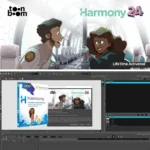
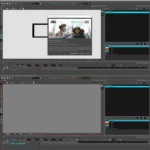
Toon Boom Harmony Premium 24 – Professional
Original price was: $300.00.$20.00Current price is: $20.00.
Toon Boom Harmony Premium 24 professional 2D animation software. Cutout, paperless, mixed-media animation. Industry standard for studios. Lifetime activation included.
Toon Boom Harmony Premium 24 – Industry-Standard Professional 2D Animation Software
The choice of top animation studios worldwide. Toon Boom Harmony Premium 24 is the industry standard for high-quality, professional 2D animation, trusted by leading studios, feature film productions, television networks, and streaming content creators for delivering broadcast-quality animated content.
Whether you’re producing feature films, television series, streaming content, games, or independent animation projects, Toon Boom Harmony Premium 24 provides comprehensive tools for cutout, paperless, and mixed-media animation in any artistic style. This powerful platform integrates drawing, rigging, animation, compositing, and effects in a single, streamlined workspace.
With lifetime activation and no recurring subscription fees, Toon Boom Harmony Premium 24 is a one-time investment in professional animation capabilities that will serve your creative projects for years to come.
What Is Toon Boom Harmony Premium 24?
Toon Boom Harmony Premium 24 is the leading professional 2D animation software platform designed for studios and animators producing high-quality animated content. The software empowers creative storytelling with robust tools for every stage of the animation production pipeline—from initial concept through final composited output.
Toon Boom’s official Harmony product page confirms that Harmony remains the industry standard chosen by major studios, television networks, and streaming platforms for professional 2D animation production worldwide.
Unlike entry-level animation software, Toon Boom Harmony Premium 24 is built for professional production environments where reliability, performance, and sophisticated creative tools are non-negotiable. The software handles complex multi-layer animations, maintains quality across production pipelines, and provides tools professional animators require.
Professional Animation Capabilities – Complete Production System
1. All-in-One Animation Workspace – Unified Creative Environment
Toon Boom Harmony Premium 24 consolidates the entire animation production process:
- Drawing Tools: Advanced raster and vector art tools for all animation styles
- Rigging System: Professional bone rigging for puppet-style and cutout animation
- Animation Engine: Comprehensive keyframe and motion control
- Compositing: Integrated compositing for combining animated elements
- Effects: Built-in effects processing for final visual enhancement
- Camera System: 3D camera with professional perspective control
- Unified Workspace: All tools accessible without switching applications
This integrated approach eliminates the need for multiple specialized software applications—everything animators need exists within Harmony Premium 24.
2. Advanced Raster and Vector Art Tools – Creative Flexibility
Toon Boom Harmony Premium 24 provides comprehensive drawing and painting tools:
- Vector Painting: Smooth, scalable vector artwork
- Raster Painting: Pixel-based painting for natural brush effects
- Hybrid Approach: Mix vector and raster techniques in single artwork
- Brush Library: Extensive customizable brush collection
- Color Palettes: Professional color management
- Layer Management: Sophisticated layer organization and control
- Digital Inking: Precise digital ink and paint workflows
- Artistic Styles: Support for traditional hand-drawn to digital styles
These tools enable animators to create any visual style—from classic Disney-style hand-drawn animation to modern digital styles to artistic experimental animation.
3. Flexible Animation Approaches – Cutout, Paperless, and Traditional
Toon Boom Harmony Premium 24 supports multiple animation methodologies:
- Cutout Animation: Puppet-style character animation with pre-drawn elements
- Paperless Animation: Direct digital frame-by-frame animation
- Traditional Animation: Classic hand-drawn animation workflows
- Rigged Animation: Bone-based character animation
- Mixed-Media: Combine multiple animation techniques in single project
- Hybrid Production: Mix hand-drawn elements with 3D models
- Style Freedom: Support for any artistic approach
Cartoon Brew’s industry coverage confirms that professional animators require flexibility to work across multiple animation techniques within single projects.
4. Professional Rigging System – Character Animation Control
Toon Boom Harmony Premium 24 includes sophisticated character rigging tools:
- Bone Rigging: Professional skeleton system for character animation
- IK/FK Control: Inverse and forward kinematics for realistic movement
- Deformation: Mesh deformation for organic character motion
- Control Rigs: Customizable control handles for animators
- Physics Integration: Physics simulation for realistic secondary motion
- Constraint System: Position, orientation, and parent constraints
- Library Management: Save and reuse rigged characters
- Performance Optimization: Rigging optimized for real-time playback
Professional rigging enables efficient character animation—animators can focus on performance rather than struggling with complex technical setups.
5. 3D Camera System with Multi-Plane Depth – Immersive Cinematography
Toon Boom Harmony Premium 24 features professional 3D camera capabilities:
- 3D Camera Control: Full 3-dimensional camera movement
- Multi-Plane Depth: Z-axis depth for rich visual storytelling
- Perspective Layers: Multiple planes at different depths
- Parallax Effect: Natural depth parallax between planes
- Camera Tracking: Professional camera movement and focus
- Ambient Occlusion: Advanced lighting simulation for immersive perspectives
- Depth of Field: Focus control for cinematic effects
- Camera Keyframing: Precise camera animation control
Multi-plane camera system enables sophisticated cinematography—audiences perceive depth and dimension that elevates animation quality beyond flat 2D.
6. Integrated Compositing & Effects – Final Polish
Toon Boom Harmony Premium 24 includes comprehensive compositing and effects tools:
- 2D Compositing: Layer blending and composition control
- 3D Element Integration: Combine 3D models with 2D animation
- Effects Library: Professional effects collection
- Color Correction: Professional color grading
- Lighting Effects: Realistic lighting simulation
- Particle Systems: Procedural particle effects
- Custom Effects: Build custom effect chains
- Real-Time Preview: Instant effect preview during work
Integrated effects eliminate the need for external compositing software—animators can achieve professional final output without leaving Harmony.
7. Mixed-Media Production Capabilities – Hybrid Creative Workflows
Toon Boom Harmony Premium 24 enables seamless 2D/3D hybrid production:
- 3D Model Import: Integrate 3D models in 2D animation
- Texture Mapping: Apply 2D textures to 3D geometry
- 3D Lighting: Illuminate 3D models with 2D lighting
- Live Action Integration: Composite animation over live footage
- Matte Painting: Sophisticated background artwork
- Visual Effects: Professional VFX integration
- Seamless Compositing: Blend 2D and 3D elements naturally
Mixed-media capability enables modern animation styles that blend 2D character animation with 3D environments and effects.
8. Frame-by-Frame Animation Tools – Traditional Animator Support
Toon Boom Harmony Premium 24 supports traditional frame-by-frame animation workflows:
- Light Table: Traditional animator light table for drawing reference
- Onion Skin: Translucent onion-skin view for drawing consistency
- Timing Controls: Frame-by-frame timing adjustment
- Inbetweening: Automatic inbetween generation for efficiency
- Line Weight Control: Consistent stroke quality
- Frame Navigation: Intuitive frame-by-frame playback
- Speed Ramps: Variable speed animation control
Frame-by-frame tools enable traditional animators to work digitally while maintaining familiar workflows and control.
9. Advanced Layer System – Complex Scene Organization
Toon Boom Harmony Premium 24 provides sophisticated layer organization:
- Unlimited Layers: No practical limitation on layer count
- Layer Groups: Organize layers into logical groups
- Blend Modes: Professional color blending options
- Layer Masking: Sophisticated masking control
- Layer Effects: Apply effects to individual layers
- Visibility Control: Toggle layers on/off easily
- Layer Locking: Protect layers from accidental editing
- Hierarchy Management: Complex nested layer structures
Advanced layer system enables organizing complex scenes with hundreds of animated elements.
10. Professional Workflow Integration – Studio Pipeline Support
Toon Boom Harmony Premium 24 integrates with professional production pipelines:
- File Format Support: Industry-standard format compatibility
- Asset Library: Manage and organize animation assets
- Batch Processing: Process multiple scenes efficiently
- Network Rendering: Distributed rendering across machines
- Version Control: Track changes and manage revisions
- Collaboration Tools: Multi-user project support
- Production Management: Scene management for large projects
- Export Options: Flexible output format choices
Animation Mentor’s professional training confirms that production workflow integration is critical for studio environments handling multiple scenes and team members.
11. Real-Time Performance – Instant Playback & Feedback
Toon Boom Harmony Premium 24 provides real-time animation playback:
- Instant Playback: View animations in real-time while working
- Smooth Performance: Optimized for responsive editing
- Hardware Acceleration: GPU acceleration for complex scenes
- Live Preview: Effects and compositing preview in real-time
- Scrubbing: Smooth timeline scrubbing for frame navigation
- Playback Control: Frame-perfect playback control
- Multi-Display Support: Optimize workspace across multiple monitors
Real-time performance enables animators to immediately see animation results—critical for iterative animation work.
12. Color Management System – Professional Color Accuracy
Toon Boom Harmony Premium 24 includes professional color management:
- Color Space Support: Professional color space management
- Palette Management: Organize and manage color palettes
- Swatches: Color swatch libraries for consistency
- Color Correction: Professional color grading tools
- Accurate Display: Color-accurate display calibration
- Industry Standards: Support for broadcast color standards
- Material System: Advanced material and texture management
Professional color management ensures consistent color appearance across production pipeline and final output.
13. Sound & Audio Integration – Synchronized Animation
Toon Boom Harmony Premium 24 supports audio synchronization:
- Audio Playback: Listen to soundtrack while animating
- Audio Waveform Display: Visual representation of audio
- Lip-Sync Tools: Specialized tools for mouth animation
- Timing Marks: Visual timing markers for animation sync
- Audio Cues: Set cues for animation timing
- Volume Control: Adjustable audio playback level
Audio integration enables animators to synchronize character animation with dialogue and sound effects accurately.
14. Customizable Workspace – Tailored Animation Environment
Toon Boom Harmony Premium 24 offers flexible workspace customization:
- Custom Layouts: Design workspace for specific workflows
- Dockable Panels: Organize interface elements as needed
- Keyboard Shortcuts: Customize shortcuts for efficiency
- Toolbar Customization: Create custom tool palettes
- Color Themes: Choose interface appearance
- Saved Workspaces: Save and switch between layouts
- Multi-Monitor Support: Distribute interface across displays
Customizable workspace enables each animator to optimize their working environment.
15. Extensive Plugin & Script Support – Extensibility
Toon Boom Harmony Premium 24 supports extensive customization and automation:
- Plugin Architecture: Third-party plugin support
- Script Engine: Python and JavaScript scripting
- Custom Tools: Build custom animation tools
- Automation: Automate repetitive tasks
- API Access: Programmatic access to functionality
- Community Extensions: Access community-created plugins
- Technical Documentation: Comprehensive development documentation
Plugin support enables studios to customize Harmony for specific production requirements and workflows.
================================================================================
System Requirements – Windows PC Configuration
| System Component | Requirement |
|---|---|
| Operating System | Windows 10 or Windows 11 (64-bit required) |
| Processor | Intel Core i5 or higher (Intel Core i7+ recommended for HD/4K) |
| RAM Memory | 8 GB minimum | 16 GB or more recommended for complex projects |
| Hard Drive Space | 10 GB free space for installation, additional space for project files |
| Graphics Card | NVIDIA GTX 960 or higher (RTX series recommended for optimal performance) |
| Display | Dual monitor setup strongly recommended for professional workflow |
| Network | Internet connection for software activation and updates |
Performance Notes: Harmony performance scales with hardware—higher-end systems handle complex animations with more layers and effects smoothly. 16GB RAM is recommended for HD/4K projects with extensive effects. NVIDIA GPUs significantly improve performance for GPU-accelerated features.
Storage Calculation: Animation projects require significant storage—estimate 1-10GB per minute of finished animation depending on resolution and complexity. Plan accordingly for project archiving.
================================================================================
Professional Applications – Industry Use Cases
Feature Film Animation
Major animation studios use Toon Boom Harmony Premium 24 for feature film production. The software handles complex multi-character scenes with professional reliability required for theatrical releases.
Television Animation Production
Television networks and production companies rely on Harmony for animated series. The software supports episodic production workflows where efficiency and consistency are critical.
Streaming Content Creation
Streaming platforms and content creators use Harmony for animated web series and streaming content. The software supports diverse animation styles required for streaming audience diversity.
Game Animation
Game developers use Harmony for pre-rendered cinematics and in-game animation. The software exports to game engines with proper format support.
Commercial & Advertising Animation
Advertising agencies and motion graphics studios use Harmony for commercial animation. The software supports quick-turnaround production timelines while maintaining quality.
Educational Animation
Educational institutions use Harmony for teaching professional animation techniques. The software provides industry-standard tools students need after graduation.
Independent Animation Projects
Independent animators and small studios use Harmony for self-funded animation projects. The lifetime license investment enables long-term project development without recurring costs.
Visual Effects & Motion Graphics
Motion graphics studios and VFX professionals use Harmony’s compositing and effects capabilities for professional visual effects work.
================================================================================
Toon Boom Harmony Premium 24 vs. Competing Animation Software
Harmony Premium 24 vs. TVPaint
TVPaint is excellent for traditional digital animation but lacks Harmony’s professional rigging and 3D integration. Harmony offers more comprehensive studio features for production environments.
Harmony Premium 24 vs. Blender Grease Pencil
Blender Grease Pencil is free and capable but designed primarily for 3D animation with 2D tools. Harmony is purpose-built for professional 2D animation with dedicated tools animators expect.
Harmony Premium 24 vs. Clip Studio Paint
Clip Studio Paint is powerful for digital art but primarily manga/comic focused. Harmony is designed specifically for professional animation production with timeline-based animation workflows.
Harmony Premium 24 vs. Moho/Anime Studio
Moho excels at rigged cutout animation but has limitations for frame-by-frame animation. Harmony supports both approaches equally, providing greater creative flexibility.
Harmony Premium 24 vs. OpenToonz
OpenToonz is free and used by Studio Ghibli but has a steep learning curve. Harmony provides professional tools with more intuitive interface and comprehensive support.
Harmony Premium 24 vs. Traditional Hardware Setup
Hardware-based animation systems cost $100,000+. Harmony delivers equivalent capability on standard Windows PC at a fraction of hardware costs.
================================================================================
Installation & Getting Started – Professional Setup
Pre-Installation Requirements
- Windows 10 or 11 (64-bit required)
- Intel Core i5 processor or higher
- 8 GB RAM minimum (16 GB recommended)
- 10 GB available disk space
- NVIDIA GTX 960 or higher graphics card
- Administrator access to computer
- Valid serial number (included with lifetime-activated package)
- Internet connection for activation
Installation Steps
- Download Installer: Download Toon Boom Harmony Premium 24 for Windows.
- Run Installer: Execute installation wizard and follow prompts.
- Select Installation Location: Choose directory (default Program Files).
- Configure Graphics: Select GPU settings for your graphics card.
- Activate License: Enter your genuine serial number.
- Online Registration: Complete registration for lifetime activation.
- Configure Workspace: Set up preferred workspace layout.
- Verify Installation: Create test animation to verify setup.
Genuine Activation Benefit: This lifetime license requires no patches or workarounds—activate once and enjoy permanent access with regular feature updates and support.
================================================================================
Frequently Asked Questions (FAQ)
Q1: Is Toon Boom Harmony Premium 24 difficult to learn?
Harmony has a learning curve comparable to professional software. However, extensive tutorials, documentation, and professional training resources help animators master the software. Many universities teach Harmony, making it accessible for students entering the field.
Q2: Can I use Harmony for motion graphics and effects, or only traditional animation?
Harmony supports motion graphics, effects, and visual effects work. The compositing and effects tools are professional-grade, enabling VFX work alongside traditional animation.
Q3: What file formats does Harmony export?
Harmony exports to industry-standard formats including ProRes, H.264, and frame sequences. You can also export for integration with other software like After Effects or DaVinci Resolve.
Q4: Can I use Harmony for both 2D character animation and background animation?
Yes. Harmony handles all animation types—character animation, effects animation, matte painting, and background animation—in single project.
Q5: Does Harmony support collaboration between multiple animators?
Harmony has multi-user project support enabling multiple animators to work on different scenes simultaneously in studio environments.
Q6: Is there a subscription fee, or is it truly lifetime?
This is a one-time purchase with lifetime activation—no recurring subscription fees. You own Harmony permanently after initial purchase.
Q7: What’s the difference between Harmony Premium and other Toon Boom editions?
Premium is the top-tier version with all features. Lower editions have feature limitations. Premium is recommended for professional studio work requiring comprehensive animation capabilities.
Q8: Can I render animations to 4K resolution?
Yes. Harmony supports 4K resolution rendering. Performance depends on project complexity and hardware—16GB RAM and higher-end GPU recommended for smooth 4K work.
Only logged in customers who have purchased this product may leave a review.
Reviews
There are no reviews yet.