


CorelDRAW 2024 MacOS — Lifetime Licence | Sofryx
Original price was: $300.00.$15.00Current price is: $15.00.
Buy CorelDRAW Graphics Suite 2024 for macOS genuine lifetime licence. Professional vector design & illustration software. Tested & verified. Instant delivery
CorelDRAW Graphics Suite 2024 MacOS — Professional Graphic Design & Vector Illustration Software
CorelDRAW is professional graphic design software for vector illustration, layout, and so much more. This powerful platform combines everything creative professionals need in one integrated suite.
Get started quickly and easily with a wealth of intuitive tools, built-in learning materials, sample files and project templates. Whether you’re a graphic designer creating brand identities, an illustrator producing complex artwork, a marketer designing promotional materials, or a print professional producing publications, CorelDRAW delivers professional results.
The industry-standard vector graphics software trusted by design professionals worldwide for nearly three decades. CorelDRAW combines professional-grade tools with accessibility, enabling both experienced designers and newcomers to create stunning visual content.
Key Features of CorelDRAW 2024 MacOS
- Vector Illustration: Use powerful vector illustration tools to turn basic lines and shapes into complex works of art with precise control and professional results.
- Page Layout Tools: Find all tools needed to create layouts for brochures, newsletters, multi-page documents, marketing materials, and professional publications.
- Advanced Typography: Arrange type beautifully with a complete set of typography tools. Adjust font, size, leading, kerning, and add effects like drop shadows and contours.
- Color & Transparency: Easily apply color to fills and outlines. Change object transparency, fill with patterns, gradients, mesh fills, and advanced color effects.
- Style Management: Manage styles and style sets to apply consistent formatting across objects, produce iterative versions, and format whole documents quickly and consistently.
- Bitmap Tracing: Save precious time converting bitmap images into vectors. Built-in Corel PowerTRACE engine turns demanding bitmap images into high-quality vector objects.
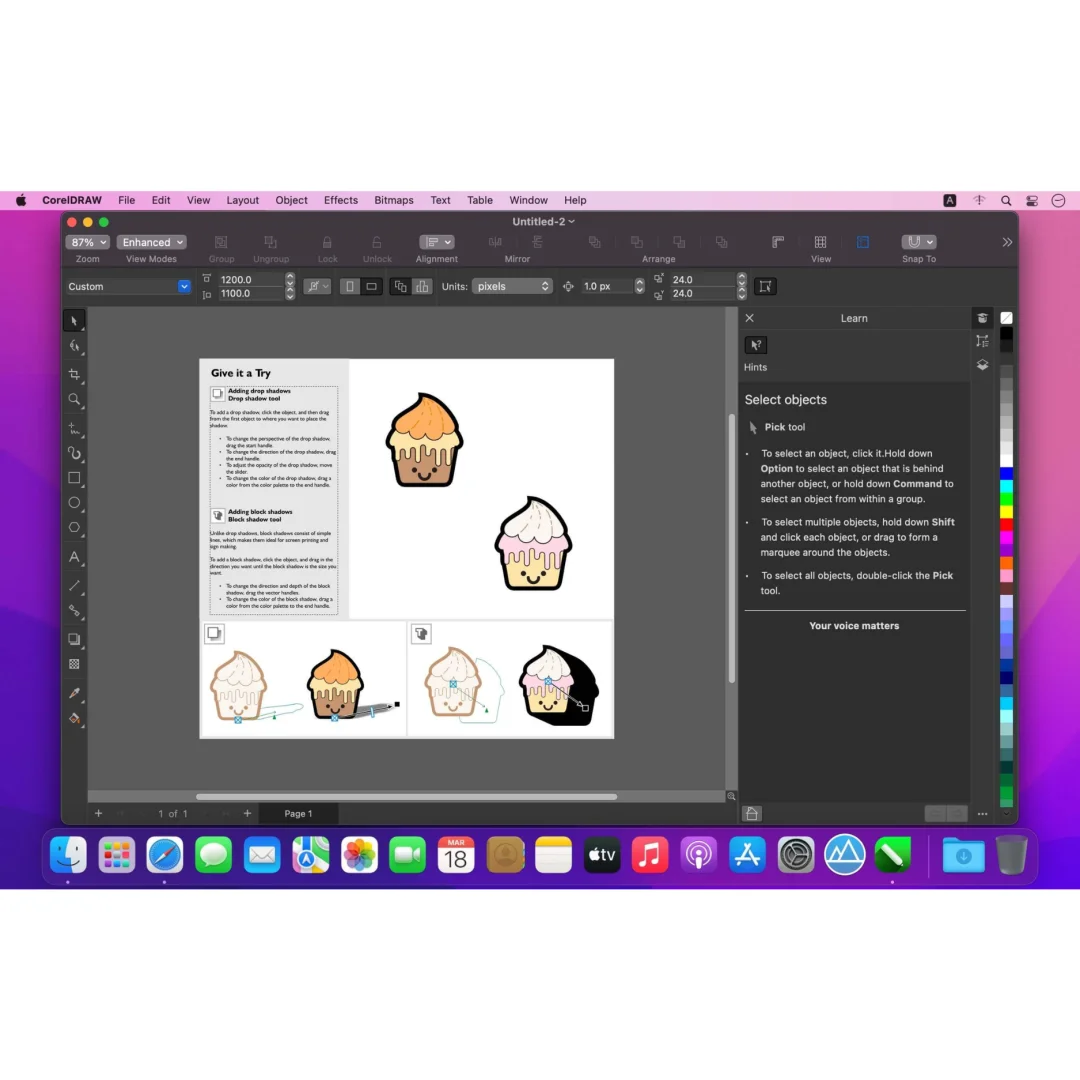
- Non-Destructive Editing: Edit bitmaps and vectors knowing you won’t harm original images or objects. Enjoy features like Block Shadow, Symmetry Drawing mode, and Impact tool.
- Web Graphics Tools: Develop captivating web content with a collection of web graphics tools and presets optimized for online publishing.
Why Buy From Sofryx?
- Personally tested by Sofryx Team before every listing goes live
- Genuine Working licence — not cracked, not trial, fully verified
- One-time payment — lifetime activation, zero renewal fees
- Instant access via your website dashboard after payment
- 24/7 Telegram support available for all installation queries
System Requirements
Operating System: macOS 10.15 (Catalina) or later. macOS 11 (Big Sur) or later recommended for optimal performance.
Processor: Intel Core processor with SSE2 support OR Apple Silicon (M1, M2, M3) with native optimization.
RAM: 4 GB of RAM minimum. 8 GB or more recommended for working with complex vector graphics and large files.
Storage: 15 GB of available disk space for installation, sample files, fonts, and design projects.
Display: 1280 x 720 or greater display resolution. 1920 x 1080 or higher recommended for design work with comfortable workspace.
Graphics: Graphics card with 1 GB VRAM minimum. 2 GB VRAM recommended for smooth editing and rendering performance.
Internet: Required for software activation, font access, and cloud design features.
What You Get After Purchase
- Complete CorelDRAW Graphics Suite 2024 installation package for macOS
- Genuine lifetime activation licence for unlimited professional use
- Full access to all design tools, templates, and learning materials
- Extensive font library and design asset collection
- Sample files and project templates to jumpstart your work
- Download link via your Sofryx.com account dashboard
- Step-by-step installation guide with video tutorial
- Priority Telegram support for activation and technical assistance
Who Is This For?
CorelDRAW is essential for professional graphic designers creating brand identities, logos, and design systems. Illustrators producing complex vector artwork and fine art benefit from CorelDRAW’s powerful illustration tools.
Marketing professionals use CorelDRAW for promotional materials, advertisements, social media graphics, and marketing collateral. Print designers produce brochures, flyers, packaging, and professional print publications.
Web designers create web graphics, icons, and digital content optimized for online platforms. Freelance designers rely on CorelDRAW for versatile, professional results across diverse client projects.
Design studios and agencies trust CorelDRAW for team collaboration, consistent branding, and professional output across multiple projects simultaneously.
Vector Illustration — Professional Artwork Creation
CorelDRAW’s vector illustration tools transform simple lines and shapes into complex, professional artwork. Every element remains scalable without quality loss, perfect for logos and graphics at any size.
Use precise drawing tools including pen, bezier, and shape tools with intuitive control. Create complex paths and modify them with complete precision. Node editing enables exact control over every curve and corner.
Combine basic shapes into complex compositions. Apply Boolean operations to create intricate designs. Access thousands of preset shapes and symbols to accelerate your workflow.
The professional-grade illustration engine handles complex artwork with unlimited layers, groups, and symbols. Work with confidence knowing your files maintain quality and performance even with millions of objects.
Page Layout & Multi-Document Design
CorelDRAW provides complete page layout capabilities rivaling dedicated layout software. Create single-page or multi-page documents with professional precision and control.
Design brochures with facing pages, master pages, and consistent layouts. Create newsletters with complex column layouts, image wrapping, and professional typography. Produce multi-page documents with automatic page numbering, table of contents, and index generation.
Master pages maintain consistent headers, footers, and design elements across all pages. Paragraph styles ensure formatting consistency. Document setup includes professional bleeds, marks, and printer specifications.
Layer management keeps complex documents organized. Guides and grids ensure alignment precision. Live preview shows final output before printing or exporting.
Advanced Typography & Text Control
CorelDRAW offers comprehensive typography tools for professional text arrangement and styling. Adjust every aspect of type including font selection, size, leading, kerning, and tracking with precision.
Apply sophisticated text effects including drop shadows, contours, and fills. Create text on paths for curved typography. Outline type for precision control. Paragraph and character styles ensure consistency.
Access thousands of professional fonts built into the software. Font management tools organize and preview fonts easily. Spell check and language support for global projects. OpenType feature access enables advanced typography.
Text wrapping adapts copy around objects and images. Columns create multi-column layouts. Bulleted and numbered lists format automatically. Text linking flows content between shapes and text boxes.
Color Management & Advanced Effects
Professional color management ensures accurate, consistent colors across all media. Apply colors to object fills and outlines with intuitive controls and visual feedback.
Create and apply gradients with multiple color stops and customizable transitions. Pattern fills add visual interest with built-in and custom patterns. Mesh fills create smooth color gradients with multi-point control.
Adjust object transparency with precise opacity control and blending modes. Create complex color effects and transparency layers. Color harmonies generate coordinated color schemes. Color blindness simulation ensures accessible design.
Professional color spaces support CMYK for print and RGB for digital. ICC color profile support ensures color accuracy. Spot color support for professional print production.
Bitmap Tracing with PowerTRACE Engine
Convert raster images to vector graphics quickly and accurately with CorelDRAW’s PowerTRACE engine. Save time and effort transforming photographs, scans, and artwork into editable vectors.
Intelligent tracing detects edges and converts pixels into clean vector paths. Fine-tune trace settings for optimal results with different image types. Color handling automatically converts traced paths to matching colors.
Edit traced artwork immediately as vector objects. Combine tracing results with original designs. PowerTRACE handles complex images including photographs and detailed artwork.
Tracing presets optimize settings for logos, line art, and photographs. Manual tracing options provide complete control. Live preview shows tracing results before conversion.
Non-Destructive Editing & Creative Safety
Explore creative ideas confidently knowing your original artwork remains protected. Non-destructive editing features allow safe experimentation and iterative refinement.
Block Shadow tool adds depth without permanent changes. Symmetry Drawing mode creates perfectly balanced designs while maintaining edit capability. Impact tool applies visual effects that can be modified or removed anytime.
Adjustment layers contain color and effect changes separately from artwork. Layer effects remain editable indefinitely. Blend modes enable creative combinations while preserving original elements.
Undo unlimited steps to explore different design directions. Revert to saved versions anytime. Multiple versions track design evolution and experimentation.
Web Graphics & Digital Design Tools
CorelDRAW includes specialized tools for web graphics creation and optimization. Design graphics specifically for online platforms with web-ready presets and formats.
SVG export creates scalable web graphics perfect for responsive design. PNG and GIF optimization for web use. Slice tool creates web-ready graphics from complex designs.
Design responsive graphics that adapt to different screen sizes. Interactive preview shows how designs appear online. CSS export supports modern web design workflows.
Web color management ensures accurate color across browsers. Accessibility tools include alt text support and color contrast checking. Web graphics library provides optimized icons and elements.
Professional Print Output & Color Accuracy
Professional color management engine controls color consistency across different media. Accurate color reproduction ensures predictable print results and client satisfaction.
ICC color profile support ensures accurate color conversion from screen to print. Spot color support for professional printing workflows. CMYK color space optimization for print production.
Print preview shows final output before sending to printer. Crop marks, registration marks, and bleeds ensure professional printing. Separations mode for multi-color and spot color printing.
Wide file format support ensures compatibility with professional printers and production workflows. PDF export with advanced print specifications. Font embedding prevents substitution issues.
Frequently Asked Questions
Q: How do I activate and use CorelDRAW 2024 after purchase?
After purchase, you’ll receive a genuine activation key and comprehensive installation guide. Download CorelDRAW Graphics Suite 2024 for macOS from your Sofryx account dashboard under “My Account → Downloads.” Run the installer and complete the setup process. Enter your activation key when prompted. A detailed video tutorial walks through every step of installation and initial configuration. Once activated, you have immediate access to all design tools, templates, fonts, and sample files. Our 24/7 Telegram support team provides priority assistance with any questions during installation or setup.
Q: Is this a genuine licence or a cracked version?
This is a 100% genuine Corel CorelDRAW Graphics Suite 2024 lifetime licence, not a cracked or trial version. The activation key is authentic and manufacturer-issued, providing legitimate permanent access to all professional design features. The Sofryx Team personally verifies and tests every licence before listing to ensure quality and functionality. You receive genuine customer support from Corel for security updates and feature enhancements. Your lifetime activation means you own this licence indefinitely with no expiration date or renewal requirements.
Q: Can I use CorelDRAW 2024 on multiple computers?
Yes, CorelDRAW’s standard licence permits installation on multiple Mac computers. You can install and activate on your primary workstation and one backup machine using the same activation key. Deactivate on one Mac and activate on another as your setup changes. This flexibility is ideal if you work on both desktop and laptop, or maintain backup systems. For design studios or agencies requiring multiple simultaneous activations, contact Sofryx about volume licensing options and special pricing for professional design teams.
Q: Will I receive future software updates for CorelDRAW 2024?
Your CorelDRAW 2024 lifetime licence includes all updates for the v2024 version line. Security patches, bug fixes, and feature enhancements are provided free of charge throughout the support cycle. If Corel releases major version updates (CorelDRAW 2025 or later), upgrading would require a new purchase or upgrade fee. However, your CorelDRAW 2024 licence remains valid indefinitely. Continue using CorelDRAW 2024 without mandatory upgrades. When new versions become available, contact Sofryx for discounted upgrade pricing. Many design professionals maintain current versions indefinitely without upgrading.
Q: How long does delivery take after payment?
Delivery is immediate. Your download link and activation key appear in your Sofryx account dashboard under “My Account → Downloads” within minutes of payment processing. Begin CorelDRAW installation immediately. No physical shipping required—this is fully digital software. Most users have CorelDRAW installed and activated within 20-30 minutes of purchase. Once activated, you have complete access to all design tools, templates, fonts, sample files, and learning materials for professional graphic design work.
Q: Which macOS versions are compatible with CorelDRAW 2024?
CorelDRAW 2024 requires macOS 10.15 (Catalina) or later. It’s fully compatible with macOS 10.15 (Catalina), macOS 11 (Big Sur), macOS 12 (Monterey), macOS 13 (Ventura), macOS 14 (Sonoma), and macOS 15 (Sequoia). Runs on both Intel and Apple Silicon Macs. Apple Silicon users benefit from native optimization for superior performance. For best stability and performance, especially with complex design projects and large files, macOS 11 (Big Sur) or later is recommended. Older macOS versions (10.14 or earlier) are not supported.
Q: What is your refund policy?
Please review the complete Refund Policy at bydigital.in/refund-policy/. Refunds are available within 48 hours if the software fails to activate or function as described. Since CorelDRAW is professional design software, sales are final after successful activation. We stand behind the quality of our activation keys and provide comprehensive technical support. Contact our support team immediately if you experience any activation or installation issues for prompt resolution.
Q: How do I get support if I have an installation problem?
MacOS Users: Complete installation instructions and video tutorials are provided with your download. If CorelDRAW fails to install or activate, our Sofryx support team provides priority assistance via Telegram. We offer troubleshooting steps, alternative setup methods, or alternative installation files if needed. Simply contact us on Telegram (@SofryxHelp or t.me/sofryxhelp) with a description of any errors or issues you encounter. Our team includes experienced design professionals who can provide remote assistance via screenshare if necessary. Most installation issues are resolved within 1-2 hours of contacting our support team.
Only logged in customers who have purchased this product may leave a review.
Reviews
There are no reviews yet.