
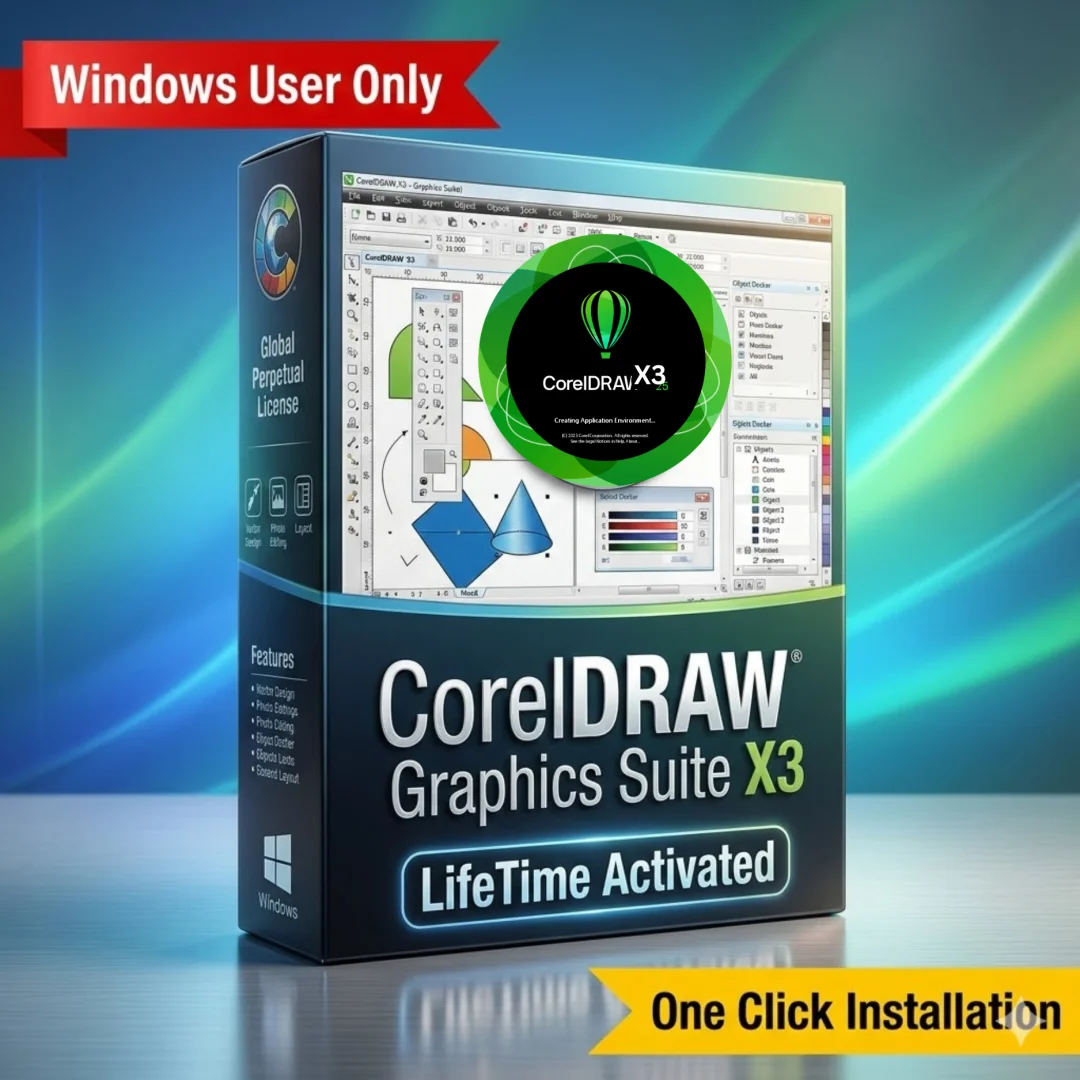
CorelDRAW Graphics Suite X3 – Lifetime Licence | Sofryx
Original price was: $600.00.$15.00Current price is: $15.00.
Buy genuine CorelDRAW X3 lifetime licence at Sofryx. Lightweight fast vector editor for XP to Windows 10. Personally tested by Mani. Instant delivery.
CorelDRAW Graphics Suite X3 – Fast Lightweight Vector Design for Any Windows Computer
CorelDRAW Graphics Suite X3 is a complete vector design package developed by Corel Corporation that includes CorelDRAW 13, Corel PHOTO-PAINT 13, CorelTrace 13, Corel RAVE 3, Corel Capture 13, and Bitstream Font Navigator. This lightweight and reliable suite installs quickly, takes up minimal disk space, launches fast, and runs smoothly on everything from Windows XP to Windows 10. For designers who need a proven vector editor without the heavy system demands of modern versions, CorelDRAW X3 delivers professional illustration, page layout, photo editing, and tracing tools in an efficient package. Available at Sofryx with a genuine lifetime licence, serial key, and instant digital delivery. Personally tested by Mani on systems from XP through Windows 10.
Key Features of CorelDRAW Graphics Suite X3
- CorelDRAW 13 Vector Editor: Create logos, signs, illustrations, and page layouts using professional Bezier tools, shape tools, node editing, and text controls in a fast and responsive drawing environment.
- Corel PHOTO-PAINT 13: Edit photographs and bitmap images with retouching, color correction, masking, effects, and layers for complete image editing integrated into your design workflow.
- CorelTrace 13: Convert bitmap images into editable vector graphics with adjustable detail and smoothing controls for producing clean scalable artwork from scanned images and photos.
- Corel RAVE 3: Create vector-based animations for web and multimedia presentations using timeline-based animation tools with export to SWF and GIF formats.
- Corel Capture 13: Capture screenshots of any area of your screen and import them directly into your design projects for documentation, tutorials, and reference material.
- Bitstream Font Navigator: Organize, preview, install, and manage your font collection with a dedicated font management utility that keeps large typeface libraries under control.
- Lightweight and Fast: Installs in under 500 MB, launches in seconds, and runs without lag on computers with as little as 512 MB RAM and a Pentium III processor.
- Wide Windows Compatibility: Tested and confirmed working on Windows XP, Vista, 7, 8, 8.1 (64-bit), and Windows 10 with no dependency issues or additional component requirements.
Why Buy From Sofryx
- Personally tested by Mani before every listing goes live
- Genuine manufacturer-issued licence – not cracked, not trial
- One-time payment – lifetime activation, zero renewal fees
- Instant access via your website dashboard after payment
- Telegram support available for all installation queries
System Requirements
CorelDRAW Graphics Suite X3 has remarkably low system requirements compared to modern design software. The minimum operating system is Windows XP with Service Pack 2 or later. It also runs on Windows Vista, Windows 7, Windows 8 and 8.1 in 64-bit mode, and Windows 10. You need a minimum of only 512 MB RAM though 1 GB is recommended for smooth performance with larger files. A Pentium III 600 MHz processor or higher is sufficient. The entire installation requires approximately 500 MB of free disk space. No dedicated GPU is required. These minimal requirements make CorelDRAW X3 ideal for older computers, budget machines, and workstations where system resources need to be reserved for other applications.
What You Get After Purchase
- Serial key for activation
- Official download link via your account dashboard
- Step-by-step installation guide (video or written)
- Telegram support contact for installation help
Who Is This For
CorelDRAW Graphics Suite X3 is perfect for designers and businesses who need a fast, reliable, and lightweight vector editor without the heavy system requirements and complex installation procedures of modern CorelDRAW versions. This includes sign makers and vinyl cutter operators who need quick vector editing on shop floor computers. Print shop workers running older Windows systems that cannot handle current software releases. Designers who work on budget or low-specification computers where system resources are limited. Users who need to open, edit, and convert legacy CorelDRAW files from versions 11, 12, and X3. Small business owners who need professional vector design without investing in high-end hardware. Anyone who values fast startup, minimal disk usage, and rock-solid stability over the latest features. If your priority is getting design work done quickly and reliably on any Windows computer, CorelDRAW X3 is the practical choice.
CorelDRAW 13 – Professional Vector Illustration
CorelDRAW 13 is the core application in the X3 suite and it provides a complete professional vector illustration environment. The Bezier pen tool creates precise curves and paths for detailed artwork. Shape tools generate rectangles, ellipses, polygons, and stars with interactive handles. Node editing gives complete control over anchor points and curve segments for fine-tuning every detail. The Knife and Eraser tools split and remove sections of objects cleanly. PowerClip places objects inside container shapes for masking effects. The Blend tool creates smooth transitions between objects for shading and dimensional effects. Text tools handle both artistic and paragraph text with full formatting controls. The interface is clean, intuitive, and more modern than versions 11 and 12 while maintaining the fast performance that made those earlier versions popular. According to Wikipedia, CorelDRAW X3 was released in 2006 and represents a mature point in the software evolution where the feature set was comprehensive while the system demands remained modest.
Corel PHOTO-PAINT 13 – Bitmap Image Editing
Corel PHOTO-PAINT 13 provides bitmap image editing capabilities that complement the vector tools in CorelDRAW. You can retouch photographs using clone brush, healing tools, and color correction features. The layer system supports multiple image layers with blending modes for complex compositions. Selection tools include magic wand, lasso, and brush-based masking for isolating specific areas of an image. Effects and filters cover sharpening, blur, noise, distortion, and artistic treatments. Color adjustments include levels, curves, brightness and contrast, and hue and saturation controls. PHOTO-PAINT integrates with CorelDRAW so you can edit placed bitmaps without leaving the design environment. For designers who handle both vector artwork and photograph editing in the same project, having PHOTO-PAINT bundled eliminates the need for a separate image editor. The lightweight nature of PHOTO-PAINT 13 means it loads quickly and handles standard resolution images without the memory demands of modern photo editors.
CorelTrace 13 – Bitmap-to-Vector Conversion
CorelTrace 13 converts bitmap images into editable vector graphics, an essential capability for sign makers and designers who receive client artwork as scanned images, photographs, or low-resolution files. You import the bitmap source, select a tracing method (outline or centerline), and adjust parameters for detail level, smoothing, and corner sharpness. The engine analyzes the image and generates clean vector paths that you can edit in CorelDRAW. Color reduction options simplify the output palette for cleaner results. Centerline tracing handles line art and technical drawings, while outline tracing works with full-color images. For sign shops that frequently receive customer logos as JPEG files and need scalable vector versions for vinyl cutting and large-format printing, CorelTrace saves significant time compared to manual redrawing. The tracing results integrate directly into CorelDRAW projects for immediate editing and production use.
Corel RAVE 3 and Corel Capture 13
The X3 suite includes two additional utilities that extend its capabilities beyond static design. Corel RAVE 3 is a vector animation tool that creates animated graphics using a timeline-based interface. You build animation frames from CorelDRAW-style vector objects, apply motion tweening, and export to SWF or animated GIF formats. While web animation has evolved significantly since RAVE was developed, it remains useful for creating simple animated logos, banners, and presentations. Corel Capture 13 is a screen capture utility that grabs screenshots of any area of your display and imports them directly into your design projects. This is valuable for creating product documentation, software tutorials, and reference materials within your design workflow without switching to a separate screenshot application.
Bitstream Font Navigator – Font Management
Managing large font collections is a common challenge for designers and Bitstream Font Navigator addresses this with dedicated font management tools. You can browse, preview, install, and uninstall fonts from a centralized interface. Font grouping lets you organize typefaces by project, client, or category for quick access. The preview feature displays sample text in any font before installation so you can evaluate typefaces without cluttering your system font folder. Font Navigator also manages font conflicts and identifies duplicate typefaces. For sign makers and print designers who work with hundreds or thousands of fonts across different projects, having a built-in font manager prevents system slowdowns caused by excessive installed fonts and keeps typeface collections organized and accessible.
Lightweight Installation and Fast Performance
One of the most significant advantages of CorelDRAW X3 over newer versions is its minimal resource footprint. The entire suite installs in approximately 500 MB of disk space compared to multiple gigabytes required by modern releases. Installation is straightforward with no complex dependency requirements. Unlike newer CorelDRAW versions that require Internet Explorer 10, specific C++ runtime libraries, and other system components, X3 installs cleanly on a fresh Windows system without additional prerequisites. The application launches in seconds and responds without lag during drawing, editing, and file operations. This performance advantage is particularly noticeable on older computers, budget hardware, and systems where other resource-intensive applications run simultaneously. For production environments where speed and reliability matter more than having the latest features, CorelDRAW X3 delivers consistently fast performance. Review platforms like G2 note that many professionals continue using older CorelDRAW versions specifically for their stability and speed advantages.
Wide Windows Compatibility From XP to Windows 10
CorelDRAW X3 has been tested by Mani on operating systems ranging from Windows XP through Windows 7, Windows 8 64-bit, and Windows 10. The installation process is simple: run the installer, enter the serial number from the included serial file, and the software activates immediately. There are no online activation requirements, no internet connection needed for activation, and no complex licensing procedures. This straightforward activation is a major advantage for workshop environments, production floors, and locations with limited or no internet connectivity. The software runs equally well on 32-bit and 64-bit Windows installations. For businesses that maintain a mix of older and newer computers, CorelDRAW X3 provides a single design application that works consistently across the entire fleet without compatibility issues or installation failures. The Corel Learning Center maintains documentation and resources for all CorelDRAW versions including legacy releases.
Practical Alternative to Modern CorelDRAW Versions
CorelDRAW X3 offers more features and a more modern interface than versions 11 and 12 while maintaining the lightweight, trouble-free character that made those earlier versions beloved by production-focused designers. For users who find that modern CorelDRAW releases (2024, 2025) are too resource-intensive for their hardware, require too many system dependencies, or introduce complexity that slows down their established workflows, X3 provides a practical middle ground. You get professional vector illustration, bitmap editing, tracing, font management, and animation tools in a package that installs quickly, runs fast, and never gets in the way of productive work. Many experienced designers keep a copy of CorelDRAW X3 alongside newer versions specifically for tasks that benefit from its speed, such as quick logo edits, file format conversions, and batch processing on older machines. The AIGA professional design association recognizes the importance of tool reliability in production design environments. For additional CorelDRAW tutorials and techniques, Creative Bloq provides regularly updated design guides.
Frequently Asked Questions
Q: How do I activate CorelDRAW Graphics Suite X3 after purchase?
After completing your purchase on Sofryx, you will receive your serial key and download link in your My Account dashboard under the Downloads section. Download the installer and run the setup file on your Windows computer. During installation or first launch, you will be prompted to enter the serial number. The included serial file contains valid keys that you can enter to activate the software immediately. No internet connection is required for activation. A detailed step-by-step installation guide will be included alongside the setup file. If a video tutorial is available, it will also be provided so you can follow along during the installation process.
Q: Is CorelDRAW X3 a genuine lifetime licence?
Yes, when you purchase CorelDRAW Graphics Suite X3 from Sofryx, you receive a genuine lifetime-activated licence with a valid serial key. You pay once and own the software permanently with no monthly fees, no annual subscriptions, and no recurring charges. The licence is fully authentic and personally tested by Mani on systems from Windows XP through Windows 10 before listing. The complete suite including CorelDRAW, PHOTO-PAINT, CorelTrace, RAVE, Capture, and Font Navigator is included and fully functional.
Q: Can I use this on multiple computers?
Yes, multiple device use is supported with CorelDRAW Graphics Suite X3. You can install and activate the software on your Windows devices using the serial key provided after purchase. This is ideal for designers who work across different machines or businesses that need the software installed on multiple workstations in a shop or office. All installations have full access to every application and utility included in the suite. The lightweight installation means it takes minimal space on each machine.
Q: Will I receive future software updates?
CorelDRAW X3 is a stable legacy release that does not require updates. The version you receive is the final stable build that has been proven reliable across many years of use on multiple Windows versions. There is no immediate need to update. If an issue arises in the future or you need assistance with compatibility on a specific system, you can contact Mani directly through Telegram support. Assistance will be provided free of charge within one year of your original purchase date.
Q: How long does delivery take after payment?
Delivery is instant. Immediately after your payment is confirmed, the download link for the installer and your serial key file become available in your My Account dashboard on Sofryx under the Downloads section. There is no waiting period and no manual processing required. You can download the CorelDRAW X3 installer, enter the serial key, and start designing within minutes of completing your purchase. This applies to all payment methods accepted on Sofryx including Razorpay and PayPal.
Q: Which operating system versions are compatible?
CorelDRAW Graphics Suite X3 is compatible with a wide range of Windows versions. It runs on Windows XP (Service Pack 2 or later), Windows Vista, Windows 7, Windows 8 and 8.1 in 64-bit mode, and Windows 10. The minimum system requirements are remarkably low: 512 MB RAM (1 GB recommended), Pentium III 600 MHz processor, and 500 MB free disk space. No dedicated graphics card is required. This broad compatibility makes it ideal for older computers and mixed-hardware environments.
Q: What is your refund policy?
Sofryx has a clearly defined refund policy that protects all customers. For complete details regarding eligibility, timelines, and the refund process, please refer to the full Refund Policy page available on the Sofryx website at https://bydigital.in/refund-policy/. We recommend reading the complete policy before making your purchase so you understand all terms and conditions. If you have specific questions about refund eligibility for this product, you can reach out to Mani directly through Telegram support.
Q: How do I get support if I have an installation problem?
Sofryx provides dedicated installation support for all customers. For Windows users, Mani offers full remote support through AnyDesk, UltraViewer, or Zoom Meeting where he can connect to your computer and resolve the installation issue directly. Since CorelDRAW X3 is a Windows-only application, all customers are eligible for remote installation assistance. You can reach support through the Telegram contact details included with your purchase. All support is provided at no additional cost and Mani will ensure your CorelDRAW suite is properly installed and activated before ending the session.
Only logged in customers who have purchased this product may leave a review.
Reviews
There are no reviews yet.