



QuarkXPress 2023 v19 — Lifetime Licence | Sofryx
Original price was: $300.00.$15.00Current price is: $15.00.
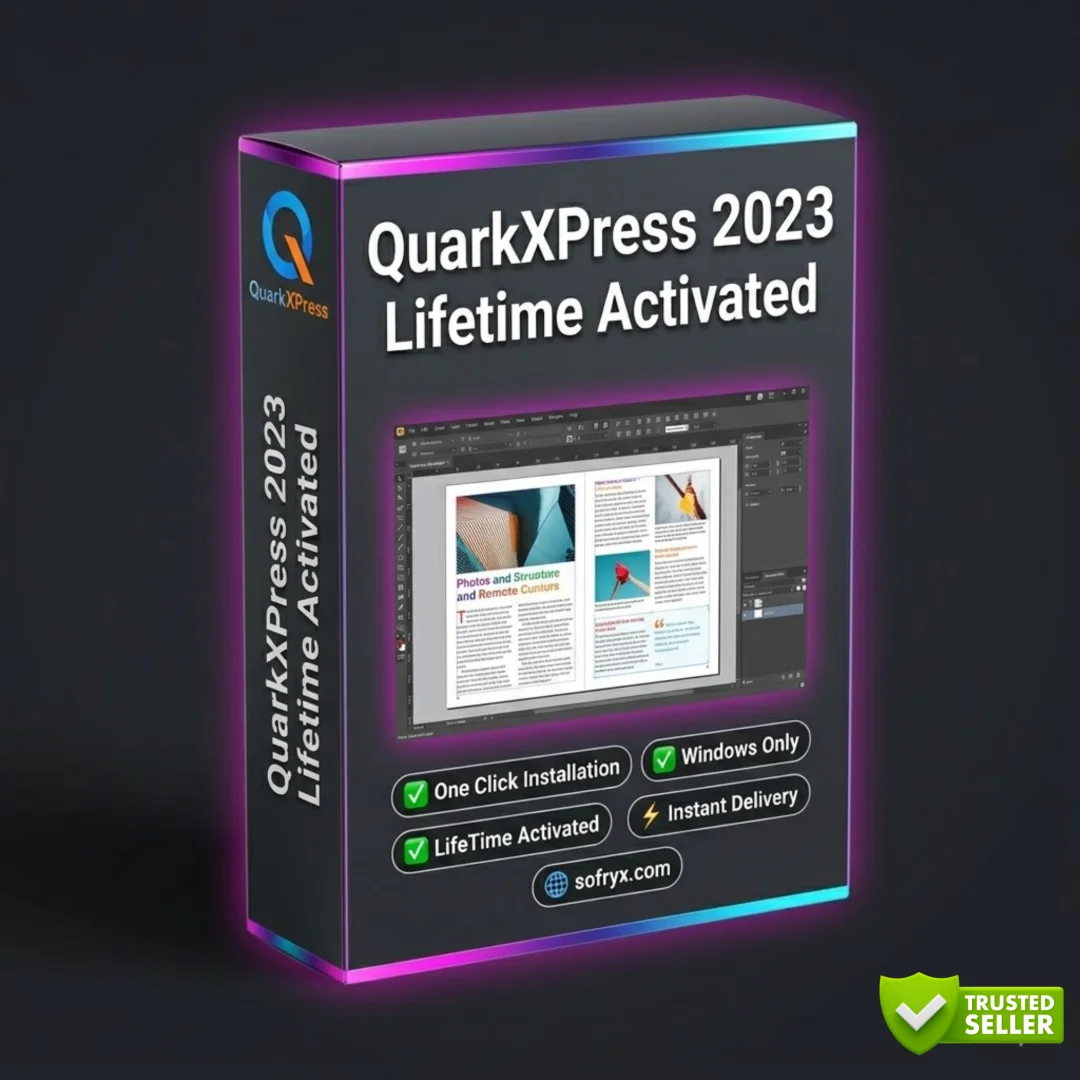
Buy QuarkXPress 2023 v19 genuine lifetime licence. Professional desktop publishing for magazines, books, catalogs, and eBooks. Personally tested. Instant delivery.
QuarkXPress 2023 v19 — Professional Desktop Publishing for Magazines Books Catalogs and Digital Media
QuarkXPress 2023 v19 is the intelligent desktop publishing solution for creative professionals who want to leverage the most modern and efficient design software for creating stunning print and digital publications. This comprehensive application provides advanced page layout, typography, illustration, non-destructive image editing, multi-color gradients, and color channel control for producing magazines, books, catalogs, brochures, posters, eBooks, and web content with professional quality. Whether you are a magazine publisher crafting editorial layouts, a book designer formatting manuscripts, a marketing team creating catalogs, or an eBook publisher building responsive digital publications, QuarkXPress 2023 transforms your creative vision into polished, production-ready output. Every licence on Sofryx is personally tested by Mani before listing.
Key Features of QuarkXPress 2023
- Professional Page Layout: Complete typographic control with master pages, section management, and precise layout tools for creating production-ready print and digital publications.
- Multi-Color Gradients: Design sophisticated color blends using multiple color stops and advanced gradient controls for illustrations and background elements.
- Non-Destructive Image Editing: Edit and adjust images directly within the layout without permanently altering the original source files, preserving creative flexibility.
- Book and Magazine Design: Specialized tools for multi-page document production with automatic page numbering, master page inheritance, and section management.
- Catalog and Brochure Publishing: Create professional product catalogs and marketing brochures with precise grid layouts, text wrapping, and image placement controls.
- eBook Creation: Export responsive digital publications in ePub format for distribution on tablets, e-readers, and digital bookstores.
- InDesign File Conversion: Import and convert Adobe InDesign files directly into QuarkXPress for seamless migration between publishing platforms.
- PDF Accessibility: Create accessible PDF documents that comply with accessibility standards for inclusive document publishing and distribution.
Why Buy From Sofryx
- Personally tested by Mani before every listing goes live
- Genuine manufacturer-issued licence — not cracked, not trial
- One-time payment — lifetime activation, zero renewal fees
- Instant access via your website dashboard after payment
- Telegram support available for all installation queries
System Requirements
- Operating System: Windows 7, Windows 8.1, Windows 10, or Windows 11
- Processor: Multicore Intel Series or AMD Xeon equivalent
- RAM: 4GB minimum (8GB or more recommended for complex layouts)
- Storage: 4GB or more free disk space recommended
What You Get After Purchase
- Licence key or activation file
- Official download link via your account dashboard
- Step-by-step installation guide (video or written)
- Telegram support contact for installation help
Who Is This For
QuarkXPress 2023 v19 is designed for creative professionals across the publishing and design industries who need a powerful, standalone desktop publishing solution. Magazine publishers and editorial designers create stunning page layouts with sophisticated typography, image placement, and visual storytelling for both print and digital editions. Book designers and typesetters format manuscripts into professionally composed pages with precise control over typefaces, leading, kerning, and page geometry. Marketing teams and catalog designers produce product catalogs, promotional brochures, and sales collateral with consistent branding and professional production quality. eBook publishers create responsive digital publications that adapt to different screen sizes and reading devices. Print professionals and prepress operators prepare production-ready files for offset printing, digital printing, and large-format output. Poster and banner designers create large-format visual communications for events, retail environments, and advertising campaigns. Web designers use QuarkXPress HTML output capabilities for creating web-ready content from their print designs. Students and educators learning professional publishing workflows build transferable skills with industry-standard layout tools.
Professional Page Layout and Typography — The Foundation of Publishing
QuarkXPress has been the foundation of professional publishing for decades, and version 2023 continues this heritage with the most advanced typographic control and page layout capabilities available in any desktop publishing application. The master page system allows you to define consistent layout templates including headers, footers, page numbers, running heads, and grid structures that are automatically applied across hundreds of pages in a document. Section management enables different page numbering schemes, column configurations, and master page assignments within a single publication, which is essential for books with front matter, body text, and appendices that each require different formatting. The typography engine provides precise control over every aspect of type rendering including font selection, size, leading, kerning, tracking, baseline shift, OpenType feature access, and paragraph composition. Hyphenation and justification controls allow fine-tuning of text flow to eliminate widows, orphans, and uneven spacing that degrade the visual quality of professional publications.
Multi-Color Gradients and Advanced Illustration
QuarkXPress 2023 introduces powerful multi-color gradient tools that enable designers to create sophisticated color blends using multiple color stops positioned along linear, radial, and angular gradient paths. Unlike simple two-color gradients, multi-color gradients allow complex color transitions that add depth, dimension, and visual interest to illustrations, backgrounds, and decorative elements within your layouts. The gradient editor provides intuitive control over color stop positions, opacity values, and blending modes, enabling everything from subtle background washes to dramatic illustrative effects. The illustration tools in QuarkXPress 2023 support contemporary, modern, and post-modern illustration techniques that transform text and graphic elements into captivating art pieces. Vector drawing tools create precise shapes, paths, and custom illustrations directly within the layout environment without requiring a separate illustration application. Professional reviews on G2 highlight the illustration improvements in QuarkXPress 2023 as a significant advancement for designers who want comprehensive creative tools within a single publishing application.
Non-Destructive Image Editing and Color Channel Control
QuarkXPress 2023 includes built-in non-destructive image editing capabilities that allow designers to adjust, crop, enhance, and color-correct images directly within the layout without permanently modifying the original source files. This non-destructive approach means that every image adjustment can be changed, refined, or removed at any point during the design process without losing quality or requiring re-import of the original image. Color channel control provides individual manipulation of the red, green, blue, and alpha channels of placed images, enabling advanced color correction and creative effects that were previously possible only in dedicated image editing applications. Brightness, contrast, saturation, sharpness, and color balance adjustments are available for every placed image, and all adjustments are stored as non-destructive parameters that can be modified at any time. This integrated image editing capability reduces the round-trip workflow between page layout and image editing applications, saving significant time when working on publications that contain hundreds of photographs and illustrations that need individual adjustment.
Book and Magazine Design — Multi-Page Document Production
QuarkXPress 2023 excels at producing complex multi-page documents including books, magazines, newspapers, journals, and annual reports that require consistent formatting across hundreds of pages. The book feature allows you to assemble multiple QuarkXPress documents into a single publication with coordinated page numbering, synchronized style sheets, and unified color definitions across all chapters. Magazine designers use the master page system to create repeatable layout templates for recurring sections including table of contents, feature articles, departments, and advertising pages. Automatic text flow links text boxes across multiple pages, enabling manuscript text to flow naturally through the publication as page layouts are adjusted. For detailed publishing workflow guides, the Quark support center provides comprehensive documentation on book and magazine production techniques. Index and table of contents generation automate the creation of navigational elements that help readers find content within long documents.
Catalog and Brochure Publishing — Marketing Collateral Production
QuarkXPress 2023 provides specialized capabilities for producing professional product catalogs, promotional brochures, sales sheets, and marketing collateral that require precise grid-based layouts with consistent formatting across product listings. The grid and guide system enables exact positioning of product images, descriptions, specifications, and pricing information in organized, visually appealing layouts that maintain brand consistency across dozens or hundreds of pages. Text wrapping controls allow text to flow naturally around irregularly shaped images and graphic elements, creating visually dynamic page compositions that engage readers. Data merge capabilities connect QuarkXPress layouts to external data sources, enabling automated population of catalog pages with product information from databases and spreadsheets. This automation is essential for large catalogs where manually placing hundreds of product entries would be impractical and error-prone. Template systems allow marketing teams to establish brand-compliant layouts that can be reused and updated for seasonal catalogs, promotional campaigns, and product line updates.
eBook Creation — Responsive Digital Publishing
QuarkXPress 2023 extends beyond print publishing to provide comprehensive eBook creation capabilities that produce responsive digital publications for distribution on tablets, e-readers, and digital bookstores. The ePub export feature converts QuarkXPress layouts into standards-compliant digital publications that adapt to different screen sizes and reading preferences. Text reflows automatically to fit the display dimensions of each reading device, and images scale appropriately to maintain visual quality across different resolutions. Interactive elements including hyperlinks, table of contents navigation, and bookmark structures enhance the reading experience in digital formats. The digital publishing workflow allows designers to produce both print and digital versions of a publication from a single source document, maintaining consistency while optimizing each version for its target medium. This dual-output capability eliminates the need to maintain separate design files for print and digital editions, reducing production time and ensuring that content updates are applied consistently across all output formats.
Adobe InDesign File Conversion — Seamless Migration
QuarkXPress 2023 includes built-in Adobe InDesign file conversion capabilities that allow designers to import and convert InDesign documents directly into the QuarkXPress environment. This conversion feature supports the transfer of layout structure, text content, image placement, style definitions, and page geometry from InDesign files, enabling studios and designers to migrate existing projects or collaborate with InDesign users without manual recreation of layouts. The conversion process handles multi-page documents, master page structures, and linked assets, producing QuarkXPress documents that closely replicate the original InDesign layout. This capability is valuable for design studios transitioning from InDesign to QuarkXPress, organizations that need to work with files from clients or partners who use InDesign, and freelance designers who need compatibility with both publishing platforms. Industry organizations like the International Society of Typographic Designers recognize the importance of cross-platform compatibility in professional publishing workflows.
PDF Accessibility and Web Publishing
QuarkXPress 2023 includes PDF accessibility support that enables designers to create accessible documents complying with standards for inclusive publishing. Accessible PDFs include structural tags, reading order definitions, alternative text for images, and navigational elements that enable screen readers and assistive technologies to present document content to users with visual impairments. This accessibility capability is essential for organizations required to produce compliant documents for government, educational, and corporate distribution. The web publishing features in QuarkXPress extend the application beyond traditional page layout by enabling the creation of HTML output directly from QuarkXPress layouts. Designers can repurpose print layouts for web distribution without recreating the content in a separate web design application. The mobile app design capabilities allow creation of engaging mobile applications from QuarkXPress layouts, expanding the reach of published content to smartphone and tablet audiences. Leading design publications like Creative Bloq feature QuarkXPress in their coverage of professional publishing tools. Pair QuarkXPress with other tools from Sofryx like Adobe Photoshop CS3 for image editing, Adobe Photoshop 7.0 for lightweight editing, Luminar Neo for AI photo enhancement, DaVinci Resolve Studio for video production, and FabFilter Total Bundle for audio mastering.
Frequently Asked Questions
Q: How do I activate QuarkXPress 2023 after purchase
To activate your QuarkXPress 2023 v19 on Windows after completing your purchase, follow the provided instructions carefully. Your order includes a detailed step-by-step installation guide that walks you through the entire setup process from downloading the installer to entering your licence information and completing the activation. A video tutorial or written instruction document will be included alongside the setup files to ensure smooth installation. If you encounter any difficulties during the activation process, reach out via Telegram for immediate assistance from our support team who will guide you through every step.
Q: Is this a genuine lifetime licence or a subscription
This is a genuine lifetime-activated licence that you own permanently after a single one-time payment. There are no monthly fees, no annual renewal charges, and no subscription commitments of any kind. Once activated, your QuarkXPress 2023 v19 remains fully functional on your Windows system indefinitely without requiring any additional payments. Every licence sold on Sofryx is personally verified by Mani to ensure authenticity and reliable long-term functionality. You receive the complete application with all publishing, illustration, eBook, and InDesign conversion features activated for lifetime use.
Q: Can I use this on multiple computers
Yes, multiple device use is supported with your QuarkXPress 2023 licence. You can install and activate the software on more than one Windows computer, allowing you to work between your office desktop workstation and a portable laptop for client meetings, remote work, and on-location design sessions. This flexibility ensures that your professional publishing toolkit is always available wherever you need to work, whether at the studio, at the printer, or while traveling. The activation process works identically on each machine.
Q: Will I receive future software updates
There is no immediate need to update your QuarkXPress 2023 v19 after installation as the current version includes all the latest features, illustration tools, eBook capabilities, and InDesign conversion improvements. If a critical update becomes necessary in the future or if you require a newer version for compatibility with an updated Windows version, contact Mani directly through Telegram support. The update will be provided free of charge within one year of your original purchase date. This ensures you always have access to a functioning version without additional cost.
Q: How long does delivery take after payment
Delivery is instant and fully automated. Immediately after completing your payment through the Sofryx checkout, your download links become available in your personal account dashboard. Simply log in to your Sofryx account, navigate to the My Account section, and click on Downloads to access all your purchased files. The complete QuarkXPress 2023 v19 installation package including the setup file and activation instructions will be ready for immediate download. There is no waiting period and no manual processing required. You can begin installing within minutes.
Q: Which operating system versions are compatible
QuarkXPress 2023 v19 is fully compatible with Windows 7, Windows 8.1, Windows 10, and Windows 11. Your system requires a multicore Intel processor or AMD Xeon equivalent, 4GB RAM minimum with 8GB or more recommended for working with complex multi-page layouts and high-resolution images, and 4GB or more free disk space for installation. Any modern Windows computer with a multicore processor meets or exceeds these requirements for comfortable publishing work.
Q: What is your refund policy
For complete details regarding our refund terms and conditions, please review the full Refund Policy page available on our website at bydigital.in/refund_returns/. The refund policy outlines all applicable terms including eligibility criteria, timeframes, and the process for requesting a refund on digital product purchases. We encourage every customer to read the policy thoroughly before completing their purchase so they have a clear understanding of their rights and our obligations. Our commitment is to ensure complete customer satisfaction with every product sold on the Sofryx platform.
Q: How do I get support if I have an installation problem
If you encounter any installation difficulties with your QuarkXPress 2023 on Windows, comprehensive support is available through multiple channels. Windows users can receive direct remote support via AnyDesk, UltraViewer, or Zoom Meeting where a support representative will connect to your computer and resolve the installation issue in real time. This is particularly helpful for configuring the application, verifying licence activation, and troubleshooting any compatibility questions. If the standard installation encounters any issues, an alternative setup file along with revised instructions will be provided promptly. For all support requests, contact us directly through Telegram at t.me/sofryxhelp for fast and reliable assistance.
Only logged in customers who have purchased this product may leave a review.

Reviews
There are no reviews yet.