
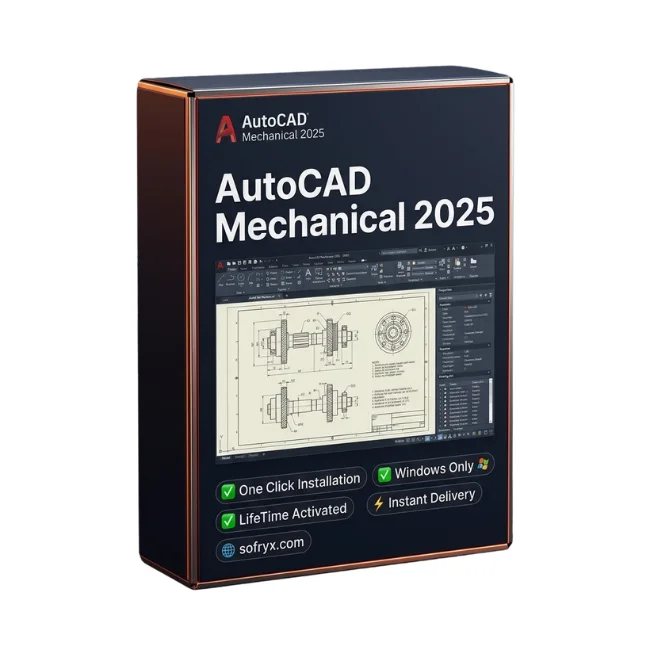
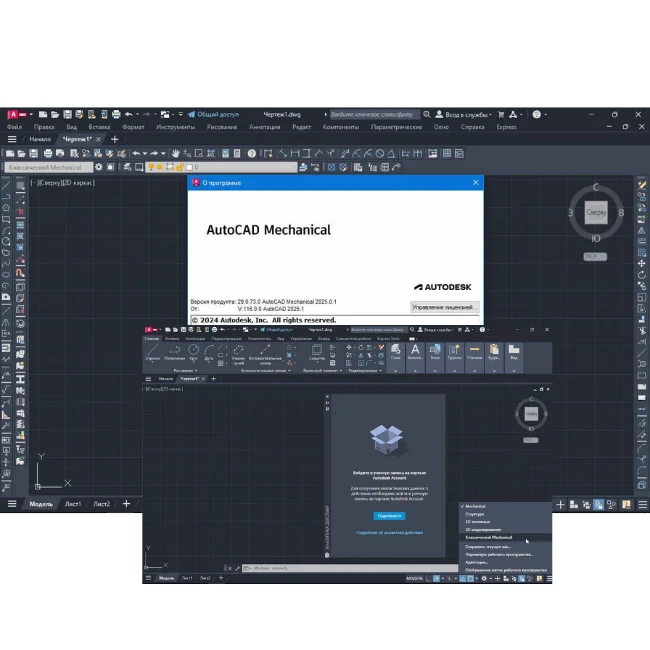

AutoCAD Mechanical 2025 Windows — Lifetime Licence | Sofryx
Original price was: $6,000.00.$25.00Current price is: $25.00.
Buy AutoCAD Mechanical 2025 Windows genuine lifetime licence. Mechanical drafting with standardized libraries and automation tools. Personally tested. Instant delivery.
AutoCAD Mechanical 2025 with Addon — Professional Mechanical Drafting with Standardized Libraries and Design Automation
AutoCAD Mechanical 2025 is the specialized mechanical design software that combines the full power of AutoCAD with comprehensive mechanical engineering tools, standardized component libraries, and drafting automation features built specifically for machine designers and mechanical engineers. As part of Autodesk digital prototyping technology, AutoCAD Mechanical automates routine drafting tasks including dimensioning, layer management, hidden line calculations, and bill of materials generation, delivering significant time savings so engineers can focus more on innovation and less on repetitive documentation work. Whether you are designing industrial machinery, creating production drawings for manufacturing, drafting mechanical assemblies, or documenting tooling layouts, AutoCAD Mechanical 2025 gives mechanical engineers a genuine competitive advantage. Every licence on Sofryx is personally tested by Mani before listing.
Key Features of AutoCAD Mechanical 2025
- Full AutoCAD with Mechanical Addon: Includes every AutoCAD capability plus specialized mechanical design tools, providing a complete engineering drafting environment in a single application.
- Standardized Component Libraries: Thousands of pre-built standard parts including bolts, nuts, washers, bearings, springs, gears, structural shapes, and mechanical elements following international standards.
- Automated Drafting Tools: Streamline production drawing creation with automated centerlines, hatching, section views, detail views, and drawing border generation for faster documentation.
- Power Dimensioning: Intelligent dimensioning system that automatically calculates fits, tolerances, and stacked dimensions according to international mechanical engineering standards.
- Intelligent Layer Management: Mechanical-specific layer system that automatically organizes drawing elements by type, keeping construction geometry, dimensions, annotations, and part outlines on separate managed layers.
- Hidden Line and Section Views: Automatic hidden line calculation and section view generation from 3D models and 2D layouts for clear, standards-compliant engineering documentation.
- Mechanical Symbols and Surface Finish: Complete libraries of mechanical engineering symbols including surface finish marks, welding symbols, geometric tolerances, and material specifications.
- Bill of Materials Generation: Automatic BOM creation with part numbering, balloon callouts, and quantity calculations directly from drawing content for manufacturing documentation.
Why Buy From Sofryx
- Personally tested by Mani before every listing goes live
- Genuine manufacturer-issued licence — not cracked, not trial
- One-time payment — lifetime activation, zero renewal fees
- Instant access via your website dashboard after payment
- Telegram support available for all installation queries
System Requirements
- Operating System: Windows 10 (version 1809 or later) or Windows 11 (64-bit required)
- Processor: 2.5-2.9 GHz clock speed (3 GHz or higher recommended), 64-bit architecture
- RAM: 16GB minimum (32GB recommended for 3D modeling and large data sets)
- Storage: 12GB free disk space (SSD recommended for optimal performance)
- Video Card: 2GB video memory with 29 GB/s bandwidth and DirectX 11 (recommended 8GB with 106 GB/s and DirectX 12)
- Display: 1920×1080 True Color resolution (up to 3840×2160 4K recommended for high-resolution displays)
- Additional: .NET Framework 4.8 or higher
- 3D Modeling: 32GB RAM minimum, 6GB additional disk space, workstation-class video adapter with 12GB video memory, 4K display, Pixel Shader 3.0, and DirectX support
What You Get After Purchase
- Licence key or activation file
- Official download link via your account dashboard
- Step-by-step installation guide (video or written)
- Telegram support contact for installation help
Who Is This For
AutoCAD Mechanical 2025 is designed for mechanical engineering professionals who create production drawings and technical documentation for manufactured products. Mechanical engineers designing machines, equipment, and mechanical systems use the standardized component libraries and automated drafting tools to produce accurate documentation faster than with standard AutoCAD. Machine designers creating industrial equipment and production machinery rely on the power dimensioning and tolerance tools for precise manufacturing specifications. Drafters and CAD technicians producing engineering drawings from designer sketches and 3D models benefit from the automated layer management and section view generation. Manufacturing engineers documenting tooling, fixtures, and production processes use the BOM generation and part numbering tools for shop floor documentation. Tooling designers creating jigs, dies, and molds use the standard parts libraries to quickly insert commonly used hardware components. Product and industrial designers working on mechanical consumer products leverage the surface finish and welding symbol libraries for complete manufacturing documentation. Engineering students learning mechanical drafting build industry-standard skills with professional-grade tools.
Complete AutoCAD Platform with Mechanical Engineering Tools
AutoCAD Mechanical 2025 delivers the complete AutoCAD drafting platform enhanced with a specialized mechanical engineering addon that transforms it into a purpose-built tool for mechanical design and documentation. Every standard AutoCAD feature is available including 2D drafting, 3D modeling, annotation, dimensioning, plotting, and file management, meaning you do not need a separate AutoCAD licence for general design work. The mechanical addon layers specialized functionality on top of this foundation, providing tools that understand the conventions, standards, and workflows specific to mechanical engineering practice. Standard AutoCAD requires manual setup of layers, dimension styles, annotation formats, and drawing templates for mechanical engineering work, whereas AutoCAD Mechanical provides all of these preconfigured and ready to use immediately. The mechanical-specific tools are deeply integrated into the AutoCAD interface, appearing as additional menus, toolbars, and ribbons that extend the standard workspace without disrupting familiar AutoCAD workflows. Engineers who already know AutoCAD can immediately benefit from the mechanical addon without learning an entirely new application.
Standardized Component Libraries — Rapid Standard Part Insertion
AutoCAD Mechanical 2025 includes thousands of pre-built standardized components that can be inserted directly into drawings with a few clicks, eliminating the need to draw common mechanical parts from scratch. The component libraries cover every category of standard mechanical hardware including bolts, screws, nuts, washers, pins, keys, retaining rings, bearings, O-rings, springs, gears, structural steel shapes, and sheet metal profiles. Each component is parametric, meaning you select the standard designation and size from a catalog dialog and the correct geometry is generated automatically according to the published specification. The libraries follow major international standards including ISO, DIN, ANSI, JIS, BSI, and GB, ensuring that inserted components meet the dimensional and tolerance requirements of the applicable standard. Professional reviews on G2 consistently highlight the standard parts libraries as one of the most significant productivity advantages of AutoCAD Mechanical over standard AutoCAD. Custom company-specific parts can be added to the libraries for reuse across projects, building an organizational knowledge base that accelerates future design work.
Automated Drafting Tools — Production Drawing Efficiency
The automated drafting tools in AutoCAD Mechanical 2025 streamline the creation of production-quality engineering drawings by automating repetitive tasks that consume significant time in standard CAD workflows. Automatic centerline generation places center marks and centerlines on circular features, bolt patterns, and symmetrical geometry with intelligent recognition of the underlying geometry type. Crosshatching tools apply section hatching according to material type, automatically detecting closed boundaries and applying the correct hatch pattern and scale for the specified material. Drawing border and title block tools create and populate standard drawing frames with project information, revision tracking, and approval signatures. Detail view creation automatically generates enlarged views of specified areas with appropriate scale notation and leader lines. The drafting automation extends to revision management with automatic revision clouds, triangles, and tracking tables that maintain a complete history of drawing changes throughout the design lifecycle. For comprehensive tutorials on drafting automation, the Autodesk Knowledge Network provides detailed workflow guides and best practice recommendations.
Power Dimensioning — Intelligent Fits and Tolerances
The power dimensioning system in AutoCAD Mechanical 2025 represents a major productivity improvement over standard AutoCAD dimensioning for mechanical engineering documentation. The intelligent dimensioning tools automatically calculate fit and tolerance values based on standard fit designations such as H7/g6 shaft-hole combinations, displaying both the fit code and the corresponding numerical tolerance values on the dimension. Stacked dimension chains are managed automatically to ensure that tolerance accumulation is calculated and displayed correctly, preventing the dimensional errors that occur when tolerance stacking is performed manually. The dimensioning system understands the difference between basic dimensions, reference dimensions, and inspection dimensions, applying the correct formatting and notation conventions automatically. Geometric dimensioning and tolerancing symbols follow international standards and can be placed with intelligent associativity to the dimensioned features. The system supports dual dimensioning with simultaneous display of metric and imperial values for international projects. Baseline and ordinate dimensioning modes create organized dimension arrangements that improve drawing readability and reduce the potential for manufacturing interpretation errors.
Intelligent Layer Management — Organized Engineering Drawings
AutoCAD Mechanical 2025 includes a mechanical-specific layer management system that automatically organizes drawing elements onto appropriate layers based on their function within the engineering documentation. When you draw a dimension, it is automatically placed on the dimensioning layer. Centerlines go to the centerline layer. Hidden lines go to the hidden line layer. Construction geometry goes to the construction layer. This automatic layer assignment eliminates the manual layer switching that consumes time and causes errors in standard AutoCAD workflows where engineers must remember to change the active layer before drawing each element type. The layer system uses color coding and line type assignments that follow mechanical engineering drafting conventions, ensuring that drawings display correctly on screen and print with the correct line weights on paper. The layer management tools include layer isolation, freeze, and group functions that are optimized for the multi-layer structure of typical mechanical engineering drawings. Layer standards can be customized to match company-specific conventions and saved as templates for consistent application across all projects within an organization.
Hidden Line Calculation and Section View Generation
The hidden line calculation and section view generation tools in AutoCAD Mechanical 2025 automate two of the most time-consuming tasks in mechanical engineering documentation. Hidden line calculation automatically determines which edges of a 3D model or overlapping 2D geometry should be displayed as hidden (dashed) lines based on the viewing direction and the spatial relationships between parts. This automated calculation eliminates the manual process of tracing hidden edges and changing their line type, which is both tedious and prone to errors in complex assemblies. Section view generation creates properly formatted cross-section drawings from 3D models or 2D representations with automatic cutting plane lines, section hatching, and view labeling according to engineering drawing standards. The section views maintain associativity with the parent view, meaning that changes to the original geometry automatically update the section view without manual intervention. Multiple section types are supported including full sections, half sections, offset sections, and revolved sections, covering all standard engineering documentation requirements. Industry organizations like the American Society of Mechanical Engineers publish the drafting standards that AutoCAD Mechanical section views comply with.
Mechanical Symbols Surface Finish and Welding Annotations
AutoCAD Mechanical 2025 includes complete libraries of mechanical engineering symbols that cover every annotation type required in professional production drawings. Surface finish symbols can be placed with full parametric control over roughness values, machining methods, lay direction, and material removal requirements according to ISO 1302 and ASME Y14.36 standards. Welding symbols follow ISO 2553 and AWS A2.4 conventions with support for basic weld types, supplementary symbols, tail references, and multiple weld callouts. Geometric dimensioning and tolerancing frames support all standard characteristic symbols including straightness, flatness, circularity, cylindricity, profile, angularity, perpendicularity, parallelism, position, concentricity, symmetry, and runout. Feature control frames are constructed interactively with automatic formatting according to the selected standard. Material specification callouts, heat treatment annotations, and plating or coating specifications can be placed using predefined symbol formats that ensure consistency across drawings. Leading engineering publications like Machine Design recognize AutoCAD Mechanical as a leading tool for standards-compliant mechanical documentation.
Bill of Materials and Part Numbering Automation
The bill of materials generation system in AutoCAD Mechanical 2025 automatically creates accurate parts lists directly from drawing content, eliminating the manual counting and listing errors that occur when BOMs are compiled by hand. The system identifies all components in the drawing, assigns part numbers according to configurable numbering schemes, generates balloon callouts that reference each part in the assembly drawing, and compiles a formatted BOM table with part numbers, descriptions, quantities, materials, and custom attributes. The BOM maintains live associativity with the drawing, meaning that adding or removing components automatically updates the parts list without manual editing. Multiple BOM formats are supported to meet different documentation requirements including manufacturing BOMs, purchasing BOMs, and service BOMs. The part numbering system supports automatic sequential numbering, manual override for specific items, and sub-assembly numbering hierarchies for complex products. BOM data can be exported to spreadsheet and database formats for integration with enterprise resource planning and manufacturing execution systems. Pair AutoCAD Mechanical with other professional tools from Sofryx like AutoCAD Electrical 2025 for control system design, Autodesk Inventor Pro 2024 for 3D mechanical design, ArchiCAD 29 for architectural design, Adobe Photoshop 7.0, and FabFilter Total Bundle.
Frequently Asked Questions
Q: How do I activate AutoCAD Mechanical 2025 after purchase
To activate your AutoCAD Mechanical 2025 on Windows after completing your purchase, follow the provided instructions carefully. Your order includes a detailed step-by-step installation guide that walks you through the entire setup process from downloading the installer to completing the activation on your Windows 10 or 11 system. A video tutorial or written instruction document will be included alongside the setup files to ensure smooth installation. The guide covers the full installation including the Mechanical addon configuration and interface language selection. If you encounter any difficulties during the activation process, reach out via Telegram for immediate assistance from our support team.
Q: Is this a genuine lifetime licence or a subscription
This is a genuine lifetime-activated licence that you own permanently after a single one-time payment. There are no monthly fees, no annual renewal charges, and no subscription commitments of any kind. Once activated, your AutoCAD Mechanical 2025 remains fully functional on your Windows system indefinitely without requiring any additional payments. Every licence sold on Sofryx is personally verified by Mani to ensure authenticity and reliable long-term functionality. You receive the complete application with all mechanical design features, component libraries, and automation tools activated for lifetime use from the moment of purchase.
Q: Can I use this on multiple computers
Yes, multiple device use is supported with your AutoCAD Mechanical 2025 licence. You can install and activate the software on more than one Windows computer, allowing you to work seamlessly between your office desktop workstation and a portable laptop for on-site work, client meetings, and factory floor reference. This flexibility ensures that your professional mechanical drafting toolkit is always available wherever you need to work, whether in the engineering office, at a manufacturing facility, or at a supplier location. The activation process works identically on each Windows 10 or 11 machine.
Q: Will I receive future software updates
There is no immediate need to update your AutoCAD Mechanical 2025 after installation as the current version includes all the latest features, performance improvements, and standard component library updates. If a critical update becomes necessary in the future or if you require a newer build for compatibility with an updated Windows version, contact Mani directly through Telegram support. The update will be provided free of charge within one year of your original purchase date. This ensures you always have access to a functioning and compatible version without any additional cost during the covered period.
Q: How long does delivery take after payment
Delivery is instant and fully automated. Immediately after completing your payment through the Sofryx checkout, your download links become available in your personal account dashboard. Simply log in to your Sofryx account, navigate to the My Account section, and click on Downloads to access all your purchased files. The complete AutoCAD Mechanical 2025 installation package including the setup files, Mechanical addon, and activation instructions will be ready for immediate download. There is no waiting period and no manual processing required. You can begin installing and using the software within minutes of completing your purchase.
Q: Which operating system versions are compatible
AutoCAD Mechanical 2025 is fully compatible with Windows 10 (version 1809 or later) and Windows 11 in 64-bit editions. A 64-bit operating system is required as AutoCAD Mechanical 2025 does not support 32-bit Windows installations. Your system requires a processor with 2.5 GHz or higher clock speed with 3 GHz recommended, 16GB RAM minimum with 32GB recommended for 3D modeling and large data sets, 12GB free disk space on an SSD, a video card with 2GB video memory supporting DirectX 11, a display with 1920×1080 True Color resolution, and .NET Framework 4.8 or higher. For 3D modeling work, 32GB RAM and a workstation-class GPU with 12GB video memory are recommended.
Q: What is your refund policy
For complete details regarding our refund terms and conditions, please review the full Refund Policy page available on our website at bydigital.in/refund_returns/. The refund policy outlines all applicable terms including eligibility criteria, timeframes, and the process for requesting a refund on digital product purchases. We encourage every customer to read the policy thoroughly before completing their purchase so they have a clear understanding of their rights and our obligations. Our commitment is to ensure complete customer satisfaction with every product sold on the Sofryx platform.
Q: How do I get support if I have an installation problem
If you encounter any installation difficulties with your AutoCAD Mechanical 2025 on Windows, comprehensive support is available through multiple channels. Windows users can receive direct remote support via AnyDesk, UltraViewer, or Zoom Meeting where a support representative will connect to your computer and resolve the installation issue in real time. This is particularly helpful for configuring the Mechanical addon, verifying DirectX compatibility, and ensuring proper .NET Framework installation. If the standard installation encounters any issues, an alternative setup file along with revised instructions will be provided promptly. For all support requests, contact us directly through Telegram at t.me/sofryxhelp for fast and reliable assistance.
Only logged in customers who have purchased this product may leave a review.



Reviews
There are no reviews yet.