
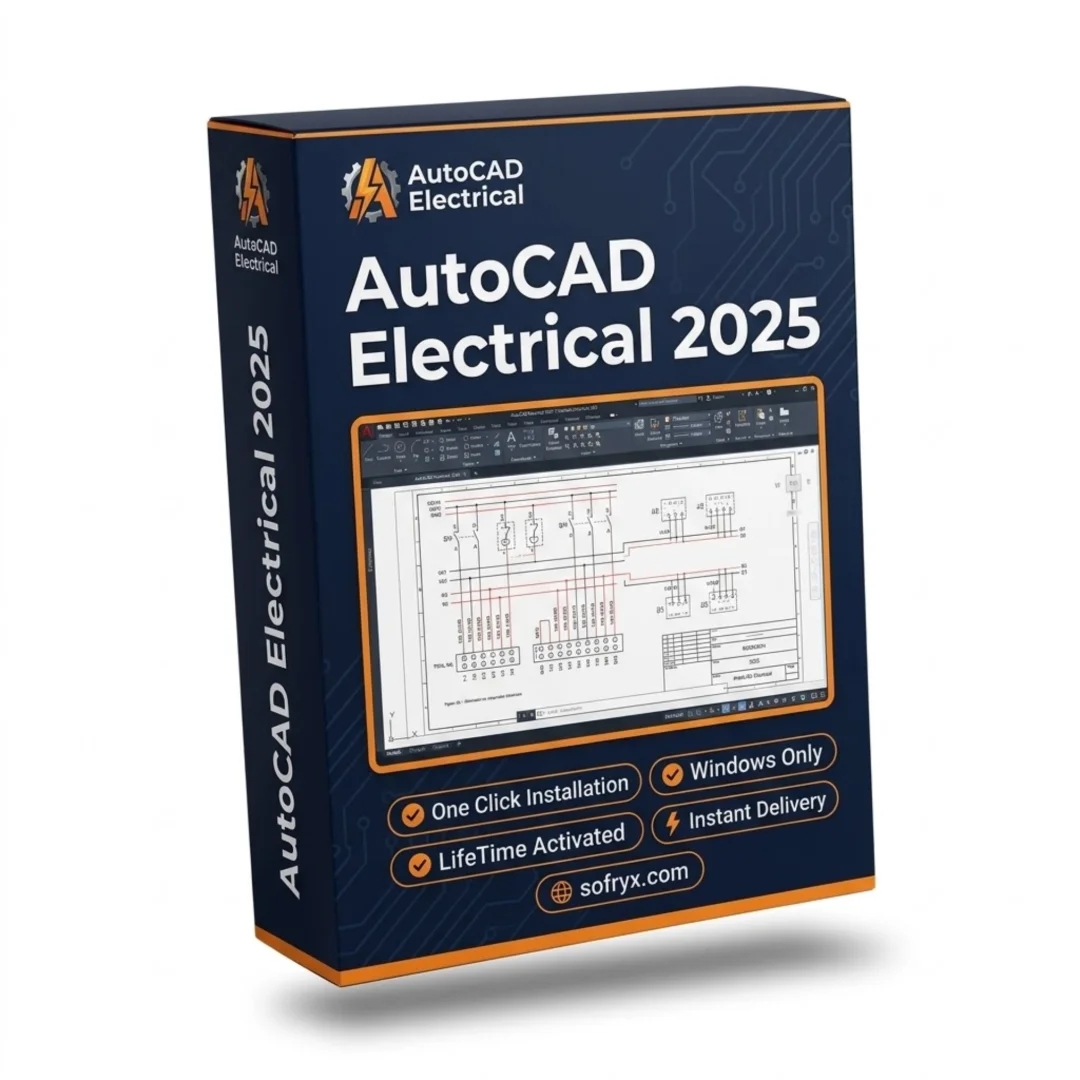



AutoCAD Electrical 2025 Windows — Lifetime Licence | Sofryx
Original price was: $6,000.00.$25.00Current price is: $25.00.
Buy AutoCAD Electrical 2025 Windows genuine lifetime licence. Professional electrical control system design with symbol libraries. Personally tested. Instant delivery.
AutoCAD Electrical 2025 with Addon — Professional Electrical Control System Design Software
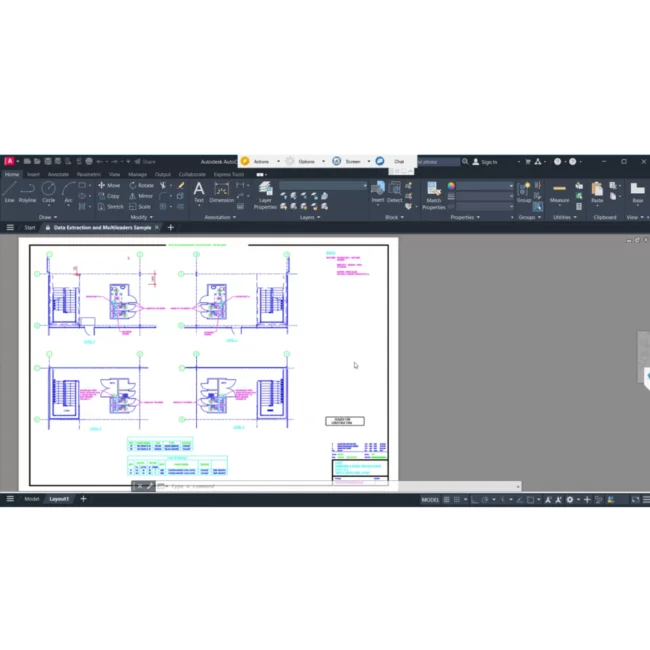
AutoCAD Electrical 2025 is the industry-standard electrical design software built specifically for control system designers and electrical engineers. This powerful application includes all the capabilities of AutoCAD plus a comprehensive suite of specialized electrical design functions including extensive symbol libraries, automated wire numbering, component tagging, real-time error checking, panel layout tools, and PLC I/O drawing generation. Whether you are designing industrial control panels, building power distribution systems, creating wiring schematics for manufacturing facilities, or documenting electrical installations for construction projects, AutoCAD Electrical 2025 automates common design tasks and maintains accuracy throughout the entire documentation process. This version includes the integrated 2025.0.2 update with English and Russian language support. Every licence on Sofryx is personally tested by Mani before listing.
Key Features of AutoCAD Electrical 2025
- Full AutoCAD Platform with Electrical Addon: Includes every AutoCAD capability plus specialized electrical design tools, providing a complete engineering environment in a single application.
- Extensive Symbol Libraries: Thousands of pre-built electrical schematic symbols following international standards for rapid circuit design and documentation.
- Automated Wire Numbering: Automatically assigns sequential wire numbers across entire projects, maintaining consistency and eliminating manual numbering errors.
- Real-Time Error Checking: Continuously validates electrical designs against established rules, catching wiring errors, duplicate tags, and missing connections as you work.
- Panel Layout Design: Create accurate panel layouts with automatic component placement based on schematic data for manufacturing-ready documentation.
- PLC I/O Drawing Generation: Generate PLC input/output drawings directly from spreadsheet data for rapid automation system documentation.
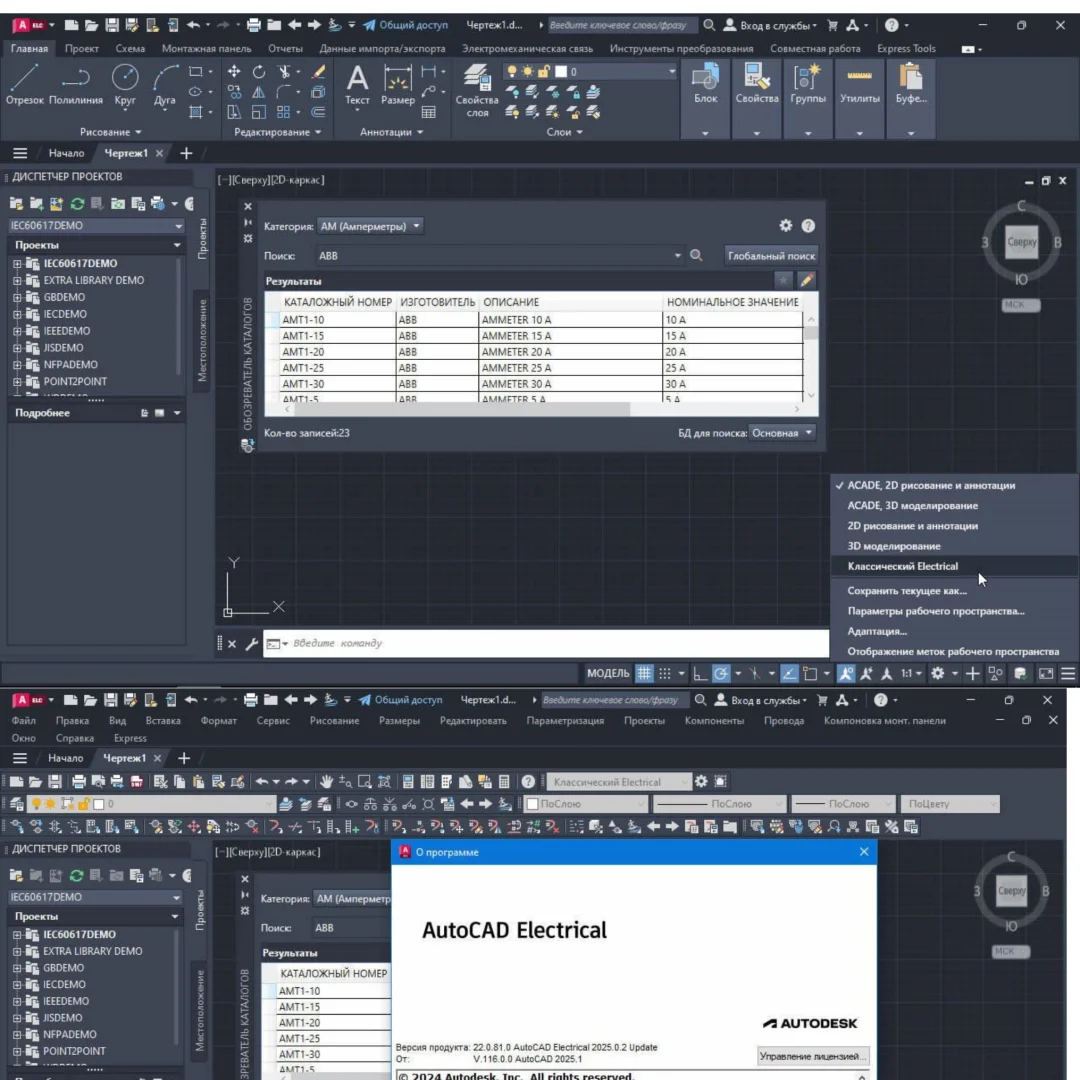
- Integrated 2025.0.2 Update: Includes the latest update with performance improvements, bug fixes, and the restored classic interface option for experienced users.
- Dual Language Interface: English and Russian language interface support for international engineering teams and multilingual work environments.
Why Buy From Sofryx
- Personally tested by Mani before every listing goes live
- Genuine manufacturer-issued licence — not cracked, not trial
- One-time payment — lifetime activation, zero renewal fees
- Instant access via your website dashboard after payment
- Telegram support available for all installation queries
System Requirements
- Operating System: Windows 10 (version 1809 or later) or Windows 11 (64-bit required)
- Processor: 2.5-2.9 GHz clock speed (3 GHz or higher recommended), 64-bit architecture
- RAM: 16GB minimum (32GB recommended for 3D modeling and large data sets)
- Storage: 20GB free disk space (SSD recommended for optimal performance)
- Video Card: 2GB video memory with 29 GB/s bandwidth and DirectX 11 support (recommended 8GB with 106 GB/s and DirectX 12)
- Display: 1920×1080 True Color resolution (up to 3840×2160 4K recommended for high-resolution displays)
- Additional Requirements: .NET Framework 4.8 or higher and 64-bit Microsoft Access Database Engine 2016 Redistributable (16.0.5044.1000) or higher
- 3D Modeling Requirements: 32GB RAM minimum, 6GB additional disk space, workstation-class video adapter with 12GB video memory, 4K display, Pixel Shader 3.0, and DirectX support
What You Get After Purchase
- Licence key or activation file
- Official download link via your account dashboard
- Step-by-step installation guide (video or written)
- Telegram support contact for installation help
Who Is This For
AutoCAD Electrical 2025 is designed for engineering professionals who specialize in electrical control system design and documentation. Electrical engineers designing control panels for industrial machinery, manufacturing lines, and process automation systems rely on the specialized schematic tools and symbol libraries for accurate, standards-compliant documentation. Control system designers creating PLC-based automation solutions use the PLC I/O drawing generation and real-time error checking to produce error-free control system documentation. Panel builders use the panel layout tools to create manufacturing-ready component placement drawings. Industrial electricians and electrical contractors reference the wire numbering and terminal documentation for installation and troubleshooting. MEP engineers working on building electrical systems use AutoCAD Electrical for power distribution, lighting control, and building automation schematics. Power system designers document medium and high voltage distribution systems. PLC programmers use the I/O documentation tools to coordinate between control software and hardware wiring. Manufacturing engineers document electrical systems for production equipment and assembly lines.
Complete AutoCAD Platform with Electrical Design Addon
AutoCAD Electrical 2025 provides the full AutoCAD drafting and design platform combined with a comprehensive electrical design addon that transforms it into a specialized engineering tool for control system documentation. Every standard AutoCAD feature is available including 2D drafting, 3D modeling, annotation, dimensioning, and plotting, meaning you do not need a separate AutoCAD licence for general design work. The electrical addon layers specialized functionality on top of this foundation, providing intelligent electrical-specific tools that understand the relationships between components, wires, terminals, and connections in ways that standard CAD tools cannot. Schematic symbols placed in AutoCAD Electrical are intelligent objects that carry component data including manufacturer information, catalog numbers, ratings, and connection properties. When you connect two components with a wire, the software understands the electrical relationship and can validate the connection against design rules. This intelligence extends throughout the entire project, enabling automated reporting, cross-referencing, and error detection that would be impossible with standard CAD tools alone.
Extensive Electrical Symbol Libraries — Standards-Compliant Design
AutoCAD Electrical 2025 includes thousands of pre-built electrical schematic symbols that follow major international standards including IEC, JIC, JIS, and other regional conventions. These symbol libraries cover every category of electrical component including contactors, relays, motor starters, circuit breakers, fuses, transformers, pushbuttons, selector switches, pilot lights, sensors, solenoids, terminals, and PLC modules. Each symbol is an intelligent object that carries component data and connection information, enabling automated wire numbering, bill of materials generation, and cross-referencing across multi-page schematic sets. Professional reviews on G2 consistently highlight the symbol library as one of the strongest productivity features in AutoCAD Electrical. The symbol libraries can be extended with custom symbols for specialized components or proprietary equipment, and the intelligent insertion tools ensure that new symbols automatically inherit the correct electrical properties and connection points. The circuit builder tool allows rapid creation of common circuit configurations from templates, dramatically reducing the time required to document standard motor control, lighting, and power distribution circuits.
Automated Wire Numbering and Component Tagging
One of the most significant productivity advantages of AutoCAD Electrical over standard CAD software is the automated wire numbering and component tagging system. Wire numbers are assigned automatically based on configurable numbering schemes that can follow project-specific conventions, company standards, or international numbering practices. When new wires are added or existing circuits are modified, the numbering system updates automatically to maintain sequence and consistency across the entire project. Component tags follow similar automated logic, assigning unique identifiers to every electrical device based on configurable tagging formats that can include location codes, panel identifiers, and sequential numbers. The cross-referencing system automatically tracks where each component appears across multiple schematic pages, creating parent-child relationships between coil and contact symbols and generating cross-reference tables that help electricians navigate complex control system documentation. For comprehensive documentation on wire numbering configuration, the Autodesk Knowledge Network provides detailed setup guides and best practice recommendations.
Real-Time Error Checking and Design Rule Validation
AutoCAD Electrical 2025 continuously monitors your electrical designs for errors, inconsistencies, and standards violations as you work, catching problems before they reach the fabrication or installation stage. The error checking engine validates multiple aspects of the design simultaneously, including duplicate wire numbers, duplicate component tags, missing wire connections, dangling wires, parent-child coil-contact mismatches, and missing catalog data. When an error is detected, the system highlights the problem location and provides a description of the issue, allowing you to correct it immediately rather than discovering it during panel fabrication or field installation. The design rule validation extends to checking wire sizes against circuit requirements, verifying that terminal blocks have sufficient connections for the wires assigned to them, and confirming that component ratings are appropriate for their circuit applications. This automated error detection capability eliminates the tedious and error-prone manual checking process that characterizes standard CAD-based electrical documentation, significantly reducing rework, change orders, and field corrections that cost time and money in electrical construction and manufacturing projects.
Panel Layout Design — Manufacturing-Ready Documentation
The panel layout tools in AutoCAD Electrical 2025 bridge the gap between schematic design and physical panel construction by generating accurate component placement drawings based on schematic data. You can create panel layout drawings that show the physical arrangement of all electrical components within an enclosure, including din rails, terminal blocks, circuit breakers, contactors, PLCs, power supplies, and wiring ducts. The footprint database contains physical dimensions and mounting information for thousands of standard electrical components from major manufacturers, ensuring accurate component placement and spacing in the layout drawing. Components placed in the panel layout are linked to their corresponding symbols in the schematics, maintaining bidirectional cross-referencing between the logical circuit design and the physical panel arrangement. The panel layout tools generate manufacturing information including wire routing paths, terminal strip layouts, and nameplate schedules that panel builders use directly for fabrication. This integration between schematic and panel design ensures that the physical panel matches the electrical design exactly, eliminating the interpretation errors that occur when panel builders work from schematics alone.
PLC I/O Drawing Generation — Rapid Automation Documentation
AutoCAD Electrical 2025 includes specialized tools for generating PLC input/output documentation that dramatically accelerates the design of automation control systems. The PLC I/O drawing generation feature creates complete I/O wiring drawings directly from spreadsheet data containing module assignments, address mappings, and device descriptions, eliminating the need to manually draw and annotate each I/O connection. The PLC database includes module information from major automation vendors, providing accurate terminal layouts, addressing schemes, and connection details for hundreds of PLC hardware configurations. I/O drawings generated by the tool automatically include wire numbers, terminal assignments, and field device descriptions based on the spreadsheet data, producing complete and accurate documentation with minimal manual drafting effort. The PLC parametric tools support ladder logic, function block, and structured text programming documentation standards, allowing the electrical schematics and PLC programming documentation to remain coordinated throughout the project lifecycle. Industry organizations like the National Fire Protection Association establish the electrical safety standards that AutoCAD Electrical designs help comply with.
Integrated Update and Classic Interface Option
This AutoCAD Electrical 2025 package includes the integrated 2025.0.2 update, ensuring you receive the latest performance improvements, stability enhancements, and bug fixes from the most current release. The package provides English and Russian language interface options, with the installer language automatically matching your operating system interface language for a seamless setup experience. A notable feature of this build is the restored classic interface option, which provides the traditional menu bar and toolbar layout familiar to long-time AutoCAD users. This classic interface option is valuable for experienced electrical designers who prefer the established workflow patterns they have used across previous AutoCAD versions. The updated Autodesk On-Demand Install Service and installer modules ensure reliable installation and component management. The 32-bit Microsoft Office compatibility improvement removes a previous installation restriction, allowing AutoCAD Electrical to install alongside 32-bit versions of Microsoft Office without conflicts. Leading electrical engineering publications like Electrical Contractor Magazine feature AutoCAD Electrical as an essential design tool for modern electrical engineering practice. Pair AutoCAD Electrical with other professional tools from Sofryx like ArchiCAD 29 for architectural design, Adobe Photoshop 7.0 for image editing, Spectrasonics Omnisphere 3, Cubase Pro v15, and FabFilter Total Bundle for creative production.
Frequently Asked Questions
Q: How do I activate AutoCAD Electrical 2025 after purchase
To activate your AutoCAD Electrical 2025 on Windows after completing your purchase, follow the provided instructions carefully. Your order includes a detailed step-by-step installation guide that walks you through the entire setup process from downloading the installer to completing the activation on your Windows 10 or 11 system. A video tutorial or written instruction document will be included alongside the setup files to ensure smooth installation. The guide covers the full installation including the Electrical addon configuration, language selection, and interface setup. If you encounter any difficulties during the activation process, reach out via Telegram for immediate assistance from our support team.
Q: Is this a genuine lifetime licence or a subscription
This is a genuine lifetime-activated licence that you own permanently after a single one-time payment. There are no monthly fees, no annual renewal charges, and no subscription commitments of any kind. Once activated, your AutoCAD Electrical 2025 remains fully functional on your Windows system indefinitely without requiring any additional payments. Every licence sold on Sofryx is personally verified by Mani to ensure authenticity and reliable long-term functionality. You receive the complete application with all electrical design features, symbol libraries, and automation tools activated for lifetime use from the moment of purchase.
Q: Can I use this on multiple computers
Yes, multiple device use is supported with your AutoCAD Electrical 2025 licence. You can install and activate the software on more than one Windows computer, allowing you to work seamlessly between your office desktop workstation and a portable laptop for on-site work and client meetings. This flexibility ensures that your professional electrical design toolkit is always available wherever you need to work, whether in the engineering office, at a manufacturing facility, or on a construction site. The activation process works identically on each Windows 10 or 11 machine.
Q: Will I receive future software updates
There is no immediate need to update your AutoCAD Electrical 2025 after installation as this version already includes the integrated 2025.0.2 update with all the latest features, performance improvements, and compatibility fixes. If a critical update becomes necessary in the future or if you require a newer build for compatibility with an updated Windows version, contact Mani directly through Telegram support. The update will be provided free of charge within one year of your original purchase date. This ensures you always have access to a functioning and compatible version without any additional cost during the covered period.
Q: How long does delivery take after payment
Delivery is instant and fully automated. Immediately after completing your payment through the Sofryx checkout, your download links become available in your personal account dashboard. Simply log in to your Sofryx account, navigate to the My Account section, and click on Downloads to access all your purchased files. The complete AutoCAD Electrical 2025 installation package including the setup files, Electrical addon, and activation instructions will be ready for immediate download. There is no waiting period and no manual processing required. You can begin installing and using the software within minutes of completing your purchase.
Q: Which operating system versions are compatible
AutoCAD Electrical 2025 is fully compatible with Windows 10 (version 1809 or later) and Windows 11 in 64-bit editions. A 64-bit operating system is required as AutoCAD Electrical 2025 does not support 32-bit Windows installations. Your system requires a processor with 2.5 GHz or higher clock speed (3 GHz recommended), 16GB RAM minimum with 32GB recommended for 3D modeling and large projects, 20GB free disk space on an SSD, a video card with 2GB video memory supporting DirectX 11, and a display with 1920×1080 True Color resolution. Additionally, .NET Framework 4.8 and 64-bit Microsoft Access Database Engine 2016 are required.
Q: What is your refund policy
For complete details regarding our refund terms and conditions, please review the full Refund Policy page available on our website at bydigital.in/refund_returns/. The refund policy outlines all applicable terms including eligibility criteria, timeframes, and the process for requesting a refund on digital product purchases. We encourage every customer to read the policy thoroughly before completing their purchase so they have a clear understanding of their rights and our obligations. Our commitment is to ensure complete customer satisfaction with every product sold on the Sofryx platform.
Q: How do I get support if I have an installation problem
If you encounter any installation difficulties with your AutoCAD Electrical 2025 on Windows, comprehensive support is available through multiple channels. Windows users can receive direct remote support via AnyDesk, UltraViewer, or Zoom Meeting where a support representative will connect to your computer and resolve the installation issue in real time. This is particularly helpful for configuring the Electrical addon, setting up language preferences, verifying DirectX compatibility, and ensuring proper .NET Framework and Access Database Engine installation. If the standard installation encounters any issues, an alternative setup file along with revised instructions will be provided promptly. For all support requests, contact us directly through Telegram at t.me/sofryxhelp for fast and reliable assistance.
Only logged in customers who have purchased this product may leave a review.





Reviews
There are no reviews yet.