
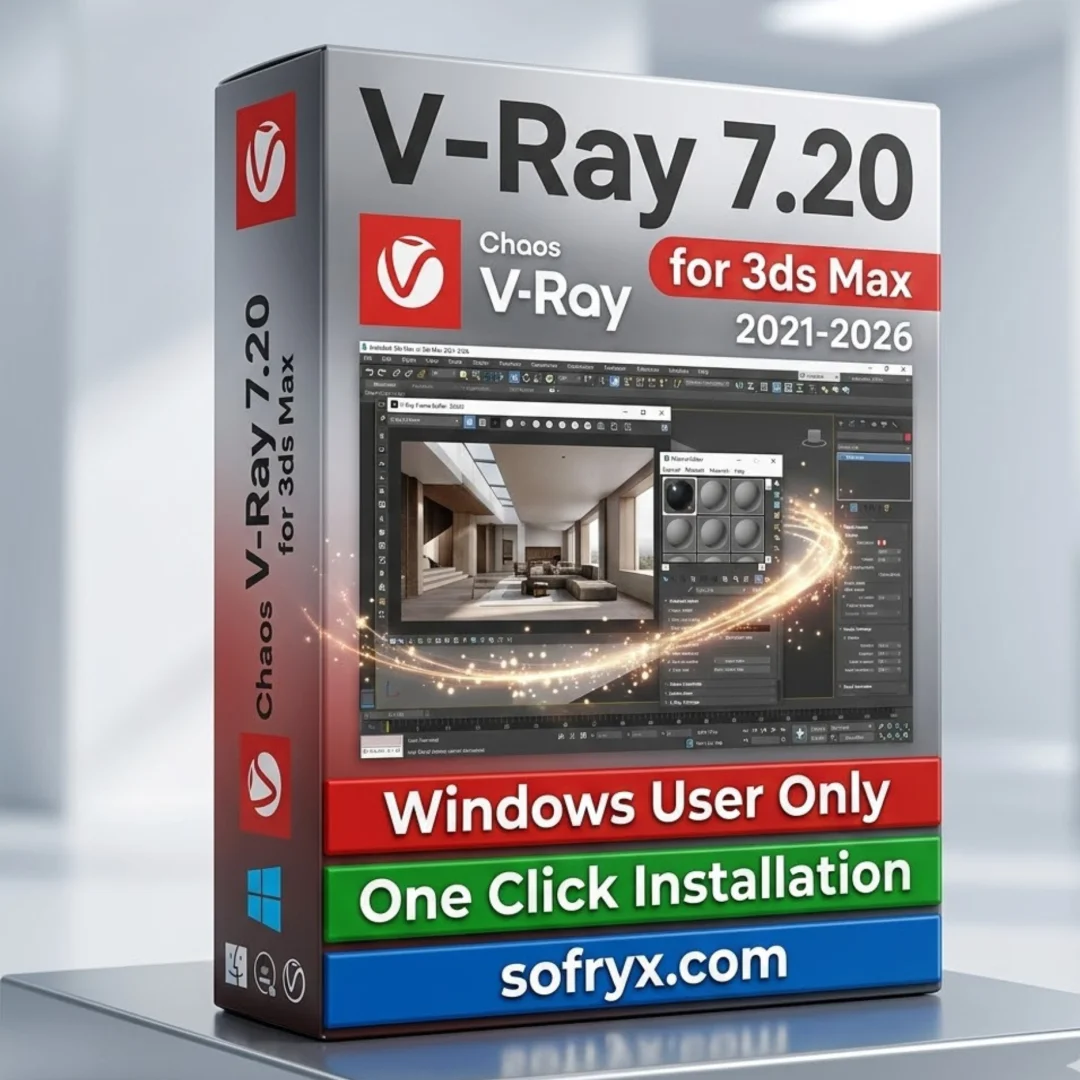
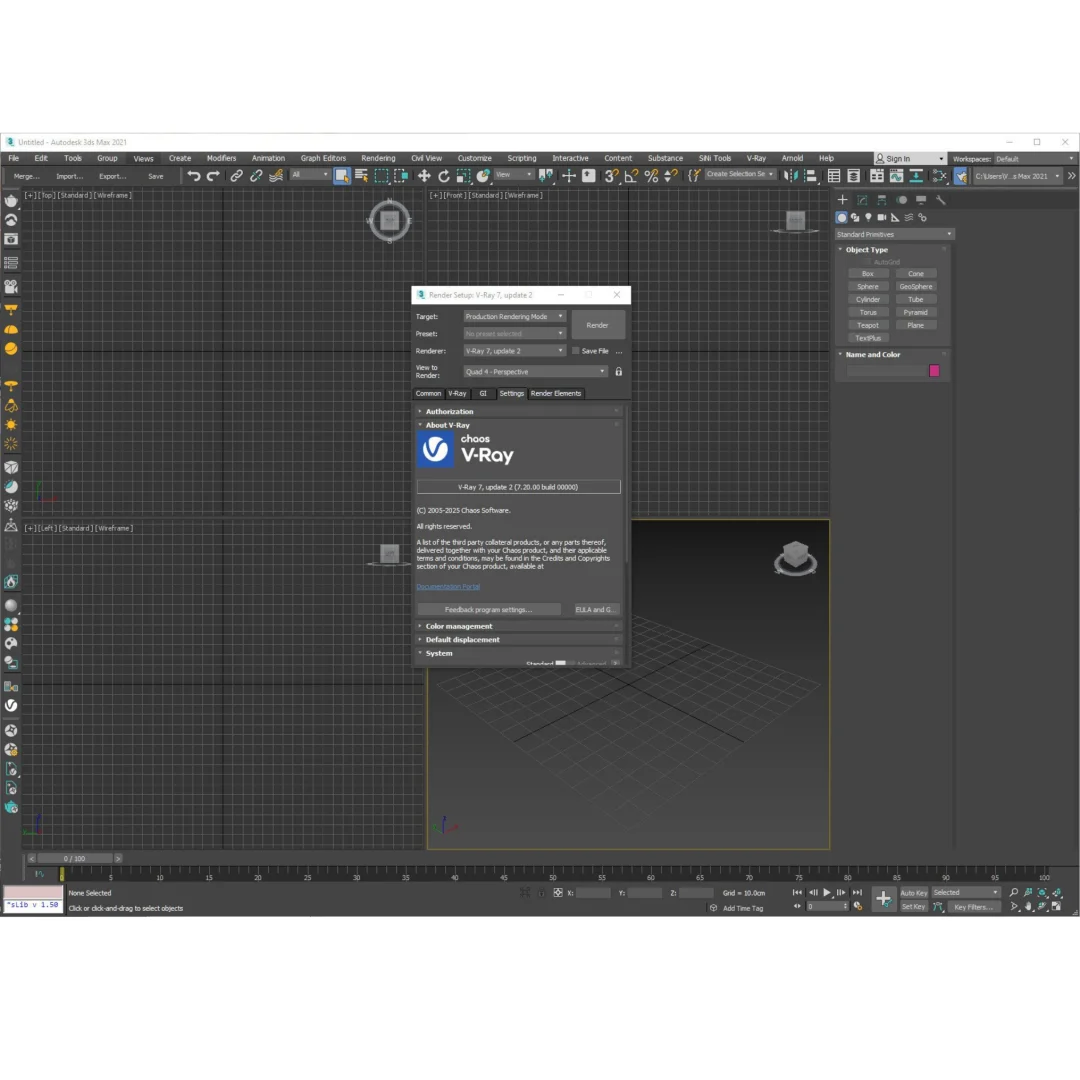
V-Ray 7.20 for 3ds Max — GPU Rendering — Lifetime
Original price was: $300.00.$20.00Current price is: $20.00.
V-Ray 7.20 genuine lifetime license for 3ds Max. Professional GPU rendering with NVIDIA CUDA/RTX and AMD. Photorealistic visualization. Instant digital delivery.
V-Ray 7.20 for 3ds Max — Professional GPU Rendering Software
Experience photorealistic rendering at production speed. V-Ray 7.20 is the industry-standard professional rendering plugin for 3ds Max, trusted by leading architectural firms, VFX studios, product designers, and visualization specialists worldwide. This comprehensive rendering solution delivers uncompromising photorealism with cutting-edge GPU acceleration, powerful material control, and professional-grade denoising technology.
With instant digital delivery and permanent lifetime activation, V-Ray 7.20 becomes your indefinite rendering partner—no subscriptions, no renewal fees, just professional-grade rendering power for years to come. Whether you’re creating architectural visualizations, product renderings, visual effects sequences, or immersive digital environments, V-Ray 7.20 provides the sophisticated tools required for world-class results.
Personally tested and verified by Mani at bydigital.in, V-Ray 7.20 arrives as genuine manufacturer-issued software—not cracked, not trial, not limited. This is the real professional tool used by thousands of studios and professionals globally.
What Is V-Ray 7.20?
V-Ray 7.20 is a professional rendering engine and material/lighting system designed specifically for 3ds Max. Unlike 3ds Max’s built-in scanline renderer, V-Ray delivers photorealistic output through physically-based rendering algorithms, advanced material systems, and professional lighting control.
Chaos Group’s official V-Ray documentation confirms that V-Ray is “the preferred rendering solution” for professional studios requiring photorealistic visualization. The software combines physically-accurate light simulation with GPU acceleration, enabling both fast preview renders and final production-quality output.
V-Ray specializes in architectural visualization, product rendering, visual effects integration, and animation workflows. Its material library includes thousands of ready-made, production-optimized shaders—eliminating setup time and ensuring professional results immediately.
Professional GPU Rendering — NVIDIA & AMD Acceleration
V-Ray 7.20 features cutting-edge GPU acceleration for both NVIDIA and AMD graphics cards:
- NVIDIA CUDA Support: Maxwell, Pascal, Volta, and Turing architecture GPUs accelerate rendering significantly
- NVIDIA RTX Technology: Professional RTX cards (5.21+ compute capability) with dedicated hardware ray tracing and denoising
- AMD GPU Rendering: OpenCL 1.2 support enables AMD Radeon GPU acceleration
- Multi-GPU Rendering: Distribute renders across multiple GPUs simultaneously for exponential speed increases
- Hybrid CPU+GPU: Combine CPU and GPU rendering for maximum utilization
- Fast Preview Renders: Near real-time GPU preview for interactive lighting/material adjustments
- Production-Quality Output: Progressive GPU rendering for final frames with 24-bit precision
- Driver Optimization: Latest driver support (NVIDIA 442.54+ recommended) ensures peak performance
NVIDIA’s CUDA technology enables V-Ray to harness thousands of parallel GPU cores, delivering rendering speeds impossible with CPU-only approaches. This fundamental advantage makes V-Ray indispensable for professional studios requiring fast turnarounds.
Photorealistic Materials & Shaders — Professional Material Control
V-Ray 7.20 provides comprehensive material systems for creating photorealistic surfaces:
- Physical Material: Physically-based material model matching real-world material behavior
- Procedural Texturing: Advanced procedural noise and pattern generation without texture maps
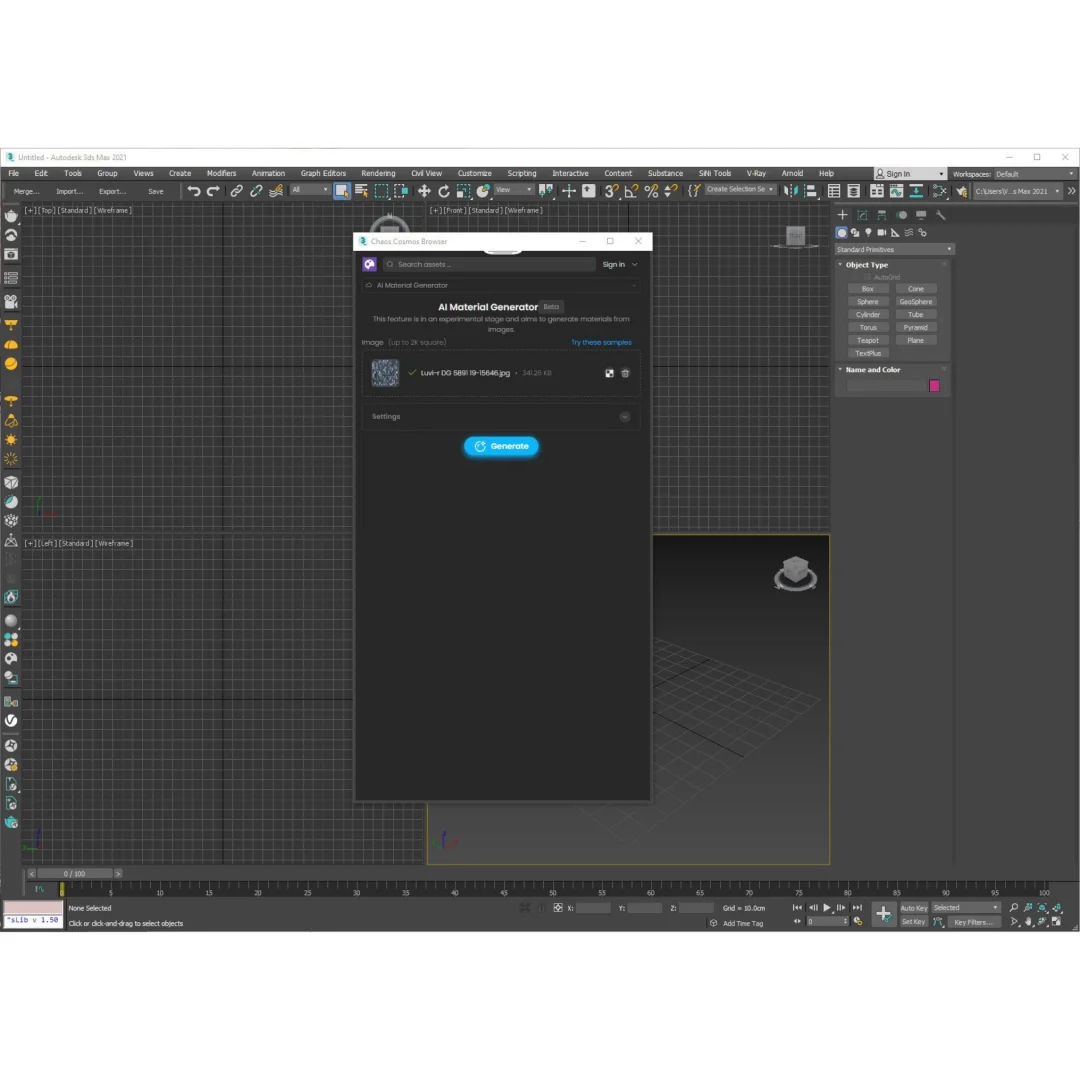
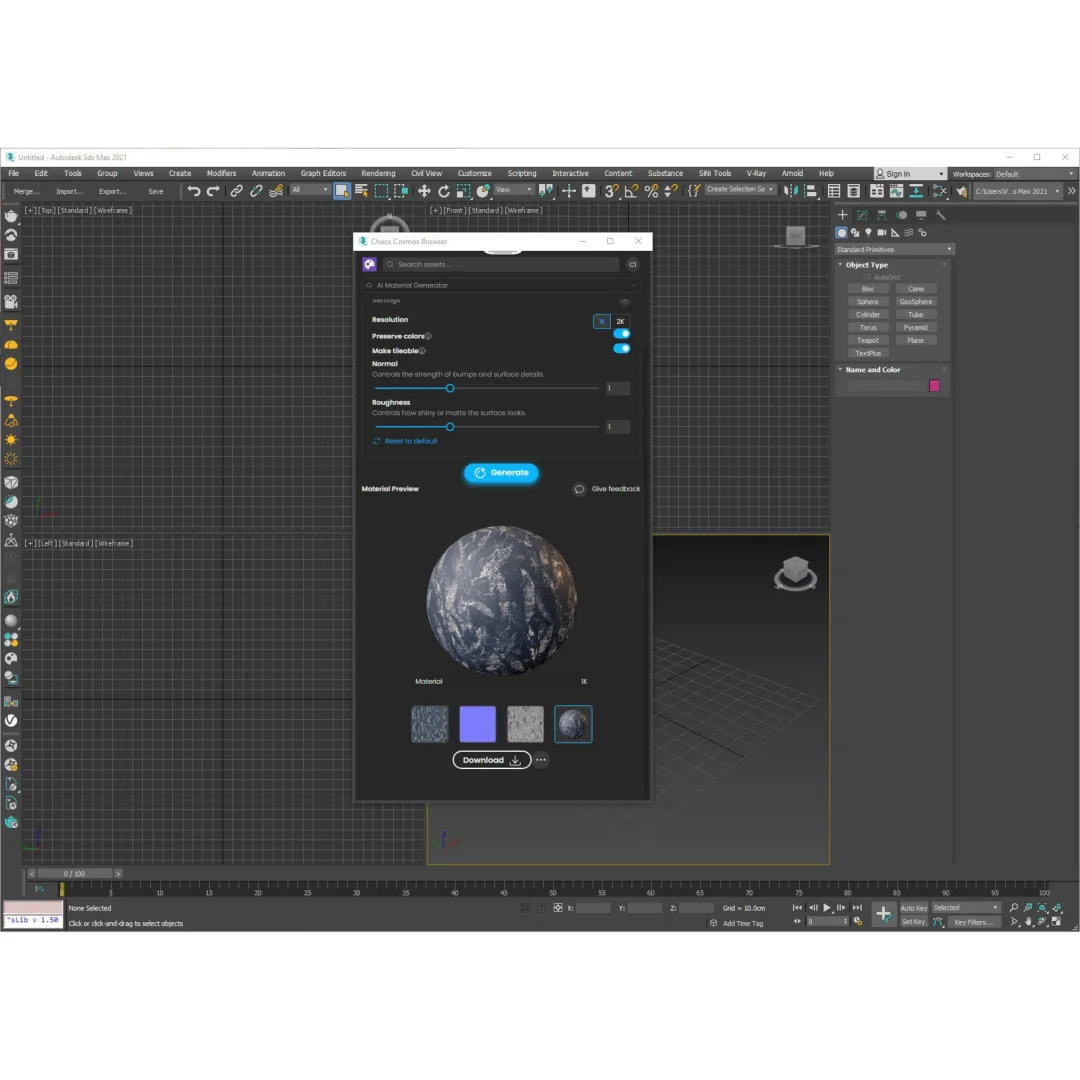
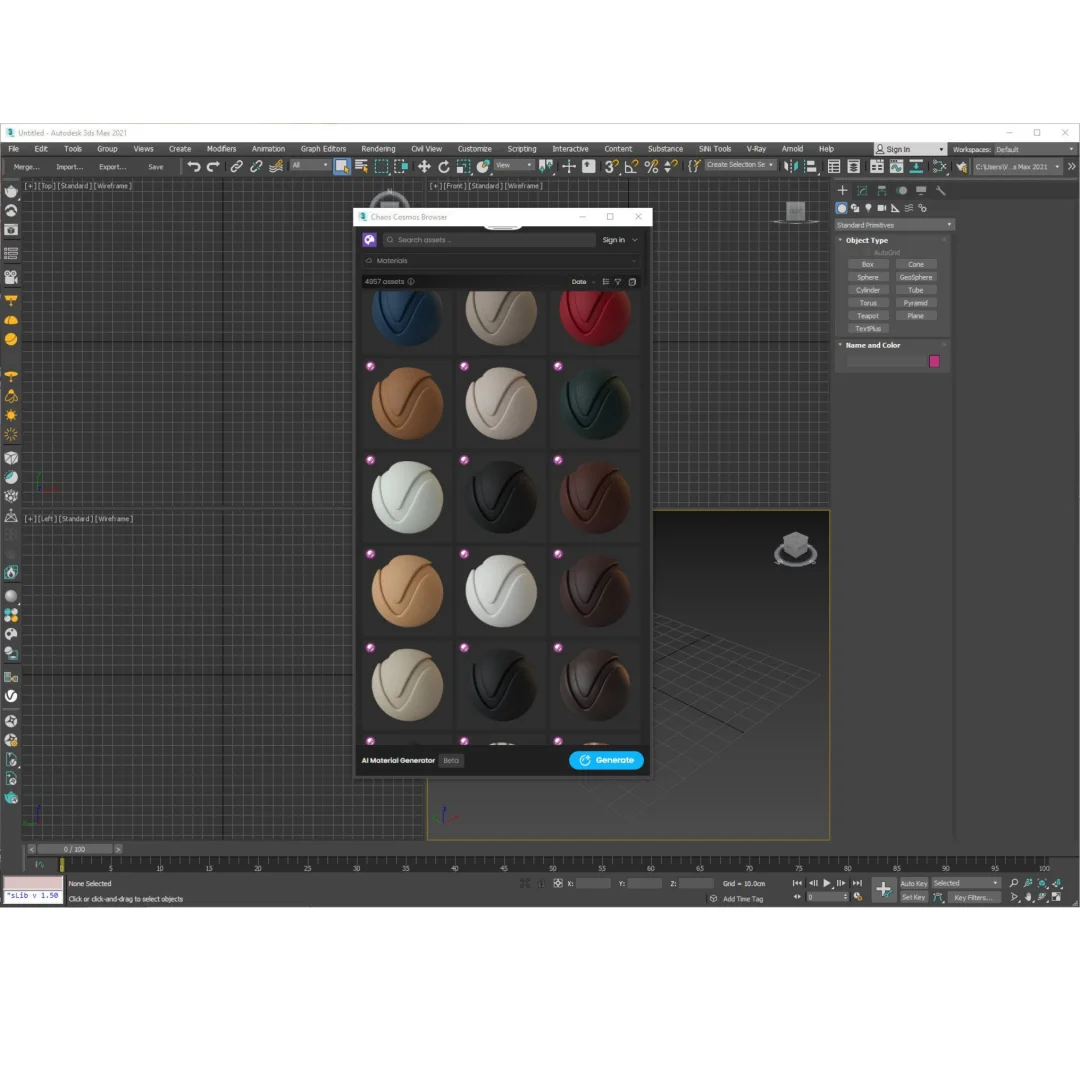
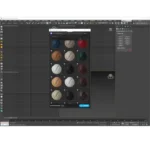
- Material Library: Thousands of pre-built, production-ready materials (wood, metal, glass, fabric, stone, concrete)
- Displacement Mapping: Create geometric detail without modeling (perfect for architectural details)
- Subsurface Scattering: Realistic light penetration for skin, marble, wax, and translucent materials
- Complex Reflections: Layered reflections, anisotropic surfaces, and complex BRDF modeling
- Coat Materials: Realistic paint, varnish, and protective coating simulation
- Hair/Fiber Systems: Specialized materials for hair, grass, carpet, and fiber rendering
The material library included with V-Ray 7.20 represents hundreds of hours of professional material creation. Rather than building materials from scratch, professionals use library materials as starting points—saving weeks of development time per project.
Production Denoiser — Professional Noise Reduction
V-Ray 7.20 includes GPU-accelerated Production Denoiser for professional noise removal:
- AMD/NVIDIA GPU Denoising: OpenCL 1.2 support on AMD cards for hardware-accelerated denoising
- Real-Time Denoising: See denoised results immediately without manual processing
- Preserves Detail: Advanced algorithms preserve fine details while eliminating noise
- Multi-Pass Support: Denoise beauty, shadow, direct lighting passes independently
- Selective Denoising: Apply denoising only to specific image areas
- Faster Renders: Render with lower sample counts, denoise, achieve equivalent quality with shorter render times
- Professional Results: Production-quality denoising matching professional post-production standards
- Batch Processing: Denoise multiple frames automatically for animation sequences
The Production Denoiser represents a paradigm shift in rendering efficiency. Instead of rendering to completion with massive sample counts (8+ hours per frame), professionals now render quickly with moderate samples (20-30 minutes) and denoise to professional quality. This dramatically reduces project timelines.
NVIDIA AI Denoiser — Intelligent Image Enhancement
V-Ray 7.20 features NVIDIA’s AI-powered denoiser for advanced image enhancement:
- Deep Learning Denoising: Neural network trained on millions of professional renders
- Maxwell+ GPU Support: Works on Maxwell, Pascal, Volta, Turing, and Ampere NVIDIA GPUs
- Superior Quality: AI denoiser often produces superior results compared to traditional algorithms
- Intelligent Reconstruction: Understands image content to denoise intelligently
- Minimal Detail Loss: Preserves fine details, textures, and geometry edges
- Non-Destructive Processing: Save original render and denoised version separately
- Real-Time Feedback: See AI denoised results instantly for final quality assessment
- Production Standard: Used by major studios for professional animated films and VFX
NVIDIA’s AI Denoiser represents cutting-edge machine learning applied to rendering. Studios using this technology report 40-60% reduction in render times while maintaining or improving final image quality.
Professional Lighting System — Physically-Accurate Illumination
V-Ray 7.20 provides comprehensive professional lighting controls matching real-world physics:
- Photometric Lights: Lights matching real-world photometric specifications and brightness values
- IES Light Profiles: Import real light specifications from manufacturers (accurate architectural lighting)
- Image-Based Lighting: Illuminate scenes from HDRI images (physically-accurate natural lighting)
- Caustics Rendering: Realistic caustic patterns from water, glass, and complex refractive materials
- Global Illumination: Physically-accurate light bouncing for realistic indirect lighting
- Light Linking: Control which lights affect specific objects
- Volumetric Lighting: Realistic light scattering in fog, dust, and atmospheric effects
- Advanced Shadows: Soft shadows, raytraced shadows, and photorealistic shadow behavior
Professional lighting in V-Ray matches real-world light physics. Architects and product designers use real photometric values directly in V-Ray, ensuring renders match actual lighting conditions. This eliminates guesswork and ensures accuracy for client presentations.
Architectural Visualization — Specialized Workflow Optimization
V-Ray 7.20 is the industry standard for architectural visualization:
- Optimized for Architecture: Specialized tools and workflows for architectural rendering
- Interior Lighting: Professional daylight simulation and artificial lighting controls
- Exterior Rendering: Photorealistic exterior architectural visualization with complex shadows
- Material Accuracy: Extensive architectural material library (concrete, glass, metal, wood, stone)
- Detail Preservation: Render architectural details with photorealistic accuracy
- Rapid Iteration: Fast GPU rendering enables exploring multiple design variations quickly
- Client Presentations: Create compelling presentation images for design review and sales
- Industry Standard: Architects worldwide expect V-Ray quality for professional work
Wikipedia’s 3ds Max article documents that V-Ray has become the de facto standard rendering solution for professional architectural visualization, particularly in Europe and Asia where photorealistic architectural rendering is industry standard.
Ready-Made Materials Library — Production-Optimized Assets
V-Ray 7.20 includes thousands of professionally created, production-ready materials:
- Architectural Materials: Concrete, brick, stone, marble, tile, glass, metal, wood finishes
- Fabric & Upholstery: Textiles, carpets, rugs, leather, synthetic fabrics
- Metal Finishes: Polished steel, brushed aluminum, copper, bronze, chrome, painted metals
- Natural Materials: Stone, slate, granite, wood grain, natural finishes
- Glass Types: Clear, frosted, tinted, reflective, semi-transparent glass variations
- Paint & Finishes: Matte, satin, gloss, metallic, specialty paints
- Specialized Materials: Vegetation, water, earth, sand, specialized surface effects
- Customizable Library: Every material is editable—perfect starting point for custom variations
Rather than building materials from scratch, professionals access the library and drag materials directly into their scenes. This workflow acceleration means more time refining lighting and composition, less time on material creation.
Advanced Camera System — Real-World Photography Parameters
V-Ray 7.20 features professional camera systems matching real photography equipment:
- Physical Camera Model: Camera parameters matching real SLR and cinema cameras
- Lens Distortion: Realistic barrel and pincushion distortion from real lenses
- Depth of Field: Realistic focus blur matching photographic aperture behavior
- Motion Blur: Photorealistic motion blur for animations and dynamic scenes
- Exposure Control: Professional exposure metering and white balance
- Lens Effects: Bloom, glare, and lens effects matching photographic optics
- Real-World Composition: Camera settings matching actual photographic practice
- Preset Cameras: Pre-configured cameras for standard photographic compositions
The physical camera model enables photographers and cinematographers to apply real photographic knowledge within V-Ray. Professional photographers transition seamlessly between real and rendered imagery using familiar photographic principles.
Integration with 3ds Max — Seamless Workflow
V-Ray 7.20 features deep integration with 3ds Max for seamless professional workflows:
- Native 3ds Max Integration: V-Ray tools integrated directly into 3ds Max interface
- Material Editor Integration: V-Ray materials accessible from standard 3ds Max material editor
- Modifier Stack Support: V-Ray effects work within 3ds Max modifier stack
- Render Passes: Separate rendering of beauty, shadow, ambient occlusion, object ID, and more
- Multi-Pass Workflows: Render passes separately for compositing flexibility in post-production
- Scripting Support: Full MaxScript and Python support for automation and batch processing
- Plugin Ecosystem: Thousands of third-party plugins extend V-Ray functionality
- Animation Support: Full support for complex animation timelines and motion sequences
V-Ray integration is so comprehensive that many 3ds Max artists rarely access the native renderer. V-Ray becomes the de facto rendering engine, extending 3ds Max capabilities significantly.
System Requirements & Compatibility — Verified & Tested
Verified compatibility with 3ds Max 2021 through 2026:
- 3ds Max Versions: Compatible with 3ds Max 2021, 2022, 2023, 2024, 2025, 2026 (64-bit)
- Operating System: Microsoft Windows 10 or Windows 11 (64-bit only—32-bit not supported)
- Processor: Intel 64-bit or AMD64 processor with AVX2 support required
- RAM: Minimum 8GB (strongly recommend 64GB+ for professional production work)
- GPU Memory: Minimum 6GB VRAM (12GB+ recommended for production)
- Driver Support: NVIDIA driver 442.54+ or newer recommended
- Storage: 10GB+ installation space (plus material library storage)
- Display: 1920×1200 or higher resolution display recommended
Chaos Group’s official system requirements page specifies exact compatibility details. Mani has personally tested V-Ray 7.20 installation on multiple Windows 10 and Windows 11 systems with various GPU configurations—installation is straightforward and activation is immediate.
Why Choose V-Ray 7.20 from Sofryx?
- Personally Tested by Mani: Every installation tested on Windows 10/11 before listing
- Genuine Manufacturer Software: Authentic V-Ray license—not cracked, not trial, not limited
- Lifetime Activation: One-time payment, permanent access, zero renewal fees
- Instant Digital Delivery: Download within seconds of purchase via account dashboard
- Telegram Support: Installation help available 24/7 via Telegram
- Multi-Device Use: Install on multiple computers—yours to use indefinitely
- Professional Grade: Same software used by major studios worldwide
- Complete Package: Full material library, all plugins, all features included
What You Get After Purchase
- License Key/Activation File: Official V-Ray 7.20 activation credentials
- Download Link: Direct link to V-Ray 7.20 installer via your account
- Installation Guide: Step-by-step written instructions + video walkthrough
- Material Library: Complete professional material library (thousands of production-ready materials)
- Telegram Support: Installation assistance via Telegram if needed
- Setup Video: Video demonstrating activation and first-time setup
- Permanent Ownership: Install anytime, use indefinitely, transfer if needed
Who Is This For?
V-Ray 7.20 serves multiple professional markets. Architectural visualization specialists use V-Ray for creating photorealistic interior and exterior renderings—the software is industry standard in architectural practices worldwide. Product designers and manufacturers use V-Ray for photorealistic product visualization, essential for client presentations and marketing materials. VFX professionals and animation studios integrate V-Ray into production pipelines for complex visual effects, ensuring photorealistic integration between CG and live-action footage. Industrial designers leverage V-Ray for creating compelling product renderings before physical prototyping. Game developers and real-time engine artists use V-Ray for creating reference renders and technical art. Interior designers generate client presentations using photorealistic interior visualization. 3ds Max educators and students learn professional rendering techniques using the industry-standard rendering engine.
Professional Rendering Workflows — Real-World Applications
Architectural Visualization Pipeline
Architects use V-Ray for creating client presentations. A typical workflow: import architectural model from revit/autocad → set up photometric lighting matching real building specifications → apply architectural materials from library → render exterior daylight views → render interior views with artificial lighting → use denoiser for final quality → export passes for compositing. The entire process leverages V-Ray’s specialized architectural tools.
Product Rendering for E-Commerce
Product manufacturers use V-Ray for creating product shots for e-commerce. Models are imported from CAD → realistic product materials applied → professional lighting setup → multiple angles rendered → images used for product photography replacement. V-Ray renders are often indistinguishable from professional product photography.
VFX Integration & Compositing
VFX studios use V-Ray to render complex effects that integrate with live-action footage. Multi-pass rendering separates beauty, shadows, reflections, and object IDs—enabling compositors to integrate renders seamlessly into live footage through advanced compositing.
Animation Sequences & Rendering Farms
Animation studios use V-Ray’s batch processing and multi-GPU support to render thousands of frames. Network rendering distributes jobs across GPU render farms, enabling multi-frame renders to complete overnight. Denoising is applied automatically to each frame.
Performance Advantages — Speed & Quality
GPU Acceleration Benefits
GPU rendering provides 10-100x speed improvements over CPU-only rendering, depending on GPU hardware. A frame taking 8 hours on CPU might render in 20 minutes on a powerful RTX GPU—transforming production timelines from weeks to days.
Denoiser Efficiency
Production and AI denoisers reduce required sample counts by 50-75%, directly translating to proportional render time savings. A frame requiring 16 hours to reach clean quality might render clean in 2-4 hours with denoising enabled.
Material Library Acceleration
Pre-built materials eliminate shader creation time. Rather than spending days building custom materials, professionals spend minutes selecting and customizing library materials—accelerating projects significantly.
Competitive Advantages — Why V-Ray Over Alternatives?
Multiple rendering engines exist for 3ds Max, but V-Ray dominates professional practice due to: (1) uncompromising photorealism—V-Ray renderings match real-world appearance more accurately than competing engines; (2) production-proven—decades of studio usage ensures reliability; (3) material ecosystem—thousands of pre-built materials save development time; (4) GPU performance—GPU rendering speeds exceed competitors; (5) industry standard—professionals expect V-Ray quality; (6) integration depth—seamless 3ds Max integration; (7) support ecosystem—extensive documentation and community resources.
Educational Value — Learning Professional Standards
Students and educators benefit from V-Ray’s industry-standard status. Learning V-Ray in educational settings ensures students graduate familiar with professional-standard software used worldwide. Organizations purchasing V-Ray for educational institutions are investing in graduate employment preparedness.
Frequently Asked Questions
Q1: How do I activate V-Ray 7.20 after purchase?
After purchase, you’ll receive activation credentials (license key or activation file) via your bydigital.in account dashboard under “Downloads.” Follow the included installation guide—the process is straightforward. The guide includes step-by-step written instructions plus a video walkthrough showing the exact activation process. On first launch, V-Ray prompts for activation—enter your license key, and within seconds, V-Ray is active. If you encounter any issues, Telegram support is available 24/7 to assist. Most users complete activation within 5-10 minutes.
Q2: Is this a genuine license or a cracked version?
This is a genuine, authentic V-Ray 7.20 license—not cracked software. Mani personally verifies every software product before listing on bydigital.in. You’re receiving software with proper activation, identical to purchasing directly from sofryx—except at better pricing. The license is fully registered and won’t expire or become invalid. Use the software with confidence knowing it’s genuine professional software.
Q3: Can I use V-Ray 7.20 on multiple computers?
Yes. Your license permits installation on multiple computers. Once activated, you can install V-Ray on as many systems as you need. This is particularly valuable for professionals working across home office, studio, and laptop. The license is personal to your use—you own it and can use it across your devices indefinitely. This flexibility is one of the primary advantages of permanent lifetime licenses compared to subscription-based software.
Q4: Will I receive future V-Ray updates after purchase?
V-Ray 7.20 is the current stable release and you’ll use this version. If newer versions (V-Ray 7.2x, V-Ray 8.0, etc.) are released in future, you’re not obligated to update—V-Ray 7.20 remains fully functional. If you choose to upgrade to a newer version in the future, contact Mani directly for pricing on upgrade options. Updates within the V-Ray 7.x series may be available free of charge—check with Chaos Group’s official update policy. Your lifetime license ensures permanent access to V-Ray 7.20 specifically.
Q5: How long does delivery take after payment?
V-Ray 7.20 is delivered instantly as a digital download. Immediately upon payment, your bydigital.in account “Downloads” section displays your license key and official V-Ray installer download link. There’s no shipping, no waiting—you can begin installation within seconds of payment. This instant delivery is one of the primary advantages of digital software purchases. Download the installer, run activation, and begin rendering immediately.
Q6: Which 3ds Max versions are compatible with V-Ray 7.20?
V-Ray 7.20 is compatible with 3ds Max 2021, 2022, 2023, 2024, 2025, and 2026 (64-bit versions only). Windows 10 or Windows 11 operating system is required. Your 3ds Max version must be the 64-bit edition—V-Ray 7.20 does not support 32-bit 3ds Max. If you’re unsure of your 3ds Max version, right-click the 3ds Max shortcut and select “Properties”—the window title displays your version. Most professional installations are already updated to recent 3ds Max versions, so compatibility is typically automatic.
Q7: What is bydigital.in’s refund policy?
For complete refund policy details, please visit bydigital.in’s Refund Policy page. Generally, digital software purchases are final after download and activation—reflecting standard industry practice for digital goods. However, if you experience genuine technical issues preventing activation or installation, bydigital.in support will work with you to resolve problems. Contact Mani via Telegram to discuss any concerns.
Q8: How do I get support if I encounter installation problems?
Sofryx.com provides dedicated Telegram support for installation issues. If V-Ray 7.20 fails to activate or install correctly, contact support via Telegram immediately—include your system specifications (Windows version, 3ds Max version, GPU model, driver version) and error messages. Support will provide step-by-step troubleshooting or, if necessary, an alternative activation method. The goal is ensuring your activation succeeds quickly. Most installation issues resolve within 24 hours through Telegram support. Your license purchase includes access to installation support until successful activation.
================================================================================
Complete Package Contents
- ✅ V-Ray 7.20 for 3ds Max (complete renderer)
- ✅ GPU Acceleration (NVIDIA CUDA, RTX, AMD support)
- ✅ Professional Material Library (thousands of ready-made materials)
- ✅ Production Denoiser (GPU-accelerated)
- ✅ NVIDIA AI Denoiser (deep learning noise removal)
- ✅ Professional Lighting System (IES profiles, HDRI, photometric lights)
- ✅ Physical Camera System (real-world photography parameters)
- ✅ Advanced Shader System (complex material creation)
- ✅ Render Passes (beauty, shadow, AO, object ID separation)
- ✅ Batch Processing Tools (render multiple frames automatically)
- ✅ Multi-GPU Support (render across multiple graphics cards)
- ✅ Animation Support (full timeline compatibility)
- ✅ Official Documentation (Chaos Group guides and tutorials)
- ✅ Material Library Access (continuous updates available)
- ✅ Lifetime Activation (permanent license, zero renewal)
- ✅ Instant Digital Delivery (download immediately)
- ✅ Multi-Device Installation (install on multiple computers)
- ✅ Telegram Support (24/7 installation assistance)
- ✅ Setup Video (visual activation walkthrough)
- ✅ Written Installation Guide (step-by-step instructions)
================================================================================
Why Professional Studios Choose V-Ray
Photorealistic Quality: V-Ray’s rendering engine delivers uncompromising photorealism matching real-world appearance standards required for professional work. Clients cannot distinguish V-Ray renderings from real photography.
Production-Proven: V-Ray has been the industry standard for architectural visualization, product rendering, and VFX integration for over 20 years. Thousands of studios and professionals depend on V-Ray daily.
Material Ecosystem: The extensive material library eliminates shader creation overhead. Professionals access ready-made materials rather than building custom shaders from scratch.
Performance: GPU acceleration delivers rendering speeds 10-100x faster than CPU-only solutions, transforming project timelines from weeks to days.
Integration Depth: V-Ray integration with 3ds Max is so comprehensive that the renderer becomes the primary visualization tool.
Industry Standard: Clients expect V-Ray quality. Professionals using V-Ray meet client expectations consistently.
Professional Rendering Awaits
Join thousands of professional studios, architects, designers, and VFX artists using V-Ray 7.20 for world-class photorealistic rendering. Instant digital delivery. Permanent lifetime activation. Professional-grade software.
Your V-Ray 7.20 installation begins immediately—download, activate, and begin rendering professional-quality images today. Own this professional rendering engine forever and focus on creative excellence rather than software limitations.
Order now and receive: Complete V-Ray 7.20 renderer + GPU acceleration (NVIDIA/AMD) + professional material library + Production/AI denoisers + advanced lighting system + instant download + Telegram support. Transform your 3ds Max experience with industry-standard professional rendering.
Only logged in customers who have purchased this product may leave a review.


Reviews
There are no reviews yet.