


Cubase 5.1 – Lifetime Licence | Sofryx
Original price was: $300.00.$20.00Current price is: $20.00.
Buy genuine Cubase 5.1 lifetime licence at Sofryx. Advanced DAW personally tested by Mani. VariAudio and LoopMash included. Instant delivery.
Cubase 5.1 – Professional Music Production With Integrated Vocal Editing and Intelligent Loop Blending
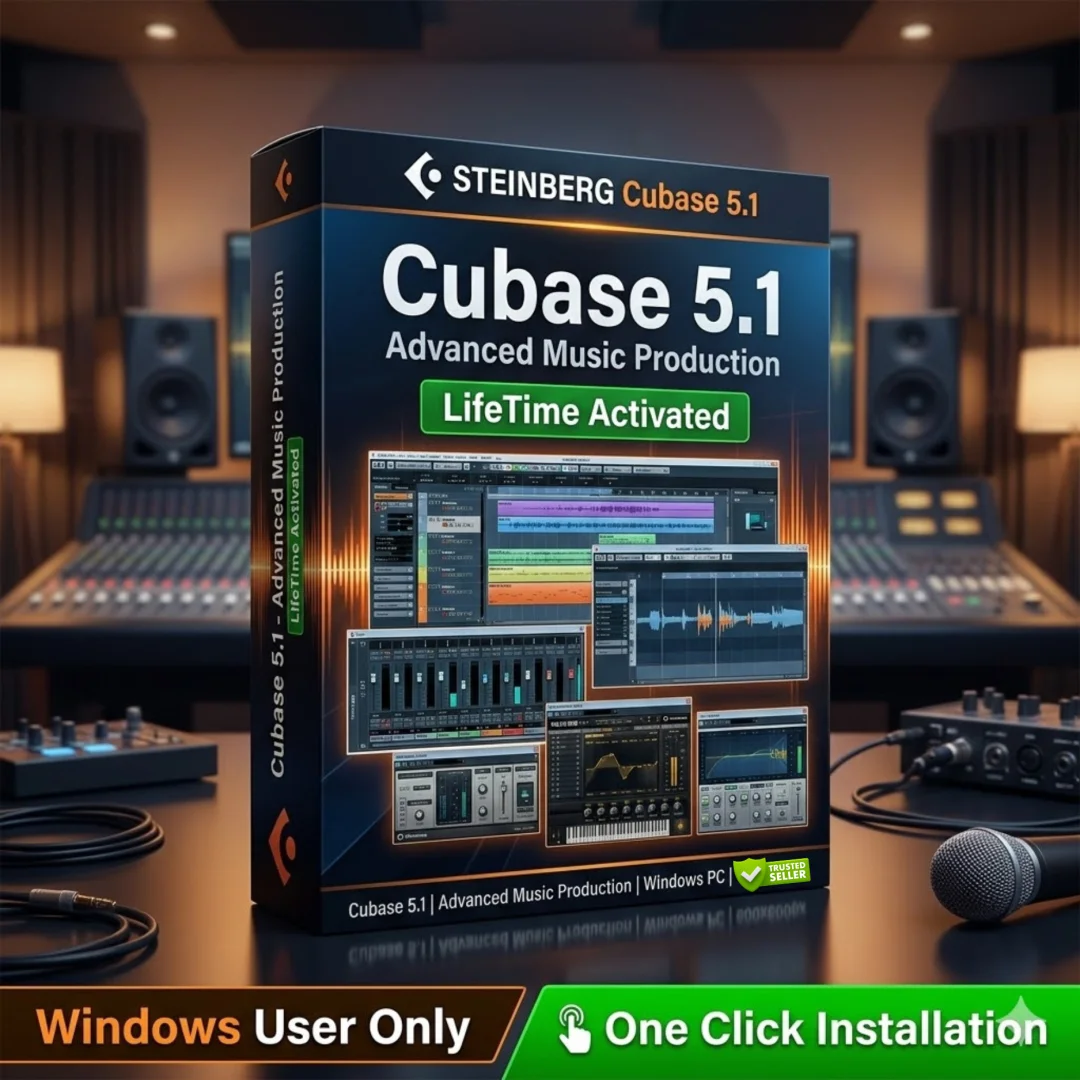
Cubase 5.1 is a professional digital audio workstation developed by Steinberg that delivers a complete music production environment for recording, editing, mixing, and mastering audio. Whether you are a vocalist who needs precise pitch correction, a beat maker building drum patterns from scratch, or a composer working with orchestral articulations, Cubase 5.1 provides every tool you need inside a single application. This version introduced groundbreaking features including VariAudio for visual pitch editing, LoopMash for intelligent loop blending, and REVerence, the first VST3 convolution reverb. Available at Sofryx with a genuine lifetime licence and instant digital delivery, Cubase 5.1 remains one of the most feature-rich DAWs for creative music production.
Key Features of Cubase 5.1
- VariAudio Vocal Pitch Editing: Edit the pitch and timing of monophonic vocal recordings directly inside the audio editor with visual precision, eliminating the need for third-party pitch correction plugins.
- LoopMash Intelligent Loop Blending: Drag multiple loops into LoopMash and the engine intelligently blends them together, creating completely new rhythmic and melodic variations that would be impossible to achieve manually.
- Groove Agent ONE Drum Sampler: A dedicated one-shot drum sampler that lets you load, layer, and trigger drum samples with full control over pitch, filter, amplitude, and routing for each pad.
- Beat Designer Pattern Creation: Build complex drum patterns and rhythmic sequences using a step-based interface that integrates directly into the Cubase project timeline for seamless arrangement.
- VST Expression Articulation Control: Assign and control multiple articulations within a single track, giving composers precise control over instrument expression without creating separate tracks for each playing style.
- REVerence Convolution Reverb: The first VST3 convolution reverb plugin that uses real impulse responses to recreate the acoustic character of physical spaces, from concert halls to studio rooms.
- PitchCorrect Real-Time Tuning: Apply automatic real-time pitch correction to vocal recordings with adjustable speed and tolerance settings, keeping performances natural while fixing intonation issues.
- 64-Bit Audio Processing Engine: Internal 64-bit floating-point audio processing delivers maximum headroom and pristine audio quality across all mixing and effects operations.
Why Buy From Sofryx
- Personally tested by Mani before every listing goes live
- Genuine manufacturer-issued licence – not cracked, not trial
- One-time payment – lifetime activation, zero renewal fees
- Instant access via your website dashboard after payment
- Telegram support available for all installation queries
System Requirements
Cubase 5.1 runs on Windows XP with Service Pack 3, Windows Vista, and Windows 7 in both 32-bit and 64-bit editions. You need a minimum of 2 GB RAM, though 4 GB is recommended for larger projects with multiple tracks and plugins. An Intel or AMD Dual Core processor is required. The installation needs approximately 8 GB of free disk space. While no dedicated GPU is needed, a DirectX-compatible audio interface or sound card is recommended for low-latency recording and playback performance.
What You Get After Purchase
- Licence key or activation file
- Official download link via your account dashboard
- Step-by-step installation guide (video or written)
- Telegram support contact for installation help
Who Is This For
Cubase 5.1 is designed for music producers working across every genre, from hip-hop and electronic to orchestral and pop. It serves vocalists who need integrated pitch editing without buying separate plugins, beat makers who want dedicated drum sampling and pattern creation tools, composers who require advanced articulation control for realistic instrument performances, home studio owners building professional mixes on a budget, songwriters who need a complete recording and arrangement environment, and sound engineers who demand high-quality mixing and effects processing. If you create music and want a proven DAW that handles every stage of production from recording to final mastering, Cubase 5.1 delivers the complete toolkit.
VariAudio Integrated Vocal Pitch Editing
VariAudio is one of the most significant features introduced in Cubase 5 and it changed how producers work with vocal recordings. Instead of relying on external pitch correction software, VariAudio lets you edit the pitch and timing of monophonic audio directly inside the Cubase sample editor. The system analyzes your vocal recording and displays each note as a visual segment that you can drag up or down to change pitch, stretch horizontally to adjust timing, or straighten to tighten intonation. You maintain complete visual control over every note in the performance. This approach gives you far more precision than automated correction because you can decide exactly which notes to adjust and which to leave untouched. Vocalists and producers who record in home studios with imperfect acoustic conditions will find VariAudio invaluable for polishing performances while keeping the natural character of the voice. According to Wikipedia, Cubase has been a leading DAW platform since the late 1980s, and VariAudio represents one of its most innovative feature additions.
LoopMash Intelligent Loop Blending Engine
LoopMash is a revolutionary instrument that takes multiple audio loops and intelligently blends them together to create entirely new rhythmic and melodic combinations. You load up to eight different loops into LoopMash and the engine analyzes the sonic characteristics of each slice. It then matches similar elements across loops and lets you morph between them using a simple slider interface. The result is an endless supply of unique rhythmic variations that maintain musical coherence while sounding completely original. This is not simple loop layering. LoopMash uses advanced algorithms to identify which parts of each loop can replace or blend with parts of another, creating combinations that would take hours to build manually. Beat makers, electronic producers, and experimental musicians will find LoopMash opens up creative possibilities that are genuinely impossible with conventional loop-based production methods. The output can be captured as audio and further edited within the Cubase arrangement.
Groove Agent ONE and Beat Designer
Cubase 5.1 includes two dedicated tools for beat creation that work together to streamline drum production. Groove Agent ONE is a one-shot drum sampler that loads samples onto individual pads with full control over pitch, filter, amplitude envelope, and output routing for each pad independently. You can import your own samples or use the included library to build custom kits. Beat Designer is a pattern-based step sequencer that connects directly to Groove Agent ONE. You create drum patterns by clicking steps in a grid, with support for multiple velocity levels, flam timing, and pattern chaining. Completed patterns insert directly into the Cubase timeline as MIDI parts so they integrate seamlessly with your arrangement. Together these tools give beat makers a fast, intuitive workflow for building drum tracks without leaving the DAW. Whether you produce hip-hop, electronic, or pop music, Groove Agent ONE and Beat Designer provide everything you need for professional beat creation.
VST Expression Advanced Articulation Control
VST Expression is a composition tool that gives you unprecedented control over instrument articulations within a single MIDI track. In traditional workflows, composers need multiple tracks to handle different playing techniques such as staccato, legato, tremolo, and pizzicato. VST Expression eliminates this complexity by allowing you to assign different articulations directly to individual notes within one track. You can switch between playing styles at the note level using a visual articulation lane in the Key Editor. This is particularly powerful when working with orchestral sample libraries where realistic performances depend on seamless articulation switching. Composers and film scorers who work with large orchestral templates will see immediate productivity gains because their projects require fewer tracks while delivering more expressive and realistic musical results.
REVerence VST3 Convolution Reverb
REVerence is the first convolution reverb built on the VST3 standard and it delivers the acoustic character of real physical spaces to your mixes. Unlike algorithmic reverbs that simulate room characteristics using mathematical models, convolution reverbs use recorded impulse responses from actual locations. REVerence ships with a curated collection of impulse responses captured from concert halls, recording studios, chambers, and outdoor environments. You can also load your own impulse responses to recreate any acoustic space. The plugin includes an equalizer for shaping the reverb tail, a pre-delay control for adjusting the timing between the dry signal and reverb onset, and smooth morphing between different impulse responses. For mixing engineers and producers, REVerence provides the most realistic spatial processing available within the Cubase environment. Industry publications like Sound On Sound have consistently highlighted convolution reverb as an essential mixing tool.
PitchCorrect Real-Time Intonation Tool
PitchCorrect provides automatic real-time pitch correction that works as an insert effect on any vocal track. Unlike VariAudio which is used for detailed manual editing after recording, PitchCorrect processes audio in real time during playback or even during live recording. You set the target scale and key, adjust the correction speed to control how aggressively the tool snaps notes to pitch, and set the tolerance to define how far a note can deviate before correction kicks in. Faster speed settings create the modern hard-tuned vocal effect popular in contemporary pop and hip-hop, while slower settings provide subtle correction that sounds completely natural. PitchCorrect and VariAudio together give you both real-time and offline pitch editing capabilities, covering every vocal production scenario from quick fixes during tracking to detailed post-production editing.
64-Bit Audio Engine and Performance
Cubase 5.1 features a 64-bit internal floating-point audio processing engine that delivers exceptional audio quality and headroom across all operations. This means that even when you stack dozens of plugins on a single channel, apply complex effects chains, and sum hundreds of audio tracks together, the audio maintains full resolution without degradation. The 64-bit processing applies to all internal mixing, effects processing, and signal routing operations. Combined with support for 64-bit operating systems, Cubase 5.1 can address more system memory, allowing larger projects with more tracks, more samples loaded into RAM, and more complex plugin configurations than 32-bit systems can handle. This technical foundation ensures that your creative decisions are never limited by the audio engine capabilities of the software.
Complete Recording and Mixing Environment
Beyond its headline features, Cubase 5.1 provides a complete professional recording and mixing environment. The mixer console offers full channel strip processing with EQ, dynamics, and routing on every channel. Audio recording supports multiple simultaneous inputs with punch-in and punch-out, cycle recording, and lane-based comping for assembling the best takes. MIDI recording includes comprehensive editing in the Key Editor, Score Editor, Drum Editor, and List Editor. The arrangement window supports unlimited audio and MIDI tracks with a flexible folder track system for organizing large projects. Automation is available for virtually every parameter in the mixer and on every plugin, with refined automation curves and thinning options introduced in version 5 for smoother, more musical parameter changes. The Steinberg Cubase product page provides additional details on the full feature set across all versions.
Included Plugins and Sound Content
Cubase 5.1 ships with a comprehensive collection of virtual instruments and audio effects that cover every production need. Beyond LoopMash, Groove Agent ONE, and REVerence, you get the HALion ONE sample player with a large general MIDI sound library, Prologue virtual analog synthesizer, Mystic physical modeling synthesizer, and Spector spectral synthesizer. The effects suite includes studio-quality compressors, equalizers, delays, modulation effects, distortion processors, and mastering tools. Every included plugin runs natively within the Cubase VST environment with full automation support and preset management. The content library includes thousands of MIDI loops, audio loops, drum patterns, and instrument presets organized by genre. Review platforms like G2 consistently rate Cubase highly for the breadth and quality of its included content, noting that many producers can work entirely with the bundled instruments and effects without purchasing additional third-party plugins.
MIDI and Composition Workflow
Cubase has always been recognized for its MIDI editing capabilities and version 5.1 continues that tradition with refined tools for composers and arrangers. The Key Editor provides piano-roll style editing with velocity, controller, and expression lanes for detailed MIDI manipulation. The Score Editor renders MIDI data as traditional notation for printing scores and parts. The Drum Editor offers a specialized grid view optimized for percussion programming. The Logical Editor enables complex MIDI transformations using conditional rules, allowing you to process thousands of MIDI events according to custom criteria. Combined with VST Expression articulation mapping, these MIDI tools give composers working in film scoring, game audio, or orchestral production a level of control that supports highly detailed and expressive musical performances. The MIDI Manufacturers Association maintains the technical standards that Cubase fully implements for maximum hardware and software compatibility.
Frequently Asked Questions
Q: How do I activate Cubase 5.1 after purchase?
After completing your purchase on Sofryx, you will receive your licence key and download link in your My Account dashboard under the Downloads section. Download the installer and run the setup file on your Windows computer. During installation, you will be prompted to enter your licence credentials to activate the software. A detailed step-by-step installation guide will be included alongside the setup file. If a video tutorial is available, it will also be provided. Follow the instructions carefully and your software will be fully activated and ready for music production within minutes of purchase.
Q: Is Cubase 5.1 a genuine lifetime licence?
Yes, when you purchase Cubase 5.1 from Sofryx, you receive a genuine lifetime-activated licence. This means you pay once and own the software permanently with no monthly fees, no annual subscriptions, and no recurring charges. The licence is fully authentic and issued through proper channels. Mani personally tests every product before listing it on Sofryx to ensure that you receive a working and legitimate copy. Your licence remains valid indefinitely and you can use the software for as long as you need it.
Q: Can I use this on multiple computers?
Yes, multiple device use is supported with Cubase 5.1. This is ideal for producers who work across different machines, such as a desktop in the studio and a laptop for mobile recording sessions. You can install and activate the software on your devices using the same licence credentials provided after purchase. This flexibility ensures that your music production workflow is not limited to a single workstation and you can create music wherever inspiration strikes.
Q: Will I receive future software updates?
There is no immediate need to update the software after purchase as it comes with the latest stable version of Cubase 5.1 already configured and ready to use. If an update becomes necessary in the future due to compatibility requirements or other technical reasons, you can contact Mani directly through Telegram support. The update will be provided free of charge within one year of your original purchase date, ensuring that you always have a functional and working installation.
Q: How long does delivery take after payment?
Delivery is instant. Immediately after your payment is confirmed, the download links and licence credentials become available in your My Account dashboard on Sofryx under the Downloads section. There is no waiting period and no manual processing required. You can download the Cubase 5.1 installer, activate it with your licence key, and start producing music within minutes of completing your purchase. This applies to all payment methods accepted on Sofryx including Razorpay and PayPal.
Q: Which operating system versions are compatible?
Cubase 5.1 is compatible with Windows XP (Service Pack 3 required), Windows Vista, and Windows 7 in both 32-bit and 64-bit editions. The software requires a minimum of 2 GB RAM though 4 GB is recommended for working with larger projects that use multiple tracks and plugins simultaneously. An Intel or AMD Dual Core processor is the minimum requirement. You need approximately 8 GB of free disk space for the full installation including sound content and preset libraries.
Q: What is your refund policy?
Sofryx has a clearly defined refund policy that protects all customers. For complete details regarding eligibility, timelines, and the refund process, please refer to the full Refund Policy page available on the Sofryx website at https://bydigital.in/refund-policy/. We recommend reading the complete policy before making your purchase so you understand all terms and conditions. If you have specific questions about refund eligibility for this product, you can reach out to Mani directly through Telegram support.
Q: How do I get support if I have an installation problem?
Sofryx provides dedicated installation support for all customers. For Windows users, Mani offers full remote support through AnyDesk, UltraViewer, or Zoom Meeting where he can connect to your computer and resolve the installation issue directly. Since Cubase 5.1 is a Windows application, all customers are eligible for remote installation assistance. You can reach installation support through the Telegram contact details included with your purchase. All support is provided at no additional cost and Mani will ensure your software is properly installed and working before ending the support session.
Only logged in customers who have purchased this product may leave a review.

Reviews
There are no reviews yet.