
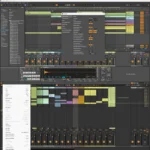
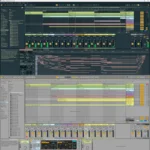

Ableton Live Suite 12.2.5 – Professional Music Production
Original price was: $300.00.$25.00Current price is: $25.00.
Ableton Live Suite 12.2.5 professional DAW for Windows. Create, produce, perform music. Session View, Push integration, Max for Live. Lifetime activation included.
Ableton Live Suite 12.2.5 – Professional Music Production Software for Windows
Create, produce, and perform music in one intuitive environment. Ableton Live Suite 12.2.5 is the industry-leading digital audio workstation (DAW) trusted by professional musicians, producers, and artists worldwide for creating, producing, and performing electronic music, hip-hop, pop, experimental music, podcasts, and sound design.
Ableton Live makes it easy to create, produce, and perform music in one intuitive environment. Everything in Live syncs and works in real time, enabling you to play and modify musical ideas without breaking your creative flow. Whether you’re producing in the studio, performing on stage, creating content, or experimenting with sound design, Ableton Live Suite 12.2.5 provides the comprehensive tools required for professional music production.
With lifetime activation and no recurring subscription fees, Ableton Live Suite 12.2.5 is a one-time investment in professional music production capabilities that will serve your creative needs for years to come.
What Is Ableton Live Suite 12.2.5?
Ableton Live Suite 12.2.5 is the industry-standard digital audio workstation (DAW) specifically designed for electronic music production, live performance, and creative music-making. The software empowers musicians with intuitive tools for every stage of music creation—from initial idea conception through final professional output.
Ableton’s official Live product page confirms that Live remains the preferred DAW for electronic music production, live performance, and creative music workflows worldwide. Artists including Grimes, Deadmau5, and Arca rely on Ableton Live for their professional music production.
Unlike traditional linear DAWs, Ableton Live’s unique Session View enables improvisation and experimentation—critical for electronic music production and live performance where spontaneity matters.
Professional Music Production Capabilities – Complete Creative System
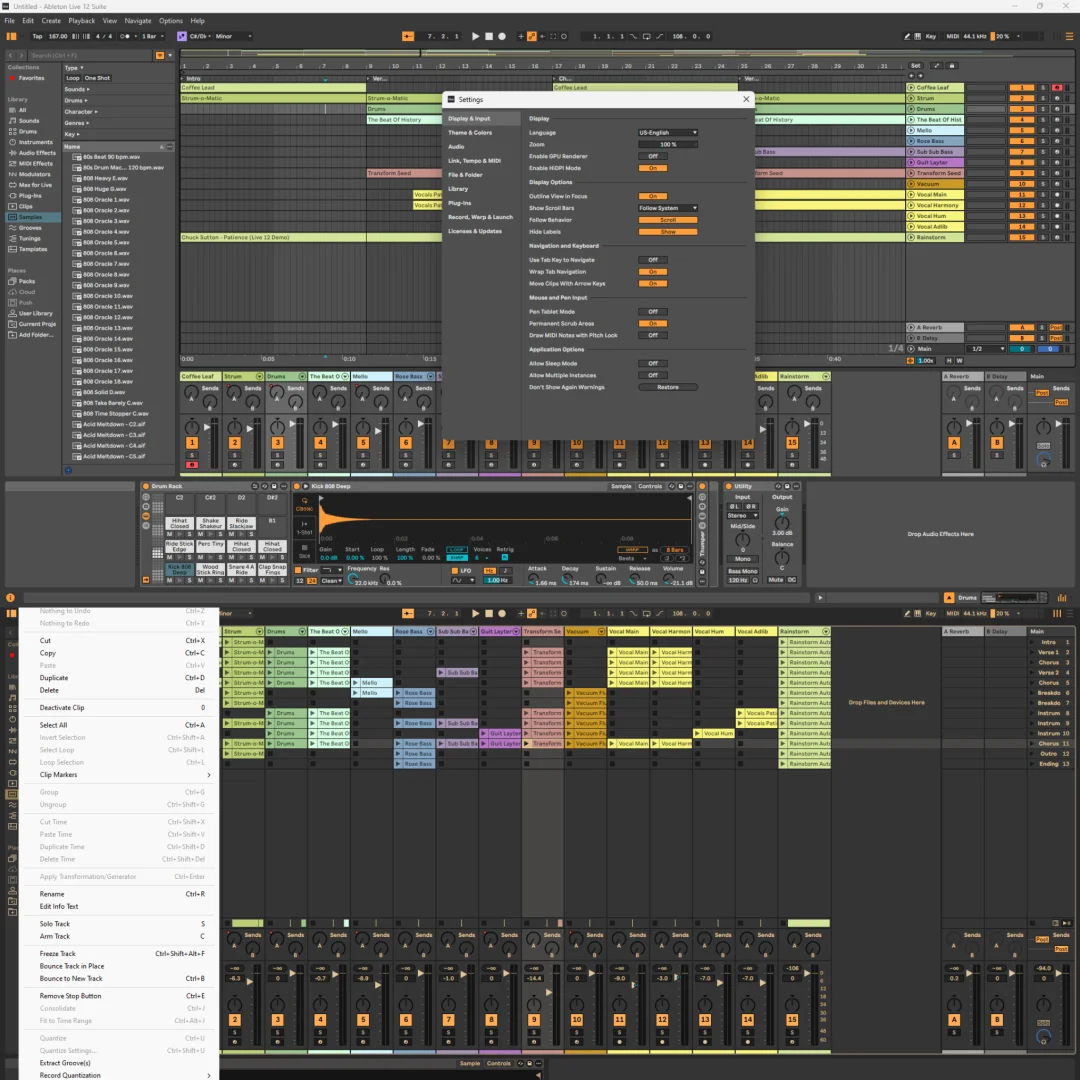
1. Session View – Unique Musical Sketchpad for Real-Time Experimentation
Ableton Live’s Session View is the centerpiece of the music creation experience:
- Clip-Based Editing: Work with individual clips of audio and MIDI
- Unlimited Loops: Stack unlimited audio and MIDI loops
- Perfect Sync: All clips stay in perfect sync automatically
- Real-Time Triggering: Launch clips on-the-fly during performance
- Improvisation: Experiment and improvise without breaking flow
- Live Performance: Perform with unlimited flexibility
- Flexible Arrangement: No linear timeline constraints
- Spontaneous Creativity: Perfect for electronic music and live sets
Splice’s music production insights confirm that Session View has revolutionized how electronic musicians approach production and performance.
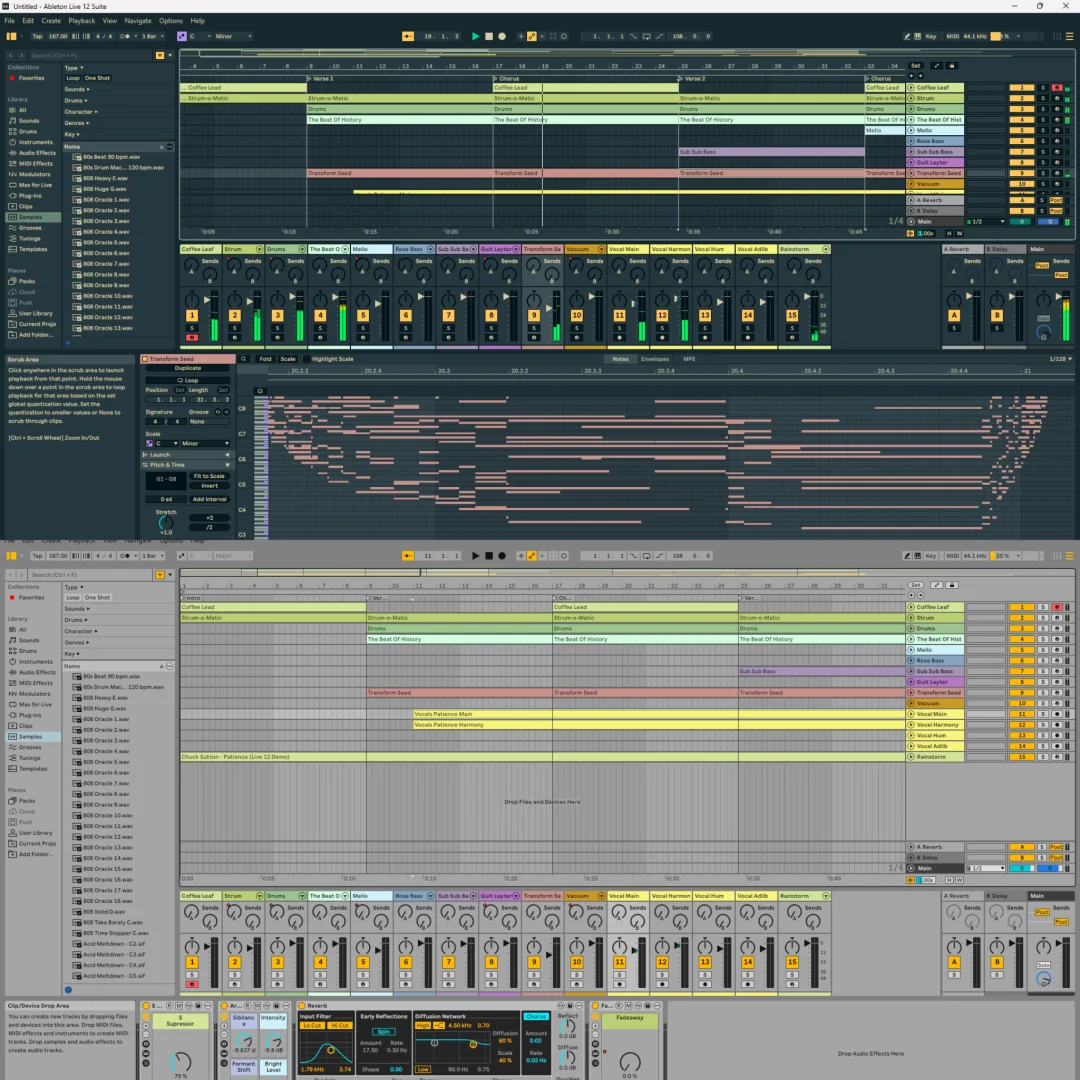
2. Arrangement View – Professional Timeline Editing
Ableton Live provides professional arrangement editing alongside Session View:
- Linear Timeline: Traditional DAW-style timeline arrangement
- Track-Based Organization: Organize tracks for complex compositions
- Clip Arrangement: Arrange clips along timeline
- Automation Curves: Draw automation for parameter changes
- Markers: Add markers for song structure navigation
- Multi-Track Editing: Edit dozens of tracks simultaneously
- View Zooming: Zoom from song overview to sample-level editing
- Arrange Export: Export arrangements as finished compositions
Arrangement View enables transitioning from experimental Session View work to structured, polished final arrangements.
3. Live Instruments – Built-In Professional Sound Library
Ableton Live Suite 12.2.5 includes comprehensive professional instruments:
- Wavetable Synth: Professional wavetable synthesizer
- Sampler: Sophisticated sample manipulation and playback
- Operator: FM synthesis for complex sound design
- Collision: Physical modeling synthesizer
- Electric: Electric piano simulation
- Impulse: Drum sampler for beat production
- Simpler: Quick sample playback tool
- Drum Rack: Drum kit creator and editor
Professional instruments enable creating sophisticated sounds without external plugins.
4. Comprehensive Audio Effects Suite – Professional Sound Design
Ableton Live provides extensive professional audio effects:
- EQ Eight: 8-band parametric equalizer
- Reverb: Professional reverb effect
- Delay: Multi-tap delay effect
- Chorus: Professional chorus effect
- Compressor: Dynamic range control
- Limiter: Peak limiting for safety
- Distortion: Saturation and distortion effects
- Vocoder: Professional vocoding tool
- Spectrum: Real-time spectrum analyzer
- Audio Effects Rack: Chain effects for complex processing
Professional audio effects enable creative sound design and mixing entirely within Live.
5. Max for Live – Unlimited Creative Potential
Ableton Live Suite 12.2.5 includes Max for Live—visual programming language for music:
- Unlimited Customization: Create custom instruments and effects
- Visual Programming: Intuitive drag-and-drop interface
- Complex Patches: Build sophisticated audio processors
- Generative Music: Create algorithmic compositions
- MIDI Processing: Advanced MIDI transformation
- Community Sharing: Download thousands of user-created instruments
- Educational Value: Learn synthesis and digital signal processing
- Professional Results: Studio-quality custom tools
Cycling ’74 (Max) official documentation confirms that Max for Live enables unlimited creative possibilities for advanced users.
6. Push Controller Integration – Hands-On Performance and Production
Ableton Live integrates seamlessly with Ableton Push hardware controller:
- Tactile Control: Hands-on pad playing and performance
- Real-Time Parameter Adjustment: Control effects and instruments
- Session Control: Trigger clips and scenes from pads
- Ergonomic Design: Fast workflow away from computer
- Pressure Sensitivity: Expressive pad control
- Display Integration: See information directly on Push display
- Wireless Capability: Wireless connection for stage freedom
- Performance Mode: Designed for live performance workflow
Push integration transforms Ableton Live into a complete live performance instrument.
7. Real-Time Workflow – Continuous Creative Flow
Ableton Live enables non-stop creative workflow without interruptions:
- Add Devices: Insert effects and instruments during playback
- Rearrange Elements: Reorganize tracks and clips in real-time
- Remove Elements: Delete tracks without stopping playback
- Flexible Routing: Change audio routing on-the-fly
- Parameter Automation: Record parameter changes during performance
- Unlimited Experimentation: Try ideas without stopping
- Performance Safety: No crashes or interruptions
- Spontaneous Production: Perfect for improvisation and jamming
Real-time workflow preserves creative momentum—critical for musical inspiration.
8. Comprehensive Sound Library – Thousands of Samples and Presets
Ableton Live Suite includes extensive curated sound library:
- Instrument Presets: Hundreds of professionally-designed instrument patches
- Audio Loops: Thousands of audio loops across multiple genres
- MIDI Clips: MIDI patterns and melodies ready to use
- Drum Kits: Professional drum kit configurations
- Sound Packs: Genre-specific sound collections
- Effect Chains: Pre-configured effect combinations
- Genre Coverage: Electronic, hip-hop, pop, ambient, and more
- Professional Quality: Broadcast-quality sounds
Extensive sound library jumpstarts music creation with professional-quality starting points.
9. MIDI Production & Editing – Comprehensive Note Sequencing
Ableton Live provides professional MIDI editing capabilities:
- Piano Roll: Intuitive MIDI note editor
- Note Drawing: Draw notes directly on grid
- Drum Sequencer: Specialized drum programming
- Velocity Control: Adjust note velocity for dynamics
- Duration Editing: Control individual note length
- Legato Playing: Smooth note transitions
- Chord Tools: Scale-aware note input
- MIDI Transformations: Complex note transformations
Professional MIDI editing enables precise melody and harmony creation.
10. Audio Recording & Editing – Professional Audio Capture
Ableton Live supports professional audio recording and editing:
- Audio Recording: High-quality audio capture
- Time Warping: Adjust recorded audio timing
- Fade Editing: Fade clips in and out
- Sample Slicing: Slice audio into component parts
- Audio Warping: Stretch audio without pitch change
- Crossfade: Smooth transitions between clips
- Gain Control: Adjust clip volume
- Waveform Display: Visual audio representation
Professional audio editing enables recording and manipulating audio samples directly in Live.
11. Mixing & Mastering Tools – Professional Output
Ableton Live provides professional mixing and mastering capabilities:
- Track Mixer: Professional mixing interface
- Volume Faders: Precise level control
- Pan Control: Stereo positioning
- Solo/Mute: Easy track isolation
- Sends & Returns: Auxiliary track functionality
- Master Track: Master bus processing
- Metering: Professional level monitoring
- Mastering Chain: Professional output processing
Professional mixing tools enable polishing music to broadcast quality.
12. Ableton Link – Network Synchronization
Ableton Live includes Link technology for network synchronization:
- Multi-Device Sync: Sync multiple computers and devices
- Wireless Connection: Connect over network without cables
- Tempo Sync: All devices stay in perfect sync
- Jam Sessions: Collaborate with other musicians remotely
- Live Performance: Play synchronized sets with multiple musicians
- Low Latency: Minimal delay for responsive playing
- Easy Setup: One-click connection
- Universal Compatibility: Works with other Link-enabled apps
Ableton Link documentation confirms this technology enables collaborative music-making across devices and musicians.
13. Wavetable Synthesizer – Advanced Sound Design
Ableton Live features professional Wavetable synthesizer:
- Waveform Selection: Hundreds of waveforms and oscillators
- Wavetable Editing: Create custom waveforms
- Filter Section: Professional multimode filter
- Modulation: LFO and envelope modulation
- Effects: Built-in effects for sound shaping
- Unison Mode: Rich, detuned unison sounds
- MIDI Mapping: Map controls to hardware
- CPU Efficiency: Optimized for low CPU usage
Wavetable synthesis enables professional electronic sound design.
14. Sampler – Professional Sample Manipulation
Ableton Live includes professional Sampler instrument:
- Sample Playback: Play and manipulate audio samples
- Pitch Control: Change sample pitch by note
- Time Stretching: Stretch samples to tempo
- Granular Synthesis: Advanced granular processing
- Multisampling: Create instruments from multiple samples
- Effects: Built-in effects for sample processing
- Modulation: Modulate sample parameters
- Professional Results: Studio-quality sample processing
Professional sampling enables creating unique sounds from recorded audio.
15. Export & Delivery – Professional Final Output
Ableton Live provides professional export options:
- Multiple Formats: WAV, MP3, AIFF, OGG, FLAC
- Quality Control: Bit depth and sample rate selection
- Stem Export: Export individual tracks separately
- Bouncing: Render clips to audio
- Archiving: Save complete project information
- Metadata: Embed ID3 tags and metadata
- Normalization: Automatic loudness control
- Professional Results: Broadcast-quality output
Professional export options ensure music is delivered in optimal format.
================================================================================
System Requirements – Windows PC Configuration
| System Component | Requirement |
|---|---|
| Supported Operating Systems | Windows 10 (version 22H2) or Windows 11 (version 22H2 or higher) |
| Processor | 5th generation Intel Core i5 or AMD Ryzen (must support AVX2 instructions) |
| RAM Memory | 8 GB minimum (16 GB recommended for complex projects) |
| Hard Drive Space | 3 GB for basic installation | 8 GB free space recommended for projects |
| Display Resolution | Minimum 1366 x 768 pixels (higher resolution recommended) |
| Audio Hardware | ASIO-compatible audio interface (required for Link support, recommended for performance) |
| Network | Internet connection for activation and optional Link feature |
Important Note: Ableton Live 12 requires processors with AVX2 instruction support. Older processors without this instruction set will not work.
Performance Notes: While 8GB RAM is minimum, 16GB+ is recommended for projects with many tracks, instruments, and effects. Audio interface quality significantly impacts performance and user experience.
================================================================================
Professional Applications – Industry Use Cases
Electronic Music Production
Electronic music producers and DJs use Ableton Live as their primary production tool. The Session View is specifically designed for electronic music and live performance workflows.
Hip-Hop & Beat Production
Hip-hop producers and beat makers use Ableton Live for sample-based music production. The drum programming and sampling tools are perfect for beat creation.
Live Performance & DJ Sets
Live performers and DJs use Ableton Live for real-time performance. The Session View enables spontaneous performance and on-the-fly arrangement changes.
Pop & Commercial Music Production
Pop music producers use Ableton Live for modern pop production. The intuitive interface and professional tools support commercial music workflows.
Experimental & Ambient Music
Experimental musicians and ambient composers use Live for generative and evolving music creation. Max for Live enables creating unique sonic experiences.
Sound Design & Audio Post-Production
Sound designers and audio engineers use Live for sound design and audio processing. The comprehensive effects suite and Max for Live enable professional audio work.
Podcasting & Audio Content
Podcast producers and audio content creators use Live for recording, editing, and mixing audio content. The recording and editing tools support professional podcasting.
Education & Music Learning
Music schools and educators use Ableton Live for teaching music production and electronic music. The intuitive interface makes it accessible for students.
================================================================================
Ableton Live Suite 12.2.5 vs. Competing DAWs
Live vs. FL Studio
FL Studio is powerful but workflow-oriented differently. Ableton Live’s Session View is better for performance and improvisation, while FL Studio is better for sample-based beat production.
Live vs. Logic Pro
Logic Pro is Mac-only and more traditional DAW-focused. Ableton Live is Windows-compatible and specifically designed for electronic music and performance.
Live vs. Reaper
Reaper is inexpensive and highly customizable but lacks Ableton’s intuitive Session View and native electronic music focus. Live is better for electronic musicians.
Live vs. Studio One
Studio One is excellent DAW but lacks Session View and Max for Live integration. Ableton Live offers unique real-time workflow advantages.
Live vs. Bitwig Studio
Bitwig is modern and flexible but less established in electronic music community. Ableton Live remains the standard for electronic music production.
================================================================================
Installation & Getting Started – Professional Setup
Pre-Installation Requirements
- Windows 10 (version 22H2) or Windows 11 (version 22H2+)
- 5th generation Intel Core i5 or AMD Ryzen processor (with AVX2 support)
- 8 GB RAM minimum (16 GB recommended)
- 3 GB disk space for installation
- 8 GB free space for projects and samples
- Display resolution of at least 1366 x 768
- Administrator access to computer
- Valid serial number (included with lifetime-activated package)
Installation Steps
- Verify Processor: Ensure your processor supports AVX2 instructions.
- Download Software: Download Ableton Live Suite 12.2.5 for Windows.
- Run Installer: Execute installation wizard and follow prompts.
- Select Installation Location: Choose directory (default Program Files).
- Configure Audio Settings: Set up audio interface or built-in audio.
- Activate License: Enter your genuine serial number.
- Online Registration: Complete registration for lifetime activation.
- Explore Workspace: Familiarize yourself with Session and Arrangement Views.
Genuine Activation Benefit: This lifetime license requires no patches—activate once and enjoy permanent access with regular feature updates and support.
================================================================================
Frequently Asked Questions (FAQ)
Q1: Is Ableton Live difficult for beginners?
Ableton Live is designed with intuitive workflows that are accessible to beginners. The visual interface and real-time feedback help new users learn quickly. Extensive tutorials and documentation make it easy to get started. Many music schools teach Ableton Live, confirming its accessibility.
Q2: Can I use Ableton Live for non-electronic music genres?
Absolutely. While designed for electronic music, Ableton Live works well for any music genre—pop, hip-hop, rock, jazz, experimental, and more. The Session View is particularly useful for improvisation across all genres.
Q3: Do I need Max for Live?
Max for Live is included with Suite but optional to use. It provides unlimited creative potential but isn’t required for professional music production. Many users never use Max and create professional music with standard instruments and effects.
Q4: Can I perform live with Ableton Live?
Yes. Ableton Live is specifically designed for live performance. The Session View enables triggering clips and making real-time changes during live performance. Push controller integration enables hands-on performance.
Q5: What’s the difference between Ableton Live and Live Suite?
Suite includes Max for Live and additional instruments/effects that aren’t in standard Live. Suite is recommended for maximum creative potential and flexibility.
Q6: Is there a subscription fee, or is it truly lifetime?
This is a one-time purchase with lifetime activation—no recurring subscription fees. You own Ableton Live Suite permanently after initial purchase.
Q7: Can I collaborate with other musicians using Ableton Live?
Yes. Ableton Link enables connecting multiple computers and devices for synchronized music-making. You can jam with other musicians remotely using Link.
Q8: Does Ableton Live support third-party plugins?
Yes. Ableton Live supports VST and AU plugins, enabling use of thousands of third-party instruments and effects. However, built-in tools are comprehensive enough for most production needs.
================================================================================
Complete Package Contents
- ✅ Ableton Live Suite 12.2.5 complete music production software
- ✅ Session View for real-time improvisation and performance
- ✅ Arrangement View for linear song composition
- ✅ Wavetable synthesizer (professional wavetable sound design)
- ✅ Sampler instrument (professional sample manipulation)
- ✅ Operator FM synthesizer (complex sound synthesis)
- ✅ Electric piano simulation
- ✅ Drum Rack for beat production
- ✅ Comprehensive audio effects suite (EQ, reverb, delay, compression, more)
- ✅ Max for Live (unlimited creative programming)
- ✅ Ableton Link network synchronization
- ✅ Push controller integration (for hands-on control)
- ✅ Professional sound library (thousands of samples and presets)
- ✅ MIDI production and editing tools
- ✅ Audio recording and editing capabilities
- ✅ Professional mixing and mastering tools
- ✅ Real-time workflow (change during playback)
- ✅ Multiple export formats (WAV, MP3, AIFF, more)
- ✅ Windows 10/11 compatibility
- ✅ Lifetime activation – permanent ownership
================================================================================
Why Choose Ableton Live Suite 12.2.5 from Sofryx
At bydigital.in, we personally verify and test every software product. Our commitment ensures you’re purchasing genuine, fully-functional Ableton Live Suite 12.2.5 from a trusted source.
100% Genuine Software. Lifetime Activation. Professional Support. You receive complete Ableton Live Suite 12.2.5 with legitimate lifetime licensing—ready to install and begin professional music production immediately on your Windows PC.
Professional musicians and producers trust bydigital.in for product authenticity, transparent communication, and reliable support.
Professional Music Production Starts Here
Join thousands of professional musicians, producers, DJs, and artists using Ableton Live as their primary production platform for creating, producing, and performing music.
No subscription fees. No licensing anxiety. No monthly payments. Your lifetime Ableton Live Suite 12.2.5 investment begins today—own this professional music production software forever and focus on creating exceptional music.
Order now and receive: Complete Ableton Live Suite 12.2.5 software + all professional music production tools + Max for Live + lifetime activation + Windows compatibility. Start creating professional-quality music within minutes. Your music production success awaits.
Only logged in customers who have purchased this product may leave a review.
Reviews
There are no reviews yet.