

iZotope RX 11 Advanced Mac — Lifetime Licence | Sofryx
Original price was: $300.00.$20.00Current price is: $20.00.
Buy iZotope RX 11 Advanced Mac genuine lifetime licence. Professional audio restoration with machine learning tools. Personally tested. Instant delivery.
iZotope RX 11 Audio Editor Advanced MacOS — Professional Audio Restoration Powered by Machine Learning
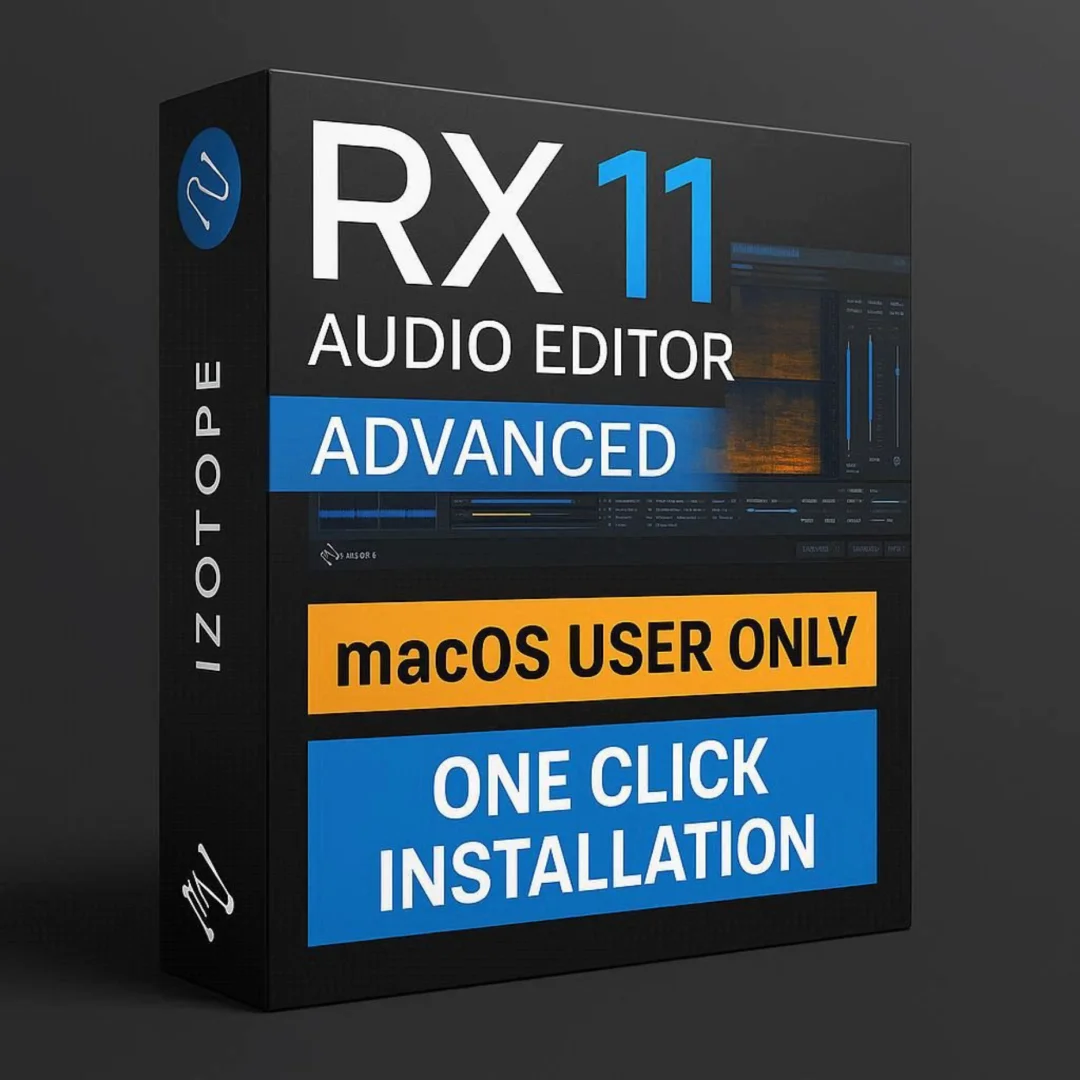
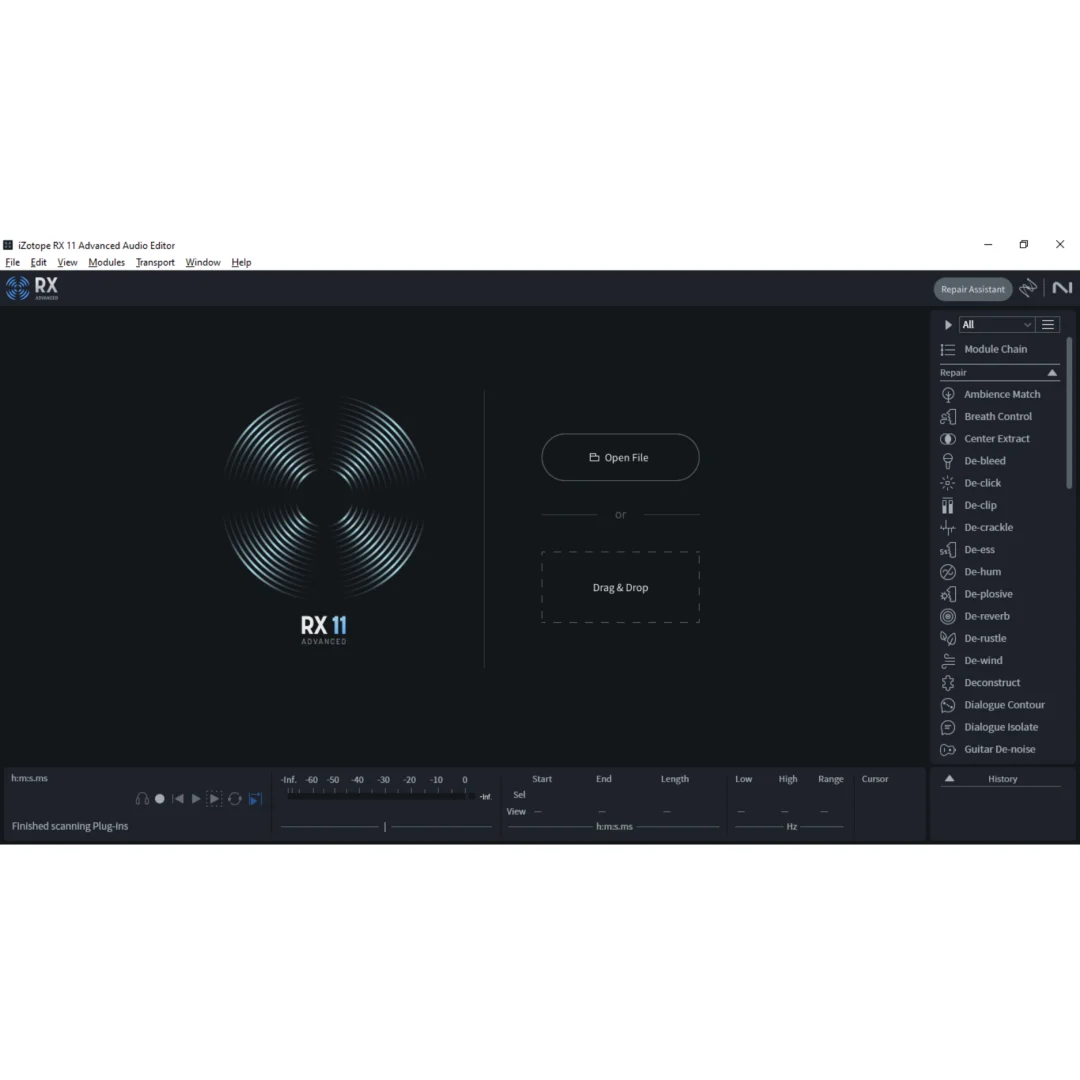
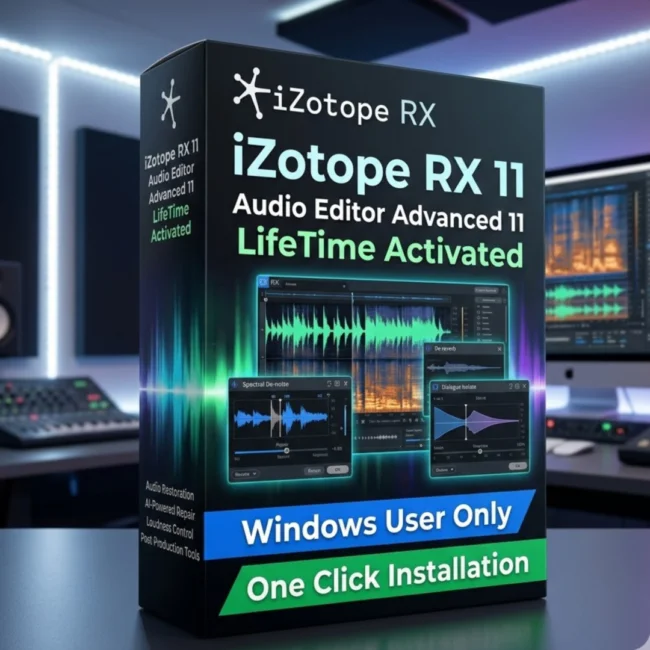
iZotope RX 11 Audio Editor Advanced v11.3.0 is the industry-leading audio restoration and repair software designed specifically for professionals who demand pristine audio quality in every project. This comprehensive Mac application combines advanced machine learning algorithms with powerful spectral editing tools to remove noise, repair damaged recordings, isolate dialogue, rebalance music elements, and optimize loudness for streaming platforms. Whether you are a post-production specialist cleaning dialogue for film, a podcast producer removing background noise, or a music engineer separating stems from full mixes, iZotope RX 11 Advanced delivers unmatched precision and speed for every audio restoration challenge. Every licence sold on Sofryx is personally tested by Mani to ensure genuine functionality and reliable performance on Mac systems.
Key Features of iZotope RX 11 Audio Editor Advanced
- Repair Assistant with Machine Learning: Automatically analyzes audio problems and suggests optimal repair settings using upgraded machine learning algorithms for faster, higher-quality restoration results.
- Dialogue Isolate with De-Reverb: Separates speech from background noise and unwanted reverberation with real-time control for clean, professional dialogue extraction.
- Loudness Optimize with LUFS Algorithm: Maximizes perceived loudness for streaming platforms while maintaining dynamic quality using precise LUFS-based processing.
- Music Rebalance Tool: Creates isolated instrumental and vocal parts from complete stereo mixes, enabling remix work and stem extraction without original multitracks.
- Dialogue Contour (Advanced Exclusive): Provides granular control over the character, pitch, and expressiveness of vocal recordings for nuanced dialogue editing.
- Spectral Editor with ARA Integration: Enables seamless spectral editing directly within compatible DAW workstations without bouncing or exporting audio files.
- Mid/Side Processing Mode: Offers individual control over mid and side audio components for precise spatial repair and enhancement of stereo recordings.
- Apple Silicon Native Support: Runs natively on both Intel Macs and Apple Silicon M-Series processors for maximum performance and efficiency.
Why Buy From Sofryx
- Personally tested by Mani before every listing goes live
- Genuine manufacturer-issued licence — not cracked, not trial
- One-time payment — lifetime activation, zero renewal fees
- Instant access via your website dashboard after payment
- Telegram support available for all installation queries
System Requirements
- Operating System: macOS Monterey (12.7.6), macOS Ventura (13.7), macOS Sonoma (14.7), or macOS Sequoia (15)
- Processor: Intel Mac or Apple Silicon M-Series (supported in native and Rosetta modes)
- RAM: 8GB minimum (16GB or higher recommended for large sessions)
- Storage: 4GB free disk space for complete installation
- Bit Depth: 64-bit processing
- Plugin Formats: SAL (Standalone), AU (Audio Units), VST3, and AAX supported
- Interface Language: English
What You Get After Purchase
- Licence key or activation file
- Official download link via your account dashboard
- Step-by-step installation guide (video or written)
- Telegram support contact for installation help
Who Is This For
iZotope RX 11 Audio Editor Advanced MacOS is built for audio professionals across every discipline that demands clean, restored, and optimized sound. Post-production specialists and dialogue editors working in film, television, and documentary production rely on RX 11 for removing unwanted noise, cleaning location recordings, and isolating speech from complex audio environments. Podcast producers and voiceover artists use the Repair Assistant and De-Reverb tools to achieve broadcast-quality voice recordings from imperfect recording conditions. Music producers and mastering engineers benefit from Music Rebalance for stem separation and Loudness Optimize for streaming delivery compliance. Broadcast engineers use the LUFS metering and Streaming Preview features to ensure audio meets platform-specific loudness standards. Forensic audio analysts leverage the spectral editing capabilities for detailed audio examination. Content creators working on YouTube, social media, and online courses use RX 11 to polish recordings and remove distracting background sounds quickly and effectively.
Repair Assistant — Intelligent Machine Learning Audio Analysis
The Repair Assistant in iZotope RX 11 Advanced represents a significant leap forward in automated audio restoration technology. This intelligent feature listens to your audio, identifies problems including noise, clipping, hum, and reverb, then recommends optimal processing chains to fix those issues automatically. The upgraded machine learning engine in version 11 delivers higher quality results with greater speed and flexibility compared to previous generations. The new Mid/Side mode within the Repair Assistant allows you to analyze and repair the center and side components of a stereo recording independently, giving you precise control over spatial elements without affecting the overall stereo image. This is particularly valuable when working with stereo field recordings where noise problems may exist primarily in one spatial dimension. The Repair Assistant dramatically reduces the time required for audio cleanup tasks that would traditionally require manual spectral editing across multiple modules, making it an essential productivity tool for professionals handling large volumes of audio content under tight deadlines.
Dialogue Isolate and Dialogue De-Reverb — Clean Speech Extraction
The updated Dialogue Isolate module in RX 11 Advanced provides industry-leading speech separation technology that cleanly extracts dialogue from complex audio environments containing music, ambient noise, and room reflections. The integrated Dialogue De-Reverb feature adds real-time control over unwanted reverberation, allowing you to reduce or eliminate room reflections while preserving the natural character and intelligibility of the spoken voice. This combination is invaluable for post-production work where location recordings often contain excessive room ambience that degrades dialogue clarity. Film and television editors can rescue problematic dialogue takes that would otherwise require expensive ADR sessions. Podcast producers working in untreated rooms benefit from the De-Reverb function to achieve professional studio quality from home recording environments. The processing algorithms adapt to different voice characteristics and reverb profiles, ensuring transparent results across a wide range of recording conditions and speaker types without introducing audible artifacts or unnatural tonal changes.
Loudness Optimize and Streaming Preview — Platform-Ready Delivery
The Loudness Optimize module in iZotope RX 11 addresses one of the most critical challenges in modern audio delivery by providing precise control over perceived loudness using the LUFS algorithm. This module allows you to maximize the loudness of your audio content while maintaining compliance with broadcast and streaming platform standards established by organizations like the International Telecommunication Union. The groundbreaking Streaming Preview feature lets you hear exactly how major platforms including Spotify and Apple Music will normalize and adjust your audio before you deliver the final master. This eliminates guesswork from the loudness optimization process and ensures your content sounds exactly as intended on every platform. Whether you are preparing music for digital distribution, mastering podcast episodes for Apple Podcasts, or delivering broadcast audio for television, the Loudness Optimize module ensures your audio meets every technical specification while sounding loud, clear, and dynamically engaging to listeners.
Music Rebalance — Stem Separation from Full Mixes
The Music Rebalance tool in RX 11 Advanced uses sophisticated source separation algorithms to extract individual elements from complete stereo mixes. You can isolate vocals, bass, percussion, and other instrumental components from a finished recording without access to the original multitrack session. This capability opens up numerous creative and practical workflows including creating karaoke versions, remixing existing tracks, extracting vocal samples for new productions, and removing or emphasizing specific elements for broadcast use. The separation quality in RX 11 represents a significant improvement over earlier versions, producing cleaner isolated stems with fewer artifacts and better preservation of the original tonal characteristics. Music producers use this feature extensively for sampling, remix preparation, and reference analysis. Post-production professionals leverage Music Rebalance to extract dialogue or music elements from mixed audio when separate stems are unavailable. The tool processes audio quickly and provides real-time preview of the separated components before committing to the final extraction.
Dialogue Contour — Advanced Vocal Expression Control
Dialogue Contour is an exclusive feature available only in the RX 11 Advanced edition that provides unprecedented control over the character and expressiveness of vocal recordings. This powerful tool allows dialogue editors to adjust the pitch contour, inflection patterns, and emotional delivery of spoken word recordings after they have been captured. Film and television post-production professionals use Dialogue Contour to fine-tune actor performances, match emotional tone across different takes, and correct subtle pitch inconsistencies in dialogue recordings. The tool works transparently without introducing robotic or processed artifacts, preserving the natural quality of the human voice while allowing precise adjustments to its expressive characteristics. Voiceover artists and audiobook producers can use Dialogue Contour to refine their performances and achieve consistent emotional delivery across long recording sessions. This feature sets RX 11 Advanced apart from the standard edition and provides a level of vocal editing control that was previously impossible without re-recording the original performance entirely.
Spectral Editor with ARA Integration — Seamless DAW Workflow
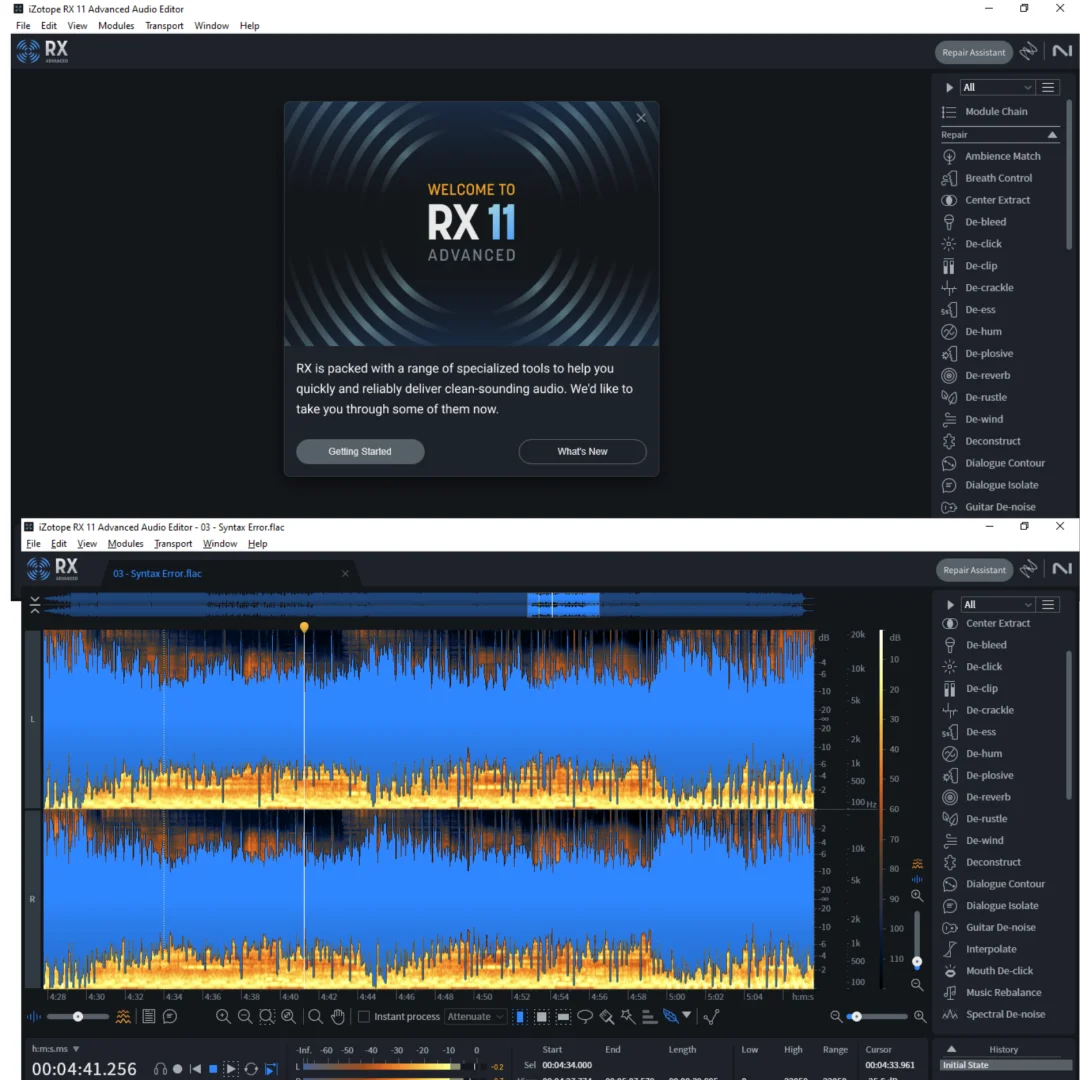
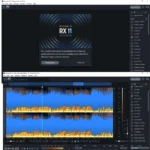
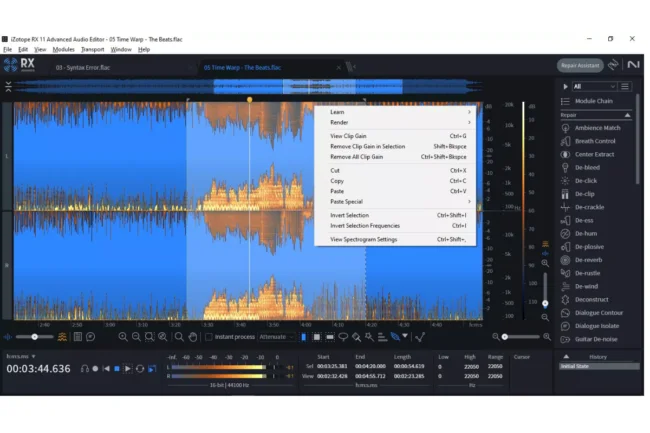
The Spectral Editor in iZotope RX 11 Advanced provides a visual frequency-time display that allows you to see and edit individual sounds within a recording at the spectral level. You can visually identify and remove specific unwanted sounds such as clicks, pops, coughs, phone rings, and other transient noises by selecting and processing them directly in the spectral display. The ARA (Audio Random Access) integration enables you to use this spectral editing capability directly within compatible DAW workstations without needing to export, process, and reimport audio files. This seamless workflow integration saves significant time in post-production and music editing sessions where frequent spectral repairs are needed. Changes made in the Spectral Editor are reflected immediately in your DAW timeline, maintaining project continuity and eliminating the disruption of traditional round-trip processing workflows. Professional reviews on G2 consistently praise the Spectral Editor as one of the most powerful and intuitive audio repair interfaces available in any restoration software. For detailed guides on spectral editing techniques, the iZotope support documentation provides comprehensive tutorials and workflow examples. Pair RX 11 with other professional tools from Sofryx like Spectrasonics Omnisphere 3 for synthesis, Auto-Tune Unlimited for vocal tuning, Cubase Pro v15 Mac for recording and mixing, iZotope Neutron 5 for intelligent channel processing, and FabFilter Total Bundle for professional equalization and dynamics. Leading audio publications such as Sound On Sound regularly feature RX in their reviews of essential audio production tools.
Apple Silicon Native Performance and Format Compatibility
iZotope RX 11 Audio Editor Advanced runs natively on Apple Silicon M-Series processors including M1, M2, M3, and M4 chips, delivering exceptional processing speed and energy efficiency on modern Mac hardware. The software also maintains full compatibility with Intel-based Mac systems through both native and Rosetta modes, ensuring reliable performance regardless of your Mac hardware generation. RX 11 supports four plugin formats including SAL for standalone operation, AU for Logic Pro and other Audio Units hosts, VST3 for compatible third-party DAWs, and AAX for Pro Tools integration. This broad format support means you can use RX 11 as a standalone application for dedicated restoration work or as a plugin within your preferred DAW for integrated editing workflows. The 64-bit architecture ensures full access to system memory for processing large audio files and complex spectral editing operations. Version 11.3.0 includes important fixes for LUFS measurement accuracy on short selections and improved export screenshot functionality, reflecting ongoing development commitment to reliability and precision.
Frequently Asked Questions
Q: How do I activate iZotope RX 11 Audio Editor Advanced after purchase
To activate your iZotope RX 11 Audio Editor Advanced on MacOS after completing your purchase, follow the provided instructions carefully. Your order includes a detailed step-by-step installation guide that walks you through the entire setup process from downloading the installer package to completing the activation on your Mac system. A video tutorial or written instruction document will be included alongside the setup files to ensure smooth installation. If you encounter any difficulties during the activation process, reach out via Telegram for immediate assistance from our support team who will guide you through every step.
Q: Is this a genuine lifetime licence or a subscription
This is a genuine lifetime-activated licence that you own permanently after a single one-time payment. There are no monthly fees, no annual renewal charges, and no subscription commitments of any kind. Once activated, your iZotope RX 11 Advanced remains fully functional on your Mac system indefinitely without requiring any additional payments. Every licence sold on Sofryx is personally verified by Mani to ensure authenticity and reliable long-term functionality. You receive the complete Advanced edition with all features activated for lifetime use from the moment of purchase.
Q: Can I use this on multiple computers
Yes, multiple device use is supported with your iZotope RX 11 Advanced licence. You can install and activate the software on more than one Mac computer, allowing you to work seamlessly between your studio desktop and a portable MacBook setup for mobile production sessions. This flexibility ensures that your professional audio restoration toolkit is always available wherever you need to work, whether in a home studio, commercial post-production facility, or on location for field recording projects. The activation process works identically on each Mac machine.
Q: Will I receive future software updates
There is no immediate need to update your iZotope RX 11 Advanced after installation as the current version 11.3.0 includes all the latest features, improvements, and bug fixes. If a critical update becomes necessary in the future or if you require a newer version for compatibility with an updated macOS release or DAW version, contact Mani directly through Telegram support. The update will be provided free of charge within one year of your original purchase date. This ensures you always have access to a functioning and compatible version without any additional cost during the covered period.
Q: How long does delivery take after payment
Delivery is instant and fully automated. Immediately after completing your payment through the Sofryx checkout, your download links become available in your personal account dashboard. Simply log in to your Sofryx account, navigate to the My Account section, and click on Downloads to access all your purchased files. The complete iZotope RX 11 Advanced installation package including the installer and activation instructions will be ready for immediate download. There is no waiting period and no manual processing required. You can begin installing and using the software within minutes of completing your purchase.
Q: Which operating system versions are compatible
iZotope RX 11 Audio Editor Advanced v11.3.0 is fully compatible with macOS Monterey (12.7.6), macOS Ventura (13.7), macOS Sonoma (14.7), and macOS Sequoia (15). The software runs natively on both Intel-based Mac computers and Apple Silicon M-Series processors including M1, M2, M3, and M4 chips. Rosetta compatibility is also supported for Intel translation on Apple Silicon hardware. Your Mac should have a minimum of 8GB RAM with 16GB or higher recommended for smooth performance during intensive spectral editing and processing operations with large audio files.
Q: What is your refund policy
For complete details regarding our refund terms and conditions, please review the full Refund Policy page available on our website at bydigital.in/refund_returns/. The refund policy outlines all applicable terms including eligibility criteria, timeframes, and the process for requesting a refund on digital product purchases. We encourage every customer to read the policy thoroughly before completing their purchase so they have a clear understanding of their rights and our obligations. Our commitment is to ensure complete customer satisfaction with every product sold on the Sofryx platform.
Q: How do I get support if I have an installation problem
If you encounter any installation difficulties with your iZotope RX 11 Advanced on MacOS, comprehensive support is available through our dedicated channels. Mac users receive detailed installation instructions and perform the setup independently on their system. If the software fails to install correctly or encounters any compatibility issues on your Mac, an alternative setup file along with revised installation instructions will be provided promptly to resolve the problem. For all support requests, contact us directly through Telegram at t.me/sofryxhelp for fast and reliable assistance with any technical queries related to your purchase.
Only logged in customers who have purchased this product may leave a review.

Reviews
There are no reviews yet.