
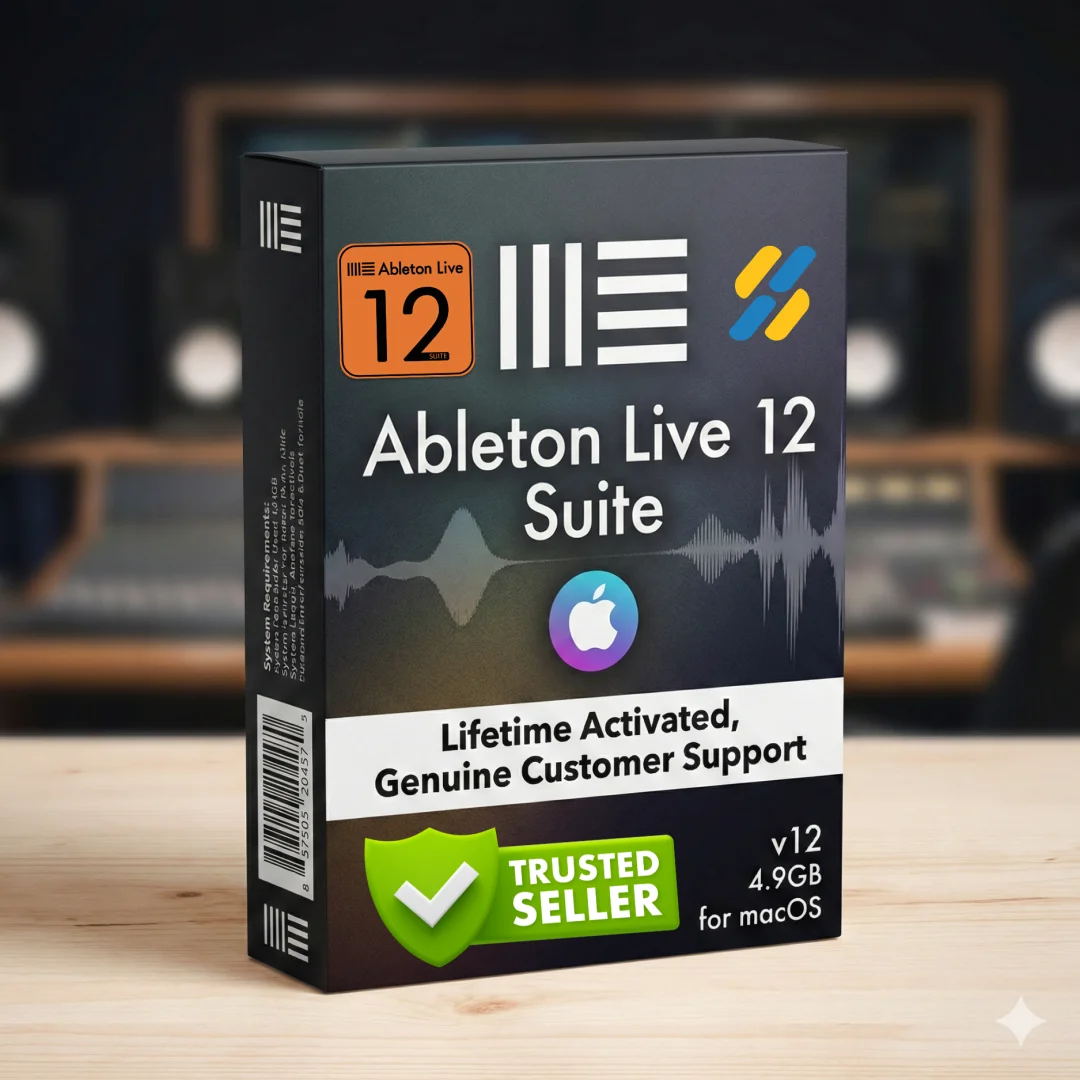
Ableton Live 12 Suite Lifetime Mac Music DAW | Sofryx
Original price was: $300.00.$20.00Current price is: $20.00.
Ableton Live 12 Suite 12.3.2 macOS lifetime DAW with MIDI Generators, Granulator, Roar effect. Genuine, personally tested, instant delivery. macOS 11+.
Ableton Live 12 Suite 12.3.2 macOS — Professional Music Production DAW
Ableton Live 12 Suite is the powerful, fast, and flexible music production platform trusted by professional musicians, producers, DJs, and sound designers worldwide. Version 12.3.2 brings revolutionary MIDI Generators, advanced transformation tools, the groundbreaking Meld instrument, and AI-powered sound discovery to your creative workflow. Whether you’re composing in a traditional linear arrangement or improvising freely in Session View without timeline constraints, Ableton Live 12 provides the professional-grade tools, instruments, and creative features you need to make any kind of music. Every copy through Sofryx is personally tested and verified for authentic activation and full feature access. With lifetime activation and no monthly subscription fees, Ableton Live 12 Suite offers unprecedented value for serious music producers and creative artists.
Key Features of Ableton Live 12 Suite 12.3.2 macOS
- MIDI Transformations: Create variations to MIDI clips with ornaments, articulations, acceleration curves, note connections, and guitar strum simulation.
- MIDI Generators: Conjure melodies, chords, and rhythms with new AI-powered MIDI Generators featuring custom constraints and playful pattern creation.
- Meld Instrument: Bi-timbral, MPE-capable instrument with two macro oscillators for deep sound shaping and textural experimentation.
- Granulator III with MPE: Advanced granular instrument now with MPE capability, real-time audio capture, and expressive note bend and vibrato control.
- Roar Saturation Effect: Professional-grade coloring and saturation from subtle mastering warmth to wild unpredictable sound degradation with feedback generation.
- Keys and Scales: Set clip scales with visual guides, transform musical ideas, and sync scale across MIDI devices and Push controller.
- Stacked Detail Views: View devices and Clip Editor simultaneously for distraction-free workflow without constant view switching.
- AI-Powered Sound Discovery: Browser similarity search uses neural networks to find comparable sounds and instrument presets instantly.
Why Buy From Sofryx?
- Personally tested by Sofryx Team before every listing goes live — Each copy verified for full functionality and genuine activation.
- Genuine working licence — not virus cracked, not trial — Authentic Ableton activation with complete feature access.
- One-time payment — lifetime activation, zero renewal fees — Pay once, use forever with no subscription costs.
- Instant access via your website dashboard after payment — Download links and activation files available immediately.
- Telegram support available for all installation queries — 24/7 technical support for setup and configuration assistance.
System Requirements
- Operating System: macOS 11.0 or later required for Ableton Live 12 Suite compatibility.
- Processor: Intel Core processor or Apple Silicon Mac (M1, M2, M3, M4 or newer).
- RAM: Minimum 8GB system RAM; 16GB or higher recommended for professional music production with multiple tracks and plugins.
- Storage: Minimum 25GB free disk space for Ableton Live 12 installation, sound library, and project files.
- Audio Interface: CoreAudio-compatible audio interface recommended (USB audio interfaces or professional audio interfaces).
- Display: Minimum 1280×800 resolution; 1920×1080 or higher recommended for comfortable music production.
- Internet: Internet connection required for initial activation and access to Ableton resources.
What You Get After Purchase
- Genuine Ableton License & Activation — Authentic license verified on Ableton servers with full Suite feature access.
- Complete Download Package — Ableton Live 12 Suite 12.3.2 installer and all included sounds, instruments, and effects.
- License Authorization File — Setup files and license activation instructions for immediate installation and use.
- Installation & Setup Guides — Comprehensive written instructions and video tutorials for complete setup and configuration.
- Telegram Technical Support — Direct access to our support team for installation, configuration, or feature questions.
- Lifetime License Access — Permanent activation ensures your Ableton Live 12 investment remains valid indefinitely.
Who Is This For?
Ableton Live 12 Suite lifetime edition serves professional music producers, electronic musicians, beat makers, DJs, audio engineers, sound designers, and recording artists requiring industry-standard tools for music production, performance, and sound design. Professional producers working in commercial studios appreciate Ableton’s legendary workflow flexibility, from traditional arrangement composition to improvisational jamming in Session View. Electronic musicians and beat makers leverage the MIDI Generators and Transformations to create variations and explore musical ideas rapidly. DJs use Ableton’s unmatched performance capabilities and Session View for live mixing and improvisational performance. Audio engineers and sound designers utilize Ableton’s professional audio tools for detailed mixing, sound design, and creative audio processing. Recording artists building home studios invest in Ableton for its professional reputation, creative tools, and unmatched flexibility. Whether you’re producing electronic music, composing orchestral scores, creating hip-hop beats, or designing experimental soundscapes, Ableton Live 12 Suite provides the professional-grade tools and creative features trusted by world-class artists.
MIDI Transformations & Generators — Intelligent Music Creation
MIDI Transformations in Ableton Live 12 enable creating variations to MIDI clips through sophisticated manipulation tools. Add ornaments and articulations to melodies, draw acceleration and deceleration curves for tempo changes, connect successive notes and chords, or simulate realistic guitar strumming patterns. MIDI Generators conjure up original melodies, chords, and rhythms based on custom constraints you define. Give a Generator instructions—create bass lines that follow specific intervals, generate drum patterns in particular styles, or produce harmonic progressions within defined scales—and watch it produce playful, original musical patterns. Transform generated ideas into your own creations through editing and manipulation. These tools accelerate composition, inspire new musical directions, and help overcome creative blocks.
Meld & Granulator III — Advanced Sound Design Instruments
Meld is a bi-timbral, MPE-capable instrument designed for deep sound shaping and creating textural, experimental tones. Two easy-to-use macro oscillators provide intuitive control over complex sound design possibilities. Layer and combine oscillator outputs, shape timbral characteristics, and create evolving, expressive textures. Granulator III represents the latest evolution of Robert Henke’s legendary granular synthesis instrument. Now featuring MPE capability, Granulator III provides expressive real-time control over parameters like note bend, vibrato, and glissando. Capture audio in real time and begin manipulating it immediately, creating granular textures from live recordings, transforming drum sounds, and designing completely original instruments from captured audio sources.
Roar Saturation Effect — Professional Tone Shaping
Roar is Ableton’s new coloring and saturation effect delivering everything from subtle, precise mastering-grade warmth to wild, unpredictable sound degradation. Three saturation stages work in series, parallel, mid/side, and multiband configurations for maximum flexibility. Integrated feedback generator creates self-oscillating textures and creative effects. Extensive modulation matrix enables dynamic, evolving saturation and coloration effects synchronized with your music. Use Roar for subtle mixing warmth, creative sound design, or aggressive tone destruction.
Keys and Scales — Musical Guidance & Constraint
Keys and Scales set the selected clip’s scale in Ableton’s Control Bar, enabling visual guides for note editing in any clip you create. Edit clips using scale highlighting as a reference, use the clip scale to transform and generate musical ideas within specific tonalities, or sync scales across MIDI devices and instruments. Changes in Ableton are reflected immediately in Push controller and vice versa, enabling seamless integrated workflows. Embrace different tuning systems, work outside 12-tone equal temperament, and explore alternative tunings with full Ableton device support and MPE-capable plugin compatibility.
Stacked Detail Views & View Styling — Distraction-Free Workflows
Stacked Detail Views enable viewing your devices and Clip Editor simultaneously, or automation and device parameters at the same time. Work without the distraction of constantly switching between views, enabling faster iteration and more intuitive creative workflows. View styling in Ableton Live 12 presents a cleaner, more minimal interface that removes visual complexity and keeps focus on your music. Choose from new themes with cool, neutral, or warm tones, and enable high contrast mode for improved visibility and accessibility.
Mixer in Arrangement View & Browser Improvements
Mixer in Arrangement View brings Ableton’s powerful mixer to Arrangement View for the first time, previously available only in Session View. Toggle the Mixer on or off using Mixer View Control in the bottom right corner or through the View menu. Configure the mixer independently of the Arrangement Mixer for maximum workflow flexibility. Browser improvements enable searching for sounds without the constraints of Ableton’s built-in categorization. Search for “bass sounds” and see all bass sounds in your library, whether samples or instrument presets. Live 12’s sound content features intelligent tagging using a flexible labeling system. Create custom categories in the sidebar for easy access to your favorite sounds and devices organized according to your workflow.
Sound Discovery & Browser History — Faster Sound Selection
Sound Similarity Search starts with any sample and tells Ableton’s browser to find comparable sounds and instrument presets using neural network technology. Swap all samples in your Drum Rack for similar ones to quickly explore new percussive textures. Browser History lets you retrace your steps through previously searched sounds and categories, just like a web browser. Navigate backward through your sound discovery journey, rediscover sounds you previously explored, and build upon earlier creative directions without retracing all your search steps.
Max for Live Integration & Expanded Probability
Max for Live integration now facilitates greater experimentation, enabling creation of new MIDI Transformations and Generators based on existing tools or your own creations. Design custom MIDI processing workflows, create unique generative music tools, and build specialized instruments tailored to your creative vision. Expanded probability enables assigning probability rules to groups of notes so entire note groups play when the trigger fires. Select chords and tell Ableton to randomly play one note from the chord when probability conditions trigger, creating evolving, probabilistic musical patterns.
Frequently Asked Questions
Q: How do I activate Ableton Live 12 Suite after purchase?
After purchase, you’ll receive download links and activation instructions through your Sofryx account dashboard immediately. Download the Ableton Live 12 Suite 12.3.2 installer and run installation on your Mac running macOS 11.0 or later. Follow the on-screen prompts to authorize your Ableton account and activate your Suite license. We provide comprehensive written instructions and video installation guides covering the entire process from download through activation and initial configuration. If you encounter any activation issues, contact our Telegram support team and we’ll provide step-by-step assistance. Typical activation takes 5–10 minutes. First launch may take longer as Ableton optimizes for your Mac hardware and loads sound content.
Q: Is Ableton Live 12 Suite for Windows as well, or macOS only?
Ableton Live 12 Suite is available for both macOS and Windows operating systems. However, this particular listing is specifically for the macOS version, compatible with macOS 11.0 or later on Intel Core or Apple Silicon Macs. If you need the Windows version, please contact our support team and we can assist with the appropriate version for your system. Both versions include the complete Suite of instruments, effects, and creative tools. The macOS version has been optimized for Mac performance and integrates seamlessly with macOS audio architecture and Apple Silicon processors.
Q: Can I use Ableton Live 12 Suite on multiple computers?
Yes, you can use your Ableton Live 12 Suite license on multiple computers that you own. Simply activate the license on each Mac by entering your Ableton account credentials. This enables you to work on your home studio Mac, your laptop, or even multiple workstations with the same license. However, only one instance of Ableton Live can run at any moment using a single license. This allows tremendous flexibility for music producers who work across multiple locations or computers. Reauthorize your license by logging into your Ableton account on any Mac, and your license activates automatically.
Q: Will I receive updates to Ableton Live 12?
Ableton continues releasing updates to Live 12 regularly, introducing bug fixes, performance improvements, and new features. These updates are available free to all Suite owners through your Ableton account. Your lifetime license entitles you to all updates within the Live 12 generation without additional cost. Future major versions (such as Live 13) would require a separate purchase, but all Live 12 updates, feature additions, and improvements are included with your lifetime Suite purchase. Updates can be downloaded and installed automatically from your Ableton account dashboard.
Q: How quickly can I access Ableton Live 12 after purchase?
Instantly. Your download links and activation instructions appear in your Sofryx account immediately after payment processes (typically within seconds). You don’t wait for email delivery or manual fulfillment. Log in right after payment and download immediately. The Ableton Live 12 Suite installer (approximately 2–3GB) downloads at your internet speed. Installation takes 10–15 minutes. Activation takes 2–5 minutes additional. From payment to fully activated, running Ableton Live ready for music production typically takes 30–50 minutes total. Our support team is available 24/7 via Telegram if you experience any delays or questions during download or activation.
Q: What exactly are the MIDI Generators and what can I create with them?
MIDI Generators are new AI-powered tools in Ableton Live 12 that automatically create melodies, chord progressions, and rhythmic patterns based on constraints you define. You can specify musical rules—create bass lines that follow specific intervals, generate drum patterns in particular styles or tempos, produce harmonic progressions within certain scales, or create rhythmic variations. The Generator explores possibilities within your defined constraints and produces original, playful musical patterns. You can then edit, transform, and refine the generated patterns into your own compositions. Generators accelerate songwriting, help overcome creative blocks, provide inspiration for new musical directions, and serve as starting points for further development and personalization.
Q: What is your refund policy if Ableton Live 12 doesn’t work properly?
For complete details about our refund policy, satisfaction guarantees, and coverage, please visit the full Refund Policy page. Our policy covers software that fails to install, doesn’t activate properly, or doesn’t function as described. Since digital software cannot be “returned” traditionally, we support customers with technical assistance and alternative solutions before considering refunds. We strongly recommend requesting a pre-purchase consultation via Telegram or AnyDesk where our team demonstrates Ableton Live 12 functionality and confirms it meets your music production needs before you purchase. After purchase, if Ableton doesn’t work as expected, our support team provides thorough troubleshooting and alternative solutions. Please review our complete policy to understand coverage details.
Q: How do I get technical support if Ableton Live 12 won’t install or activate?
Our Telegram support team provides direct technical assistance for all macOS installation and Ableton activation issues. Contact us with your specific problem—installation failure, activation errors, compatibility questions, or feature access concerns. We arrange remote support sessions via AnyDesk or UltraViewer where our technician shares your screen and guides you through each step. Response times: Telegram messages receive responses within 2 hours during India business hours (9 AM–9 PM IST); 4-hour response typical during off-hours. Provide screenshots of error messages, your Mac model, macOS version, available storage space, and description of exactly where installation or activation failed. Our team has successfully resolved Ableton Live activation problems for music producers worldwide. Most issues resolve within 1–2 hours of support contact. For complex issues, contact Sofryx directly for advanced troubleshooting.
Only logged in customers who have purchased this product may leave a review.
Reviews
There are no reviews yet.