
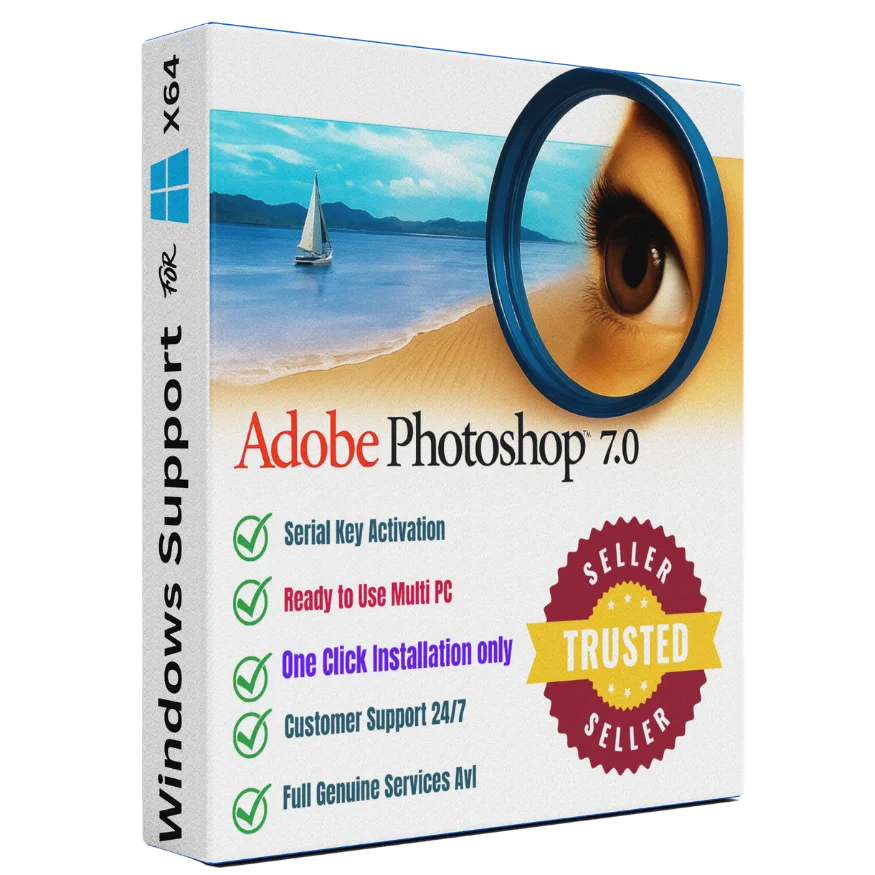
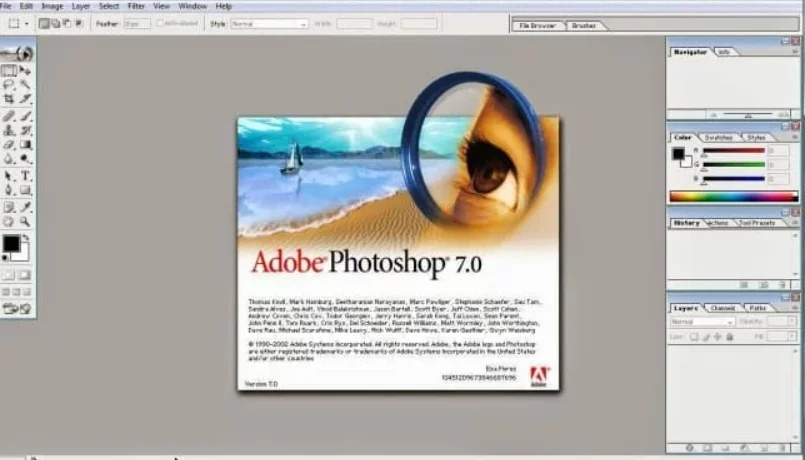
Adobe Photoshop 7.0 Windows — Lifetime Licence | Sofryx
Original price was: $300.00.$15.00Current price is: $15.00.
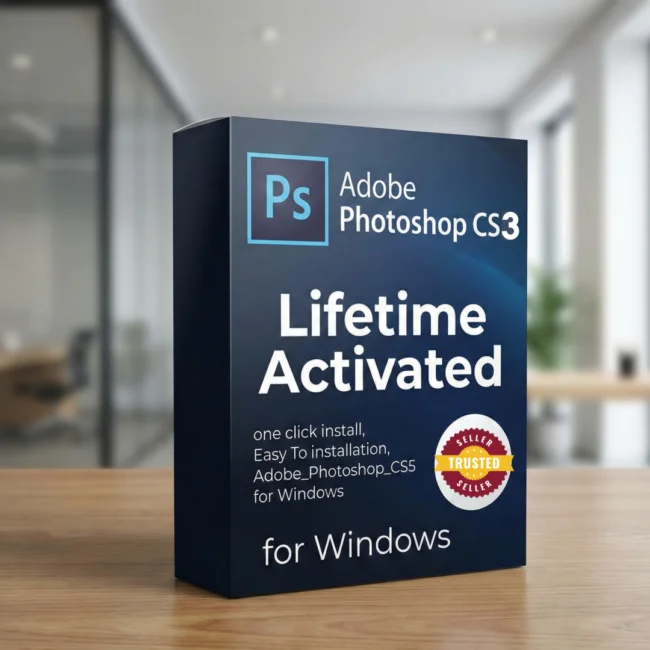
Buy Adobe Photoshop 7.0 Windows genuine lifetime licence. Classic photo editor with serial number included. Personally tested. Instant delivery from Sofryx.
Adobe Photoshop 7.0 for Windows — Classic Professional Photo Editor with Lifetime Activation
Adobe Photoshop 7.0 is the legendary image editing software that introduced millions of users to professional photo editing and graphic design. This classic version of the world’s most recognized photo editor delivers a clean, intuitive interface with powerful tools for photo retouching, color correction, drawing, painting, and document editing, all while running on virtually any Windows computer with minimal system requirements. Whether you are a beginner learning image editing for the first time, a student working on school projects, a small business owner creating marketing materials, or a home user who needs reliable photo editing without complex subscription software, Adobe Photoshop 7.0 delivers proven professional results with a one-time purchase. This version includes the serial number with the setup file for instant activation. Every licence on Sofryx is personally tested by Mani before listing.
Key Features of Adobe Photoshop 7.0
- Easy-to-Use Interface: A clean and intuitive workspace designed for users at all skill levels, making professional image editing accessible to beginners and experienced users alike.
- Red Eye Removal Tool: Fix red eye problems in portrait and flash photographs instantly with a single click, producing natural-looking results without manual editing.
- One-Click Auto Fix: Automatically adjust brightness, contrast, and color balance of any photograph with a single click for quick, professional-quality corrections.
- Paint Engine: Create new custom paintbrushes or edit existing ones with full control over brush size, shape, opacity, and flow for painting and illustration work.
- Color Correction Tools: Adjust hue, saturation, brightness, and contrast to enhance photos for print, web, social media, or personal use.
- Drawing and Shape Tools: Create images, sketches, geometric shapes, and custom illustrations using the built-in drawing toolkit.
- Quick Editing Tools: Rapidly edit pictures and documents using fast selection, cropping, resizing, and transformation tools designed for productivity.
- Serial Number Included: The setup package includes the genuine serial number for immediate activation without needing to purchase a separate licence key.
Why Buy From Sofryx
- Personally tested by Mani before every listing goes live
- Genuine manufacturer-issued licence — not cracked, not trial
- One-time payment — lifetime activation, zero renewal fees
- Instant access via your website dashboard after payment
- Telegram support available for all installation queries
System Requirements
- Operating System: Windows 98, ME, NT 4.0, 2000, or XP natively. Runs perfectly on Windows 7, 8, 10, and 11 using compatibility mode
- Processor: Pentium III or Pentium 4 (any modern processor exceeds this requirement)
- RAM: 128MB minimum (any modern computer exceeds this requirement)
- Storage: 280MB free hard disk space for complete installation
- Display: Monitor with 800×600 resolution or higher
What You Get After Purchase
- Licence key or activation file
- Official download link via your account dashboard
- Step-by-step installation guide (video or written)
- Telegram support contact for installation help
Who Is This For
Adobe Photoshop 7.0 is ideal for anyone who needs reliable, proven image editing software without the complexity and cost of modern subscription-based applications. Beginners and students learning graphic design and photo editing benefit from the straightforward interface that teaches fundamental editing concepts without overwhelming complexity. Small business owners who need to create product photos, marketing flyers, social media graphics, and business documents find Photoshop 7.0 perfectly capable for everyday commercial needs. Home users editing family photos, creating greeting cards, retouching portraits, and managing personal image collections appreciate the simplicity and speed of this classic version. Office workers and administrative staff who occasionally need to resize images, adjust colors, or prepare graphics for presentations use Photoshop 7.0 as a lightweight and efficient tool. Users with older or low-specification computers benefit enormously from the minimal system requirements, as Photoshop 7.0 runs smoothly on hardware that cannot support modern resource-intensive software.
Easy-to-Use Interface — Professional Tools Made Accessible
The interface of Adobe Photoshop 7.0 represents one of the most intuitive and user-friendly designs in the history of image editing software. The workspace is organized logically with clearly labeled tool palettes, straightforward menu structures, and visual indicators that help users understand what each tool does without consulting documentation. Unlike modern versions of Photoshop that can feel overwhelming with hundreds of features and complex panel layouts, version 7.0 presents its tools in a clean, uncluttered arrangement that allows users to focus on their creative work. The learning curve is significantly gentler than current Photoshop releases, making it an excellent starting point for anyone new to image editing. Despite its simplicity, the interface provides access to professional-grade editing capabilities including layers, masks, selections, filters, and color adjustments that form the foundation of all digital image editing workflows. Users who learn Photoshop 7.0 build transferable skills that apply directly to newer versions should they choose to upgrade in the future.
Red Eye Removal and One-Click Auto Fix — Instant Photo Corrections
Adobe Photoshop 7.0 includes dedicated tools for the most common photo correction tasks that every user encounters. The Red Eye Removal tool fixes the distracting red-eye effect caused by flash photography in portrait shots with a single click, producing natural-looking eye colors without requiring manual selection or careful editing. The One-Click Auto Fix feature analyzes the overall color balance, brightness, and contrast of any photograph and applies intelligent adjustments automatically, transforming underexposed, overexposed, or color-shifted images into properly balanced photographs. These automated correction tools are particularly valuable for users who need quick results without investing time in learning manual adjustment techniques. Batch processing family photo collections, correcting event photographs, and preparing images for printing or sharing online all become faster and more efficient with these built-in automation features. The corrections produce professional-quality results that satisfy the needs of most personal and small business photo editing tasks without requiring advanced knowledge of color theory or exposure compensation.
Paint Engine — Custom Brush Creation and Digital Illustration
The Paint Engine in Adobe Photoshop 7.0 introduced groundbreaking brush customization capabilities that transformed Photoshop from a pure photo editor into a versatile digital illustration platform. Users can create entirely new custom paintbrushes from scratch or modify existing brushes with precise control over parameters including brush size, shape, hardness, opacity, flow rate, spacing, and angle dynamics. Professional reviews on G2 note that this brush engine set the standard for digital painting tools across the entire industry. The brush presets included with Photoshop 7.0 cover a wide range of artistic styles from fine-point pencil lines to broad watercolor washes, textured charcoal strokes, and airbrush effects. Digital artists, illustrators, and hobbyists use these tools to create original artwork, design logos, produce hand-lettered typography, and add painterly effects to photographs. The brush customization system allows you to save your favorite brush configurations as presets for instant recall, building a personal toolkit of creative brushes tailored to your specific artistic style and workflow preferences.
Color Correction — Quick Photo Enhancement for All Purposes
The color correction tools in Adobe Photoshop 7.0 provide comprehensive control over the tonal and chromatic characteristics of any image. The Levels adjustment allows precise manipulation of shadow, midtone, and highlight brightness values using an intuitive histogram display. The Curves tool provides even more granular tonal control by allowing you to adjust brightness at any point along the tonal range independently. Hue and Saturation adjustments let you shift colors, increase or decrease color intensity, and convert images between color and grayscale modes. The Brightness and Contrast controls offer simple, direct adjustment for users who need quick results without diving into advanced tonal correction techniques. Color Balance adjustments allow you to shift the overall color cast of an image to correct for different lighting conditions, remove unwanted color tints from scanned photographs, or create intentional color grading effects. These tools work together to ensure that every photograph looks its best regardless of the conditions under which it was originally captured, making Photoshop 7.0 an essential tool for anyone who works with photographs regularly. For comprehensive tutorials and learning resources, Adobe official tutorials provide detailed guidance on color correction techniques.
Drawing Tools — Shapes Sketches and Image Creation
Adobe Photoshop 7.0 includes a complete set of drawing tools that enable users to create images, illustrations, and graphic designs from scratch. The Shape tools produce perfect geometric forms including rectangles, ellipses, polygons, lines, and custom shapes with precise control over dimensions, color, and stroke properties. The Pencil and Line tools allow freehand drawing with adjustable thickness and opacity for sketching and hand-drawn illustration work. The Pen tool creates smooth vector paths that can be used for precise selections, custom shapes, and clean graphic elements with mathematically perfect curves. These drawing capabilities make Photoshop 7.0 useful beyond photo editing, serving as a general-purpose graphic design tool for creating logos, icons, diagrams, presentation graphics, and marketing materials. The combination of pixel-based painting tools and vector-based shape tools provides flexibility for both artistic and technical illustration needs. Users can combine drawn elements with photographic content using layers to create composite images, collages, and mixed-media designs that blend photography with graphic design elements.
Quick Editing Tools — Fast Photo and Document Processing
Photoshop 7.0 excels at rapid image processing tasks that users encounter daily. The Crop tool quickly removes unwanted borders and focuses attention on the most important part of any photograph. The Resize function adjusts image dimensions for specific output requirements including web publishing, social media uploads, email attachments, and print production. The Transform tools provide rotation, scaling, skewing, and perspective correction capabilities for straightening tilted photographs and adjusting composition after capture. The Clone Stamp tool copies pixels from one area to another for removing blemishes, unwanted objects, and imperfections from photographs. The Selection tools including the Marquee, Lasso, and Magic Wand provide multiple methods for isolating specific areas of an image for targeted editing. The Eraser tool removes unwanted elements, and the History palette allows unlimited undo operations so you can experiment freely without fear of permanently damaging your original image. These quick editing tools make everyday image processing tasks efficient and accessible for users at all skill levels.
Ultra-Lightweight Installation — Runs on Any Windows Computer
One of the most remarkable advantages of Adobe Photoshop 7.0 is its incredibly modest system requirements, making it accessible to users with virtually any Windows computer regardless of age or specifications. The entire application requires only 280MB of hard disk space for complete installation, compared to the gigabytes required by modern photo editing applications. The 128MB RAM requirement means that any computer manufactured in the last two decades exceeds the minimum specification by a factor of ten or more. The Pentium III processor requirement is exceeded by every computer in use today. This lightweight footprint ensures that Photoshop 7.0 launches instantly, responds without lag, and processes images quickly even on older hardware where modern software would be unusably slow. The application runs natively on Windows 98 through Windows XP and works perfectly on Windows 7, 8, 10, and 11 through the built-in compatibility mode feature. This broad compatibility means you can install and use Photoshop 7.0 on practically any Windows computer you own without worrying about hardware limitations or software conflicts. Leading industry organizations like the World Wide Web Consortium establish the web image standards that Photoshop 7.0 supports for online publishing. The application also integrates well with other creative tools from Sofryx including Spectrasonics Omnisphere 3, Auto-Tune Unlimited, Cubase Pro v15, iZotope Neutron 5, and FabFilter Total Bundle. For professional photo editing resources, Creative Bloq provides extensive tutorials and tips.
Frequently Asked Questions
Q: How do I activate Adobe Photoshop 7.0 after purchase
To activate your Adobe Photoshop 7.0 on Windows after completing your purchase, follow the provided instructions carefully. Your order includes the setup file with the serial number included for immediate activation. A detailed step-by-step installation guide walks you through the entire setup process from downloading the installer to entering the serial number and completing the activation. A video tutorial or written instruction document will be included alongside the setup files to ensure smooth installation. If you are installing on Windows 7, 8, 10, or 11, the guide includes compatibility mode instructions. If you encounter any difficulties, reach out via Telegram for immediate assistance.
Q: Is this a genuine lifetime licence or a subscription
This is a genuine lifetime-activated licence that you own permanently after a single one-time payment. The serial number is included with the setup file for immediate activation. There are no monthly fees, no annual renewal charges, and no subscription commitments of any kind. Once activated, your Adobe Photoshop 7.0 remains fully functional on your Windows system indefinitely without requiring any additional payments. Every licence sold on Sofryx is personally verified by Mani to ensure authenticity and reliable long-term functionality. You receive the complete application with all features activated for lifetime use.
Q: Can I use this on multiple computers
Yes, multiple device use is supported with your Adobe Photoshop 7.0 licence. You can install and activate the software on more than one Windows computer, allowing you to use it on your desktop workstation, laptop, and any other Windows machines you own. This flexibility ensures that your photo editing software is always available wherever you need to work, whether at home, in the office, or while traveling with a portable computer. The installation and activation process works identically on each machine using the included serial number.
Q: Will I receive future software updates
There is no immediate need to update your Adobe Photoshop 7.0 after installation as this is a classic, stable, and fully complete version that has been proven reliable over many years of use. If a compatibility update or alternative setup file becomes necessary in the future for running on a newer Windows version, contact Mani directly through Telegram support. The update or alternative file will be provided free of charge within one year of your original purchase date. This ensures you always have access to a functioning installation without any additional cost during the covered period.
Q: How long does delivery take after payment
Delivery is instant and fully automated. Immediately after completing your payment through the Sofryx checkout, your download links become available in your personal account dashboard. Simply log in to your Sofryx account, navigate to the My Account section, and click on Downloads to access all your purchased files. The complete Adobe Photoshop 7.0 installation package including the setup file with serial number and installation instructions will be ready for immediate download. There is no waiting period and no manual processing required. You can begin installing and using the software within minutes of completing your purchase.
Q: Which operating system versions are compatible
Adobe Photoshop 7.0 was originally designed for Windows 98, Windows ME, Windows NT 4.0, Windows 2000, and Windows XP. However, the software runs perfectly on modern Windows systems including Windows 7, Windows 8, Windows 10, and Windows 11 using the built-in compatibility mode feature. The compatibility mode is simple to enable and instructions are included with your purchase. The system requirements are extremely modest at only 128MB RAM, a Pentium III processor, 280MB disk space, and an 800×600 display, meaning any modern Windows computer far exceeds every requirement.
Q: What is your refund policy
For complete details regarding our refund terms and conditions, please review the full Refund Policy page available on our website at bydigital.in/refund_returns/. The refund policy outlines all applicable terms including eligibility criteria, timeframes, and the process for requesting a refund on digital product purchases. We encourage every customer to read the policy thoroughly before completing their purchase so they have a clear understanding of their rights and our obligations. Our commitment is to ensure complete customer satisfaction with every product sold on the Sofryx platform.
Q: How do I get support if I have an installation problem
If you encounter any installation difficulties with your Adobe Photoshop 7.0 on Windows, comprehensive support is available through multiple channels. Windows users can receive direct remote support via AnyDesk, UltraViewer, or Zoom Meeting where a support representative will connect to your computer and resolve the installation issue in real time. This is particularly helpful for setting up compatibility mode on Windows 10 or 11. If the standard installation method encounters any issues, an alternative setup file along with revised instructions will be provided promptly. For all support requests, contact us directly through Telegram at t.me/sofryxhelp for fast and reliable assistance.
Only logged in customers who have purchased this product may leave a review.
Reviews
There are no reviews yet.