




Luminar Neo 1.26 Windows — Lifetime Licence | Sofryx
Original price was: $200.00.$15.00Current price is: $15.00.
Buy Luminar Neo 1.26 Windows genuine lifetime licence. AI-powered photo editor with RelightAI, sky replacement, and powerline removal. Personally tested.
Skylum Luminar Neo 1.26 for Windows — AI-Powered Photo Editor with 3D Relighting Sky Replacement and Intelligent Retouching
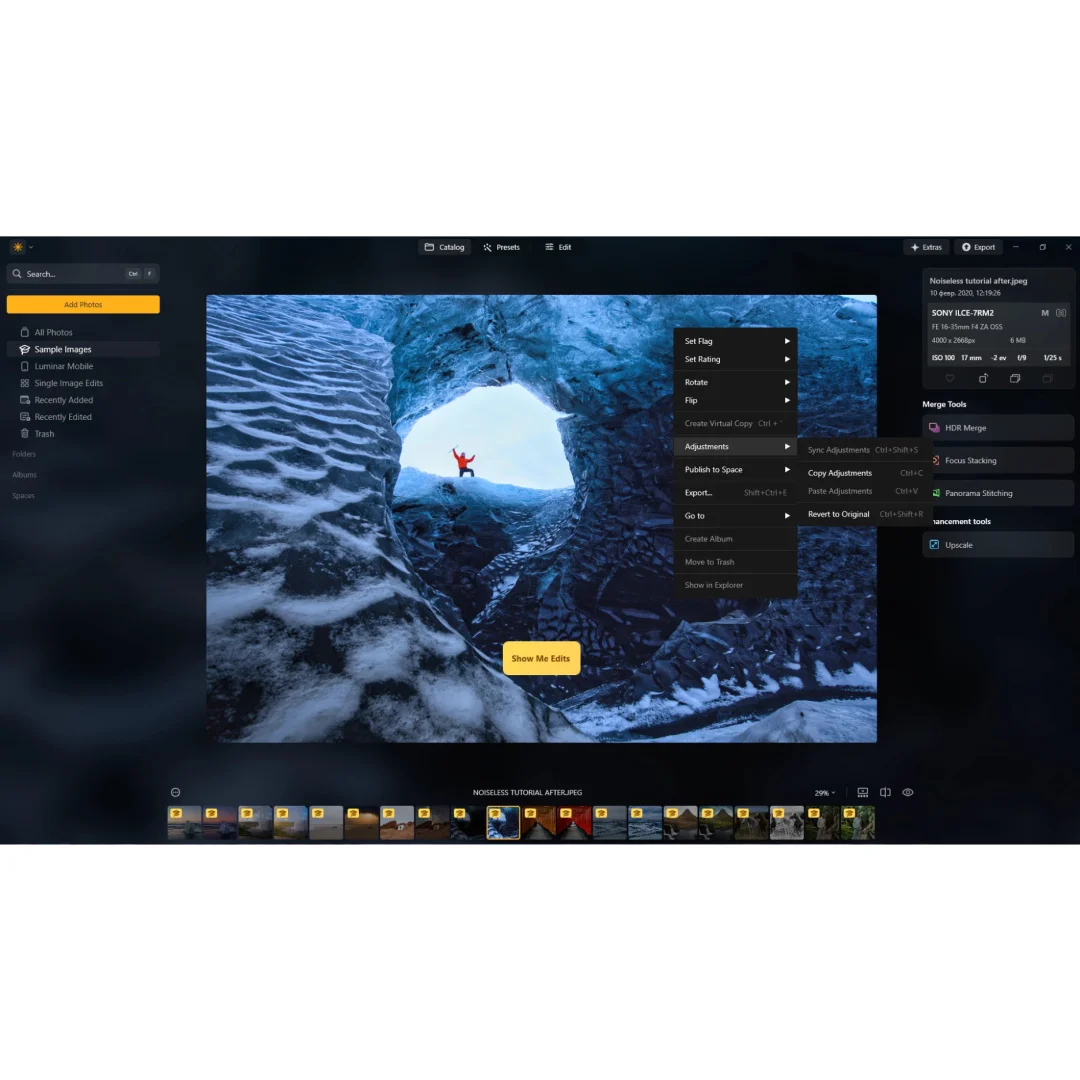
Skylum Luminar Neo 1.26 is the innovative AI-powered photo editing application that simplifies complex editing routines and enables photographers to bring their boldest creative ideas to life with intelligent automation. This powerful Windows application uses next-generation artificial intelligence to calculate a photo depth map in 3D space, automatically remove distracting elements like powerlines, replace skies with a single click, and control exposure based on intelligent scene recognition. Whether you are a landscape photographer cleaning up cluttered horizons, a portrait photographer retouching skin blemishes, or a travel photographer enhancing vacation images, Luminar Neo delivers high-quality results that are fast, easy, and enjoyable. Every licence on Sofryx is personally tested by Mani before listing to ensure genuine functionality.
Key Features of Luminar Neo 1.26
- RelightAI: Control the light in 3D space across a 2D image by calculating photo depth and creating a 3D map for natural light distribution throughout the scene.
- AI Powerline Removal: Automatically detect and remove distracting phone lines, power cables, and electrical wires from landscape, cityscape, and travel photographs.
- One-Click Sky Replacement: Replace overcast or dull skies with dramatic alternatives using intelligent horizon detection and natural color blending in a single click.
- Layers and AI Masking: Combine multiple editing adjustments and creative elements using layer-based compositing with AI-powered automatic masking for precise selections.
- 3D Depth Map Generation: Analyze each photograph to calculate scene depth, enabling natural light spreading, bokeh effects, and depth-based adjustments.
- AI Scene Recognition: Automatically recognize the content and depth of each image to provide unique control over exposure, tone, and color adjustments.
- Optimized Image Engine: All-new processing engine requiring less memory with faster upload, editing, layer processing, and export speeds.
- AI Blemish Removal: Quickly and easily remove distracting skin blemishes, spots, and imperfections from portrait photographs with intelligent content-aware fill.
Why Buy From Sofryx
- Personally tested by Mani before every listing goes live
- Genuine manufacturer-issued licence — not cracked, not trial
- One-time payment — lifetime activation, zero renewal fees
- Instant access via your website dashboard after payment
- Telegram support available for all installation queries
System Requirements
- Operating System: Windows 10 or Windows 11 (64-bit required)
- Processor: Intel Core i5 or better, AMD Ryzen 5 or better
- RAM: 8GB minimum (16GB or more recommended for optimal AI processing performance)
- Storage: 10GB free disk space (SSD recommended for best performance)
- Graphics Card: OpenGL 3.3 or later compatible graphics card
- Display: 1280×768 resolution or better
- Input Device: Mouse or similar input device
What You Get After Purchase
- Licence key or activation file
- Official download link via your account dashboard
- Step-by-step installation guide (video or written)
- Telegram support contact for installation help
Who Is This For
Skylum Luminar Neo 1.26 is designed for photographers and visual creators at every skill level who want powerful AI-assisted editing without the steep learning curve of traditional professional photo editors. Landscape photographers use RelightAI and sky replacement to transform ordinary outdoor shots into dramatic compositions with perfect lighting and skies. Portrait photographers rely on the AI blemish removal and skin retouching tools for fast, natural-looking portrait enhancement. Travel photographers clean up distracting powerlines and electrical cables from cityscape and scenic photographs using AI-powered automatic detection. Wedding and event photographers process large batches of images quickly using the optimized engine and one-click AI adjustments. Real estate photographers enhance property images with sky replacement and relighting for more attractive listing presentations. Social media managers and content creators produce polished, eye-catching visual content without extensive photo editing experience. Hobbyist photographers who find traditional editors like Photoshop overwhelming discover that Luminar Neo makes professional-quality results accessible and enjoyable.
RelightAI — Control Light in 3D Space
RelightAI is a groundbreaking feature exclusive to Luminar Neo that fundamentally changes how photographers can manipulate lighting in their images after capture. The AI analyzes your photograph and calculates a complete 3D depth map of the scene, understanding which elements are in the foreground, midground, and background. Using this depth information, RelightAI allows you to add, remove, and redirect light sources that spread naturally through the 3D space of your 2D image. You can brighten a subject in the foreground while keeping the background in shadow, add warm light from one side of the scene while cooling the other, or completely transform the mood and atmosphere of a photograph by changing the direction and intensity of the lighting. The results look natural because the light interacts with the 3D depth structure of the scene rather than being applied as a flat overlay. This capability replaces what would traditionally require expensive studio lighting setups, reflectors, and multiple exposures, enabling photographers to achieve professional lighting effects entirely in post-processing from a single captured image.
AI Powerline Removal — Clean Skies in Seconds
The AI powerline removal tool in Luminar Neo automatically detects and removes distracting phone lines, electrical cables, and power line structures from photographs. This feature is invaluable for landscape, travel, and architectural photographers who frequently encounter cluttered skies filled with wires and cables that detract from the visual impact of their images. The AI recognizes the thin linear structures of powerlines against sky backgrounds and removes them while intelligently reconstructing the sky area behind them, producing clean, natural-looking results without visible editing artifacts. Traditional manual removal of powerlines using clone stamp or healing brush tools in conventional photo editors requires painstaking effort and significant editing time, especially when multiple lines cross the sky at different angles. Luminar Neo accomplishes this task automatically in seconds, allowing photographers to process large numbers of images with powerline problems efficiently. Professional reviews on G2 consistently highlight the powerline removal as one of the most practically useful AI features in any photo editing application.
One-Click Sky Replacement — Transform Any Photograph
The sky replacement feature in Luminar Neo enables photographers to replace dull, overcast, or uninteresting skies with dramatic alternatives using a single click. The AI analyzes the image to identify the sky region, detect the horizon line, and understand the relationship between the sky and foreground elements including trees, buildings, mountains, and other complex edge structures. When you select a replacement sky from the included library or import your own sky photographs, the AI automatically blends the new sky into the scene with matching color temperature, brightness, and atmospheric perspective so the result looks natural and believable. The sky replacement handles complex edges including tree branches, building silhouettes, and hair without requiring manual masking or selection work. Reflections in water surfaces are automatically adjusted to match the new sky, and the overall color grading of the foreground can be harmonized with the replacement sky for a cohesive final image. For detailed tutorials on sky replacement techniques, the Skylum support center provides comprehensive guides and video walkthroughs.
Layers and AI Masking — Creative Compositing Power
Luminar Neo includes a layer-based editing system enhanced with AI-powered automatic masking that provides creative compositing capabilities previously available only in more complex professional editors. The layer system allows you to stack multiple editing adjustments, creative effects, textures, and image elements on separate layers that can be individually adjusted, reordered, and blended for complete creative control. The AI masking technology automatically detects subjects, sky regions, and other scene elements, creating precise selections without manual brushwork or careful edge tracing. You can apply different editing adjustments to separate areas of the image using AI-generated masks, such as applying one set of color adjustments to the sky and a different set to the foreground in a landscape photograph. The layer blending modes and opacity controls provide the same creative flexibility found in professional compositing software, enabling double exposure effects, texture overlays, creative filters, and artistic composites. This combination of layers and AI masking enables creative workflows that were previously time-consuming and technically demanding, making advanced compositing accessible to photographers at every skill level.
3D Depth Map Generation — Natural Depth-Based Editing
Luminar Neo generates accurate 3D depth maps from standard 2D photographs using AI analysis of visual depth cues, perspective, scale, and focus information within the image. This depth understanding enables a range of editing capabilities that interact naturally with the spatial structure of the scene rather than treating the image as a flat surface. Beyond powering the RelightAI feature, the depth map enables natural-looking bokeh effects that simulate shallow depth of field with realistic blur falloff based on distance from the focus point. Depth-based adjustments allow you to apply different editing parameters to near and far elements of the scene, such as adding haze to distant mountains while maintaining clarity in the foreground, or warming the color temperature of nearby subjects while cooling the background. The depth map is calculated automatically without requiring any special capture technique, dual-lens camera, or depth sensor hardware, meaning it works with any photograph from any camera or smartphone. This AI-generated depth information transforms a flat 2D photograph into an editable 3D space, enabling a level of creative control that was previously impossible without specialized capture equipment.
AI Scene Recognition — Intelligent Automatic Adjustments
Luminar Neo analyzes each image using AI scene recognition to understand the content, subject matter, and depth of the photograph, then provides intelligent automatic adjustments tailored to that specific image type. The AI distinguishes between different scene types such as landscapes, portraits, cityscapes, interiors, and close-ups, applying exposure, tone, and color adjustments that are optimized for each category. A landscape photograph receives different automatic treatment than a portrait or an architectural interior because the optimal tonal balance, color saturation, and contrast settings differ significantly between these image types. The scene recognition extends to understanding specific elements within the image, identifying people, faces, sky regions, foliage, water, and architectural structures to apply targeted enhancements to each element. This intelligent automation means that photographers can achieve professional-quality results with minimal manual adjustment, as the AI handles the technical optimization while the photographer focuses on creative decisions. Industry organizations like the Professional Photographers of America recognize AI-assisted editing tools as an important advancement in photography workflow efficiency.
Optimized Image Engine — Speed and Efficiency
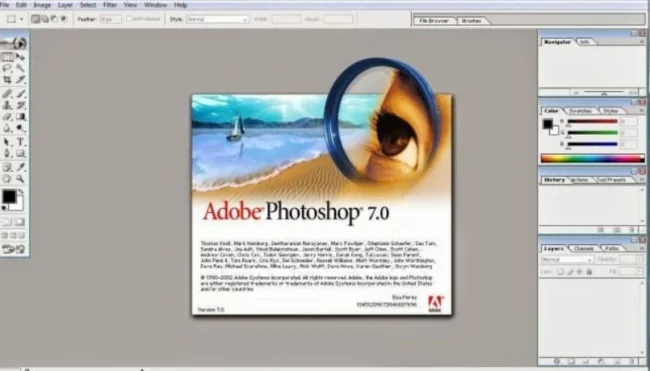
Luminar Neo 1.26 features an all-new optimized image processing engine that delivers significantly faster performance while requiring less memory than previous versions and competing applications. The engine includes many background optimizations for memory management that increase the speed of every process within the application, from initial image upload through applying editing effects, working with layers, and exporting finished files. The reduced memory footprint means that photographers with 8GB RAM systems can work comfortably with large image files and multiple editing layers without experiencing slowdowns or crashes. The optimized engine enables a more flexible editing process where adjustments are applied and previewed in near real-time, maintaining creative flow without waiting for processing operations to complete. SSD storage is recommended for the best performance experience, as it accelerates file loading, cache operations, and export writing speeds. The engine improvements extend to batch processing capabilities, allowing photographers who shoot high volumes to process multiple images efficiently. Leading photography publications like Digital Camera World have praised the performance improvements as making AI editing practical for everyday photography workflows. Pair Luminar Neo with other professional tools from Sofryx like Adobe Photoshop 7.0 for classic editing, Adobe Photoshop CS3 for smart filters, Topaz Video AI for AI video enhancement, DaVinci Resolve Studio for video editing, and FabFilter Total Bundle for audio production.
Frequently Asked Questions
Q: How do I activate Luminar Neo 1.26 after purchase
To activate your Luminar Neo 1.26 on Windows after completing your purchase, follow the provided instructions carefully. Your order includes a detailed step-by-step installation guide that walks you through the entire setup process from downloading the installer to completing the activation on your Windows 10 or 11 system. A video tutorial or written instruction document will be included alongside the setup files to ensure smooth installation. The guide covers the complete setup including OpenGL compatibility verification. If you encounter any difficulties during the activation process, reach out via Telegram for immediate assistance from our support team who will guide you through every step.
Q: Is this a genuine lifetime licence or a subscription
This is a genuine lifetime-activated licence that you own permanently after a single one-time payment. There are no monthly fees, no annual renewal charges, and no subscription commitments of any kind. Once activated, your Luminar Neo 1.26 remains fully functional on your Windows system indefinitely without requiring any additional payments. Every licence sold on Sofryx is personally verified by Mani to ensure authenticity and reliable long-term functionality. You receive the complete application with all AI features including RelightAI, sky replacement, powerline removal, and layers with AI masking activated for lifetime use.
Q: Can I use this on multiple computers
Yes, multiple device use is supported with your Luminar Neo 1.26 licence. You can install and activate the software on more than one Windows computer, allowing you to work between your desktop workstation and a portable laptop for on-location editing, client review sessions, and travel photography processing. This flexibility ensures that your AI photo editing toolkit is always available wherever you need to work, whether at home, in the studio, or while traveling. The activation process works identically on each Windows 10 or 11 machine.
Q: Will I receive future software updates
There is no immediate need to update your Luminar Neo 1.26 after installation as the current version includes all the latest AI features, performance optimizations, and image processing improvements. If a critical update becomes necessary in the future or if you require a newer version for compatibility with an updated Windows version or new camera raw format support, contact Mani directly through Telegram support. The update will be provided free of charge within one year of your original purchase date. This ensures you always have access to a functioning version without additional cost.
Q: How long does delivery take after payment
Delivery is instant and fully automated. Immediately after completing your payment through the Sofryx checkout, your download links become available in your personal account dashboard. Simply log in to your Sofryx account, navigate to the My Account section, and click on Downloads to access all your purchased files. The complete Luminar Neo 1.26 installation package including the setup file and activation instructions will be ready for immediate download. There is no waiting period and no manual processing required. You can begin installing and using the software within minutes of completing your purchase.
Q: Which operating system versions are compatible
Luminar Neo 1.26 is fully compatible with Windows 10 and Windows 11 in 64-bit editions. Your system requires an Intel Core i5 or AMD Ryzen 5 processor or better, 8GB RAM minimum with 16GB or more recommended for optimal AI processing performance, 10GB free disk space with SSD recommended for best speed, and an OpenGL 3.3 or later compatible graphics card. A display with 1280×768 resolution or better is required. A mouse or similar input device is needed for the editing interface.
Q: What is your refund policy
For complete details regarding our refund terms and conditions, please review the full Refund Policy page available on our website at bydigital.in/refund_returns/. The refund policy outlines all applicable terms including eligibility criteria, timeframes, and the process for requesting a refund on digital product purchases. We encourage every customer to read the policy thoroughly before completing their purchase so they have a clear understanding of their rights and our obligations. Our commitment is to ensure complete customer satisfaction with every product sold on the Sofryx platform.
Q: How do I get support if I have an installation problem
If you encounter any installation difficulties with your Luminar Neo 1.26 on Windows, comprehensive support is available through multiple channels. Windows users can receive direct remote support via AnyDesk, UltraViewer, or Zoom Meeting where a support representative will connect to your computer and resolve the installation issue in real time. This is particularly helpful for verifying OpenGL graphics card compatibility and configuring the application for optimal performance on your system. If the standard installation encounters any issues, an alternative setup file along with revised instructions will be provided promptly. For all support requests, contact us directly through Telegram at t.me/sofryxhelp for fast and reliable assistance.
Only logged in customers who have purchased this product may leave a review.

Reviews
There are no reviews yet.