
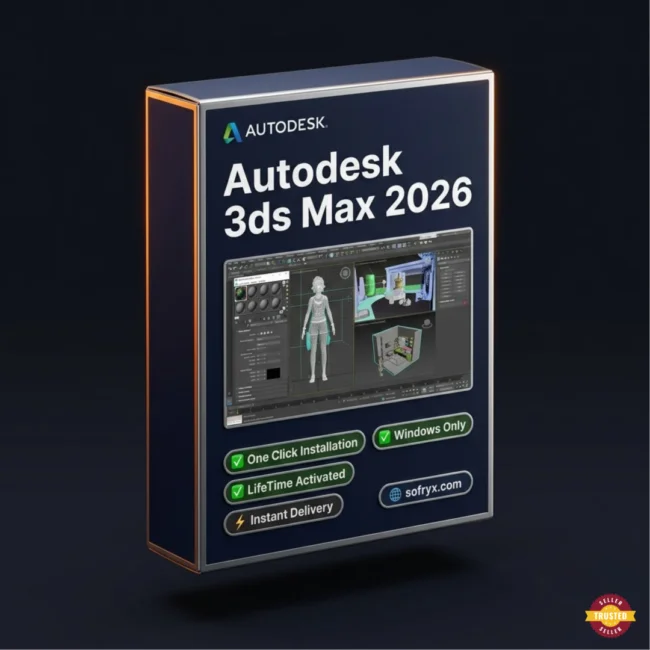
Autodesk 3ds Max 2025 — Lifetime Licence | Sofryx
Original price was: $6,000.00.$27.00Current price is: $27.00.
Buy Autodesk 3ds Max 2025 genuine lifetime licence. Professional 3D modeling, animation, and visualization. One click install. Personally tested. Instant delivery.
Autodesk 3ds Max 2025 — Professional 3D Modeling Animation and Visualization for Games Film and Architecture
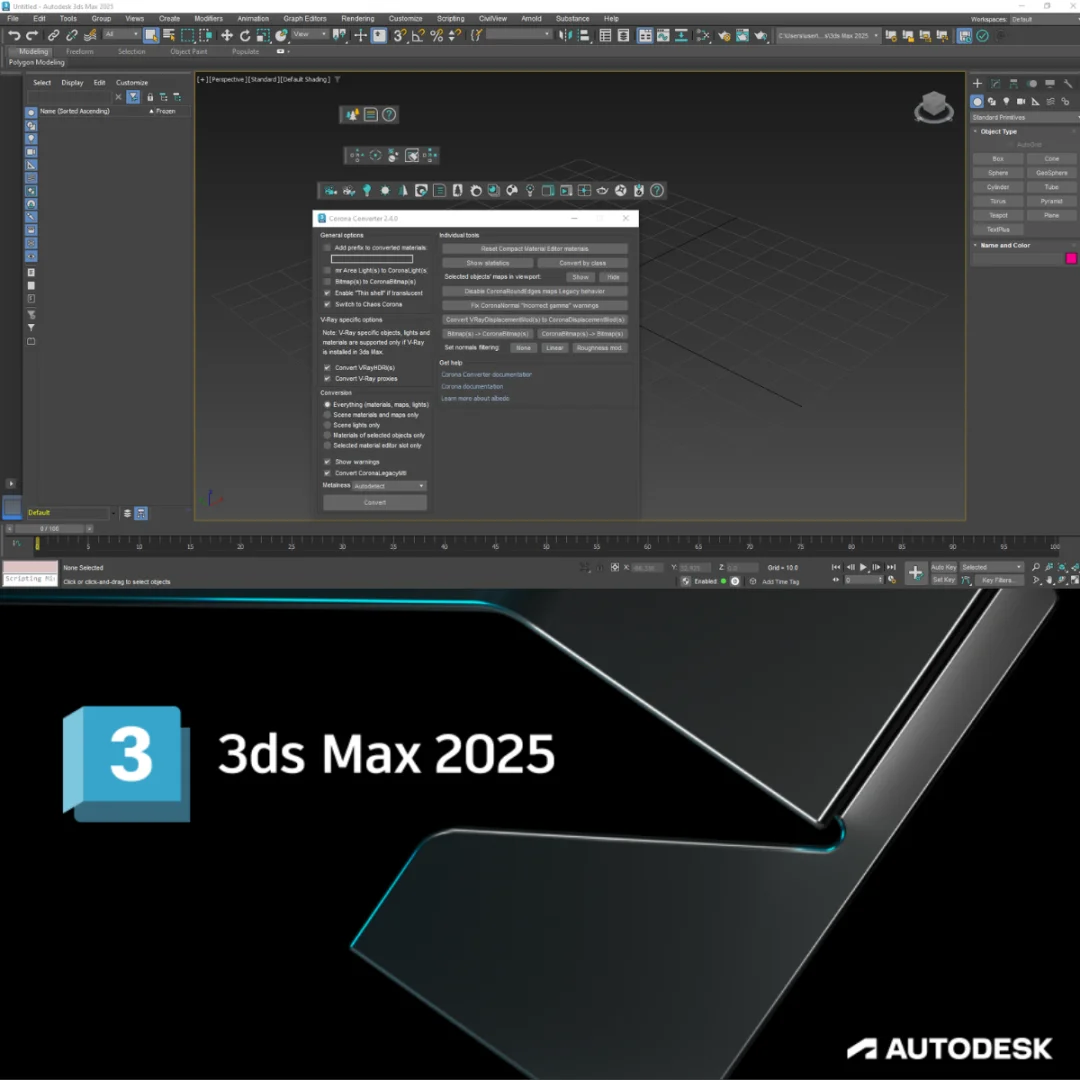
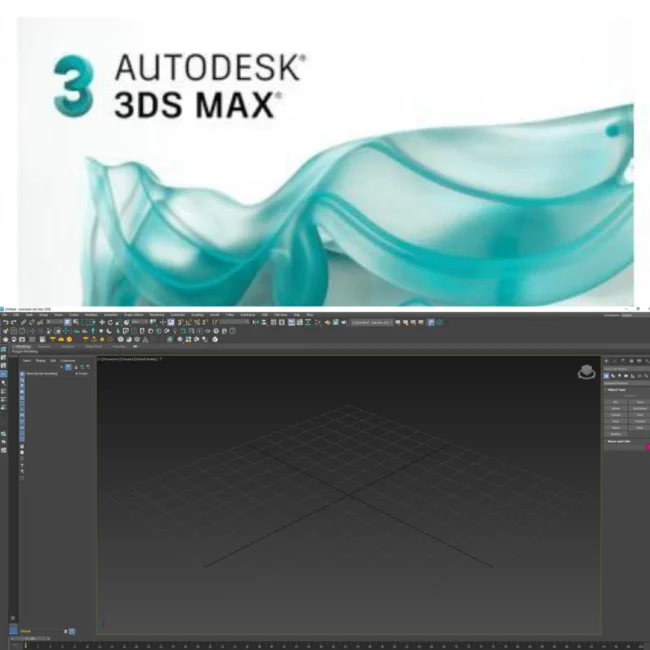
Autodesk 3ds Max 2025 is the professional cross-platform application for 3D modeling, animation, rendering, and visualization used by artists and studios across the game development, film VFX, architectural visualization, and product design industries. This full commercial version with one click installation requires no patch and delivers the complete 3ds Max toolset including polygon and spline modeling, character animation with rigging and skinning, particle systems and physics simulation, Arnold photorealistic rendering, and fluid dynamics for creating water, oil, and lava effects. Whether you are a game developer building massive virtual worlds, a VFX artist creating film-quality special effects, or an architect producing photorealistic building visualizations, Autodesk 3ds Max 2025 provides the industry-standard toolkit for professional 3D production. Every licence on Sofryx is personally tested by Mani.
Key Features of Autodesk 3ds Max 2025
- Professional 3D Modeling: Complete polygon, spline, and NURBS modeling tools for creating detailed characters, environments, props, and architectural elements with production-ready topology.
- Character Animation: Advanced rigging, skinning, inverse kinematics, and motion capture integration for bringing characters to life with realistic and stylized movement.
- Particle Systems and Physics: Sophisticated particle effects and physics simulation engines for creating explosions, fire, smoke, debris, cloth, and destruction effects.
- Arnold Renderer: Integrated Arnold photorealistic renderer producing cinema-quality images and animations with physically accurate lighting, materials, and atmospheric effects.
- Game Asset Pipeline: PBR (Physically Based Rendering) material workflow and optimized export tools for creating game-ready assets compatible with Unity, Unreal Engine, and other game engines.
- Architectural Visualization: Daylight systems, physical cameras, and environment simulation tools for producing photorealistic building and interior visualizations.
- Fluid Simulation: Create realistic simulations of water, oil, lava, and other liquid behaviors with controllable viscosity, surface tension, and interaction properties.
- One Click Install: Full commercial version that installs with a single click — no patch files, no manual activation steps, no complex configuration required.
Why Buy From Sofryx
- Personally tested by Mani before every listing goes live
- Genuine manufacturer-issued licence — not cracked, not trial
- One-time payment — lifetime activation, zero renewal fees
- Instant access via your website dashboard after payment
- Telegram support available for all installation queries
System Requirements
- Operating System: Windows 10 or Windows 11 (64-bit only)
- Processor: 64-bit multicore Intel or AMD processor with SSE4.2 instruction set support
- RAM: 4GB minimum (8GB or more recommended for complex scenes)
- Storage: 9GB free disk space for installation
- Graphics Card: See Autodesk 3ds Max Certified Hardware list for recommended systems and video adapters
- Mouse: Three-button mouse required
- Browser: Latest version of Microsoft Edge, Google Chrome, or Mozilla Firefox for accessing online content
What You Get After Purchase
- Licence key or activation file
- Official download link via your account dashboard
- Step-by-step installation guide (video or written)
- Telegram support contact for installation help
Who Is This For
Autodesk 3ds Max 2025 serves 3D professionals across entertainment, design, and visualization industries who need a comprehensive modeling, animation, and rendering platform. Game developers use 3ds Max to create detailed characters, massive open-world environments, props, weapons, vehicles, and architectural structures for AAA titles, indie games, and mobile applications. Film and television VFX artists produce special effects including explosions, environmental destruction, creature animation, and digital set extensions that integrate seamlessly with live-action footage. Architectural visualization specialists create photorealistic renderings and animated walkthroughs of buildings, interiors, and urban developments for client presentations, marketing materials, and planning approvals. Character animators bring digital characters to life for animated films, commercials, and episodic series. Product and industrial designers visualize consumer goods, automotive concepts, and manufacturing prototypes with accurate materials and lighting. Motion graphics artists create broadcast title sequences, commercial animations, and corporate video content. Virtual reality and augmented reality developers build immersive 3D environments and interactive experiences. Students and educators in 3D art, game design, and visualization programs develop professional skills with the industry-standard application.
Professional 3D Modeling — Polygon Spline and NURBS
Autodesk 3ds Max provides the most comprehensive collection of 3D modeling tools available in any single application, supporting polygon mesh modeling, spline-based modeling, NURBS surface modeling, and procedural modeling approaches. Polygon modeling gives artists direct control over vertices, edges, and faces for sculpting organic characters, hard-surface mechanical objects, and architectural elements with production-quality topology suitable for animation and real-time rendering. The editable poly workflow includes loop and ring selection, chamfer and bevel operations, bridge and cap tools, and topology optimization for creating clean, efficient meshes. Spline modeling creates smooth curves and profiles that can be extruded, lathed, lofted, and swept into three-dimensional shapes, which is particularly effective for architectural moldings, mechanical components, and flowing organic forms. NURBS surface modeling provides mathematically smooth surfaces ideal for industrial design, automotive styling, and product visualization where surface continuity and curvature quality are critical.
Character Animation — Rigging Skinning and Motion
3ds Max 2025 includes a complete character animation pipeline covering skeleton creation, rigging, skinning, inverse kinematics, forward kinematics, and motion capture data integration. The biped system provides a pre-built humanoid skeleton with automatic footstep-driven animation, walk cycles, and motion blending that accelerates character animation production. The CAT (Character Animation Toolkit) system extends the biped concept with support for non-human characters including quadrupeds, insects, tentacled creatures, and custom skeletal configurations. Professional reviews on G2 consistently rate the 3ds Max character animation tools among the most comprehensive available in any 3D application. The skin modifier assigns mesh vertices to skeleton bones with adjustable influence weights, enabling natural deformation during movement. Motion mixer provides nonlinear animation editing where individual motion clips can be blended, layered, and transitioned to create complex animated performances from modular motion components.
Particle Systems and Physics Simulation — Visual Effects
The particle systems and physics simulation capabilities in 3ds Max 2025 enable the creation of complex visual effects including explosions, fire, smoke, rain, snow, debris, cloth, hair, and destruction sequences. Particle Flow provides a node-based event-driven particle system where particle behavior is defined through a visual flowchart of operators and tests that control birth, movement, speed, rotation, collision, and death. This event-driven approach enables highly customizable particle effects that respond dynamically to scene conditions and object interactions. MassFX physics simulation integrates the PhysX engine for rigid body dynamics, allowing objects to fall, collide, stack, break, and interact according to physically accurate force calculations. Cloth simulation drapes fabric over characters and objects with configurable stiffness, friction, and collision properties for realistic clothing, curtains, flags, and soft-body elements. Hair and fur systems generate strand-based hair that responds to gravity, wind, and character movement for naturalistic grooming on characters and creatures.
Arnold Renderer — Cinema-Quality Photorealistic Output
3ds Max 2025 includes the Arnold renderer as its integrated photorealistic rendering engine, producing cinema-quality images and animations with physically accurate light transport, material interaction, and atmospheric scattering. Arnold uses unbiased Monte Carlo ray tracing to calculate light paths through the scene, producing images with natural global illumination, accurate reflections and refractions, soft shadows, depth of field, and motion blur without requiring complex manual setup. The Arnold Standard Surface shader provides a single versatile material that can represent metals, plastics, glass, skin, fabric, and virtually any real-world surface through intuitive parameter adjustments. AOV (Arbitrary Output Variable) rendering produces separate passes for diffuse, specular, reflection, shadow, and other components that compositors combine in post-production for maximum creative control. For detailed Arnold rendering techniques, the 3ds Max documentation provides comprehensive tutorials on material creation, lighting setup, and render optimization.
Game Asset Creation — PBR Materials and Engine Export
3ds Max 2025 provides specialized tools and workflows for creating game-ready 3D assets with optimized polygon counts, clean UV mapping, and Physically Based Rendering materials that display correctly in real-time game engines. The PBR material workflow uses the metalness-roughness paradigm that matches the rendering models used by Unity, Unreal Engine, and other modern game engines, ensuring that materials created in 3ds Max look identical in the target game environment. UV unwrapping tools including Peel, Flatten, and Pack provide efficient UV layout creation for texture mapping on game assets. Normal map baking transfers high-polygon sculpt detail onto low-polygon game meshes, maintaining visual complexity while keeping polygon counts within real-time performance budgets. Export tools produce FBX and other game engine compatible formats with embedded materials, animations, and bone hierarchies that import cleanly into game development pipelines. Industry organizations like the International Game Developers Association recognize 3ds Max as one of the primary 3D content creation tools in professional game development.
Architectural Visualization — Photorealistic Building Renders
Architectural visualization is one of the primary professional applications of 3ds Max, with dedicated tools for creating photorealistic renderings and animated presentations of buildings, interiors, landscapes, and urban developments. The daylight system accurately simulates sun and sky illumination for any geographic location, date, and time, producing naturally lit exterior and interior scenes with correct shadow direction, color temperature, and ambient light quality. Physical camera objects replicate the behavior of real cameras including focal length, aperture, shutter speed, and depth of field, enabling architectural renders that match the photographic quality standards expected by clients and marketing teams. Environment effects including atmospheric haze, volumetric fog, and time-of-day transitions add realism and mood to visualization sequences. The combination of Arnold rendering, physical materials, and accurate lighting simulation produces architectural visualizations that are virtually indistinguishable from photographs of completed buildings.
Fluid Simulation — Water Oil and Lava Dynamics
3ds Max 2025 enables the creation of realistic fluid simulations that replicate the behavior of water, oil, lava, and other liquid substances with controllable physical properties. The fluid simulation system calculates the interaction between liquid particles, solid surfaces, and environmental forces to produce naturally flowing, splashing, pouring, and pooling behavior. Viscosity controls adjust the thickness of simulated liquids, ranging from thin water that splashes and ripples to thick lava that flows slowly and cools into solid formations. Surface tension parameters control how liquids bead, sheet, and form droplets on surfaces, affecting the visual appearance of water on glass, rain on vehicles, and condensation on cold surfaces. Interaction with scene geometry enables liquids to flow around obstacles, fill containers, cascade over edges, and splash against surfaces with physically plausible behavior. Leading VFX publications like fxguide regularly feature 3ds Max in their coverage of fluid simulation techniques for film and commercial production.
Crowd Simulation and Scene Management
3ds Max 2025 supports the creation of scenes with large crowds of animated characters and objects through its populate system and instancing capabilities. The crowd simulation tools enable the placement of walking, standing, and interacting human figures that follow defined paths, avoid obstacles, and exhibit natural group behavior for architectural visualizations, urban planning presentations, and film background populations. Scene management tools handle complex productions containing thousands of objects through layers, selection sets, and the Scene Explorer that provides hierarchical organization and filtering of scene elements. The container system enables teams to work on different portions of a large scene simultaneously, with each artist editing their assigned container while referencing the overall scene context. XRef (External Reference) functionality links objects and scenes from external files, enabling modular production workflows where individual assets are developed independently and assembled into the final scene. Pair 3ds Max with other tools from Sofryx like ArchiCAD 29 for BIM architectural design, Autodesk Inventor Pro 2024 for mechanical engineering, DaVinci Resolve Studio for video editing and compositing, Topaz Video AI for AI video enhancement, and SketchUp Pro 2026 for conceptual 3D modeling. The ACM SIGGRAPH community recognizes 3ds Max as a foundational tool in computer graphics education and professional practice.
Frequently Asked Questions
Q: How do I activate Autodesk 3ds Max 2025 after purchase
To activate your Autodesk 3ds Max 2025 on Windows after completing your purchase, follow the provided instructions carefully. This is a full commercial version with a one click installer that requires no patch — simply run the installer and the software is ready to use. Your order includes a detailed step-by-step installation guide. A video tutorial or written instruction document will be included alongside the setup files. If you encounter any difficulties during the installation process, reach out via Telegram for immediate assistance.
Q: Is this a genuine lifetime licence or a subscription
This is a genuine lifetime-activated licence that you own permanently after a single one-time payment. There are no monthly fees, no annual renewal charges, and no subscription commitments of any kind. Once installed, your Autodesk 3ds Max 2025 remains fully functional on your Windows system indefinitely without requiring any additional payments. Every licence sold on Sofryx is personally verified by Mani to ensure authenticity and reliable long-term functionality. You receive the complete full commercial version with all modeling, animation, rendering, and simulation features activated for lifetime use.
Q: Can I use this on multiple computers
Yes, multiple device use is supported with your Autodesk 3ds Max 2025 licence. You can install and activate the software on more than one Windows computer, allowing you to work between your primary workstation with a powerful GPU for rendering and a secondary machine for modeling and scene preparation. This flexibility ensures that your professional 3D production toolkit is available across your entire studio setup. The one click installation process works identically on each machine.
Q: Will I receive future software updates
There is no immediate need to update your Autodesk 3ds Max 2025 after installation as the current version includes all the latest modeling tools, Arnold renderer, simulation capabilities, and Windows 10 and 11 compatibility. If a critical update becomes necessary in the future or if you require a newer version for specific plugin compatibility, contact Mani directly through Telegram support. The update will be provided free of charge within one year of your original purchase date.
Q: How long does delivery take after payment
Delivery is instant and fully automated. Immediately after completing your payment through the Sofryx checkout, your download links become available in your personal account dashboard. Simply log in to your Sofryx account, navigate to the My Account section, and click on Downloads to access all your purchased files. The complete Autodesk 3ds Max 2025 full commercial installer and instructions will be ready for immediate download. There is no waiting period and no manual processing required. You can begin installing within minutes.
Q: Which operating system versions are compatible
Autodesk 3ds Max 2025 is compatible with Windows 10 and Windows 11 in 64-bit editions only. Your system requires a 64-bit multicore Intel or AMD processor with SSE4.2 instruction set support, 4GB RAM minimum with 8GB or more recommended for complex scenes, and 9GB free disk space for installation. A certified graphics card is recommended for optimal viewport performance and GPU-accelerated rendering. A three-button mouse is required for the 3ds Max interface navigation.
Q: What is your refund policy
For complete details regarding our refund terms and conditions, please review the full Refund Policy page available on our website at bydigital.in/refund_returns/. The refund policy outlines all applicable terms including eligibility criteria, timeframes, and the process for requesting a refund on digital product purchases. We encourage every customer to read the policy thoroughly before completing their purchase so they have a clear understanding of their rights and our obligations. Our commitment is to ensure complete customer satisfaction with every product sold on the Sofryx platform.
Q: How do I get support if I have an installation problem
If you encounter any installation difficulties with your Autodesk 3ds Max 2025 on Windows, comprehensive support is available through multiple channels. Windows users can receive direct remote support via AnyDesk, UltraViewer, or Zoom Meeting where a support representative will connect to your computer and resolve the installation issue in real time. This is particularly helpful for verifying GPU compatibility, configuring Arnold renderer settings, and confirming all features are functioning correctly. If the standard installation encounters any issues, an alternative setup file along with revised instructions will be provided promptly. For all support requests, contact us directly through Telegram at t.me/sofryxhelp for fast and reliable assistance.
Only logged in customers who have purchased this product may leave a review.

Reviews
There are no reviews yet.