


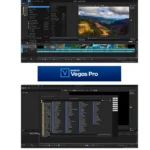


Boris FX Vegas Pro 2026 — Lifetime Licence | Sofryx
Original price was: $600.00.$20.00Current price is: $20.00.
Professional video editing software with lifetime activation. Vegas Pro 2026 genuine licence — instant delivery, personally tested, no subscriptions.
Boris FX Vegas Pro 2026 — Professional Video and Audio Editing Mastery
Boris FX Vegas Pro 2026 is the industry-standard professional video editing, multitrack recording, and audio editing software designed for broadcast, film, and content creation professionals. Whether you are editing 4K footage, authoring complex DVDs, or mixing surround sound audio, Vegas Pro delivers professional-grade tools with the speed and precision demanded by modern digital media production. This lifetime-activated licence gives you permanent access to one of the most powerful video editing suites available on Windows, without monthly subscription fees or renewal costs.
Key Features of Boris FX Vegas Pro 2026
- Real-Time Editing and Processing: Edit, trim, and process HDV, SD/HD-SDI, DV, AVCHD, and XDCAM video formats directly in the timeline without rendering delays.
- VEGAS Core Engine: A fast, powerful, and precision-built rendering engine that handles heavy video effects, colour grading, and multiple layers with smooth playback and reliable output.
- Professional Colour Grading: Perform complete colour correction and grading directly in the timeline without switching modes, maintaining full creative workflow continuity.
- Surround Sound Audio Mixing: Create, mix, and master surround sound audio tracks with precision audio adjustments, spatial panning, and professional audio plugins.
- DVD and Blu-Ray Authoring: Burn professional DVDs with complex menus, multilingual subtitles, chapter markers, and commentary directly from your timeline. Burn Blu-ray discs with high-quality output standards.
- High-Frame-Rate Preview Playback: Preview your work with high-frame-rate rendering even when working with high-resolution media files rich in video effects and colour grading.
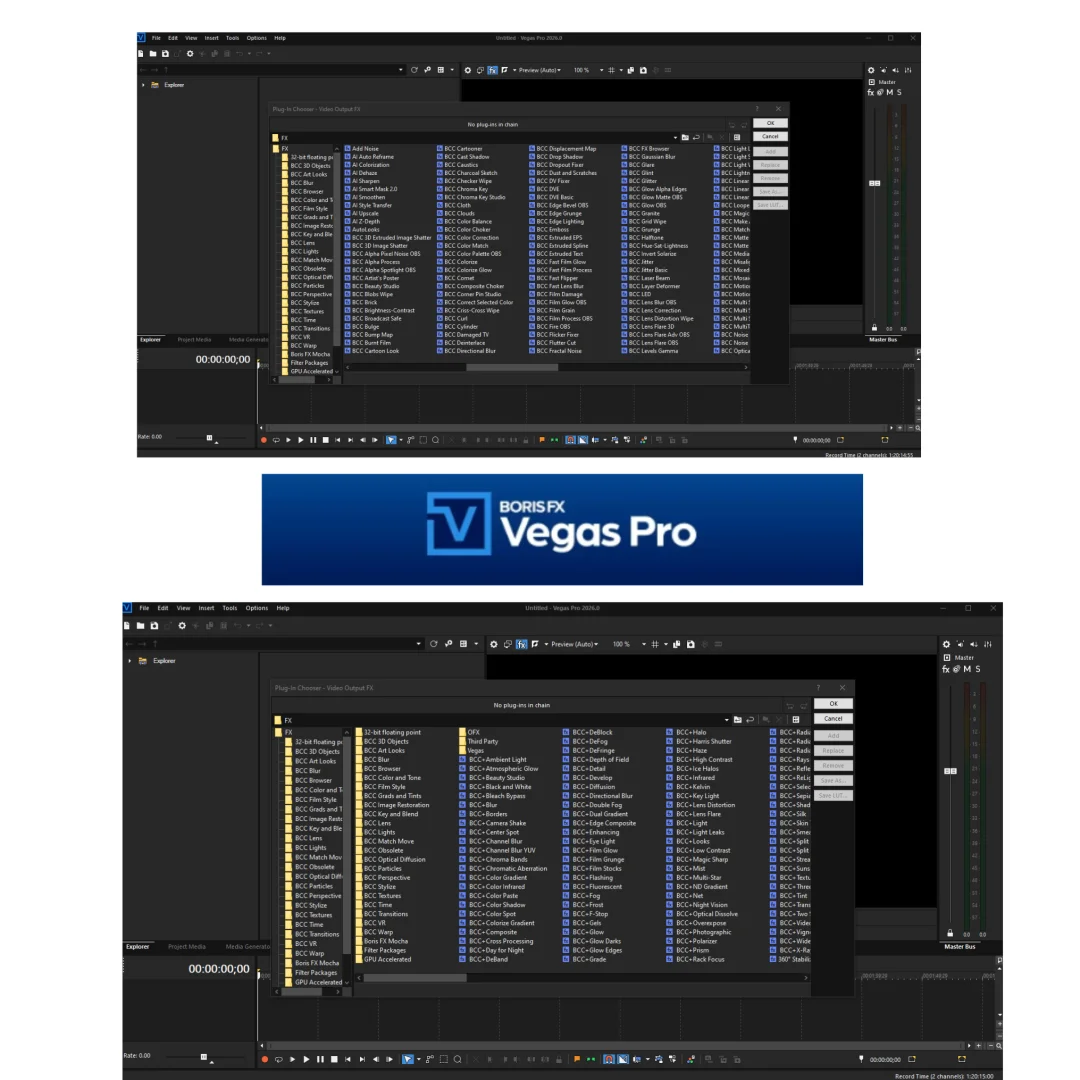
- Full Third-Party Plugin Support: Expand your creative capabilities with full compatibility for industry-standard VST, AU, and third-party video plugins from major manufacturers.
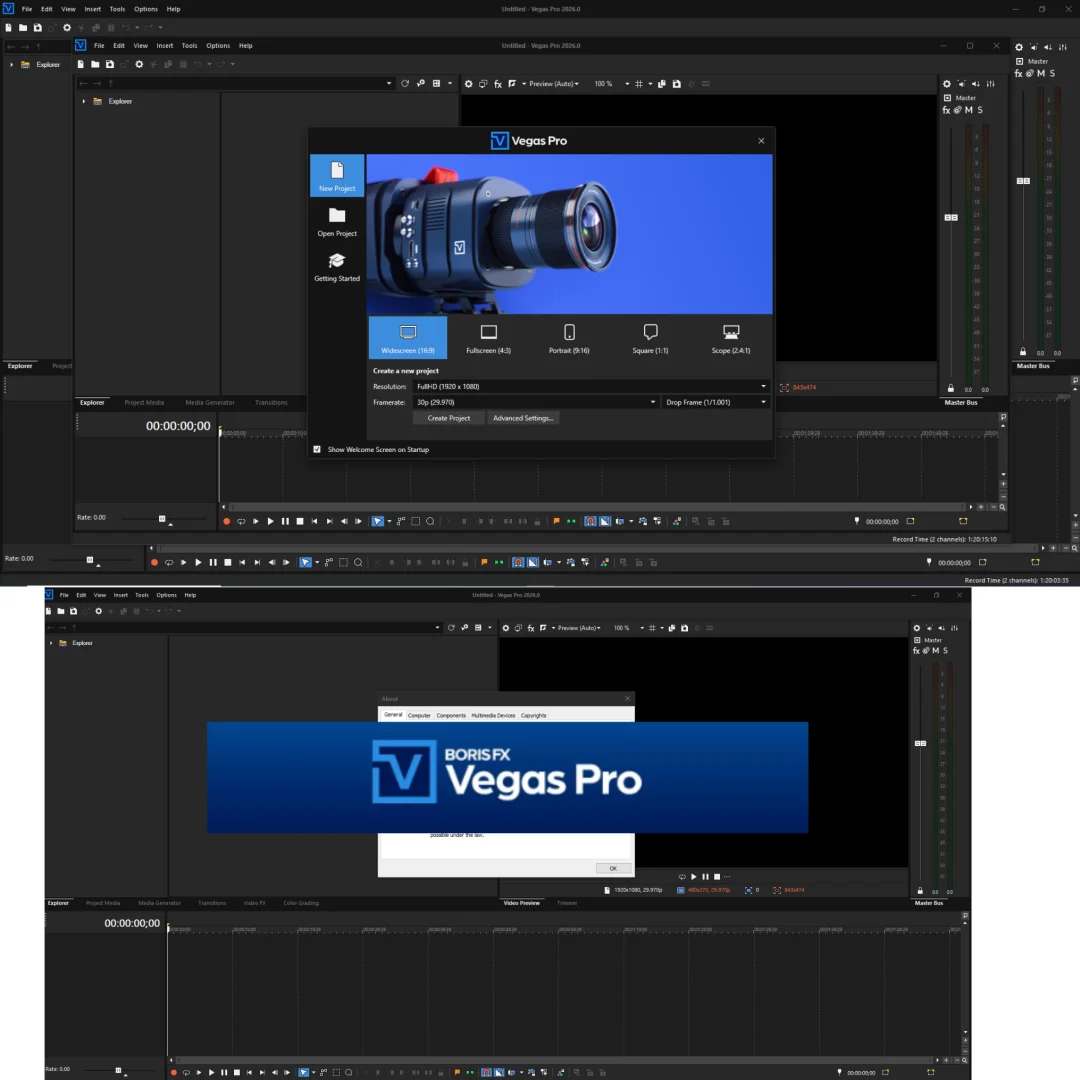
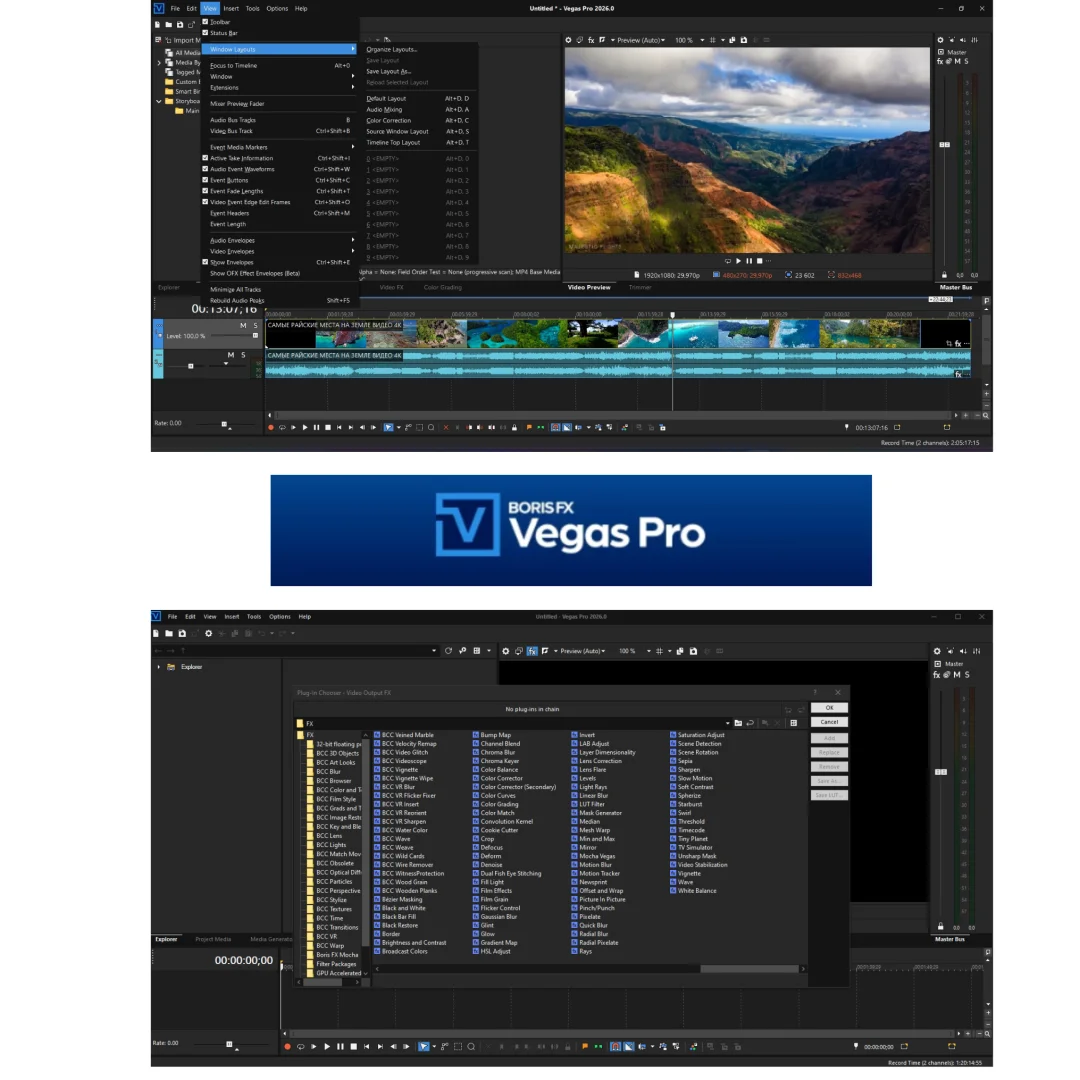
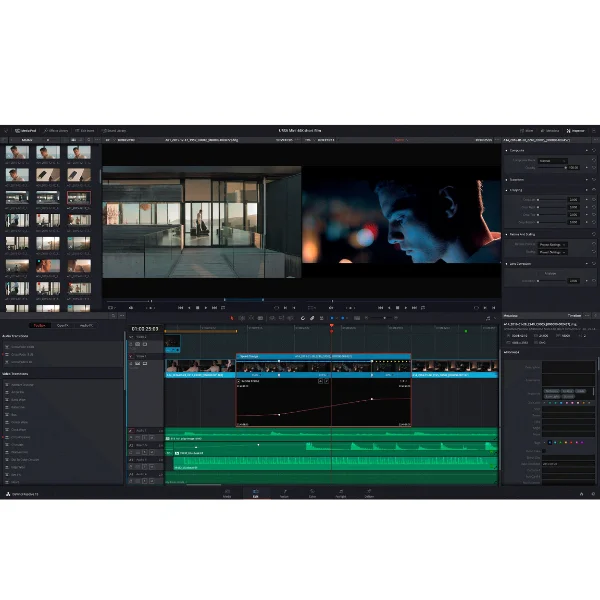
- Intuitive, Clean Interface: A thoughtfully designed workspace that maximizes creative focus with single-viewer layouts and minimal distraction from production tools.
Why Buy From Sofryx?
- Personally tested by Mani before every listing goes live — we verify that Vegas Pro 2026 works flawlessly on Windows systems.
- Genuine manufacturer-issued licence — not cracked, not trial software, not pirated keys. This is legitimate Boris FX product activation.
- One-time payment — lifetime activation with zero renewal fees, no monthly subscriptions, no forced upgrades.
- Instant access via your website dashboard after payment — download links and activation keys appear immediately in your account.
- Telegram support available for all installation queries and technical questions — direct support from our team.
System Requirements
- Operating System: Microsoft Windows 11 (or Windows 10 with latest updates)
- Processor: Intel Core i5 8th generation or newer / AMD Ryzen 5 1000 series or newer
- RAM: Minimum 16 GB (32 GB recommended for 4K editing)
- Graphics Card: NVIDIA GeForce GTX 20 series or newer / AMD Radeon RX with 8GB VRAM / Intel HD Graphics 630 or equivalent
- Storage: Minimum 16 GB free space for installation (SSD recommended for better performance)
- Additional: One-Click Installation — Windows user only, no patches or activation codes required after delivery.
What You Get After Purchase
- Lifetime activation key or licence file pre-activated for your system
- Official download link via your Sofryx account dashboard under “My Downloads”
- Step-by-step installation guide (written instructions + video tutorial)
- Telegram support contact for immediate installation help if needed
- Lifetime access to use Boris FX Vegas Pro 2026 — no subscription renewal required
Who Is This For?
Boris FX Vegas Pro 2026 is ideal for professional video editors, independent filmmakers, YouTubers producing high-quality content, wedding videographers, corporate video producers, broadcast engineers, and audio professionals who need a single unified platform for video and audio production. If you require professional-level real-time editing, multitrack audio mixing, colour grading, and DVD or Blu-ray authoring without the cost of subscription software, Vegas Pro is the standard choice. It is also perfect for educational institutions, studios, and post-production facilities that need powerful, reliable editing tools at a one-time cost.
Real-Time Editing Without Rendering Delays
The VEGAS Core Engine is engineered for speed and precision. Unlike many editing platforms that require rendering before playback, Vegas Pro delivers real-time editing performance even when working with HDV, SD, HD, and professional broadcast formats. This means you can make creative decisions faster, preview colour grades instantly, and stay in the creative flow without technical interruptions. The engine is optimized for multi-threaded processors, meaning it takes full advantage of modern multi-core CPUs to handle heavy timelines with dozens of video and audio tracks.
- Faster Editing Workflow: No waiting for timeline rendering, real-time effects preview, instant playback of colour grades
- Professional-Grade Output: Colour reproduction stays accurate throughout editing, preview matches final export quality
- Heavy Workload Performance: Smooth performance with multiple video layers, handles 4K and high-resolution media smoothly
Professional Colour Grading Built Into Your Workflow
Colour correction and grading are performed directly in the timeline without switching editing modes. This colour grading integration keeps you creative and productive, allowing you to match shots, correct white balance, and apply cinematic looks without leaving your primary workspace. Vegas Pro provides full support for LUTs (Look-Up Tables), adjustment layers, and professional colour wheels, making it a legitimate alternative to dedicated colour grading software for many workflows.
- Professional Colour Wheels: Precise hue and saturation control for accurate colour correction
- Curves and Levels Tools: Detailed tonal adjustment for shadow, midtone, and highlight control
- LUT Support: Industry-standard Look-Up Table compatibility for consistent colour spaces
- Adjustment Layers: Non-destructive colour grading preserving original media
- Professional Scopes: Histogram, waveform, and vectorscope for accurate colour analysis
HDV, SD, HD, AVCHD, and XDCAM Support
Professional video formats require professional tools. Vegas Pro natively supports multiple industry-standard formats:
- HDV (High-Definition Video): Standard DV format with high-definition quality used in professional camcorders
- SD (Standard Definition): Legacy NTSC and PAL video formats for archive work and broadcast compatibility
- HD (High Definition): Full support for 1080i, 1080p, and 720p in all major frame rates
- AVCHD: Professional camcorder format used in broadcast and cinema production
- XDCAM: Professional Sony broadcast format used in studios and professional field recording
Each format is imported, edited, and exported with full quality preservation and accurate colour reproduction. This format versatility makes Vegas Pro a reliable choice for studios handling multiple input sources and client formats.
Surround Sound Audio Mixing and Mastering
Audio quality separates professional productions from amateur content. Vegas Pro includes advanced audio mixing capabilities for creating surround sound mixes (5.1, 7.1, and other configurations) with precise control over each channel. You can:
- Unlimited Audio Tracks: Mix unlimited number of audio tracks and busses for complex projects
- Surround Sound Configuration: Create 5.1 surround mixes for theatrical release, 7.1 for advanced home theatre
- Professional Audio Plugins: EQ, compression, reverb, delay, and VST/AU plugin support for unlimited sound design
- Audio Automation: Automate levels, pan, and effects parameters across timeline with precision curves
- Professional Metering: Advanced analysis tools for accurate audio mixing and mastering
The audio engine in Vegas Pro is designed to professional specifications, making it suitable for broadcast, cinema, and high-end content production.
DVD and Blu-Ray Authoring — Direct From Timeline
Creating professional DVDs and Blu-ray discs is built directly into Vegas Pro. No need for separate authoring software or complex export workflows. You can:
- DVD Authoring: Custom menu design with motion graphics, chapter markers, multilingual subtitles, alternative audio tracks
- Blu-ray Creation: Professional Blu-ray disc creation with high-definition output standards
- Dual-Layer Support: Create dual-layer DVDs for longer content with no quality loss
- Professional Workflow: Author directly from timeline without additional software, preview menus before burning
- Disc Artwork: Generate professional disc artwork and label printing templates
This authoring workflow is essential for filmmakers, videographers, and studios that need to deliver physical media alongside digital exports.
High-Frame-Rate Preview and Smooth Playback
Video professionals demand real-time feedback. Vegas Pro provides high-frame-rate preview playback that maintains smooth, stutter-free performance even when:
- Working with multiple video effects on multiple layers
- Applying colour grading adjustments to 4K footage
- Previewing surround sound audio mixes
- Using high-resolution media with complex timelines
The preview system automatically adapts to your hardware, scaling quality to maintain real-time performance. This ensures that what you see in preview is what you get in your final export. Creative decisions are made with accurate real-time feedback, eliminating guesswork about final output appearance.
Third-Party Plugin Extensibility
No software can do everything, which is why Vegas Pro provides full support for third-party plugins. You can expand your creative capabilities by integrating:
- Video Effect Plugins: VFX plugins from major manufacturers like Red Giant, Boris FX, Sapphire, and others for advanced visual effects
- Audio Plugins: Professional VST and AU audio plugins for mixing, mastering, and sound design capabilities
- Hardware Integration: Full support for professional video capture cards, audio interfaces, and control surfaces
- Custom Filters: OpenFX plugin architecture for custom effect development and workflow-specific solutions
The Vegas Pro plugin ecosystem gives you access to thousands of third-party tools, making your editing suite as powerful as your budget and requirements demand.
Professional Interface Design for Creative Focus
The user interface in Vegas Pro is designed with professionals in mind. A clean, organized workspace reduces visual clutter and keeps your focus on creative work rather than hunting for tools. The single-viewer layout option provides maximum screen real estate for your timeline and media, while customizable workspaces let you organize tools based on your specific workflow needs. Professional-grade colour scheme reduces eye strain during long editing sessions.
One-Click Installation — Lifetime Activation Included
Installation is straightforward. This licence includes:
- Pre-activated licence key — no activation wizards or online registration required
- One-click installer that configures Vegas Pro for immediate use
- No patches, serial numbers, or registration codes to manage
- Lifetime activation — use as long as you need without renewal
- Windows-only installation — compatible with Windows 10 and Windows 11
Installation typically takes 10-15 minutes from download to first use. Everything you need comes with the download. If installation issues occur, Telegram support is available 24/7 for guidance and remote assistance.
Frequently Asked Questions
Q: How do I activate Boris FX Vegas Pro 2026 after purchase?
After your purchase is complete, your Sofryx dashboard will display a download link and pre-activated licence file. Simply download the Vegas Pro 2026 installer, run it, and the licence will activate automatically during installation. Video installation guides are included in your account, along with written step-by-step instructions. The entire setup process typically takes 10-15 minutes. If you encounter any activation issues, contact our Telegram support team at t.me/sofryxhelp, and we will provide remote assistance via AnyDesk or Zoom within 24 hours. You will not need to obtain activation codes, serial numbers, or contact Boris FX directly — the licence is pre-configured for your Windows system.
Q: Can I use Vegas Pro 2026 on multiple computers?
Yes, multiple device use is supported with this lifetime licence. You can install and activate Vegas Pro 2026 on additional Windows computers you own. We recommend contacting our support team to update your licence registration if you plan to use the software on more than three machines. This ensures your licence remains valid and you receive updates and support without issues. The licence is tied to you as the owner, not to a specific computer, allowing flexibility across your home studio, work computer, or office setup. For institutional or multi-user licenses, contact Sofryx directly to discuss volume licensing options tailored to your organization.
Q: Will I receive future software updates?
Your Vegas Pro 2026 licence gives you permanent access to the version you purchase. As a best practice, we recommend keeping your software current with minor updates for bug fixes and security patches, which are typically available free from Boris FX for the version you own. Major version upgrades (e.g., Vegas Pro 2027) are treated as new software releases and may require a separate purchase. If a critical update or patch becomes necessary within the first year of your purchase, contact Mani directly at help@bydigital.in, and you will receive an updated installation file and any new activation credentials free of charge. Our goal is to ensure your software remains functional and secure throughout your ownership.
Q: How long does delivery take after payment?
Delivery is instant — digital only. Immediately after your payment clears, your Sofryx account dashboard displays download links, activation credentials, and installation guides under the Downloads section. You can download Vegas Pro 2026 and begin installation within minutes of completing payment. No physical disc, box, or printed materials are included — this is a 100 percent digital delivery. Your licence remains active permanently in your account, allowing you to reinstall and reactivate on Windows systems at any time without additional charges or redownloads.
Q: Which Windows versions are compatible with Vegas Pro 2026?
Vegas Pro 2026 is compatible with Microsoft Windows 11 as the primary operating system. It is also compatible with Windows 10 with the latest system updates applied. Your system must meet the minimum hardware requirements: Intel Core i5 8th generation processor (or AMD Ryzen 5 1000 series), 16 GB RAM, 8 GB VRAM graphics card, and 16 GB free storage. For optimal performance, especially when working with 4K footage or complex multitrack timelines, we recommend upgrading to 32 GB RAM and using an SSD for your media cache. If you are unsure whether your Windows system meets these requirements, reach out to our Telegram support team before purchasing, and we will verify compatibility with your hardware setup.
Q: What is your refund policy?
Our full Refund Policy is available here. In summary: we offer a 7-day money-back guarantee if you are unsatisfied with the software or if it does not meet your system requirements. Refunds are processed to your original payment method (Razorpay, PayPal, or other) within 5 business days. To request a refund, contact help@bydigital.in with your order number and reason. After 7 days, refunds are not available, as the licence is non-transferable and tied to your account. If you experience technical issues after 7 days, our support team will help troubleshoot rather than process a refund.
Q: How do I get support if I have an installation or technical problem?
For Windows users, installation support is available 24/7 via our Telegram channel at t.me/sofryxhelp. If you need hands-on assistance, we offer remote support via AnyDesk, UltraViewer, or Zoom Meeting. Simply message our support team with a screenshot of your error or issue, and we will schedule a remote session within 24 hours. For email inquiries, contact help@bydigital.in with detailed system information (Windows version, RAM, processor, graphics card), and our technical team will respond within 12 hours. Common installation issues are resolved immediately; complex technical problems are escalated to our development team for investigation. All support is included free with your purchase — no additional support contracts or hourly fees apply.
Q: Is this genuine software or a cracked version?
This is 100 percent genuine setup, manufacturer-issued software from Boris FX. Every licence is personally tested and verified by Mani before listing on Sofryx.com. The activation credentials are authentic and issued by Boris FX, not obtained through piracy, keygen tools, or illegal channels. You receive a legitimate licence that you own permanently with no restrictions. This is not subscription software, not trial software, and not cracked or pirated code. When you purchase Vegas Pro 2026 from Sofryx, you own a genuine product with all the benefits of official support, updates, and reliability that come with legitimate software ownership.
Digital delivery only — no physical disc or box included.
✅ Lifetime Activated — No monthly fees
✅ Use on Multiple Devices
✅ 24/7 Telegram Support available
⚡ Instant Digital Delivery: Download links available immediately in My Account → Downloads after payment
💳 One-time payment — own it forever, no subscriptions
Website: https://bydigital.in/
Support: t.me/sofryxhelp | help@bydigital.in
Only logged in customers who have purchased this product may leave a review.






Reviews
There are no reviews yet.