




CapCut Pro AI Lifetime Video Editor | 100GB | Sofryx
Original price was: $300.00.$27.00Current price is: $27.00.
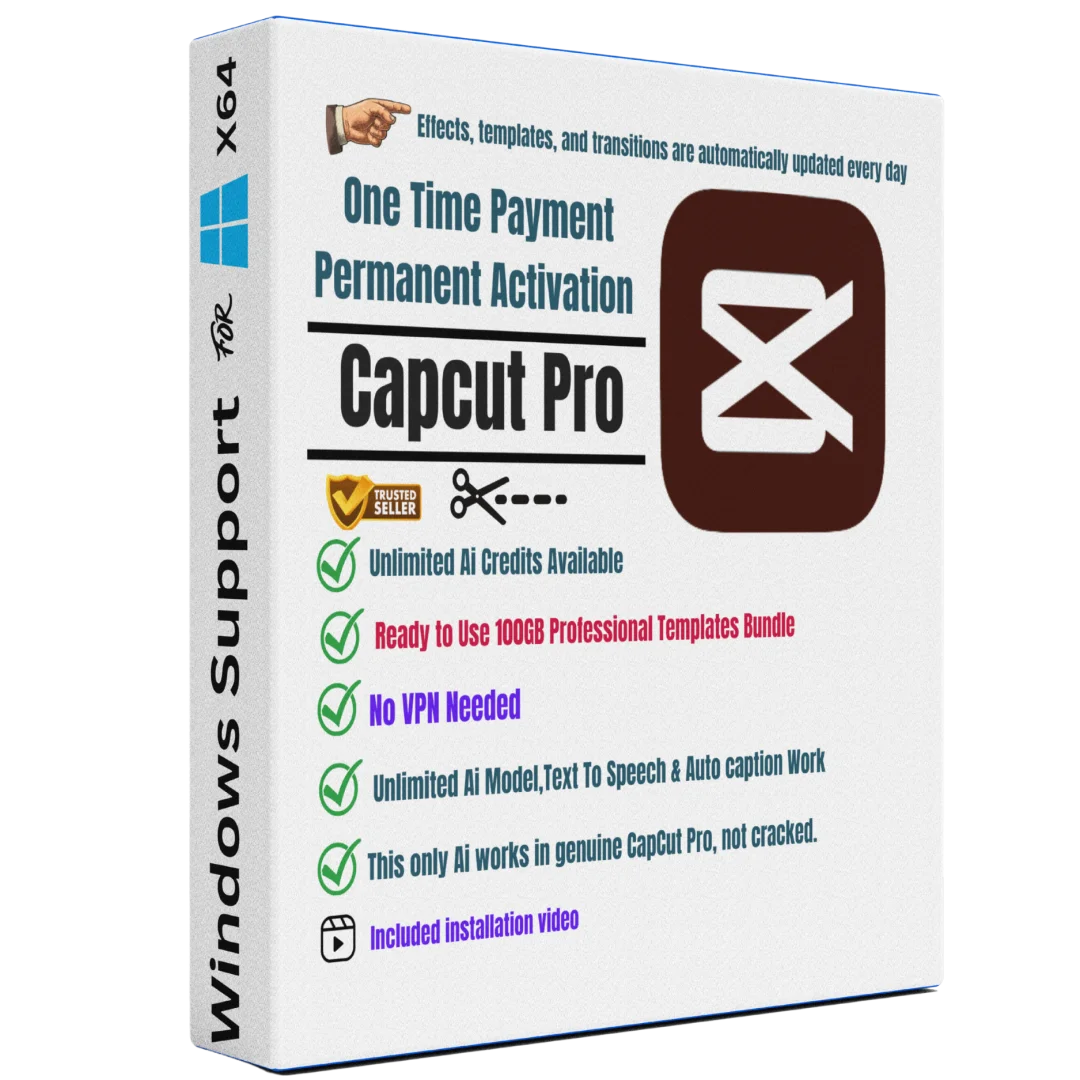
CapCut Pro lifetime AI video editor with unlimited AI credits, 100GB templates & 4K export. Genuine, personally tested, instant delivery in wold. No VPN needed.
CapCut Pro — Professional AI Video Editing with Unlimited Credits & 100GB Templates
CapCut Pro is a powerful, feature-rich AI video editor designed for content creators, YouTubers, filmmakers, and marketing professionals who need professional-quality video production without subscription costs. This lifetime-activated version includes unlimited AI credits, 100GB of premium templates, 4K export capability, and intelligent auto-captioning powered by advanced AI models. Unlike cloud-based alternatives, CapCut Pro works seamlessly in India without VPN requirements, making it ideal for creators who want uninterrupted editing power. Every copy sold through Sofryx is personally tested by Mani to ensure authenticity, full functionality, and genuine manufacturer activation. With one-time payment and no monthly fees, CapCut Pro lifetime edition delivers professional-grade video editing at a fraction of subscription software costs.
Key Features of CapCut Pro Lifetime Edition
- Unlimited AI Credits: Access unlimited AI-powered features without purchasing additional credits monthly.
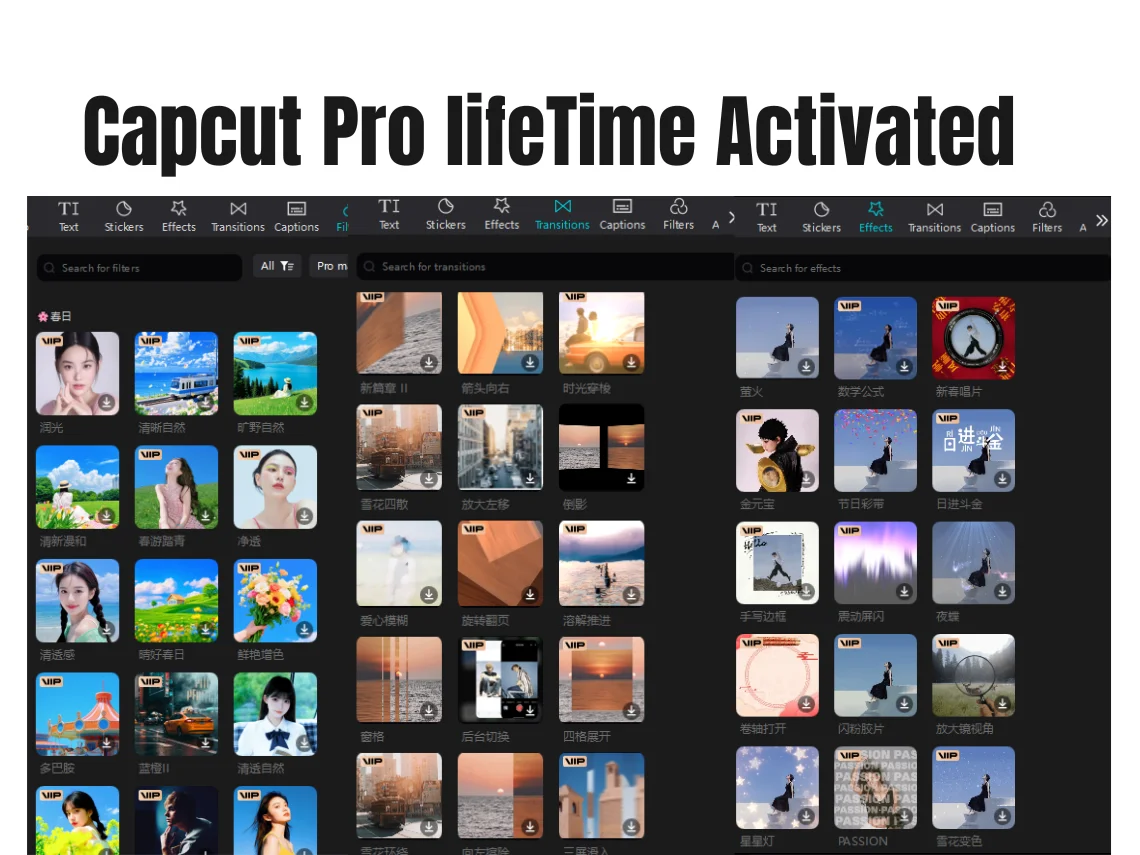
- 100GB Professional Templates: Access to massive library of ready-made templates updated daily with new effects and designs.
- 4K Video Export: Export finished videos in 4K ultra-high definition for YouTube, social media, and professional use.
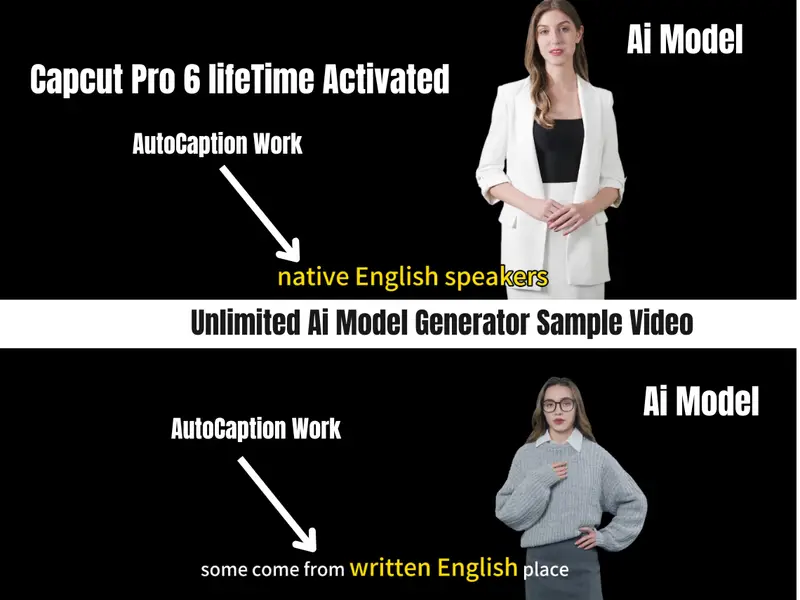
- AI Auto-Captioning: Automatic subtitle generation powered by advanced AI models; detects speech and creates captions in seconds.
- Advanced Text-to-Speech: Convert text into natural-sounding voiceovers using AI voice models.
- Professional Editing Tools: Color grading, effects, transitions, motion graphics, and multi-track editing capabilities.
- No VPN Requirement: Fully functional in India on original Bytedance servers without any VPN workarounds.
- Lifetime Activation: One-time payment grants permanent access; no renewal fees or subscription expiration.
Why Buy From Sofryx?
- Personally tested by Mani before every listing goes live — Each copy is verified for full functionality and authenticity before listing.
- Genuine manufacturer-issued licence — not cracked, not trial — Your copy is legitimate, activated on official servers.
- One-time payment — lifetime activation, zero renewal fees — Pay once, use forever with no hidden subscription costs.
- Instant access via your website dashboard after payment — Download links and activation credentials delivered immediately.
- Telegram support available for all installation queries — Get help from our team 24/7 via Telegram messenger.
- Live Demo Available — See CapCut Pro in action via AnyDesk or UltraViewer before purchase to verify features.
System Requirements
- Operating System: Windows 10 (Build 1909+) or Windows 11 64-bit
- RAM: Minimum 8GB (16GB or higher recommended for smooth 4K editing)
- Processor: Intel Core i5 / AMD Ryzen 5 or equivalent; Quad-core 2.5GHz or higher
- Storage: 50GB free disk space minimum (SSD recommended for cache and temporary files)
- GPU (Optional but Recommended): NVIDIA GeForce GTX 1050+ or AMD equivalent for GPU acceleration
- Internet: Stable internet connection for AI features and template download
- Display: 1920×1080 minimum resolution (4K display recommended for professional work)
What You Get After Purchase
- Lifetime License Key & Setup File — Proprietary setup file that activates on official Bytedance servers (no VPN needed).
- Download Link via Account Dashboard — Secure download of CapCut Pro installer in your Sofryx “My Account” section.
- Step-by-Step Installation Guide — Written instructions + video tutorial showing exactly how to install and activate.
- Telegram Support Contact — Direct messaging support for installation help, activation issues, or technical questions.
- Lifetime Email Updates — Notification of updates, new features, and advanced tips directly from Sofryx support.
Who Is This For?
CapCut Pro lifetime edition is perfect for content creators, YouTube video producers, Instagram/TikTok filmmakers, podcast creators, business marketers, and video production professionals across India and globally. If you create videos regularly but don’t want monthly subscription fees, this is your solution. YouTubers building channels will appreciate the 100GB template library for quick, professional-looking videos. Social media influencers gain unlimited AI credits for auto-captioning in multiple languages. Corporate marketing teams benefit from professional 4K export for promotional content. Small production studios can outfit multiple editors with lifetime licenses at one-time cost. Students and educational content creators get professional tools without expensive ongoing payments. The lifetime model makes sense for anyone who will use video editing software continuously—paying once instead of yearly subscription expenses.
Unlimited AI Credits — Never Run Out
The defining feature of this CapCut Pro lifetime version is unlimited AI credits. Traditional CapCut subscriptions limit monthly credit usage, forcing users to purchase additional credits or wait for monthly reset. With our lifetime version, you receive all AI credits upfront—permanently. This means unlimited use of:
- AI voice cloning and text-to-speech generation
- Automatic caption and subtitle creation across 50+ languages
- AI-powered background removal and object detection
- Smart color grading and auto-enhancement filters
- AI motion graphics and transition effects
- Face recognition for automated video syncing
Unlike competitors, you’ll never see “credits exceeded” messages. Create as many videos as needed without worrying about exhausting AI allowances. This unlimited access typically saves creators ₹2,000–5,000 monthly versus subscription alternatives.
100GB Template Library — Professional Designs Added Daily
CapCut Pro includes access to 100GB of professional template content covering every video style: YouTube intros/outros, TikTok transitions, Instagram Reels templates, podcast cover designs, product demo formats, event highlights packages, and more. Templates are organized by category and updated daily with new designs from professional creators worldwide. Every template is one-click insertable, saving hours of manual design work. Templates include pre-configured music, effects, color grades, and animations—simply drop your video clips in and customize text. For content creators needing to produce multiple videos weekly, this library eliminates design bottlenecks. You get immediate access to thousands of professional designs that would cost ₹500–1,000 each if purchased separately.
4K Video Export — Professional Quality Output
Export finished videos in stunning 4K ultra-high-definition (3840x2160px) at 60fps, suitable for YouTube, Vimeo, professional streaming, and cinema-quality distribution. CapCut Pro handles 4K rendering efficiently with GPU acceleration support, reducing export time significantly compared to software lacking dedicated GPU optimization. Output codecs include H.265 HEVC (smaller file size, better quality) and H.264 AVC (broader compatibility). For YouTube creators, 4K content attracts premium ad rates and viewer engagement. Professional filmmakers benefit from 4K master files suitable for theatrical distribution. Corporate videos gain cinematic appearance expected by premium brands. Social media creators uploading to Instagram, Facebook, and TikTok get superior quality versions for future repurposing in higher resolutions.
AI Auto-Captioning — Automatic Subtitle Generation
Automatic caption generation powered by advanced AI speech recognition detects dialogue, background speech, and sound effects, converting them into perfectly-timed subtitle text. AI captioning works across 50+ languages and regional dialects. Captions sync automatically to video timeline—no manual timing required. This feature alone saves 2–3 hours per video for traditional manual captioning. YouTube creators gain better SEO from indexed captions and improved accessibility for deaf/hard-of-hearing viewers. International creators reach non-English audiences effortlessly. Indian creators get excellent Hindi and regional language support. Podcast-to-video creators convert long-form audio into short-form captioned clips automatically. The accuracy rivals expensive professional captioning services (₹5,000–10,000 per hour) while remaining completely free with lifetime license.
No VPN Required — Work Freely in India
Unlike the standard international CapCut version requiring VPN workarounds in India, our CapCut Pro setup is optimized to work seamlessly without VPN on Bytedance’s official India-compatible servers. This custom setup eliminates connection interruptions, server timeouts, and performance drops caused by VPN routing. You maintain full speed for 4K rendering, template downloads, and AI processing. No configuration needed—install and use immediately. No monthly VPN subscription fees. No concerns about VPN legality or ISP blocking. No bandwidth loss from VPN routing overhead. Indian creators get native experience identical to using software deployed in-region. This India-specific optimization is unique to Sofryx’s version—unavailable from standard retailers.
Professional Editing Tools — Full Feature Suite
Beyond AI features, CapCut Pro includes comprehensive editing tools matching industry-standard software:
- Multi-track timeline: Arrange unlimited video, audio, and text layers simultaneously.
- Color grading: Professional grade curves, LUTs, HSL wheels, and color matching tools.
- Effects library: Thousands of built-in effects, transitions, filters, and motion graphics.
- Advanced audio: Noise removal, audio ducking, equalization, and voice modulation tools.
- Keyframe animation: Precise control over movement, opacity, scale, and effect parameters over time.
- Chroma keying: Green screen removal and background replacement.
- Video stabilization: Automatic and manual video smoothing for shaky footage.
- Speed ramping: Variable speed control from extreme slow-motion to fast-forward.
Lifetime License — One Payment, Forever Access
This is the critical advantage of CapCut Pro lifetime edition. Traditional CapCut subscriptions cost ₹299–699 monthly, totaling ₹3,588–8,388 annually. Over 5 years, that’s ₹17,940–41,940 for the same software. Our CapCut Pro lifetime costs ₹4,999 once—equivalent to just 7 months of Premium subscription. Every month afterward is free. After 1 year, you’ve saved ₹3,000+. After 5 years, you’ve saved ₹30,000+. Lifetime activation means no expiration date, no renewal reminders, no forced upgrades. The software remains fully functional for your entire creative lifetime. This investment approach makes sense for anyone treating video creation as a career or serious side business.
Frequently Asked Questions
Q: How do I activate CapCut Pro after I purchase it?
After purchase, you’ll receive download links and activation credentials through your Sofryx account dashboard and email confirmation. The package includes our proprietary setup file that’s specifically configured to work on Bytedance servers without VPN. Installation takes 5–10 minutes: download the setup file, run the installer, follow the on-screen prompts, and input your license credentials. We provide both a detailed written installation guide and a video tutorial showing the entire process step-by-step. If you encounter any issues, contact our Telegram support team and we’ll assist you remotely via AnyDesk or UltraViewer, walking through activation until CapCut Pro is fully functional on your system. Complete activation takes under 15 minutes with our support team’s help. Our setup file automatically configures all necessary settings, so no technical knowledge is required—anyone comfortable installing standard Windows software can complete activation themselves.
Q: Can I use this lifetime license on multiple computers?
Yes, absolutely. Your lifetime license key can be activated on multiple computers. You can install CapCut Pro on your desktop, laptop, and even a secondary work computer using the same license credentials. The license is tied to your activation account, not to specific hardware. Simply download the installer on any Windows computer, run setup, and input your credentials—the software activates immediately. This is perfect for creators who switch between home and office editing stations, or freelancers editing on different client machines. Many of our customers activate on 2–3 machines regularly. However, simultaneous use on multiple computers (editing two videos simultaneously on different machines) is not permitted under the license terms. You can use it sequentially across multiple machines without limitation, just not concurrently. Contact our support team if you need clarification on simultaneous usage limits for your specific setup.
Q: Will I receive future CapCut Pro updates automatically?
Yes, you’ll receive updates all effects automatically throughout your lifetime license. CapCut Pro continuously receives feature additions, performance improvements, and security patches—all included at no additional cost. Updates download automatically when you launch the software, or you can manually check for updates in the settings menu. New features released monthly (new templates, AI models, effects, export formats) are immediately available to your account. We’ll never force you to purchase a new version or subscribe monthly to access updates. The lifetime license means you own perpetual access to the software including all future improvements released during the license period. If a major version update is released, you’ll have the option to upgrade, but current version users receive continuous updates indefinitely. Our support team notifies you about major feature releases via email so you’re always informed about capabilities you can now use.
Q: How long does delivery take after I complete payment?
Instant delivery. Immediately after your payment processes successfully, download links and activation credentials are available in your Sofryx account dashboard under the “My Downloads” or “Orders” section. You don’t wait for email delivery or manual fulfillment—your account is activated instantly. Open your Sofryx account right after payment completes and you’ll see the download link ready. The installation file (approximately 2GB) downloads through your browser or download manager at your internet connection speed. We recommend using a download manager for reliability on large files. From payment completion to having CapCut Pro installed and activated typically takes 15–30 minutes depending on your internet speed. Our support team is available 24/7 via Telegram if your download doesn’t appear within 5 minutes—we can resend links and troubleshoot immediately. No waiting, no shipping, no delays—you’re editing with CapCut Pro within minutes of purchase.
Q: Which Windows versions are compatible with CapCut Pro?
CapCut Pro lifetime edition supports Windows 10 (Build 1909 and later) and Windows 11 in 64-bit versions only. Windows 10 Home, Pro, Enterprise editions all work perfectly. Windows 11 Home, Pro, and Enterprise editions are fully supported. 32-bit Windows versions are not compatible due to hardware resource limitations. If you’re running Windows 7, Windows 8, or older versions, you’ll need to upgrade to Windows 10 minimum. Check your system: Right-click “This PC” → “Properties” to see your Windows version and whether you have 64-bit or 32-bit installation. Modern Windows systems (released after 2018) are almost always 64-bit by default. Our setup process automatically detects your Windows version and confirms compatibility before installation begins. If your system doesn’t meet minimum specifications (8GB RAM, 50GB disk space), the installer will provide clear warning messages explaining which components need upgrade. Contact support if you’re unsure about your system’s compatibility.
Q: What is your refund policy if I’m not satisfied?
For our complete refund policy, terms, and satisfaction guarantees, please visit our full Refund Policy page. Our policy covers software that fails to install properly, doesn’t activate, or doesn’t perform as described. Since digital software cannot be “returned” traditionally, we stand behind product quality with technical support and alternative solutions rather than refunds. Before purchasing, we encourage you to request a live demo via AnyDesk or UltraViewer to verify CapCut Pro functionality matches your expectations. You can watch our support team run the software, test features, and answer questions in real-time—reducing purchase uncertainty significantly. This is why we offer live demos: to ensure you’re confident in the product before paying. After purchase, if the software doesn’t work as expected despite your testing, our support team will troubleshoot thoroughly and provide alternative setup files or solutions before considering refund options. Please review our complete policy page to understand coverage details before purchase.
Q: How do I get technical support if I have installation or activation problems?
Windows Installation Support: Our Telegram support team provides remote installation assistance via AnyDesk, UltraViewer, or Zoom. Contact us with your issue, we arrange a remote session, and our technician guides you through each step while viewing your screen directly. Installation problems resolve typically within 30–60 minutes. We handle activation failures, system requirement errors, missing dependencies, compatibility conflicts, and performance issues. Most customers needing support get help within 2 hours of contacting us. Support Availability: Telegram support is available 24/7 for messages, though response times vary by time of day. Immediate response guaranteed during India business hours (9 AM–9 PM IST). After-hours messages receive response within 2–4 hours. For urgent issues, mention it clearly in your message and we’ll prioritize. Contact Information: Your Sofryx account dashboard includes the dedicated support Telegram handle. Save this number so you can reach support anytime. What to Provide When Contacting Support: Screenshot of any error messages, your Windows version (Settings → System → About), RAM and processor details (right-click This PC → Properties), and description of exactly what step failed. This information helps our team diagnose issues faster. Most support requests resolve without requiring remote access, simply from clear error description.
Q: Can I use CapCut Pro for commercial purposes, YouTube monetization, and client work?
Yes, absolutely. Your lifetime CapCut Pro license permits full commercial use. Create YouTube videos for monetization, edit client projects for professional fees, produce corporate marketing videos, design commercial content for social media, and use CapCut Pro in any business capacity. The videos you create belong entirely to you—Sofryx claims no rights to your content. You can monetize, sell, license, and distribute videos created in CapCut Pro freely. This commercial usage right is included in your lifetime license at no additional cost. Unlike some software licensing models that restrict commercial use, our CapCut Pro lifetime license explicitly permits professional usage. This makes CapCut Pro suitable for freelance editors, production agencies, marketing departments, content creation studios, and full-time video professionals. You can invoice clients, collect payments, and deliver videos created in CapCut Pro without license violations. Many Sofryx customers use their CapCut Pro licenses as core tools in video production businesses generating five to six-figure annual revenue.
1 review for CapCut Pro AI Lifetime Video Editor | 100GB | Sofryx
Only logged in customers who have purchased this product may leave a review.

David chaplin (verified owner) –
I have purchased from Sofryx multiple times now and have never had an issue. The download link was delivered instantly after purchase, and the activation process worked smoothly. Capcut Pro unlocked all the premium features exactly as described. For the price compared to the monthly subscription, this is a fantastic deal. If you want to save money and don’t mind using a third-party seller, I highly recommend them. Will definitely keep using this service!