
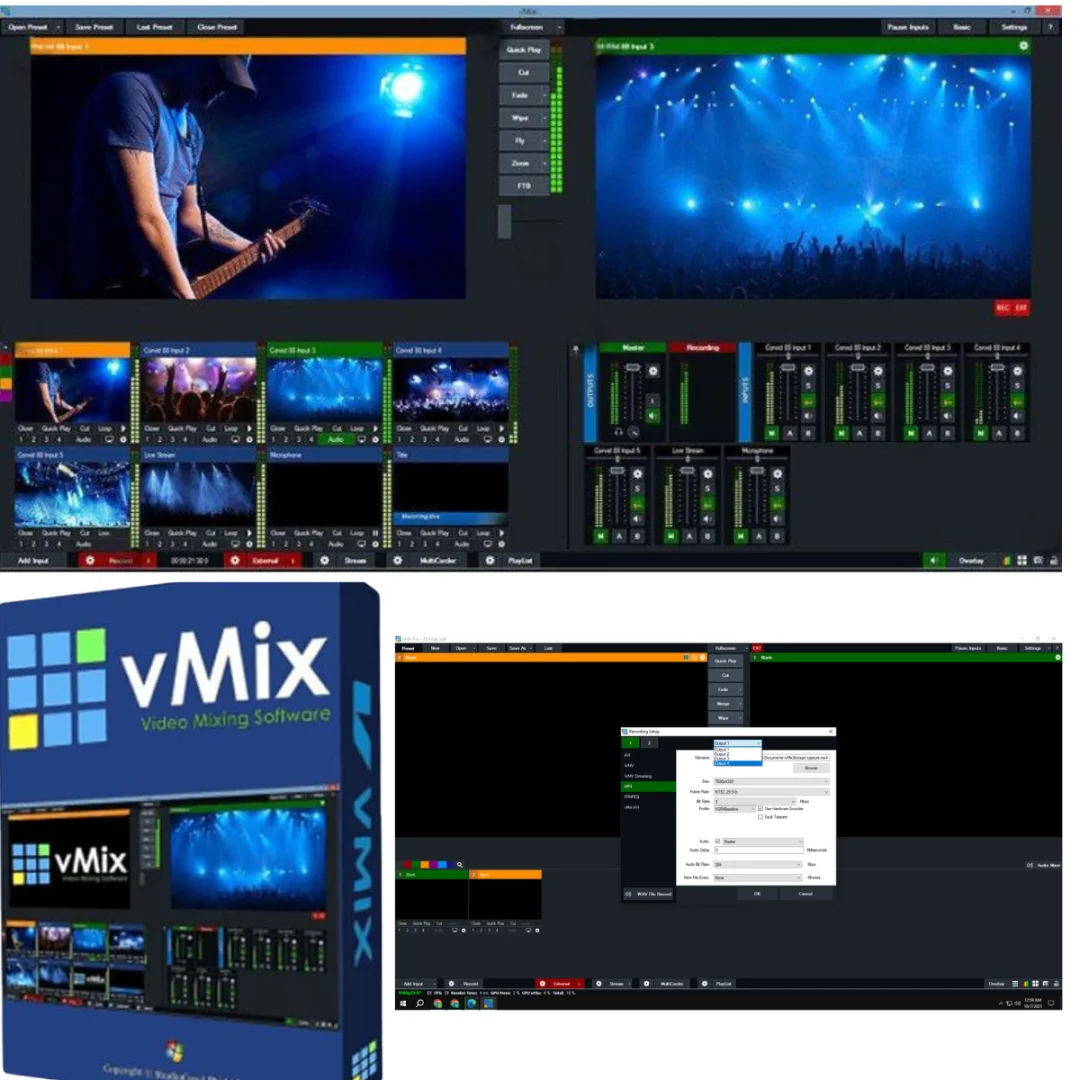
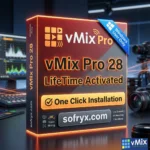
vMix Pro 24 – Professional Live Streaming & Recording
Original price was: $600.00.$20.00Current price is: $20.00.
vMix Pro 24 professional live video production software. Stream, record, and mix HD/4K video. Multi-source input, NDI support, virtual sets. Lifetime activation included.
vMix Pro 24 – Professional Live Streaming, Recording & Video Mixing
Transform your video production capabilities with vMix Pro 24, the industry-leading, all-in-one professional live video production software trusted by broadcasters, content creators, educators, churches, and media professionals worldwide. This powerful PC-based platform empowers you to produce, record, and stream high-quality broadcasts in SD, HD, and stunning 4K resolutions—all from a single computer.
vMix Pro 24 eliminates the need for expensive specialized hardware by providing comprehensive video mixing, professional streaming, and multi-source management capabilities in an intuitive software interface. Whether you’re streaming live events, conducting remote interviews, producing educational content, managing house of worship broadcasts, or creating professional video content, vMix Pro 24 delivers the professional-grade tools and flexibility modern video production demands.
With lifetime activation and no recurring subscription fees, vMix Pro 24 is a one-time investment in professional video production capabilities that will serve your streaming and recording needs for years to come.
What Is vMix Pro 24?
vMix Pro 24 is a professional-grade, all-in-one live video production software platform designed for producing, recording, and streaming high-quality video content. Unlike cloud-based streaming services requiring ongoing subscriptions, vMix Pro runs on your Windows PC, giving you complete control over your video production workflow.
vMix’s official product page confirms that vMix Pro 24 represents the latest evolution of professional live video production tools, now with enhanced multi-source mixing, advanced streaming capabilities, and industry-standard NDI support.
The software excels at handling multiple video and audio inputs simultaneously—webcams, capture devices, NDI streams, files, desktop content, and more—allowing you to create sophisticated, multi-layered video productions rivaling broadcast-quality output without requiring expensive dedicated video mixing hardware.
Core Features – Professional Video Production Capabilities
1. All-In-One Input Management – Unlimited Source Flexibility
vMix Pro 24 supports virtually any video or audio input source, enabling flexible, sophisticated production setups:
- Video Cameras: Webcams and professional capture devices connect seamlessly
- NDI™ Video Sources: Stream video and audio over network IP (LAN/WAN)
- Video/Audio Files: Import pre-recorded video and audio in any common format
- DVDs: Play DVD content directly within your production
- Audio Devices: Connect microphones, mixers, and audio interfaces
- Playlists: Create video and audio playlists for automated playback
- Web Browser Input: Capture web content, live feeds, and streaming sources
- RTSP Streams: Accept Real Time Streaming Protocol inputs from IP cameras
- PowerPoint Presentations: Display slides directly within your broadcast
- Photos & Graphics: Incorporate images as backgrounds or overlays
- Solid Colors: Use color backgrounds for clean, professional aesthetics
This input flexibility enables complex, professional productions—streaming a live event with speaker cameras, presentation slides, graphics overlays, and live chat all synchronized seamlessly.
2. Simultaneous Streaming, Recording & Output – Multi-Destination Broadcasting
vMix Pro 24’s most powerful capability is simultaneous streaming, recording, and output to multiple destinations:
- Stream Live: Broadcast simultaneously to YouTube, Facebook Live, Twitch, custom RTMP servers, and more
- Record Locally: Capture production to disk for post-editing, archiving, and on-demand viewing
- SDI/HDMI Output: Send video to professional broadcast equipment via SDI or HDMI
- NDI Output: Stream video/audio over network to other production software
- Independent Bitrates: Stream at one quality, record at another for maximum flexibility
- Multiple Recording Formats: Choose from H.264, H.265, and other professional codecs
- Real-Time Switching: Change stream destinations, bitrates, and settings during live broadcast without dropping connection
Streaming Media coverage of professional streaming tools confirms that simultaneous multi-destination streaming is essential for modern content creators reaching diverse audiences across multiple platforms.
3. Professional Transitions & Effects – Polished Production Quality
vMix Pro 24 includes multiple professional transition styles and effects enabling smooth, polished scene changes:
- Cut: Instant scene change for breaking news and fast-paced productions
- Fade: Smooth color transition between sources
- Zoom: Dynamic zoom effect for eye-catching transitions
- Wipe: Professional wipe effect across screen
- Slide: Source slides in from edge of screen
- CrossZoom: Combined cross and zoom effect
- Cube: 3D cube rotation between sources
- Plus Transitions: Additional professional transition styles
- Customizable Duration: Control transition speed for different production styles
- Real-Time Application: Apply transitions during live broadcast for smooth scene changes
Professional transitions transform your production quality—viewers perceive transitions as a sign of professional broadcasting versus amateur screen switching.
4. Virtual Sets & Chroma Key – Professional Green Screen Effects
vMix Pro 24’s real-time virtual sets and green screen effects enable professional broadcast aesthetics:
- Chroma Key Technology: Remove green/blue screen backgrounds in real-time
- Virtual Set Libraries: Access professional virtual set designs for news, talk shows, sports, gaming
- Custom Virtual Sets: Import custom backgrounds and set designs
- Real-Time Processing: Apply effects without noticeable latency
- Edge Matting: Advanced edge detection for clean, professional results
- Multiple Overlays: Layer multiple sources with transparent backgrounds
- Lighting Correction: Adjust green screen lighting impact automatically
Virtual sets transform simple spaces into professional broadcast environments—essential for news broadcasts, talk shows, webinars, and professional video content where aesthetics matter.
5. vMix Call – Integrated Remote Guest Interviews
vMix Pro 24 includes built-in vMix Call feature enabling remote guest interviews directly within the software:
- Guest Invitation Links: Share simple links for guests to join from any device
- No Software Installation: Guests join via web browser—no software downloads required
- Professional Integration: Guest video appears as a source within your production
- Audio/Video Control: Control guest video quality and audio level in real-time
- Multi-Guest Support: Multiple guests can participate simultaneously
- Screen Sharing: Guests can share screens for presentations and demonstrations
- Recording: Guest conversations record directly to your output file
vMix Call eliminates the need for separate video conferencing software—remote interviews integrate seamlessly into your production workflow.
6. Titles, Web Input, Replay & Advanced Audio – Complete Production Tools
vMix Pro 24 includes comprehensive production tools for professional broadcast work:
- Title Templates: Professional title designs for lower thirds, full-screen titles, credit rolls
- Custom Text: Dynamic text updates during broadcast
- Web Input: Capture websites and live web content
- Instant Replay: Slow-motion replay for sports and highlight moments
- Replay Control: Frame-by-frame playback control
- Advanced Audio Mixer: Professional audio controls including EQ, compression, and mixing
- Audio Level Monitoring: Real-time audio level display and control
- Crossfade: Smooth audio transitions between sources
- Bus Mixing: Complex multi-channel audio routing
These tools cover 90% of production needs without requiring external software, streamlining workflows and reducing system complexity.
7. Multi-View & Overlays – Sophisticated Layered Productions
vMix Pro 24’s composition capabilities enable professional multi-layered productions:
- Up to 4 Overlays: Layer multiple sources with transparency and positioning control
- Multi-View Layout: Create picture-in-picture and complex layouts
- Transparency Control: Adjust opacity of overlays for custom blending
- Positioning: Place overlays anywhere on screen with pixel-perfect control
- Scaling: Resize overlays independently
- Rotation: Rotate overlays for creative layouts
- Effects Application: Apply effects to individual overlays or entire composition
Multi-view capability is essential for sports broadcasts, educational content, and any production where simultaneous visibility of multiple sources enhances the viewing experience.
8. Full NDI Capabilities – Network Video Distribution
vMix Pro 24 includes complete NDI (Network Device Interface) support for professional video distribution:
- Send Video/Audio Over Network: Stream video over LAN without cables
- Receive NDI Sources: Accept video and audio from other NDI-capable software
- Multi-Site Production: Coordinate video from multiple locations over network
- Latency-Free Transmission: NDI provides minimal latency for professional workflows
- Bandwidth Efficient: NDI uses network bandwidth efficiently
- Wireless Integration: Send video wirelessly over network infrastructure
- Professional Compatibility: NDI is industry standard in professional broadcasting
NewTek’s NDI official information confirms NDI as the professional standard for network video—essential for modern production workflows.
9. Touch Screen Control & Remote Web Interface – Mobile Production Management
vMix Pro 24 provides flexible remote control options for production management:
- Web Interface: Control vMix from any web browser on tablets, smartphones, or computers
- Touch Screen Support: Use touch screens for intuitive production control
- Remote Switching: Switch scenes and control sources from remote devices
- Wireless Control: Control production from anywhere on your network
- Multiple Operator Support: Multiple people can control different aspects simultaneously
- Custom Layouts: Design custom control interfaces for specific workflows
Remote control capability enables flexible production setups—one operator can manage technical aspects while another manages content on a tablet.
10. Professional Codec & Format Support – Production Flexibility
vMix Pro 24 supports professional video codecs and formats for maximum production flexibility:
- H.264 Recording: Industry-standard compression for compatibility
- H.265 (HEVC): Modern codec for higher quality at lower bitrates
- ProRes Support: Professional codec for high-quality post-production
- Multiple Resolutions: Record in SD, HD, Full HD, 2K, 4K
- Frame Rate Options: Support 24fps, 25fps, 30fps, 50fps, 60fps
- Bitrate Control: Adjust quality vs. file size for different needs
- Audio Format Support: MP3, AAC, WAV, and professional audio formats
Codec flexibility ensures your productions are compatible with any post-production pipeline or distribution platform.
================================================================================
System Requirements – Windows PC with Recommended Specs
| Requirement | Specification |
|---|---|
| Operating System | Windows 7, 8.1, 10, or 11 (64-bit required) |
| Processor | Multi-core Intel or AMD processor (quad-core minimum, 6+ cores recommended) |
| RAM Memory | Minimum: 4 GB | Recommended: 8 GB or more for HD/4K |
| Hard Drive Space | Minimum: 4 GB free (more for high-bitrate recording—500MB per hour of 1080p60) |
| Graphics | GPU acceleration recommended for real-time effects and 4K |
| Network | Stable internet connection for streaming (upload speed dependent on bitrate) |
| Display | Dual monitors recommended for production workflow (preview + control panels) |
Note: Streaming quality depends on internet upload speed. YouTube Live recommends minimum 5 Mbps upload for 1080p60 streaming. Recording storage requirements vary based on resolution and bitrate—calculate space needs before starting long broadcasts.
================================================================================
Professional Use Cases – Who Uses vMix Pro 24
Live Event Broadcasting
Event producers use vMix Pro 24 to stream conferences, concerts, sporting events, and festivals to online audiences. The multi-source mixing capability enables broadcasting from multiple camera angles with professional editing in real-time.
House of Worship Streaming
Churches and religious organizations use vMix Pro 24 for streaming services to congregants unable to attend in person. The software’s professional results create welcoming online communities while maintaining production simplicity.
Educational & Training Content
Educators and trainers use vMix Pro 24 for live classes, webinars, and training broadcasts. The presentation integration, remote guest capabilities, and recording enable comprehensive educational content delivery.
Corporate Communications
Companies use vMix Pro 24 for internal broadcasting, town halls, and training. The multi-location capability enables connecting remote offices for company-wide communications.
Gaming & Esports Broadcasting
Streamers and esports broadcasters use vMix Pro 24 for professional gaming streams. The multi-source mixing, instant replay, and overlay capabilities enable production-quality gaming broadcasts.
News & Journalism
Local news stations and independent journalists use vMix Pro 24 for breaking news broadcasts and live reporting. The professional tools and reliability support demanding news production workflows.
Music & Performance Broadcasting
Musicians and performance artists use vMix Pro 24 for concert streaming and remote performances. The audio quality and visual presentation capabilities enable professional music broadcasting.
Content Creation & YouTube Streaming
Content creators and YouTubers use vMix Pro 24 for professional-quality live streaming. The multi-source capability and effects enable engaging, sophisticated live content.
================================================================================
vMix Pro 24 vs. Alternative Streaming Solutions
vMix Pro vs. OBS Studio
OBS Studio is free and open-source but offers less polished interface and fewer professional features. vMix Pro 24 provides professional-grade tools, intuitive workflow, and dedicated support. For professional productions, vMix wins; for budget-conscious beginners, OBS is adequate.
vMix Pro vs. Wirecast
Wirecast is comparable to vMix but more expensive and Mac-focused. vMix Pro 24 offers better value on Windows, more input flexibility, and superior performance. vMix Pro is more economical and Windows-optimized.
vMix Pro vs. Streamyard
Streamyard is cloud-based and simpler but lacks local recording and professional customization. vMix Pro offers more control, better performance, and doesn’t depend on cloud services. vMix Pro is superior for professional productions requiring full control.
vMix Pro vs. Professional Hardware Mixers
Professional video mixing hardware costs thousands of dollars and requires dedicated equipment. vMix Pro 24 provides comparable capabilities on a standard Windows PC at a fraction of the cost. vMix Pro is dramatically more economical and flexible.
================================================================================
Installation & Activation – Easy Windows Setup
Prerequisites
- Windows 7, 8.1, 10, or 11 (64-bit required)
- Multi-core processor (quad-core minimum)
- 4 GB RAM minimum (8 GB or more recommended)
- 4 GB free hard drive space
- Administrator access to your Windows computer
- Valid serial number (included with lifetime-activated package)
- Stable internet connection for streaming and online features
Installation Steps
- Download Windows Installer: Download vMix Pro 24 installer for Windows.
- Run Installer: Execute the installer and follow the setup wizard.
- Choose Installation Location: Select installation directory (default is Program Files).
- Configure Plugins: Choose optional plugins and virtual audio drivers to install.
- Activate License: Enter your genuine serial number when prompted.
- Online Registration: Register your license for lifetime activation and support access.
- Test Configuration: Launch vMix and configure audio/video devices.
- Create Test Broadcast: Test streaming to YouTube or Facebook to verify setup.
Genuine License Advantage: This lifetime license requires no patches or workarounds—activate once and enjoy permanent access with regular feature updates.
================================================================================
Frequently Asked Questions (FAQ)
Q1: Can I stream to multiple platforms simultaneously with vMix Pro 24?
Yes. vMix Pro 24 streams simultaneously to multiple platforms—YouTube, Facebook, Twitch, custom RTMP servers, and more. Each stream can have independent settings, bitrates, and resolutions. This is one of vMix Pro’s most powerful features for reaching diverse audiences.
Q2: Does vMix Pro 24 require internet for everything, or can I record locally?
vMix Pro 24 records locally to your hard drive independently of streaming. You can record without streaming, stream without recording, or do both simultaneously. Recording requires only local disk space, not internet speed.
Q3: What internet speed do I need for 1080p60 streaming?
YouTube recommends minimum 5 Mbps upload speed for 1080p60 streaming. Your actual requirement depends on bitrate—lower quality requires less upload speed. A stable 5-10 Mbps upload supports reliable 1080p broadcasting.
Q4: Can I use vMix Pro 24 on Mac?
vMix Pro 24 is Windows-only (Windows 7, 8.1, 10, or 11 64-bit). Mac users should explore alternative solutions. Running Windows via Parallels Desktop is possible but not officially supported.
Q5: Do I need professional cameras, or can I use webcams?
vMix Pro 24 works with any camera vMix supports—webcams, professional cameras, capture devices, and NDI sources. Webcams are perfectly adequate for many productions. Your production quality depends on content and lighting more than camera cost.
Q6: Is there a subscription fee, or is it truly lifetime?
vMix Pro 24 is a one-time purchase with lifetime activation—no recurring fees. Unlike cloud-based solutions requiring ongoing subscriptions, vMix Pro is yours permanently after purchase.
Q7: Can I perform live edits during streaming without interrupting the broadcast?
Yes. vMix Pro 24’s multi-source capability enables real-time switching, transitions, and adjustments during broadcast without viewers noticing technical changes. Professional transitions ensure smooth scene changes.
Q8: What’s the difference between vMix Pro and other vMix editions?
vMix offers different editions with varying capabilities. vMix Pro 24 is the professional-grade version with maximum input sources, multi-streaming, and advanced features. Lower editions have source limitations and fewer features. vMix Pro 24 is the complete professional solution.
Only logged in customers who have purchased this product may leave a review.
Reviews
There are no reviews yet.