
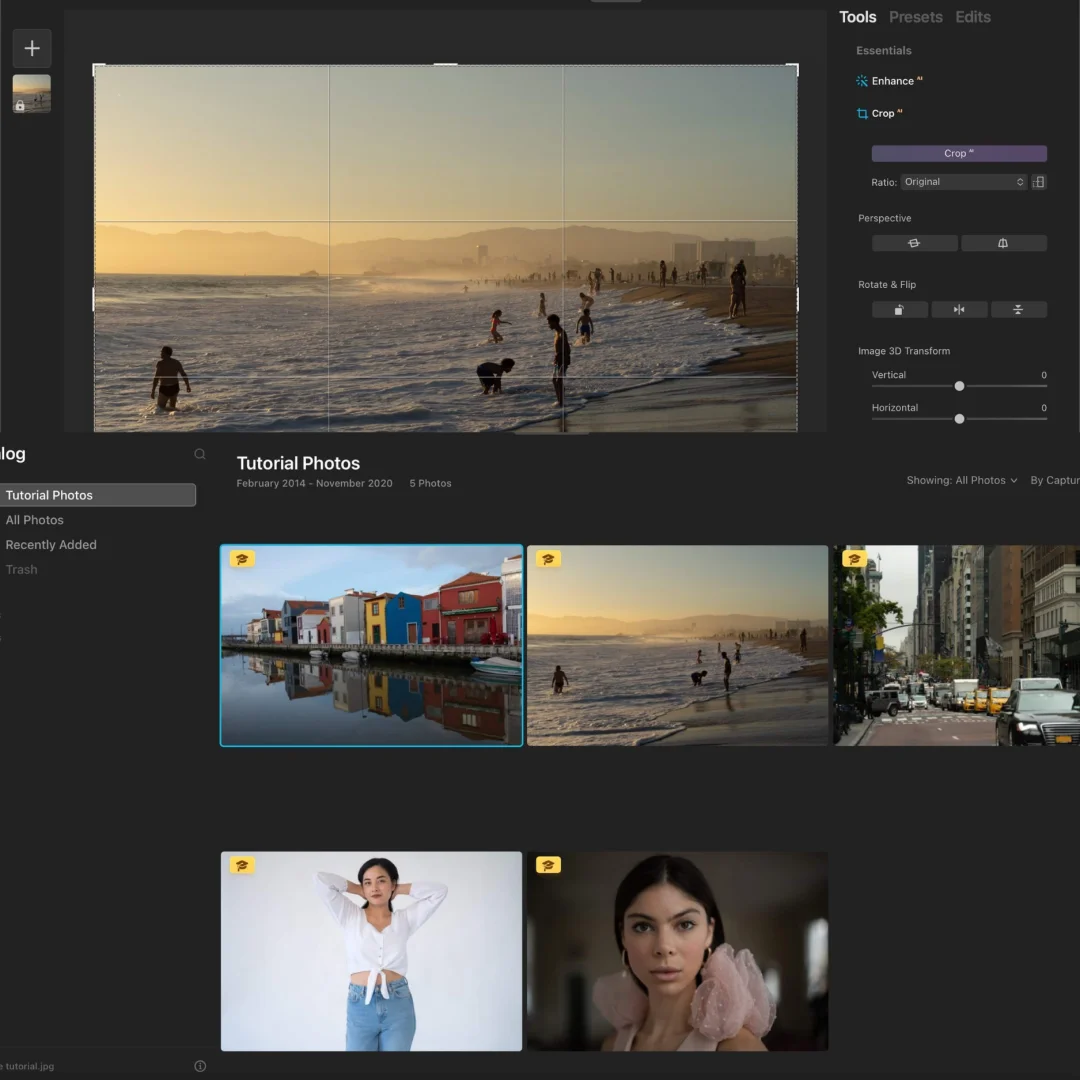
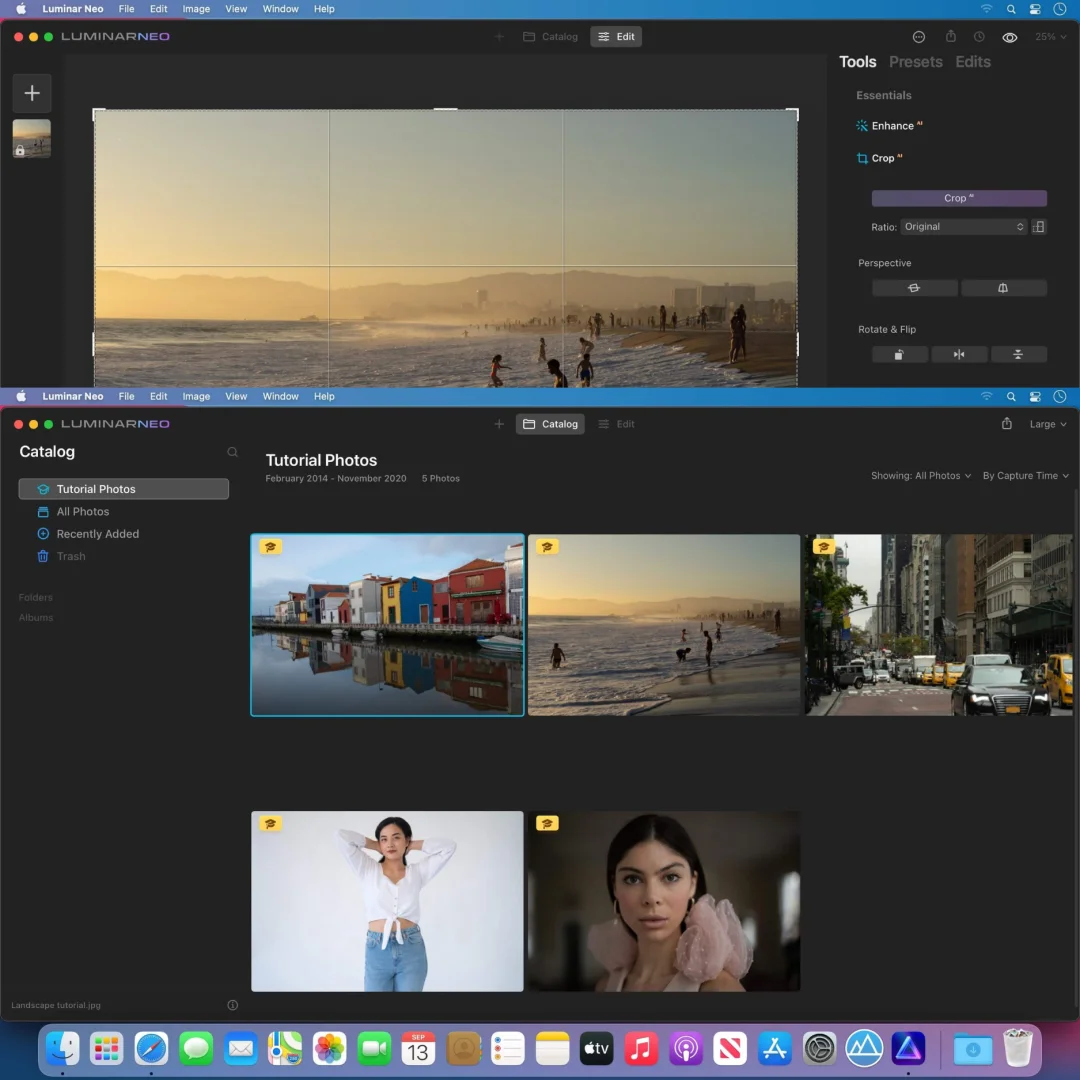



Luminar Neo MacOS — AI Photo Editor Lifetime
Original price was: $300.00.$15.00Current price is: $15.00.
Buy Luminar Neo 1.26 for macOS genuine lifetime licence. AI-powered photo editing software for photographers. Tested & verified. Instant delivery & 24/7 support
Luminar Neo 1.26 MacOS — AI-Powered Photo Editing for Modern Photographers
Luminar Neo is an innovative image editor powered by AI technologies that simplifies complex editing routines and enables photographers to bring their boldest creative ideas to life. This comprehensive photo editing software combines powerful AI tools with intuitive controls to transform your photographs effortlessly.
Whether you’re a professional photographer, content creator, or photography enthusiast, Luminar Neo provides all tools needed for stunning photo editing. AI automatically handles complex tasks like sky replacement, powerline removal, and intelligent masking, freeing you to focus on creative vision.
Used by thousands of photographers worldwide, Luminar Neo delivers exceptional results with minimum effort. Lightning-fast editing engine keeps workflow smooth even with large RAW files. Advanced AI tools rival professional-grade software at fraction of traditional price.
Key Features of Luminar Neo 1.26 MacOS
- Sky Replacement AI: Replace the sky in one click with AI-powered accuracy. Choose from library of beautiful skies or import custom skies.
- RelightAI Technology: Control light in 3D space. Adjust lighting direction, intensity, and color with unprecedented control.
- AI Powerline Removal: Remove messy power lines and utility cables automatically with intelligent AI masking.
- Layers and AI Masking: Unleash creativity with non-destructive layers and intelligent masking tools.
- Fast Creative Editing Engine: Lightning-fast performance with all-new image processing engine for seamless workflow.
- Remove Distracting Elements: Quickly remove unwanted objects and distractions from your images.
- Advanced Enhancement Tools: Professional-grade tools for exposure, color, clarity, and creative effects.
- Non-Destructive Workflow: Edit confidently knowing original image remains unaffected.
Why Buy From Sofryx?
- Personally tested by Sofryx Team before every listing goes live
- Genuine Working licence — not cracked, not trial, fully verified
- One-time payment — lifetime activation, zero renewal fees
- Instant access via your website dashboard after payment
- 24/7 Telegram support available for all installation queries
System Requirements
Operating System: macOS 10.14.6 (Mojave) or later. macOS 11 (Big Sur) or later recommended for optimal performance.
Processor: 64-bit processor required. Intel Core processor OR Apple Silicon (M1, M2, M3, M4) with native universal binary support.
RAM: 4 GB of RAM minimum. 8 GB or more recommended for working with large RAW files and complex editing.
Storage: 2 GB of disk space for installation. Additional fast SSD storage recommended for image library and projects.
Display: Retina display recommended for accurate color and detail work.
What You Get After Purchase
- Complete Luminar Neo 1.26 installation package for macOS
- Genuine lifetime activation licence for unlimited photo editing
- Full access to all AI tools and features
- Access to Luminar Cloud and plugin capabilities
- Download link via your Sofryx.com account dashboard
- Step-by-step installation guide with video tutorial
- Priority Telegram support for activation and technical assistance
Who Is This For?
Luminar Neo is perfect for professional photographers seeking powerful yet intuitive photo editing. Landscape photographers benefit from sky replacement and relighting tools. Travel photographers appreciate quick editing workflows for high volumes of images.
Wedding and portrait photographers use Luminar Neo for creative enhancements and professional results. Content creators and Instagram photographers rely on AI tools for stunning social media content.
Photography enthusiasts and hobbyists find Luminar Neo’s AI tools enable professional-quality results with minimal learning curve. Whether you’re editing dozens or thousands of photos, Luminar Neo accelerates your creative process significantly.
Sky Replacement AI — One-Click Magic
Replace skies in one click with AI-powered accuracy. Luminar Neo analyzes image intelligently and applies sky replacement seamlessly.
Choose from extensive library of beautiful skies. Sunset, sunrise, dramatic storm clouds, or serene blue skies available instantly.
Import custom skies for complete control. Create unique looks matching your creative vision. Blending and positioning happen automatically.
Sky replacement preserves natural lighting and shadows. Final result looks authentic and professional. No manual masking required.
RelightAI — Control Light in 3D Space
Control light direction, intensity, and color with unprecedented flexibility. Adjust lighting after the shot, something previously impossible.
Change where light comes from using 3D controls. Add fill light to shadows. Create dramatic lighting from flat images.
Color temperature control adjusts warmth and coolness. Create cinematic effects or match specific moods. Professional lighting control rivals studio setups.
Relighting works on any image. Transform mediocre lighting into professional results. Unlock creative potential in your image library.
AI Powerline Removal — Clean Cityscapes
Remove messy power lines and utility cables automatically. AI intelligently detects and removes distracting elements.
Perfect for landscape and cityscape photography. Power lines no longer detract from perfect compositions.
Automatic removal maintains image integrity. Background details fill in naturally. No visible artifacts or quality loss.
Works on any subject matter. Utility poles, wires, signs, and unwanted objects disappear effortlessly.
Layers and AI Masking — Creative Control
Work non-destructively with powerful layer system. Stack adjustments and effects while preserving original image.
AI Masking creates precise selections automatically. Intelligent algorithms understand image content. Manual masking becomes unnecessary for most tasks.
Layer masks enable selective adjustments. Apply effects to specific areas while keeping rest unchanged. Professional-level control.
Blend layers with adjustment options. Create complex edits easily. Maintain flexibility to revise any adjustment anytime.
Fast Creative Editing Engine
All-new image processing engine delivers lightning-fast performance. Edit large RAW files smoothly without waiting.
Real-time preview shows results instantly. Adjust sliders and see changes immediately. Editing rhythm stays uninterrupted.
Performance remains smooth even with complex edits. Professional workflows remain efficient. Spend less time waiting, more time creating.
Advanced optimization handles heavy lifting invisibly. Workflow feels responsive and natural. Focus on creative decisions, not technical limitations.
Remove Unwanted Elements
Quickly remove distracting objects from images. Tourists in your landscape shots. Logo or signage in backgrounds. Unwanted people or objects.
AI-powered removal maintains image authenticity. Background details fill intelligently. No manual cloning or healing required.
One-click removal enables fast batch processing. Edit hundreds of photos efficiently. Maintain consistent quality across entire shoot.
Advanced control available when needed. Refine results with precise adjustments. Get exactly the look you want.
Advanced Enhancement Tools
Professional-grade adjustment tools for exposure, color, clarity, and contrast. Fine-tune every aspect of your image.
Creative presets accelerate workflow. Apply one-click enhancements matching various styles. Use as starting point for further customization.
Advanced color tools enable precise color grading. Hue, saturation, and luminance control. Create signature looks and consistent editing style.
Professional effects library includes vignette, grain, blur, and more. Enhance creative vision with unlimited possibilities.
Non-Destructive Editing Workflow
Edit confidently knowing original image remains completely unaffected. All edits saved as separate layers and adjustments.
Revert to original anytime. Revise any adjustment without quality loss. Unlimited revision without degradation.
Export in multiple formats and resolutions. Create variations for different platforms. One original, infinite possibilities.
Professional workflow enables confident experimentation. Try ideas freely. Keep what works, discard what doesn’t.
Frequently Asked Questions
Q: How do I activate and use Luminar Neo after purchase?
After purchase, you’ll receive complete installation files and activation instructions. Download Luminar Neo 1.26 for macOS from your Sofryx account dashboard under “My Account → Downloads.” Run the installer package. Luminar Neo installs to your Applications folder. Open Luminar Neo and enter your activation credentials when prompted. A detailed installation guide covers first-time setup including preferences. Our 24/7 Telegram support team provides priority assistance if questions arise during installation or activation. Most users have Luminar Neo running and ready to edit within 15 minutes of purchase.
Q: Is this a genuine licence or a cracked version?
This is a 100% genuine Luminar Neo 1.26 lifetime licence, not a cracked or trial version. The activation is authentic and Skylum-issued, providing legitimate permanent access to all AI editing features. The Sofryx Team personally verifies and tests every licence before listing to ensure quality and functionality. You receive genuine Luminar Neo support for updates and technical assistance. Your lifetime activation means you own this licence indefinitely with no expiration date or renewal requirements.
Q: Can I use Luminar Neo on multiple computers?
Yes, Luminar Neo’s standard licence permits installation on multiple Mac computers. You can install and activate on your primary editing workstation and one backup machine using the same licence. Deactivate on one Mac and activate on another as your setup changes. This flexibility is ideal if you work on multiple Macs, maintain backup systems, or work in different locations. For professional photography studios with multiple workstations, contact Sofryx about volume licensing options and special pricing for multiple activations.
Q: Will I receive future software updates for Luminar Neo?
Your Luminar Neo 1.26 lifetime licence includes all updates for the v1 version line. Performance improvements, AI enhancements, and bug fixes are provided free throughout the support cycle. Skylum regularly releases updates adding new AI capabilities and tools. If Luminar releases major new versions (Luminar Neo 2 or later), upgrading would require purchase of new version. However, your Luminar Neo 1.26 licence remains valid indefinitely. Continue using Luminar Neo 1.26 without mandatory upgrades. Contact Sofryx for discounted upgrade pricing when new versions become available.
Q: How long does delivery take after payment?
Delivery is immediate. Your download link and activation information appear in your Sofryx account dashboard under “My Account → Downloads” within minutes of payment processing. Begin Luminar Neo installation immediately. No physical shipping required—this is fully digital software. Most users have Luminar Neo downloaded and activated within 15 minutes of purchase. Once activated, you have immediate access to all AI photo editing tools for transforming your photographs.
Q: Which macOS versions are compatible with Luminar Neo 1.26?
Luminar Neo 1.26 requires macOS 10.14.6 (Mojave) or later. It’s fully compatible with macOS 10.14.6 (Mojave), macOS 10.15 (Catalina), macOS 11 (Big Sur), macOS 12 (Monterey), macOS 13 (Ventura), macOS 14 (Sonoma), and macOS 15 (Sequoia). Fully optimized on Apple Silicon Macs (M1, M2, M3, M4) with native universal binary support. Intel Mac users run the Intel-compatible version. For best performance and stability with large RAW files, macOS 11 (Big Sur) or later is recommended. Older macOS versions (10.13 or earlier) are not supported.
Q: What is your refund policy?
Please review the complete Refund Policy at bydigital.in/refund-policy/. Refunds are available within 48 hours if the software fails to activate or function as described. Since Luminar Neo is professional photo editing software, sales are final after successful activation. We stand behind the quality of our activation and provide comprehensive technical support. Contact our support team immediately if you experience any activation or installation issues for prompt resolution.
Q: How do I get support if I have an installation problem?
MacOS Users: Complete installation instructions are provided with your download. If Luminar Neo fails to install or activate, our Sofryx support team provides priority assistance via Telegram. We offer troubleshooting steps, alternative installation methods, or alternative files if needed. Simply contact us on Telegram (@SofryxHelp or t.me/sofryxhelp) with details of any issues. Our team includes experienced photographers and photo editors who can provide remote assistance if necessary. Most installation issues are resolved within 1-2 hours of contacting support.
Only logged in customers who have purchased this product may leave a review.








Reviews
There are no reviews yet.