
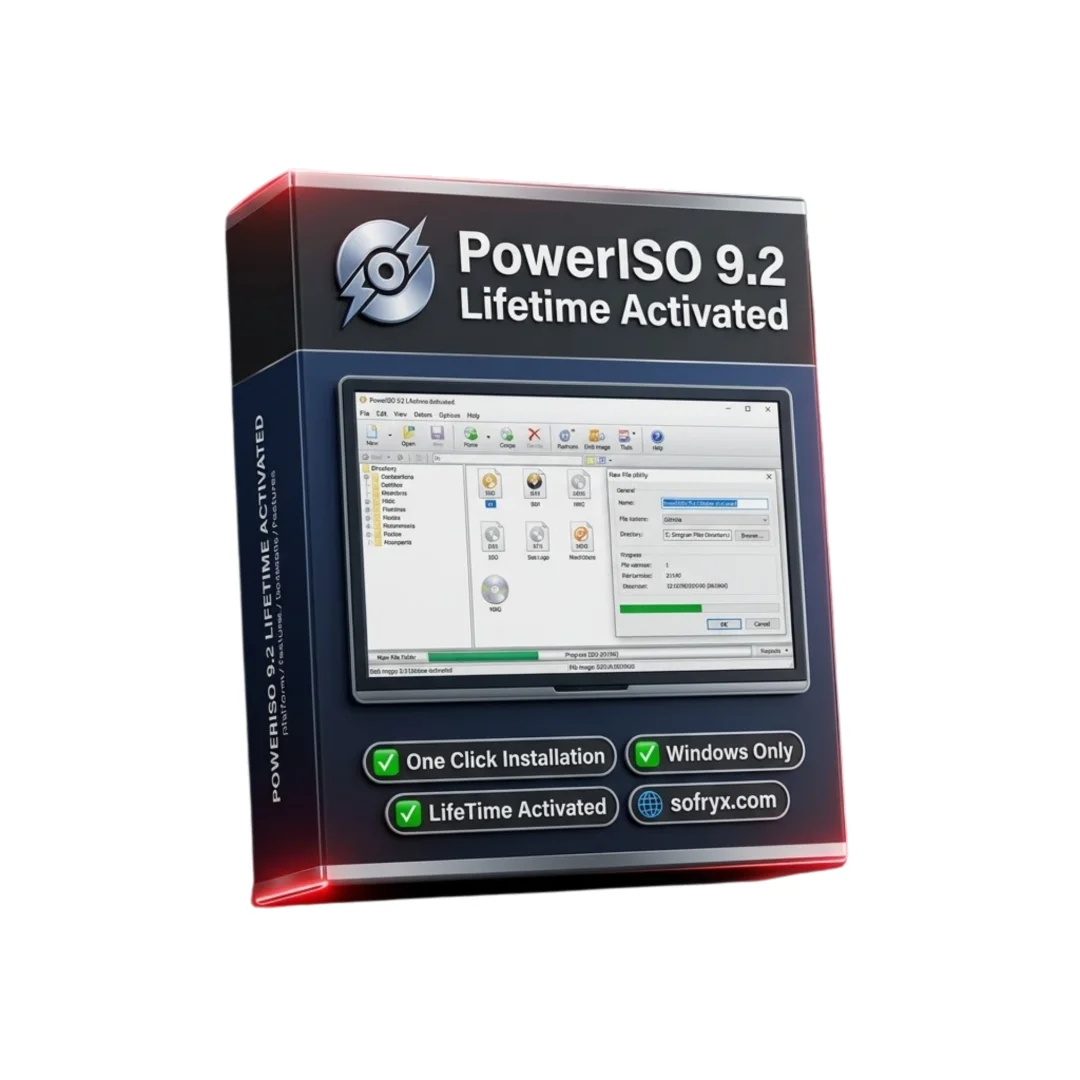


PowerISO 9.2 — Lifetime Licence | Sofryx
Original price was: $200.00.$10.00Current price is: $10.00.
Buy PowerISO 9.2 genuine lifetime activated licence. Create, mount, convert, and burn ISO disc images with one click installer. Personally tested. Instant delivery.
PowerISO 9.2 — Complete ISO Disc Image Tool for Creating Mounting Converting and Burning
PowerISO 9.2 is the all-in-one disc image processing tool that allows you to create, convert, extract, compress, edit, encrypt, mount, and burn CD, DVD, and Blu-ray disc images with a simple and intuitive interface. This versatile Windows application supports over 20 disc image formats including ISO, BIN, NRG, CDI, DAA, MDF, BWI, and many more, making it the only image management tool you need for every disc-related task. Whether you are an IT professional deploying software installations, a gamer mounting game disc images, a developer creating bootable USB drives, or a home user managing backup archives, PowerISO 9.2 handles every disc image operation with one-click simplicity. This lifetime activated version includes a one-click installer. Every copy on Sofryx is personally tested by Mani before listing.
Key Features of PowerISO 9.2
- Create ISO Images: Build ISO image files from files and folders on your hard drive or directly from physical CD, DVD, and Blu-ray discs for archival and distribution.
- Open and Extract: Open any disc image file and extract individual files or entire contents without needing to burn the image to physical media first.
- Edit Images Directly: Add, delete, and rename files within existing disc images without unpacking and recreating the entire image file.
- Format Conversion: Convert disc images between ISO, BIN, NRG, DAA, and over 20 other formats with automatic format detection and one-click conversion.
- Virtual Drive Mounting: Mount disc images as virtual CD, DVD, or Blu-ray drives using the built-in emulator for instant access without physical media.
- Bootable ISO Creation: Create bootable ISO files for operating system installation, recovery tools, and utility discs with boot information extraction and injection.
- DAA Compression: Use real-time compression technology for DAA image files that significantly reduces file sizes while maintaining direct access without decompression.
- Windows Shell Integration: Right-click context menu integration provides instant access to PowerISO operations directly from Windows Explorer.
Why Buy From Sofryx
- Personally tested by Mani before every listing goes live
- Genuine manufacturer-issued licence — not cracked, not trial
- One-time payment — lifetime activation, zero renewal fees
- Instant access via your website dashboard after payment
- Telegram support available for all installation queries
System Requirements
- Operating System: Windows 7, Windows 8, Windows 8.1, Windows 10, or Windows 11
- Processor: Any modern processor
- RAM: 512MB minimum (any modern computer exceeds this requirement)
- Storage: 100MB free disk space for installation
- Optical Drive: CD, DVD, or Blu-ray drive required only for burning and ripping physical discs (not required for image file operations)
What You Get After Purchase
- Licence key or activation file
- Official download link via your account dashboard
- Step-by-step installation guide (video or written)
- Telegram support contact for installation help
Who Is This For
PowerISO 9.2 serves every Windows user who works with disc image files in any capacity. IT professionals and system administrators use PowerISO daily for creating bootable installation media, deploying software across networks, mounting vendor-supplied disc images, and managing backup archives in ISO format. Software developers create distribution disc images for their applications and test bootable recovery environments. Gamers mount game disc images as virtual drives to play without inserting physical discs. Data archivists preserve CD and DVD collections as ISO files for long-term digital storage. Office workers extract files from disc images received from clients and vendors without needing physical media or burner drives. Tech enthusiasts manage operating system installation images, create multi-boot USB drives, and convert between different image formats. Home users back up their CD and DVD collections to hard drive storage as ISO files for convenient access. Students and educators work with software distribution images and educational disc content. Anyone who encounters ISO, BIN, NRG, or other disc image files in their daily computing needs PowerISO to manage them efficiently.
Create ISO Images — From Files or Physical Discs
PowerISO 9.2 provides comprehensive disc image creation capabilities that allow you to build ISO files from two primary sources: files and folders on your hard drive, or directly from physical CD, DVD, and Blu-ray discs inserted in your optical drive. When creating an image from hard drive content, you select the files and folders you want to include, organize them into the directory structure you prefer, and PowerISO generates a standards-compliant ISO file that can be burned to disc, mounted as a virtual drive, or distributed electronically. When creating an image from a physical disc, PowerISO reads every sector of the source media and creates an exact digital replica that preserves the complete disc structure including file system, boot sectors, and directory layout. This disc-to-image capability is essential for archiving physical disc collections before the media degrades, creating backup copies of important software installation discs, and digitizing legacy media for modern storage systems. The created images can be saved in ISO format for universal compatibility or in PowerISO native DAA format for compressed storage.
Open Extract and Edit — Direct Image File Manipulation
PowerISO 9.2 allows you to work directly with disc image files without the intermediate steps of burning them to physical media or mounting them as virtual drives. The open and extract functionality lets you browse the contents of any supported image format, select individual files or folders, and extract them to any location on your hard drive. This is particularly useful when you receive software or data distributed as disc images and only need specific files rather than the entire contents. The direct editing capability goes further by allowing you to add new files, delete existing files, and rename items within an existing disc image without unpacking the entire image, making your changes, and recreating it from scratch. This in-place editing saves significant time when maintaining disc images that need periodic content updates, such as software distribution images that require version updates or documentation archives that need new files added. Professional reviews on G2 highlight the direct editing capability as one of PowerISO most practical features for IT professionals who manage large collections of disc images.
Format Conversion — Over 20 Disc Image Formats Supported
PowerISO 9.2 supports the widest range of disc image formats available in any single application, handling over 20 different format types including ISO, BIN, NRG, CDI, DAA, MDF, BWI, B5I, LCD, CIF, P01, PDI, NCD, PXI, GI, FCD, VCD, and C2D. The format conversion feature allows you to convert between any of these formats with automatic source format detection and one-click conversion to your desired output format. This universal format support eliminates the frustration of receiving a disc image in a format that your other tools cannot handle, as PowerISO opens and converts any format to the universally compatible ISO standard or any other supported format. The conversion process preserves all disc structure information, boot data, and file system properties during the transformation, ensuring that the converted image functions identically to the original. Format conversion is particularly valuable for standardizing disc image libraries to a single format for consistent management, converting legacy format images from older burning software to modern standards, and preparing images for specific target applications that require a particular format.
Virtual Drive Mounting — Built-In Disc Emulator
The built-in virtual drive emulator in PowerISO 9.2 allows you to mount any disc image file as a virtual CD, DVD, or Blu-ray drive that appears in Windows Explorer exactly as if a physical disc were inserted in your computer. Mounted images are accessible to all applications as standard drive letters, enabling software installation, media playback, file access, and any other disc-dependent operation without burning physical media. Multiple virtual drives can be created simultaneously, allowing you to have several disc images mounted and accessible at the same time. The mounting process is virtually instantaneous, providing immediate access to image contents without the waiting time associated with burning physical discs. Virtual drive mounting is the most commonly used feature of PowerISO, serving users who need quick access to software installation images, game discs, multimedia content, and reference materials stored as disc images. For detailed mounting configuration guides, the PowerISO tutorials page provides step-by-step instructions for virtual drive setup and management.
Bootable ISO Creation — System and Recovery Disc Building
PowerISO 9.2 includes specialized tools for creating bootable disc images that can start a computer directly from the disc or USB drive without requiring an installed operating system. This capability is essential for creating operating system installation media, system recovery discs, diagnostic utility discs, and portable operating environments. The bootable ISO creation process allows you to specify the boot loader, set boot parameters, and configure the boot sector properties that control how the computer starts from the created media. PowerISO can also extract boot information from existing bootable disc images, allowing you to analyze and replicate the boot configuration of commercial installation discs and recovery media. The tool supports creating bootable USB drives from ISO images, which has become the primary method for operating system installation on modern computers that may not include optical drives. Floppy disk image creation is also supported for legacy systems and embedded hardware that still require floppy-based boot media.
DAA Compression — Smaller Image Files with Direct Access
PowerISO uses its proprietary DAA (Direct Access Archive) format to provide real-time compression technology that significantly reduces disc image file sizes compared to uncompressed ISO format. A typical DVD ISO image of 4.7GB can be compressed to a substantially smaller DAA file, saving valuable storage space on hard drives, network shares, and portable storage devices. The key advantage of DAA compression over standard archive compression is that DAA files can be accessed directly without decompression. You can mount a compressed DAA file as a virtual drive, extract individual files from it, or burn it to disc without first decompressing the entire archive. This real-time decompression happens transparently during file access, providing the storage benefits of compression with the convenience of direct access. DAA images can also be split into multiple segments of configurable sizes, making it practical to transfer large disc images via email attachments or store them on media with limited capacity. Industry organizations like the International Organization for Standardization define the ISO 9660 format specifications that PowerISO implements for universal disc image compatibility.
Disc Burning and Windows Shell Integration
PowerISO 9.2 includes disc burning capability that allows you to write any supported image format directly to CD, DVD, or Blu-ray media using your optical burner drive. The burning engine supports all standard writable and rewritable disc formats and includes buffer underrun protection for reliable burn operations. You can burn ISO files, DAA archives, BIN images, and any other supported format to physical media with a simple one-click process. The Windows shell integration adds PowerISO operations to the right-click context menu in Windows Explorer, providing instant access to mount, extract, convert, and burn operations without opening the main application. Right-clicking any disc image file presents options to mount it as a virtual drive, extract its contents, burn it to disc, or open it in PowerISO for editing. This shell integration dramatically improves workflow efficiency for users who work with disc images frequently, reducing the steps required for common operations to a single right-click action. Leading technology publications like How-To Geek regularly feature PowerISO in their guides for disc image management and virtual drive mounting. Pair PowerISO with other tools from Sofryx like Nero Burning ROM for advanced disc burning, K-Lite Codec Pack for media playback, Adobe Photoshop 7.0 for image editing, DaVinci Resolve Studio for video editing, and FabFilter Total Bundle for audio production.
Frequently Asked Questions
Q: How do I activate PowerISO 9.2 after purchase
To activate your PowerISO 9.2 on Windows after completing your purchase, follow the provided instructions carefully. This is a lifetime activated version with a one-click installer that makes setup quick and straightforward. Your order includes a detailed step-by-step installation guide that walks you through the entire process from downloading to completing the activation. A video tutorial or written instruction document will be included alongside the setup files. If you encounter any difficulties during the activation process, reach out via Telegram for immediate assistance from our support team.
Q: Is this a genuine lifetime licence or a subscription
This is a genuine lifetime-activated licence that you own permanently after a single one-time payment. There are no monthly fees, no annual renewal charges, and no subscription commitments of any kind. Once activated, your PowerISO 9.2 remains fully functional on your Windows system indefinitely without requiring any additional payments. Every licence sold on Sofryx is personally verified by Mani to ensure authenticity and reliable long-term functionality. You receive the complete application with all image creation, mounting, conversion, and burning features activated for lifetime use.
Q: Can I use this on multiple computers
Yes, multiple device use is supported with your PowerISO 9.2 licence. You can install and activate the software on more than one Windows computer, allowing you to have disc image management capability on your desktop, laptop, and any other Windows machines you own. This flexibility ensures that you can create, mount, convert, and manage disc images on every computer you use, whether at home, in the office, or while traveling with a portable computer. The one-click installer works identically on each machine.
Q: Will I receive future software updates
There is no immediate need to update your PowerISO 9.2 after installation as the current version supports all major disc image formats and is fully compatible with current Windows versions. If a critical update becomes necessary in the future for compatibility with a new Windows version or disc format, contact Mani directly through Telegram support. The update will be provided free of charge within one year of your original purchase date. This ensures you always have access to a functioning version without additional cost.
Q: How long does delivery take after payment
Delivery is instant and fully automated. Immediately after completing your payment through the Sofryx checkout, your download links become available in your personal account dashboard. Simply log in to your Sofryx account, navigate to the My Account section, and click on Downloads to access all your purchased files. The complete PowerISO 9.2 lifetime activated one-click installer package and installation instructions will be ready for immediate download. There is no waiting period and no manual processing required. You can begin installing within minutes.
Q: Which operating system versions are compatible
PowerISO 9.2 is fully compatible with Windows 7, Windows 8, Windows 8.1, Windows 10, and Windows 11. The system requirements are extremely minimal, requiring only 512MB of RAM, any modern processor, and 100MB of free disk space for installation. This means PowerISO runs perfectly on virtually every Windows computer in use today, from older budget machines to the latest high-performance workstations. An optical burner drive is required only for burning and ripping physical discs but is not needed for image creation, mounting, conversion, or extraction operations.
Q: What is your refund policy
For complete details regarding our refund terms and conditions, please review the full Refund Policy page available on our website at bydigital.in/refund_returns/. The refund policy outlines all applicable terms including eligibility criteria, timeframes, and the process for requesting a refund on digital product purchases. We encourage every customer to read the policy thoroughly before completing their purchase so they have a clear understanding of their rights and our obligations. Our commitment is to ensure complete customer satisfaction with every product sold on the Sofryx platform.
Q: How do I get support if I have an installation problem
If you encounter any installation difficulties with your PowerISO 9.2 on Windows, comprehensive support is available through multiple channels. Windows users can receive direct remote support via AnyDesk, UltraViewer, or Zoom Meeting where a support representative will connect to your computer and resolve the installation issue in real time. The one-click installer is designed for simplicity, but remote support is available for any configuration questions including virtual drive setup and Windows shell integration. If the standard installation encounters any issues, an alternative setup file along with revised instructions will be provided promptly. For all support requests, contact us directly through Telegram at t.me/sofryxhelp for fast and reliable assistance.
Only logged in customers who have purchased this product may leave a review.

Reviews
There are no reviews yet.