
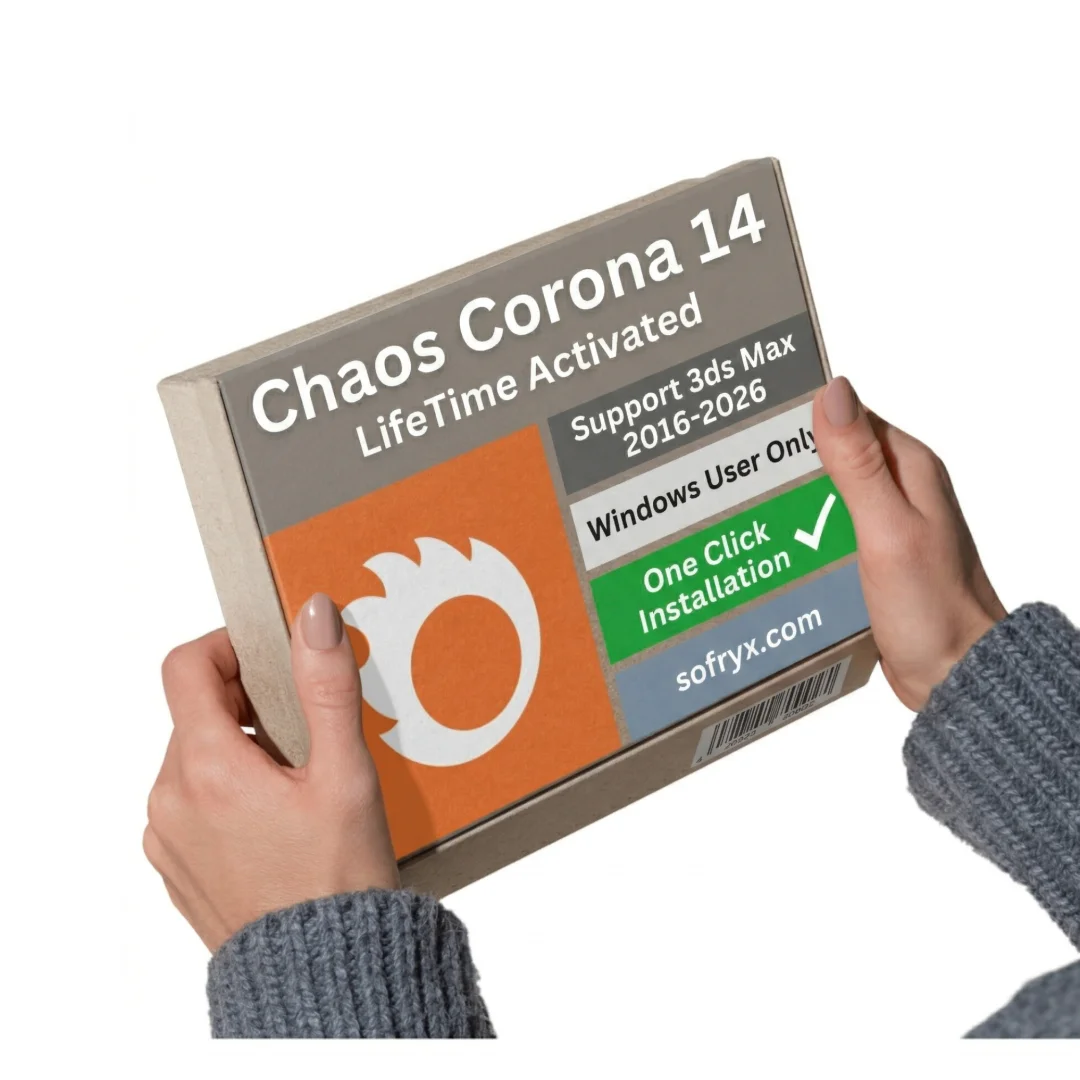

Chaos Corona 14 for 3ds Max — Lifetime Licence
Original price was: $300.00.$20.00Current price is: $20.00.
Buy Chaos Corona 14 genuine lifetime licence for 3ds Max rendering. Personally tested AI-powered rendering software. Instant delivery. No subscriptions. Sofryx.
Chaos Corona 14 for 3ds Max — Professional AI-Powered Rendering Engine
Chaos Corona 14 is the industry-leading physically-based rendering engine for Autodesk 3ds Max, trusted by 3D artists, architects, and VFX professionals worldwide. Corona 14 combines cutting-edge ray-tracing technology with AI-powered enhancements to deliver stunning photorealistic renders in record time. Whether you’re creating architectural visualizations, product photography, visual effects, or game assets, Corona 14 accelerates your workflow while maintaining exceptional quality. The latest version introduces revolutionary features including AI-powered image enhancement with face detection, Gaussian spots for advanced lighting, procedural night sky rendering, and intelligent upscaling technology. Buy the genuine lifetime licence from Sofryx with instant delivery—no monthly subscriptions, permanent ownership, and full version access.
Key Features of Chaos Corona 14
- AI-Powered Image Enhancement: Automatically enhance rendered images with intelligent controls for people, faces, mood, hair color, and other parameters using advanced machine learning technology.
- Gaussian Spots: Visualize and control Gaussian spots in Corona’s lighting system, a highly-requested feature enabling advanced lighting control and realism in architectural and product renders.
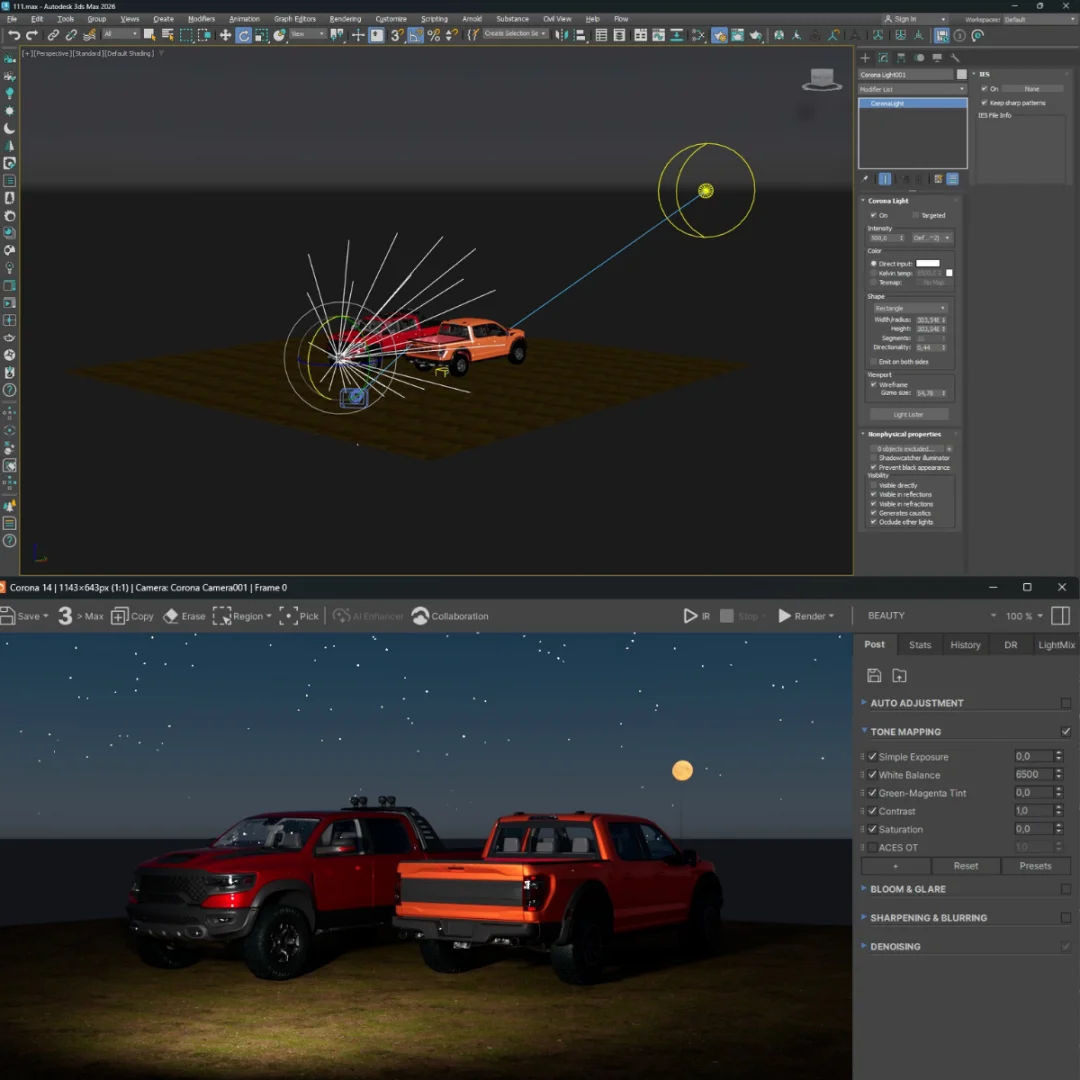
- Procedural Night Sky: Render photorealistic night scenes featuring the moon, stars, and the Milky Way directly in Corona’s procedural sky system without external resources.
- AI-Powered Upscaling: Increase render resolution 2x or 4x using AI-powered upscaling technology that preserves fine details without distortion or quality loss.
- New Fabric Material Shader: Create photorealistic textiles with a new procedural fabric material featuring control over fibers, weaves, patterns, and yarn characteristics.
- Redesigned Qt User Interface: Experience improved responsiveness and workflow efficiency with the completely reworked Qt-based interface for materials and editing tools.
- VFB 2 Update: Enhanced viewport feedback viewer with improved user interface based on community feedback for better real-time monitoring and control.
- Avoidance Groups in Scatter: Control collisions between multiple different Scatter objects, enabling complex physical simulations and asset distribution without manual collision adjustments.
Why Buy From Sofryx?
- Personally tested by Mani before every listing goes live
- Genuine manufacturer-issued licence — not cracked, not trial, not student version
- One-time payment — lifetime activation, zero renewal fees, no hidden costs
- Instant access via your website dashboard after payment
- Telegram support available for all installation queries and technical assistance
System Requirements for Chaos Corona 14
- Operating System: Windows 8, Windows 8.1, Windows 10, or Windows 11 (64-bit editions only)
- 3ds Max Version: Autodesk 3ds Max 2016, 2017, 2018, 2019, 2020, 2021, 2022, 2023, 2024, 2025, or 2026 (64-bit)
- RAM Memory: 8 GB minimum (16 GB or higher strongly recommended for complex scenes, large datasets, and faster rendering)
- Processor: Intel Core i5 or equivalent AMD processor (Intel Core i7 or AMD Ryzen 7 recommended for professional work)
- Storage Space: 5 GB available SSD storage for installation and cache files
- Administrator Rights: Required for software installation and activation
- GPU Acceleration: Optional but recommended for supported graphics cards (NVIDIA, AMD) for faster rendering
What You Get After Purchase
- Permanent lifetime licence key with instant activation
- Official download link for Corona 14 plugin available in your account dashboard
- Step-by-step installation guide for 3ds Max integration (video + written instructions)
- Telegram support contact for technical assistance and troubleshooting
- Lifetime access to your licence through your Sofryx account dashboard
Who Is This For?
Chaos Corona 14 lifetime licence is ideal for 3D artists creating photorealistic visualizations, architects designing buildings and interiors, VFX professionals producing visual effects and compositing, product visualization specialists creating marketing materials, animation studios rendering complex scenes, game developers requiring high-quality renders, interior designers showcasing design concepts, industrial designers presenting product prototypes, advertising agencies producing commercial visuals, educational institutions teaching professional rendering techniques, and freelance render specialists managing multiple client projects. Whether you’re a solo artist, small studio, large production facility, or educational program, this lifetime licence provides permanent access to professional rendering tools without ongoing subscription costs or feature limitations.
AI-Powered Image Enhancement & Face Detection Technology
One of Corona 14’s most powerful new features is AI-powered image enhancement with intelligent face detection. After rendering your scene, Corona can automatically analyze the image and identify faces, allowing you to apply specific enhancements to facial features, skin tones, mood, hair color, and other parameters with surgical precision. This eliminates the need for post-production compositing software for many image adjustments. The AI engine learns from your preferences, adapting enhancement suggestions to match your style. For architectural visualizations featuring people, product photography with models, portrait renderings, or any scenario where human faces appear, these AI-powered controls dramatically reduce post-work while maintaining natural, photorealistic results. The technology respects skin tones and facial diversity, automatically adjusting enhancement parameters appropriately. This feature is particularly valuable for architectural marketing materials, real estate visualizations, and product advertising where human presence adds context and appeal.
Gaussian Spots & Advanced Lighting Control
The introduction of Gaussian spots represents a major advancement in Corona’s lighting capabilities. Gaussian spots enable precise visualization and control of light distribution in your scenes, allowing you to create sophisticated lighting setups that respond naturally to geometry and surface properties. Unlike traditional point or spot lights, Gaussian spots provide smooth, physically-accurate light falloff matching real-world optical behavior. This creates dramatically more natural and convincing lighting in architectural renderings, product shots, and character lighting for animation. You can visualize exactly how light will distribute across your scene before rendering, reducing trial-and-error iteration. The feature supports advanced lighting patterns, photographic light shapes, and complex multi-source lighting scenarios. For architects creating mood lighting in interior visualizations, product designers lighting jewelry and premium goods, and cinematographers composing dynamic lighting rigs, Gaussian spots provide unprecedented control and photorealism. The feature integrates seamlessly with Corona’s existing light types and material system.
Procedural Night Sky with Moon, Stars & Milky Way
Creating photorealistic night scenes with accurate astronomical elements has traditionally required external resources, complex textures, and careful setup. Corona 14 introduces a breakthrough procedural night sky system that generates the moon, individual stars, and the Milky Way directly within Corona’s procedural sky environment. The sky responds physically to your lighting and scene parameters, automatically adjusting stellar positions, moon phase, and atmospheric effects based on geographic location and time data. The moon is rendered with accurate surface detail and illumination, while the Milky Way displays proper galactic orientation and brightness for selected locations worldwide. Individual stars twinkle naturally, contributing light to your scene in physically accurate proportions. This eliminates the need for external sky dome images or complex setup procedures. For architectural exterior renderings showing nighttime atmospheres, landscape visualizations under stars, astronomical illustrations, and narrative scene setting, the procedural night sky dramatically simplifies workflow while producing photorealistic results. The system supports custom time and location parameters for accurate astronomical rendering for any location and date.
AI-Powered Upscaling for Enhanced Resolution Output
Rendering at ultra-high resolution demands exponential increases in render time and computational resources. Corona 14’s AI-powered upscaling technology solves this problem by enabling 2x or 4x resolution increases without the traditional render time penalty. Unlike traditional image upscaling which can introduce artifacts, blur, or distortion, Corona’s AI engine has been trained on thousands of high-quality renders to understand proper detail preservation and reconstruction. When you upscale a 1080p render to 4K, the AI maintains fine details, textures, and geometric clarity while gracefully filling in missing information. This technology proves invaluable when client deadlines are tight but ultra-high resolution deliverables are required for large-format displays, print materials, or future-proofing assets. The upscaling process preserves material detail, surface characteristics, and lighting accuracy that traditional algorithms would lose. Architects creating billboard-size renderings, advertising agencies producing print campaigns, product designers creating high-resolution marketing materials, and photographers compositing 3D elements into high-resolution backgrounds all benefit from this capability. The AI upscaling runs locally on your machine, maintaining your intellectual property and render data security.
New Procedural Fabric Material Shader System
Creating photorealistic textiles has always been one of the most challenging aspects of 3D rendering. Corona 14 introduces a brand-new procedural fabric material shader that procedurally generates textile patterns, weaves, and fiber characteristics, eliminating the need for photographs or external texture assets. The shader provides intuitive controls over fiber direction, weave pattern type (plain, twill, satin, etc.), fiber thickness, fiber curvature, color variation, and surface imperfections. You can control the interaction between individual fibers, creating realistic yarn structure and light scattering. The shader works across the entire spectrum from tight technical fabrics to loose, flowing textiles, from delicate lace to heavy canvas. Procedurally-generated fabrics also scale infinitely without resolution limitations that plague photograph-based textures. This breakthrough is particularly valuable for fashion visualization, furniture rendering, interior design presentations, product mockups requiring photorealistic textiles, and animation productions featuring clothing. The procedural approach means you can create unlimited fabric variations without managing texture libraries. The shader integrates seamlessly with Corona’s existing material system and supports all rendering modes including final quality and viewport preview.
Redesigned Qt User Interface for Enhanced Workflow
Corona 14’s completely reworked Qt-based user interface represents a fundamental improvement to professional workflow and efficiency. The redesign focused on responsiveness, clarity, and logical organization of controls. The Material Editor, Layered Material interface, Volumetric Material properties, Slice Material controls, and Corona Image Editor have all been rebuilt for faster interaction and clearer visual feedback. Interface elements respond immediately to input without lag, even when managing complex material hierarchies or large render settings. Tooltips and contextual help are integrated throughout, reducing time spent searching documentation. The interface automatically scales appropriately on high-DPI monitors, eliminating awkward scaling issues that plagued previous versions. The reorganized control hierarchy groups related properties logically, reducing time spent searching for specific parameters. For professional users managing complex multi-pass renders, material libraries, and intricate material setups, the improved interface translates directly to faster workflow and reduced frustration. The redesigned interface maintains backward compatibility with existing Corona knowledge while providing modernized interaction patterns that match contemporary professional software standards.
VFB 2 Enhanced Viewport Feedback System
Corona’s VFB (Virtual Frame Buffer) is the window where your renders appear, and version 2 represents a significant evolution based on thousands of hours of user feedback. VFB 2 provides improved real-time monitoring of render progress, instant access to render passes and beauty elements, and enhanced color correction and exposure controls. The new viewport displays render statistics, noise levels, and convergence information in intuitive visual formats. You can instantly toggle between different render passes, color components, and data channels without waiting for separate render exports. The enhanced color correction tools in VFB 2 allow final image refinement directly in Corona, reducing post-production dependencies. Multi-monitor setups are better supported, allowing main renders on one display while controls occupy secondary monitors. The viewport responds smoothly to interactive adjustments even during active rendering. For professional users managing tight deadlines and complex render passes, VFB 2’s improvements dramatically accelerate the final stages of render delivery and quality assurance.
Advanced Scatter Physics with Avoidance Groups
Populating scenes with objects—whether grass, trees, rocks, architectural details, or debris—requires sophisticated distribution algorithms that respect physical reality. Corona’s Scatter tool enables procedural placement of objects across surfaces, but managing collisions between different scatter groups has been complex and time-consuming. Corona 14 introduces Avoidance Groups, allowing you to designate which Scatter operations should avoid collision with which other Scatters, dramatically simplifying complex physics simulations. This proves invaluable for landscape scenes where trees avoid rocks and building foundations, interior spaces where chairs avoid walls and tables, game environments where vegetation avoids player collision paths, and destruction sequences where debris avoids actor movements. The Avoidance Groups system supports sophisticated collision hierarchies, enabling multi-layer physics simulations that would previously require manual adjustment. This feature is particularly significant for game developers and VFX artists managing large-scale destruction, debris, and environmental population.
Frequently Asked Questions
Q: How do I install and activate Chaos Corona 14 in 3ds Max after purchase?
After purchasing Chaos Corona 14 lifetime licence from Sofryx, you will immediately receive activation instructions in your account dashboard under the “Downloads” section. The process involves downloading the Corona 14 plugin installer, running it on your Windows system with 3ds Max (versions 2016-2026) installed, and entering the permanent licence key during installation. Comprehensive step-by-step instructions (both video and written) guide you through the entire process. The plugin integrates directly into 3ds Max, becoming available in the Render Settings dialog. If you encounter any installation issues—such as missing dependencies, registry conflicts, or 3ds Max compatibility questions—contact our Telegram support team. We can provide remote assistance through AnyDesk or UltraViewer, walking you through installation and verifying that Corona 14 functions correctly in your specific 3ds Max configuration. Most customers complete installation and activation within 20-30 minutes.
Q: Can I use Corona 14 lifetime licence with multiple versions of 3ds Max (2016-2026)?
Yes—Chaos Corona 14 lifetime licence supports installation and use across all compatible 3ds Max versions from 2016 through 2026. Your single licence key can be activated on multiple 3ds Max installations, allowing you to work with legacy 3ds Max versions (2016-2020) for older projects while simultaneously using the latest 3ds Max 2026 for current work. This flexibility proves invaluable if you maintain multiple 3ds Max versions for different project requirements, work with clients using various 3ds Max versions, or transition gradually to newer 3ds Max releases. Each 3ds Max installation on your machine can have Corona 14 activated simultaneously, enabling parallel workflows across versions. The licence covers all 3ds Max variants—Standard, Design, and Entertainment editions. This multi-version support is one of major advantages of purchasing a lifetime licence versus subscription models that typically lock you to a specific version year.
Q: Will Corona 14 lifetime licence receive feature updates and future improvements?
Your Corona 14 lifetime licence provides permanent access to version 14 with all updates and patches released throughout its lifecycle. Autodesk Chaos regularly releases performance improvements, bug fixes, new materials, and feature enhancements for Corona 14, and all of these updates are included in your lifetime licence at no additional cost. The software continues receiving active development and support indefinitely—it never expires, stops working, or requires renewal. For future major releases (Corona 15, 16, etc.), you have complete flexibility: you can continue using Corona 14 perpetually at no cost, or if you choose to upgrade to a newer version, contact Mani directly through Sofryx for upgrade options. Upgrades from your existing lifetime licence are typically provided at minimal cost or free within one year of purchase. This perpetual licence model preserves your investment while maintaining the option to upgrade when new capabilities become essential for your workflow.
Q: How long does delivery take, and when can I start using Corona 14?
Digital delivery is immediate and instantaneous. Within seconds of completing payment through Razorpay or PayPal, your Sofryx account receives the Corona 14 permanent licence key, installation instructions, and official download links. Log into your Sofryx account, navigate to “My Account” → “Downloads,” and find your product listing with the activation key, installation guide, video tutorial, and official Chaos download link. You can immediately download the installer and begin installation on any system with compatible 3ds Max (2016-2026). There’s no waiting for physical media, no shipping delays, no courier dependency. Many customers complete installation and full activation within 15-30 minutes of purchase. This instant digital delivery is particularly valuable when you have urgent render jobs starting, unexpected deadlines requiring rendering tools, or immediate projects that cannot wait for traditional delivery methods.
Q: Which Windows and 3ds Max versions are compatible with Corona 14?
Chaos Corona 14 is compatible with Windows 8, Windows 8.1, Windows 10, and Windows 11 (64-bit editions only)—32-bit Windows is not supported. The plugin requires Autodesk 3ds Max 64-bit in versions 2016 through 2026, including all intermediate versions (2017, 2018, 2019, 2020, 2021, 2022, 2023, 2024, 2025, 2026). Your system should have minimum 8 GB RAM (16 GB recommended for complex rendering), a compatible processor (Intel Core i5 or AMD equivalent), and 5 GB available SSD storage for installation. For detailed system requirement verification and compatibility confirmation with your specific 3ds Max version and Windows operating system, review the complete specifications provided in your download package or contact Sofryx support via Telegram. Older 3ds Max versions (2015 and earlier) and 32-bit Windows systems are not supported by Corona 14.
Q: What is Sofryx’s refund and return policy for Corona 14?
Sofryx maintains comprehensive refund policies protecting your purchase satisfaction and investment. For detailed information about refund eligibility, specific conditions, timelines, procedures, and applicable limitations, please read our complete Refund Policy page at https://bydigital.in/refund-policy. Since Chaos Corona 14 is genuine rendering software personally tested by Mani before listing, refund situations are uncommon. However, your purchase is fully protected. If you experience any issues—compatibility concerns, installation problems, license activation difficulties—contact Sofryx support immediately via Telegram. Our team frequently resolves issues through personalized remote assistance, alternative installation methods, and updated setup files before refunds become necessary. We stand behind the quality and authenticity of every product, and your satisfaction and successful Corona 14 installation is our priority.
Q: How do I access technical support if Corona 14 installation or activation fails?
Sofryx provides comprehensive technical support for all Chaos Corona 14 customers. If you experience installation difficulties, activation problems, 3ds Max integration issues, or compatibility concerns with your Windows system, contact Sofryx support immediately via Telegram with your order number and detailed description of the problem you’re experiencing. For Windows users, our technical support team can provide remote assistance using AnyDesk, UltraViewer, or Zoom Meeting. Remote support allows technicians to view your desktop, guide you step-by-step through installation procedures, diagnose compatibility issues, and verify that Corona 14 functions correctly with your specific 3ds Max version. If the initial installation encounters problems, alternative installation files and revised setup instructions are provided at no additional cost. Most technical issues are resolved within 24 hours through our remote support sessions. Telegram is available for urgent assistance, accommodating users across different time zones and those needing quick resolution to meet render deadlines. Your successful, fully activated Corona 14 installation is our commitment to you.
Only logged in customers who have purchased this product may leave a review.


Reviews
There are no reviews yet.