
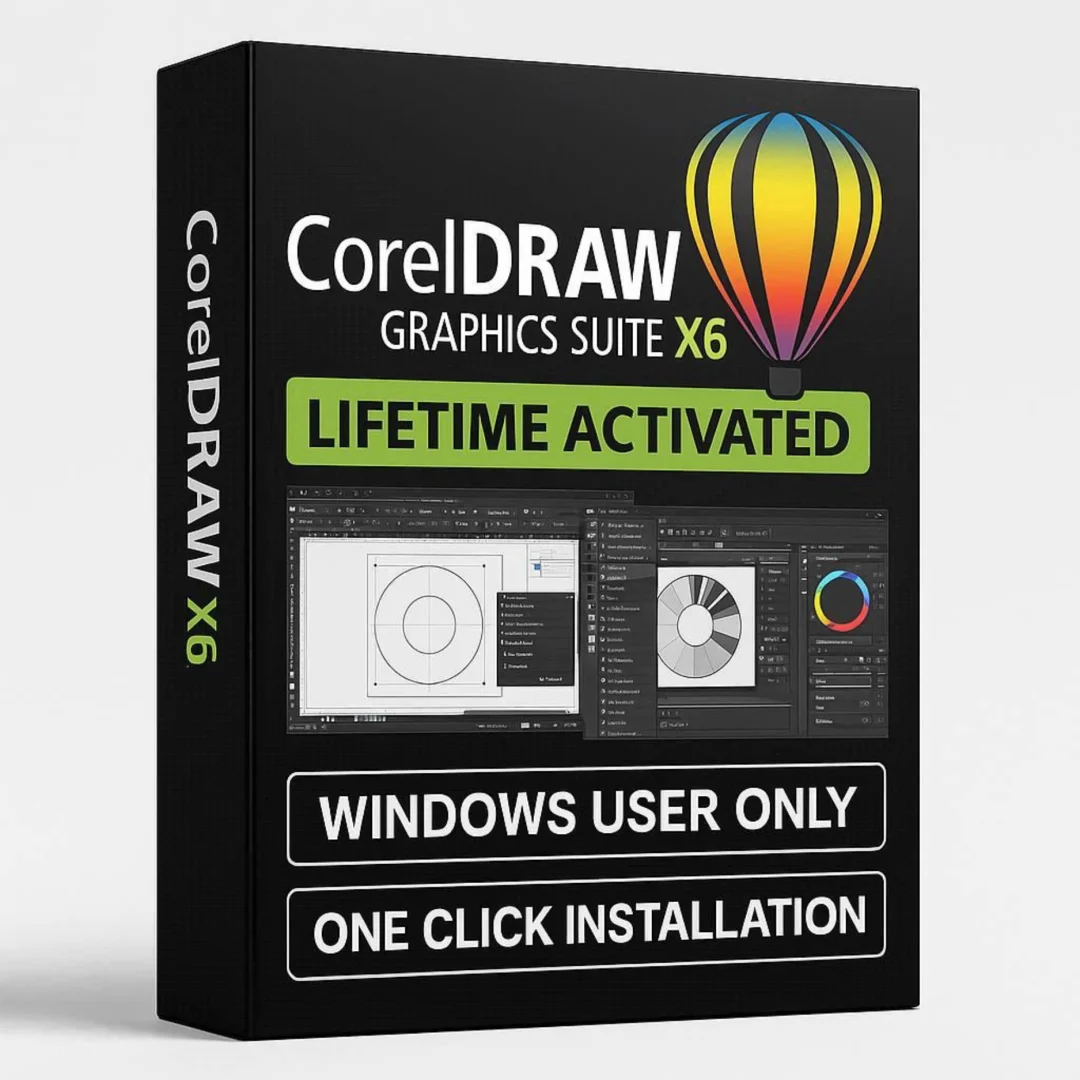
CorelDRAW Graphics Suite X6 – Lifetime Licence | Sofryx
Original price was: $300.00.$15.00Current price is: $15.00.
Buy genuine CorelDRAW X6 lifetime licence at Sofryx. Stable vector design suite with no online closing issues. Personally tested. Instant delivery.
CorelDRAW Graphics Suite X6 – Stable Professional Design With Native 64-Bit Performance and Zero Online Issues
CorelDRAW Graphics Suite X6 is a professional vector design suite developed by Corel Corporation that delivers rock-solid stability for everyday design work. This version includes CorelDRAW X6, Corel PHOTO-PAINT X6, Corel PowerTrace X6, Corel CONNECT, and Website Creator in a reliable package that runs without closing issues or crashes during online use. With native 64-bit application support, advanced typography, and improved performance over earlier legacy versions, X6 occupies the ideal middle ground between lightweight classic versions and resource-heavy modern releases. Available at Sofryx with a genuine lifetime licence, full genuine setup file exclusive to Sofryx, and instant digital delivery. Every copy is personally tested by Mani before listing.
Key Features of CorelDRAW Graphics Suite X6
- CorelDRAW X6 Vector Editor: Create professional logos, signage, illustrations, packaging, and multi-page layouts with precision Bezier tools, shape editing, node control, and advanced object management.
- Corel PHOTO-PAINT X6: Edit photographs with professional retouching, color correction, layer-based compositing, masking, and a comprehensive effects library integrated into the design workflow.
- Corel PowerTrace X6: Convert bitmap images into clean editable vector graphics with improved tracing algorithms, better detail preservation, and smoother curve generation than earlier versions.
- Corel CONNECT: Browse, search, and organize design assets including clipart, photos, fonts, and templates from a unified content browser that connects to online and local libraries.
- Website Creator: Build simple web pages and online portfolios directly within the suite without external web design software, using drag-and-drop layout tools with HTML export.
- OpenType Typography: Access advanced OpenType features including ligatures, stylistic alternates, swashes, and contextual substitutions for professional typographic design in any project.
- Native 64-Bit Performance: Run as a true 64-bit application that utilizes more system memory and delivers faster processing for large files and complex designs compared to 32-bit legacy versions.
- Stable Online Operation: This genuine full setup guarantees no closing issues, no crashes, and no interruptions when working with an active internet connection throughout your design sessions.
Why Buy From Sofryx
- Personally tested by Mani before every listing goes live
- Genuine manufacturer-issued licence – not cracked, not trial
- One-time payment – lifetime activation, zero renewal fees
- Instant access via your website dashboard after payment
- Telegram support available for all installation queries
System Requirements
CorelDRAW Graphics Suite X6 runs on Windows XP (Service Pack 3), Windows Vista, Windows 7, Windows 8 and 8.1, and Windows 10. You need a minimum of 1 GB RAM though 2 GB is recommended for working with larger designs and multiple open documents. An Intel Pentium 4 or AMD Athlon 64 processor or higher is required. The installation needs approximately 1.5 GB of free disk space. No dedicated GPU is required though DirectX 9 support is recommended for hardware-accelerated effects. An internet connection is needed for the initial activation process.
What You Get After Purchase
- Licence key or activation file
- Genuine full setup file exclusive to Sofryx
- Step-by-step installation guide (video or written)
- Telegram support contact for installation help
Who Is This For
CorelDRAW Graphics Suite X6 is designed for designers and businesses who need a stable, capable, and moderately resourced vector design environment. This includes graphic designers who want 64-bit performance without the heavy system demands of modern versions. Sign makers and vinyl cutting professionals who need reliable vector editing on mid-range hardware. Print shop operators who prepare client files for commercial output and need consistent behavior during production. Freelance designers who work on multiple projects simultaneously and cannot afford unexpected crashes. Marketing professionals creating flyers, banners, business cards, and promotional materials. Small business owners who design their own marketing collateral. Anyone who has experienced closing issues or instability with other CorelDRAW installations and needs a setup that works reliably during online use. If you want professional design capability with proven stability, X6 delivers exactly that.
CorelDRAW X6 – Advanced Vector Illustration and Layout
CorelDRAW X6 provides a comprehensive vector illustration and page layout environment that builds significantly on the capabilities of earlier legacy versions like X3 and X5. The drawing tools include precision Bezier pen, freehand drawing, smart drawing recognition, shape tools with interactive handles, and advanced node editing for complete control over curves and paths. The Object Properties docker consolidates fill, outline, and effects settings for quick access. The Alignment and Distribution tools position objects with mathematical precision. PowerClip nesting places objects inside container shapes for advanced masking effects. The Envelope tool distorts objects along custom curves for creative text and shape effects. Multi-page document support handles brochures, catalogs, and booklet designs in a single project file. According to Wikipedia, the X6 version released in 2012 introduced important workflow improvements and native 64-bit support that marked a significant performance leap over the X5 and earlier 32-bit releases.
Corel PHOTO-PAINT X6 – Professional Image Editing
Corel PHOTO-PAINT X6 provides a full-featured bitmap image editor that handles every photo editing task within your design workflow. Professional retouching tools include clone brush, healing brush, red-eye removal, and blemish correction for cleaning up photographs. The layer system supports unlimited layers with blending modes, opacity controls, and layer effects for complex image compositions. Selection tools include magic wand, lasso, brush, and path-based masking for precise subject isolation. Color correction features provide levels, curves, color balance, and selective color adjustments. The effects library includes sharpening, blur, noise reduction, distortion, artistic filters, and creative effects. RAW camera file support imports images from professional cameras. PHOTO-PAINT integrates seamlessly with CorelDRAW through round-trip editing so you can modify placed bitmaps without manual export and reimport steps. For designers who handle both vector artwork and photograph editing in the same project, this integrated workflow saves considerable time.
Corel PowerTrace X6 – Improved Bitmap-to-Vector Conversion
PowerTrace X6 delivers improved tracing algorithms compared to earlier versions, producing cleaner vector paths with better detail preservation and smoother curves when converting bitmap images to editable vectors. This is essential for sign makers, embroidery designers, and print professionals who regularly receive client artwork as JPEG, PNG, or scanned images and need scalable vector versions. You control detail level, smoothing, corner sharpness, and minimum object size to fine-tune the conversion for optimal results. Color reduction options simplify the output for cleaner artwork. Centerline tracing handles line art and technical drawings while outline tracing converts photographs and full-color images. The preview window shows vector results alongside the original bitmap for side-by-side comparison before committing. PowerTrace X6 produces noticeably better results than PowerTrace in X3 and X5, particularly on complex images with subtle detail and gradients.
Corel CONNECT Content Organizer
Corel CONNECT is a content discovery and management tool included in the X6 suite that centralizes access to design assets across local and online sources. You can browse clipart, photos, fonts, fills, and templates from a single searchable interface. The tray system lets you collect assets from different locations and drag them directly into your CorelDRAW or PHOTO-PAINT projects. CONNECT searches your local hard drive, network locations, and online content services simultaneously, presenting results in a unified thumbnail view. For designers who maintain large asset libraries or frequently search for stock content, CONNECT eliminates the need to switch between file browsers, web browsers, and design applications. The tool remembers your recent searches and frequently used assets for quick access. This centralized asset management is a feature that was not available in X3 and earlier versions, making X6 a meaningful upgrade for content-heavy design workflows.
Website Creator for Web Design
CorelDRAW Graphics Suite X6 includes Website Creator, a straightforward web page building tool that lets designers create simple websites and online portfolios without learning HTML or using separate web design software. You build pages using a visual drag-and-drop layout interface with text, images, navigation menus, and interactive elements. The tool exports clean HTML that you can upload to any web hosting service. While Website Creator is not a replacement for dedicated web development platforms, it is valuable for designers who need to quickly build portfolio sites, single-page promotional sites, or simple client microsites as part of a design project. Having web output capability within the same suite where you create your graphics eliminates the overhead of exporting assets and importing them into a separate web tool. Review platforms like G2 note that the integrated web design capability in X6 adds practical value for freelance designers who deliver both print and web assets.
OpenType and Advanced Typography Support
Typography in CorelDRAW X6 takes a significant step forward with comprehensive OpenType feature support. You can access ligatures, stylistic alternates, swash characters, ordinals, and contextual substitutions directly from the text formatting interface. The interactive OpenType panel shows available features for any selected font and lets you apply them with a single click. This makes professional typographic refinement accessible without needing specialized knowledge of OpenType tables. Artistic text and paragraph text controls provide full formatting including kerning, tracking, leading, baseline shift, and tab settings. Text on path places characters along any curve or custom shape. The font playground lets you preview sample text across multiple fonts simultaneously for quick typeface comparison. For designers working on branding, packaging, signage, and editorial layouts where typography quality directly impacts the final result, the OpenType support in X6 provides tools that were absent in X3 and limited in X5. The Corel Learning Center provides detailed tutorials on using OpenType features effectively in CorelDRAW projects.
Native 64-Bit Application Performance
CorelDRAW X6 runs as a native 64-bit application on 64-bit Windows systems, a significant architectural improvement over 32-bit legacy versions. This means the application can utilize more than 4 GB of system memory, enabling you to work with larger files, more complex designs, and more objects per document without hitting memory limitations. Processing operations including rendering, effects application, and file operations execute faster because the 64-bit engine handles data in larger chunks. The performance difference is most noticeable when working with high-resolution images in PHOTO-PAINT, complex vector compositions with thousands of objects in CorelDRAW, and detailed tracing operations in PowerTrace. For production environments where large format signage, detailed packaging designs, or multi-page catalogs are common, the 64-bit performance of X6 provides a tangible productivity improvement over running X3 or X5 on the same hardware. The Prepressure resource provides guidance on optimizing system configurations for design software performance.
Stable Online Use – Exclusive Genuine Setup
One of the most important advantages of purchasing CorelDRAW X6 from Sofryx is the guaranteed stability during online use. Many CorelDRAW installations from other sources experience closing issues, unexpected shutdowns, or activation failures when the computer connects to the internet. The genuine full setup file provided by Sofryx eliminates these problems entirely. This specific setup will not be available with any other seller. Once installed, the software runs with complete stability regardless of your internet connection status. You can work on designs, save files, access online content, and use Corel CONNECT without any risk of the application closing unexpectedly. Mani personally tests every installation to verify that online stability is confirmed before the product goes live on Sofryx. For professionals who depend on uninterrupted design sessions and cannot afford to lose work due to unexpected software closures, this genuine setup guarantee is the primary reason to purchase from Sofryx. The AIGA professional design association emphasizes the importance of reliable tools in production design workflows. For additional CorelDRAW tips, Creative Bloq regularly publishes design guides and tutorials.
Frequently Asked Questions
Q: How do I activate CorelDRAW Graphics Suite X6 after purchase?
After completing your purchase on Sofryx, you will receive your licence credentials and the genuine full setup file download link in your My Account dashboard under the Downloads section. Download the installer and run it on your Windows computer. Follow the provided activation instructions carefully to complete the setup. A detailed step-by-step installation guide will be included alongside the setup file. If a video tutorial is available, it will also be provided so you can follow along and verify the process on your own machine. The installation is easy and straightforward.
Q: Is CorelDRAW X6 a genuine lifetime licence?
Yes, when you purchase CorelDRAW Graphics Suite X6 from Sofryx, you receive a genuine lifetime-activated licence with a full genuine setup file. You pay once and own the software permanently with no monthly fees, no annual subscriptions, and no recurring charges. Mani personally tests every copy before listing it on Sofryx. The software is guaranteed to work without closing issues during online use because the setup file is genuine and exclusive to Sofryx. No other seller can provide this specific installation.
Q: Can I use this on multiple computers?
Yes, multiple device use is supported with CorelDRAW Graphics Suite X6. You can install and activate the software on your Windows devices using the credentials provided after purchase. This is ideal for designers who work across different machines such as a desktop in the studio and a laptop for client meetings or remote work. All installations have full access to every application in the suite including CorelDRAW, PHOTO-PAINT, PowerTrace, CONNECT, and Website Creator.
Q: Will I receive future software updates?
CorelDRAW X6 is a stable and mature release that does not require frequent updates. The version you receive is thoroughly tested and confirmed working on systems from Windows XP through Windows 10. There is no immediate need to update. If an update or compatibility fix becomes necessary in the future, you can contact Mani directly through Telegram support. Assistance will be provided free of charge within one year of your original purchase date to ensure your installation remains functional and stable.
Q: How long does delivery take after payment?
Delivery is instant. Immediately after your payment is confirmed, the download link for the genuine full setup file and your activation credentials become available in your My Account dashboard on Sofryx under the Downloads section. There is no waiting period and no manual processing required. You can download the CorelDRAW X6 installer, complete the activation, and start designing within minutes of completing your purchase. This applies to all payment methods accepted on Sofryx including Razorpay and PayPal.
Q: Which operating system versions are compatible?
CorelDRAW Graphics Suite X6 is compatible with Windows XP (Service Pack 3), Windows Vista, Windows 7, Windows 8 and 8.1, and Windows 10. You need a minimum of 1 GB RAM though 2 GB is recommended for smooth performance with larger designs. An Intel Pentium 4 or AMD Athlon 64 processor or higher is required. The installation needs approximately 1.5 GB of free disk space. No dedicated graphics card is required though DirectX 9 support is recommended for hardware-accelerated effects.
Q: What is your refund policy?
Sofryx has a clearly defined refund policy that protects all customers. For complete details regarding eligibility, timelines, and the refund process, please refer to the full Refund Policy page available on the Sofryx website at https://bydigital.in/refund-policy/. We recommend reading the complete policy before making your purchase so you understand all terms and conditions. If you have specific questions about refund eligibility for this product, you can reach out to Mani directly through Telegram support.
Q: How do I get support if I have an installation problem?
Sofryx provides dedicated installation support for all customers. For Windows users, Mani offers full remote support through AnyDesk, UltraViewer, or Zoom Meeting where he can connect to your computer and resolve the installation issue directly. Since CorelDRAW X6 is a Windows-only application, all customers are eligible for remote installation assistance. You can reach support through the Telegram contact details included with your purchase. All support is provided at no additional cost and Mani will ensure your CorelDRAW suite is properly installed and running without any online issues.
Only logged in customers who have purchased this product may leave a review.
Reviews
There are no reviews yet.