

Adobe Acrobat Pro DC Lifetime Mac | Sofryx
Original price was: $300.00.$10.00Current price is: $10.00.
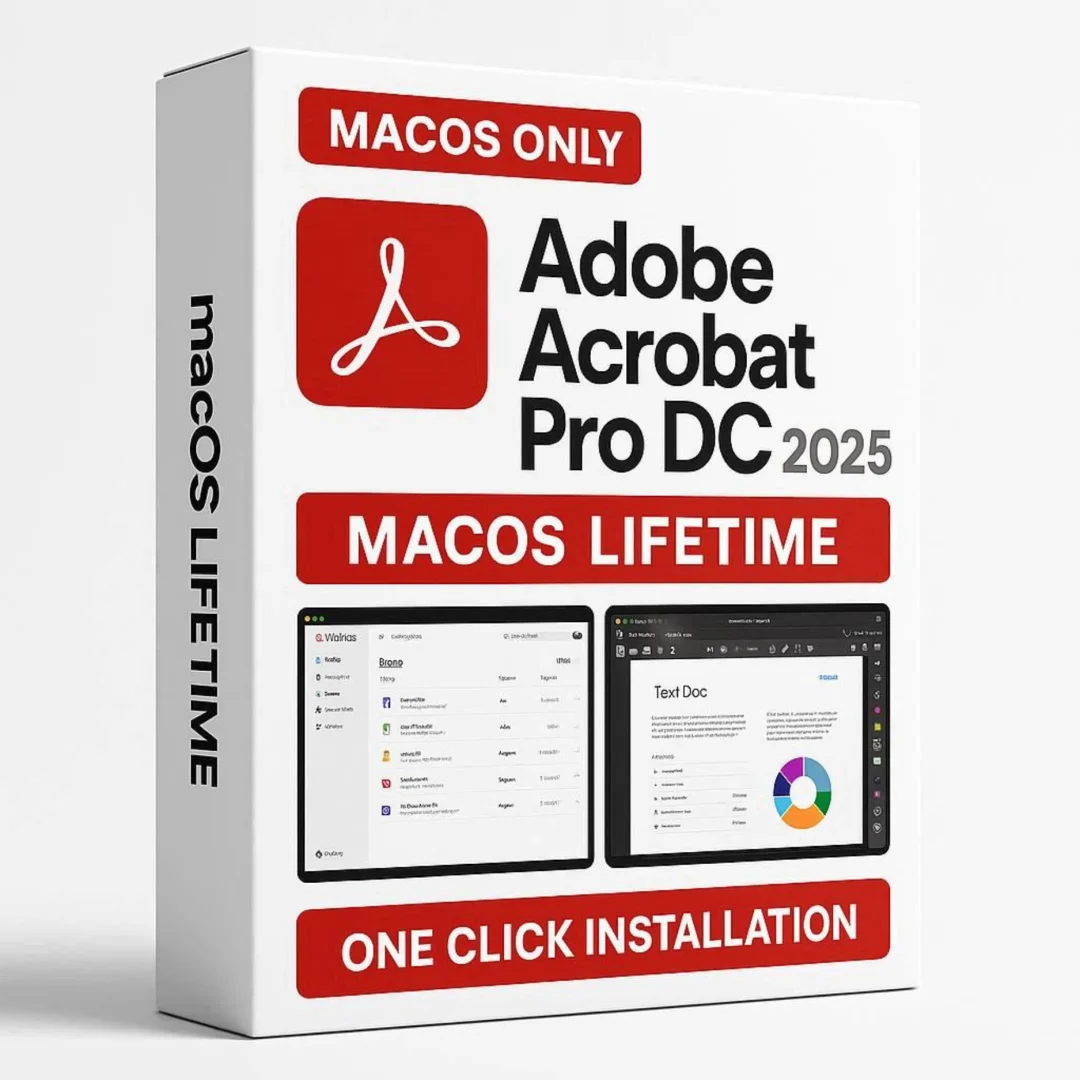
Adobe Acrobat Pro DC 2025 macOS lifetime with PDF editing, form creation, conversion tools. Genuine, personally tested, instant delivery. No subscription
Adobe Acrobat Pro DC 2025 macOS — Professional PDF Management Without Subscription Fees
Adobe Acrobat Pro DC 2025 is the industry-leading PDF creation and management solution trusted by professionals, businesses, and organizations worldwide. Version 2025.001.2 brings powerful features to macOS users who need comprehensive PDF editing, form creation, and document security—all without monthly subscription costs. Whether you’re a student managing research documents, a small business handling contracts, a legal professional processing agreements, a creative professional working with portfolios, or an educator sharing course materials, Acrobat Pro DC delivers professional-grade tools in one streamlined, powerful application. Every copy through Sofryx is personally tested and verified for authentic activation and full feature access.
Key Features of Adobe Acrobat Pro DC 2025 macOS
- Advanced PDF Editing: Edit text, images, and objects directly in PDF files without converting to Word or other formats. Rearrange pages, rotate documents, and make precise modifications with professional-grade editing tools that preserve document integrity.
- PDF Conversion & Creation: Convert PDFs to Microsoft Word, Excel, PowerPoint formats while preserving complex formatting and multi-column layouts. Conversely, convert Office documents to standards-compliant PDF with a single click for secure distribution.
- Intelligent Form Tools: Create fillable PDF forms from templates or blank pages. Define form fields, dropdown menus, checkboxes, and signatures. Distribute forms and automatically collect responses into organized databases. Streamline surveys, applications, and feedback collection workflows.
- Document Organization & Merging: Combine multiple PDF files into single documents, reorder pages, extract specific pages, and split large files into smaller sections. Create professional portfolios. Batch processing saves hours on repetitive organizational tasks.
- Security & Protection: Password-protect documents with 256-bit encryption, set user permissions for printing and copying, remove sensitive metadata, and perform permanent redaction. Ensure confidential documents remain secure throughout entire workflows and archival.
- Digital Signature & eSign Workflows: Add legally-binding digital signatures to documents, request signatures from others, manage signature workflows, and track approval chains. Accelerate contract approvals and eliminate paper-based processes while maintaining legal compliance.
- Annotation & Collaboration: Add comments, highlight text, draw shapes, and collaborate with teams through sticky notes and markup tools. Track changes and revision histories for seamless document review workflows across organizations.
- Accessibility Compliance: Create accessible PDFs for users with disabilities, add alternative text to images, set proper document structure, and ensure WCAG 2.1 standards compliance for inclusive document sharing and legal requirement satisfaction.
Why Buy From Sofryx?
- Personally tested by Sofryx Team before every listing goes live — Each copy verified for authentic activation and full feature access. We don’t just sell software—we verify it works perfectly before you purchase.
- Genuine Working licence — not virus cracked, not trial — You receive authentic Adobe Acrobat Pro DC with genuine license verification. No cracked versions, no virus-infected files, no limited trial versions. Full professional access from day one.
- One-time payment — lifetime activation, zero renewal fees — Unlike Adobe’s subscription model (₹3,000+/month), pay once and own your license forever. No automatic renewals, no hidden charges, no forced upgrades.
- Instant access via your website dashboard after payment — Download links appear immediately in your “My Account” section. No waiting, no manual processing. Digital delivery means you can start using Acrobat Pro DC within minutes of purchase.
- Telegram support available for all installation queries — 24/7 technical assistance via Telegram for setup, activation, or troubleshooting. Response times typically under 2 hours during India business hours.
System Requirements
- Operating System: macOS 12 (Monterey) and later — compatible with macOS 13 (Ventura), macOS 14 (Sonoma), macOS 15 (Sequoia), and future releases.
- Processor: Intel Core processor (6th generation or newer) or Apple Silicon (M1, M2, M3, M4 chips). Native support for both x86-64 (Intel) and ARM64 (Apple Silicon) architecture.
- RAM Memory: Minimum 4GB system RAM. 8GB or higher recommended for smooth performance with multiple open documents and plugins.
- Storage Space: Minimum 2.5GB free disk space for installation. Additional storage recommended for document libraries and saved projects.
- Display Resolution: Minimum 1024×768 screen resolution. 1920×1080 or higher recommended for comfortable full-page PDF viewing.
- Internet Connection: Required for initial activation, cloud services access, and feature verification. Always-on connection not required after initial setup.
What You Get After Purchase
- Genuine Adobe License & Activation File: Complete license verification files and activation instructions for immediate setup. License tied to your Adobe account for future access and recovery.
- Full Download Package: Complete Adobe Acrobat Pro DC 2025.001.2 installer with all tools, plugins, and extensions. Approximately 1.2GB download size.
- Step-by-Step Installation Guide: Comprehensive written instructions plus links to official Adobe video tutorials. Covers download, installation, activation, and initial configuration.
- Telegram Technical Support: Direct access to Sofryx support team for any installation, activation, or feature-related questions. Average response time 1-2 hours during business hours.
- Lifetime License Access: One-time payment grants permanent access to Adobe Acrobat Pro DC. No expiration, no subscription renewal reminders, no forced upgrades.
Who Is This For?
Adobe Acrobat Pro DC 2025 macOS serves professionals, students, small businesses, and enterprises who work with PDF documents daily. Students need it for thesis management, research paper organization, and academic document distribution. Legal professionals require Acrobat Pro for contract review, eSignature workflows, and secure document management. Accountants use it for tax document management, form filling, and secure client communication. Small business owners manage business contracts, proposals, and client agreements. Graphic designers create professional portfolios and client presentations. Real estate agents handle property documents and closing paperwork. Insurance professionals process claims and policy documentation. Education institutions manage course materials and student submissions. Healthcare providers maintain HIPAA-compliant patient documentation. Publishing professionals prepare documents for print and digital distribution. Marketing teams create branded PDFs for campaigns and client deliverables. Any Mac user managing critical documents benefits from Acrobat Pro DC’s professional-grade capabilities without expensive subscription costs.
Advanced PDF Editing Without Subscription Costs
Unlike free PDF readers that only allow viewing, or expensive monthly subscriptions, Adobe Acrobat Pro DC provides professional-grade editing in a single purchase. Edit text with full font control, resize and move objects, replace images, and maintain document integrity. The editing tools rival dedicated document management software costing thousands annually. Sofryx’s lifetime activation model means you pay once and keep the software forever—no subscription trap, no vendor lock-in, no surprise billing.
Powerful Document Conversion Tools for Office Integration
Converting between formats is core to Acrobat Pro DC’s value proposition. Transform PDFs into editable Word documents with formatting preservation. Export to Excel for data extraction and financial analysis. Create PowerPoint presentations from PDF content. Reverse the process—convert Office documents to PDF for distribution, sharing, and archival. The conversion engine preserves fonts, layouts, multi-column structures, and embedded content. This eliminates manual retyping and ensures professional output every time, saving hours of manual work.
Form Creation & Data Collection Workflows for Organizations
Create interactive PDF forms from templates or scratch with no programming required. Define fillable fields, dropdown menus, checkboxes, date pickers, and signature areas. Distribute forms via email or web link. Automatically collect responses into organized databases for analysis. Acrobat Pro DC’s form tools streamline surveys, job applications, feedback collection, and customer data gathering. Businesses reduce paper usage and processing time. Non-technical users create professional forms without developer assistance. The form response database simplifies data analysis, reporting, and compliance documentation for audits.
Enterprise-Grade Security & Document Protection
Protect sensitive documents with 256-bit AES encryption meeting military-strength security standards. Set granular permissions for printing, copying, editing, and annotation. Remove hidden metadata, comments, and sensitive information before sharing. Perform permanent document redaction that cannot be recovered. Track document access and modification histories. Digital signatures provide legal authentication and tamper-evidence. These security features meet compliance requirements for HIPAA healthcare, GDPR privacy, financial services regulations, and legal industry standards. Sofryx customers in regulated industries trust Acrobat Pro DC for secure document workflows.
Collaboration Features for Team Workflows
Annotate documents with comments, sticky notes, and markup tools for team collaboration. Share feedback without modifying the original document. Track revision history and changes across multiple review rounds. Comments remain separate from document content, enabling non-destructive feedback collection. Teams coordinate on contracts, proposals, designs, and marketing materials without email version chaos. Cloud-based sharing options integrate with Acrobat Cloud storage for centralized document management and access control across organization.
Accessibility & Compliance Features for Inclusive Documentation
Acrobat Pro DC ensures documents are accessible to users with disabilities and visual impairments. Add alternative text to images for screen reader compatibility. Define reading order and document structure tags for accessibility. Validate WCAG 2.1 standards compliance for international accessibility requirements. Educational institutions require accessible PDFs for student materials. Government agencies must meet Section 508 standards for federal document accessibility. Socially-conscious organizations prioritize inclusive documentation. Acrobat Pro DC’s accessibility tools simplify compliance and demonstrate commitment to accessible communication.
Industry Recognition & Professional Trust Worldwide
Adobe Acrobat Pro DC is the global standard for PDF management and document processing. Fortune 500 companies standardize on it for critical workflows. Universities teach with it in business, law, and engineering programs. Government agencies mandate it for official document creation and archival. Legal professionals depend on it for contract management and signature workflows. The software’s 30+ year history and constant innovation make it the most trusted PDF solution worldwide. Choosing Acrobat Pro DC means choosing technology used and trusted by millions of professionals and institutions.
Frequently Asked Questions
Q: How do I activate and use Adobe Acrobat Pro DC after purchase?
After purchase, you’ll receive download links and activation instructions through your Sofryx account dashboard within minutes. Download the Adobe Acrobat Pro DC 2025.001.2 installer (approximately 1.2GB). Run the installer on your Mac, follow on-screen setup prompts, and use the provided license file for activation. The entire process typically takes 15-30 minutes depending on download speed and Mac performance. Comprehensive written instructions and video tutorial links guide each step from download through first use. If you encounter any activation issues, contact Sofryx support via Telegram—our team provides step-by-step remote assistance via AnyDesk or UltraViewer screen sharing. Most activation questions resolve within 1-2 hours of support contact.
Q: Is this a genuine licence or a cracked version?
This is a completely genuine, authentic Adobe Acrobat Pro DC. Every copy through Sofryx is personally tested before listing to confirm authentic activation and full feature access. We absolutely do not sell cracked software, trial versions, or pirated licenses. The license files you receive are identical to official Adobe purchases and activate on Adobe’s legitimate servers. Unlike cracked versions that carry malware risk and system instability, genuine software provides security updates, bug fixes, and technical support. Your investment is secure, legal, reliable, and fully protected with authentic software.
Q: Can I use Adobe Acrobat Pro DC on multiple computers?
Yes, Adobe Acrobat Pro DC supports installation on multiple computers simultaneously under your personal Adobe account. The license is tied to your Adobe ID and account, not to a specific Mac. You can activate Acrobat Pro DC on your MacBook Pro, Mac mini, and iMac all at once. You can install on your work Mac and personal Mac. For business deployments with multiple users on different accounts, volume licensing accommodates this requirement—contact Sofryx for enterprise licensing arrangements. Personal use across all your personal computers is fully supported by the standard license without additional charges or restrictions.
Q: Will I receive future software updates after purchase?
Yes, all software updates are provided free of charge within one year of purchase. Adobe releases regular updates throughout each year for security patches, bug fixes, performance improvements, and new feature additions. Your one-year update coverage ensures you stay current with latest improvements and security enhancements without additional costs. After the one-year period, Sofryx offers discounted update packages for future versions. Alternatively, you can continue using your current version indefinitely—no forced upgrades or mandatory updates exist. Most users maintain updated versions for security reasons and access to latest features, but the choice is entirely yours.
Q: How long does delivery take after payment?
Delivery is instant and immediate. The moment your payment processes successfully through Razorpay or PayPal, your download links and activation files appear automatically in your Sofryx account dashboard under “My Account → Downloads” section. No manual processing, no waiting periods, no approval delays—just immediate access to your purchase. You can begin downloading and installing Adobe Acrobat Pro DC within minutes of payment completion, any time of day or night. This digital delivery model eliminates traditional shipping costs and delays. International customers especially appreciate immediate digital delivery without customs complications or shipping delays.
Q: Which macOS versions are compatible with Adobe Acrobat Pro DC 2025?
Adobe Acrobat Pro DC 2025.001.2 is compatible with macOS 12 (Monterey) and all subsequent versions, including macOS 13 (Ventura), macOS 14 (Sonoma), macOS 15 (Sequoia), and future releases. The application supports both Intel processors (6th generation Core i3, i5, i7 and newer) and Apple Silicon chips (M1, M2, M3, M4, and newer). The software runs natively on both architectures with full performance optimization and compatibility. If your Mac is running macOS 11 Big Sur or earlier, or has older Intel processors (5th generation or earlier), full compatibility may be limited. For specific compatibility questions regarding your exact Mac model and macOS version, contact Sofryx support via Telegram before purchase—we provide detailed compatibility verification.
Q: What is your refund policy for Adobe Acrobat Pro DC?
For comprehensive details on refund eligibility, satisfaction guarantees, coverage terms, and refund procedures, please visit our complete Refund Policy page. Our refund policy covers situations where software fails to install, doesn’t activate properly, or doesn’t function as advertised. Digital software purchases have specific conditions different from physical product refunds—we strongly encourage reviewing the policy thoroughly before purchase. Sofryx stands behind every product we sell and prioritizes customer satisfaction. Our goal is ensuring you receive genuine, working software. If you have pre-purchase questions about refund eligibility or specific scenarios, contact our Telegram support team before purchasing—we’re happy to clarify any concerns.
Q: How do I get support if Adobe Acrobat Pro DC won’t install or activate?
Sofryx provides comprehensive technical support for installation and activation issues via Telegram messaging. Contact the support team describing your specific problem—installation failure, activation errors, license verification issues, or feature access problems. Mac users receive written installation instructions plus video tutorial links for self-service troubleshooting. If self-help doesn’t resolve your issue, arrange a remote support session via AnyDesk or UltraViewer where our technician guides you through each step interactively. For complex situations, alternative installation approaches or backup installation files are available. Response times typically range from 1-4 hours during India business hours (9 AM–9 PM IST). The vast majority of installation issues resolve within a single support session through this direct assistance.
Only logged in customers who have purchased this product may leave a review.


Reviews
There are no reviews yet.