
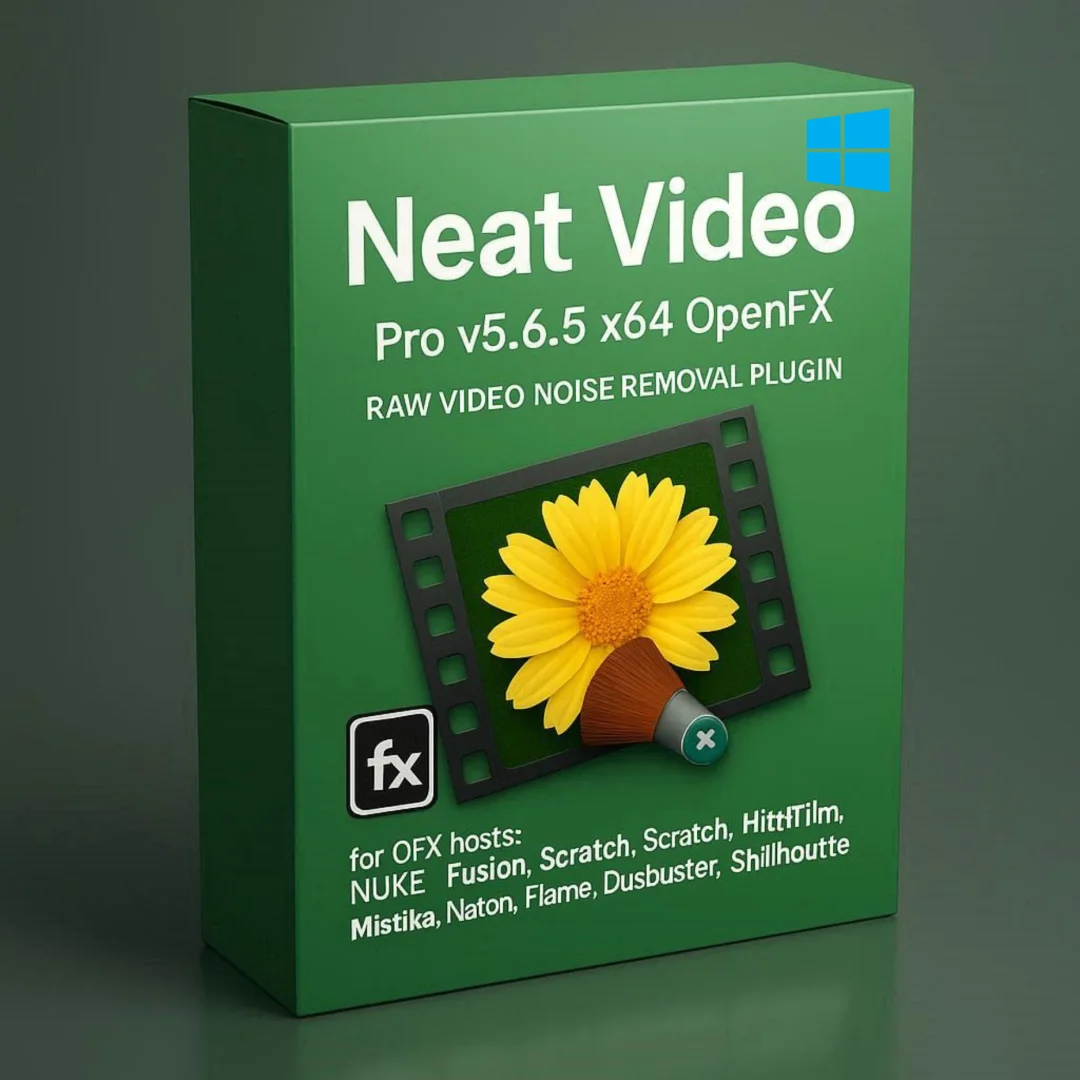



Neat Video Pro 5.6.5 OFX — Lifetime Licence | Sofryx
Original price was: $200.00.$15.00Current price is: $15.00.
Buy Neat Video Pro 5.6.5 OFX genuine lifetime licence. Video noise removal for Nuke, Fusion, HitFilm, Flame, and Baselight. Personally tested. Instant delivery.
Neat Video Pro 5.6.5 OFX for Windows — Professional Video Noise Removal Plugin for Nuke Fusion HitFilm and More
Neat Video Pro 5.6.5 OFX is the professional-grade video noise reduction plugin designed for OpenFX host applications used in high-end visual effects, compositing, and film restoration workflows. This powerful denoising filter removes visible noise, grain, and digital artifacts from footage captured by digital cameras, DSLRs, TV-tuners, digitized film, and VHS sources, working directly within industry-standard applications including Nuke, Fusion Studio, Scratch, HitFilm, Mistika, Natron, Flame, Baselight, DustBuster, and Silhouette. Whether you are a VFX compositor cleaning plates before compositing, a film restoration specialist recovering archival footage, or a colorist preparing clean masters, Neat Video Pro OFX delivers cinema-quality noise removal with GPU acceleration. Every licence on Sofryx is personally tested by Mani before listing.
Key Features of Neat Video Pro 5.6.5 OFX
- OFX Plugin Standard: Works as an OpenFX plugin within ten major VFX and post-production applications including Nuke, Fusion Studio, Scratch, HitFilm, Mistika, Natron, Flame, Baselight, DustBuster, and Silhouette.
- Professional Noise Reduction: Remove digital noise, film grain, speckles, and compression artifacts from video footage while preserving fine detail, texture, and original image quality.
- Temporal and Spatial Filtering: Analyze multiple surrounding frames to distinguish between noise and genuine detail, producing cleaner results than single-frame denoising methods.
- Automatic Noise Profiling: Analyze footage automatically to build an accurate noise model that ensures optimal denoising parameters for each specific clip and camera source.
- GPU Acceleration: Leverage Nvidia CUDA and AMD OpenCL graphics processing for dramatically faster noise reduction rendering on supported hardware.
- Multi-Source Compatibility: Effectively removes noise from digital cinema cameras, DSLRs, action cameras, TV-tuner captures, digitized 16mm and 35mm film, and VHS transfers.
- Low-Light Noise Elimination: Rescue footage captured in challenging low-light conditions with high sensor gain where digital noise severely degrades visual quality.
- Fully Automated Workflow: Achieve professional denoising results with just a few mouse clicks using the automated noise profiling and intelligent filter configuration system.
Why Buy From Sofryx
- Personally tested by Mani before every listing goes live
- Genuine manufacturer-issued licence — not cracked, not trial
- One-time payment — lifetime activation, zero renewal fees
- Instant access via your website dashboard after payment
- Telegram support available for all installation queries
System Requirements
- Operating System: 64-bit Windows 7 or newer (Windows 8, 10, 11 supported)
- Processor: Intel or AMD 64-bit processor
- RAM: 4GB minimum for FHD footage (12GB minimum for UHD 4K; 24GB recommended for 4K)
- Nvidia GPU (Optional): CUDA-capable GPU with compute capability 3.0 or higher, latest video drivers supporting CUDA 8 or newer
- AMD GPU (Optional): Supported Radeon HD 77xx through RX 7900 series with latest Adrenalin drivers
- Note: Only 64-bit versions of host applications are supported
Supported OFX Host Applications
- Foundry Nuke: Versions 5.1 through 15 (commercial and Indie editions)
- Blackmagic Fusion Studio: Versions 7.7 through 18.5 (and Eyeon Fusion 5.3 through 7)
- Assimilate Scratch: Versions 6.1 through 9
- FXHOME HitFilm Pro: Versions 4 through 2023
- SGO Mistika: Boutique 8.8+ through 10+, Mistika 8.2+, Mamba 2
- Natron: Version 2.0.5 and newer
- Autodesk Flame: Supported versions
- FilmLight Baselight: Supported versions
- HS-ART DustBuster+: Versions 4.5 through 15
- BorisFX Silhouette: Versions 2020.5.5 through 2023
What You Get After Purchase
- Licence key or activation file
- Official download link via your account dashboard
- Step-by-step installation guide (video or written)
- Telegram support contact for installation help
Who Is This For
Neat Video Pro 5.6.5 OFX serves visual effects professionals and post-production specialists who work within OFX-compatible applications and need cinema-quality noise reduction integrated into their existing pipelines. VFX compositors working in Nuke and Fusion use Neat Video to clean plate footage before compositing CGI elements, ensuring that noise in the background plate does not degrade the quality of the final composite. Film restoration specialists using DustBuster and Baselight remove grain, dirt, and noise from archival 16mm and 35mm film transfers to produce clean digital masters for rerelease and preservation. Colorists working in Mistika and Baselight apply Neat Video as a pre-grading noise reduction step to ensure clean foundations before applying aggressive color corrections that would otherwise reveal hidden shadow noise. HitFilm and Natron users in independent film production clean footage from consumer and prosumer cameras for polished final output. Broadcast engineers processing live and recorded footage through Flame workflows remove electronic interference and compression artifacts for transmission quality. Post-production studios handling high-volume commercial and episodic work integrate Neat Video into their OFX pipelines for automated batch denoising.
OFX Plugin Standard — Ten Professional Host Applications
The OpenFX plugin standard enables Neat Video Pro to integrate seamlessly into ten of the most widely used visual effects, compositing, color grading, and film restoration applications in the motion picture industry. Unlike format-specific plugins that work with only one host application, the OFX version provides a single plugin that operates across the entire range of supported hosts, enabling studios to standardize their noise reduction workflow regardless of which application each department or artist uses. The plugin appears in the effects browser of each host application and is applied to footage using the standard OFX effect insertion workflow familiar to users of each platform. All Neat Video features including temporal filtering, automatic noise profiling, and GPU acceleration function identically across all supported hosts, ensuring consistent denoising results regardless of which application processes the footage. This cross-application compatibility is particularly valuable in large post-production facilities where different departments may use different primary applications but all need access to the same noise reduction capabilities.
Foundry Nuke and Blackmagic Fusion — VFX Compositing Integration
Neat Video Pro integrates directly into Foundry Nuke and Blackmagic Fusion Studio, the two most widely used node-based compositing applications in the visual effects industry. In Nuke, the plugin appears as a standard OFX node that can be inserted anywhere in the compositing node graph, providing denoising at whatever point in the pipeline produces the best results for each specific shot. Professional reviews on G2 consistently rate Neat Video as the preferred noise reduction solution for Nuke compositing workflows. Nuke commercial versions from 5.1 through 15 are supported, along with Nuke Indie editions from 12.2v3 through 15. In Fusion Studio, the plugin supports versions from 7.7 through 18.5, covering both the current Blackmagic Design releases and earlier Eyeon Fusion versions from 5.3 through 7. VFX compositors typically apply Neat Video early in the compositing pipeline to clean plate footage before keying, rotoscoping, and element integration, as noise in the plate can interfere with edge detection, matte extraction, and color matching operations that form the foundation of professional compositing work.
Film Restoration and Archival Recovery — DustBuster and Baselight
The film restoration capabilities of Neat Video Pro OFX make it an essential tool for specialists working to preserve and recover archival motion picture content. When integrated with HS-ART DustBuster+ (versions 4.5 through 15), Neat Video provides grain and noise reduction that complements DustBuster dedicated tools for removing dirt, scratches, warping, and other physical damage artifacts from scanned film elements. The combination of DustBuster physical artifact removal and Neat Video grain reduction produces clean digital masters from deteriorating film sources that would otherwise be lost. In FilmLight Baselight, colorists apply Neat Video as part of the grading workflow to reduce grain before or after color correction, depending on whether the grain is considered an aesthetic element to be preserved or an artifact to be removed. The temporal filtering is particularly effective at handling film grain because it recognizes the random per-frame nature of grain patterns and removes them while preserving the fine detail and texture of the underlying photographed image. For detailed documentation on film restoration workflows, the Neat Video documentation provides specific guidance for each supported host application.
Temporal and Spatial Noise Filtering — Multi-Frame Analysis
Neat Video Pro OFX employs both temporal and spatial filtering algorithms that work together to achieve the highest quality noise reduction while preserving maximum image detail. The temporal filter analyzes multiple surrounding frames to distinguish between random noise fluctuations and consistent image detail based on their behavior over time. Genuine image content appears coherently across frames with predictable motion trajectories, while noise appears as random per-frame variations. By identifying this difference, the temporal filter removes noise with far greater precision than any single-frame method. The spatial filter complements the temporal analysis by examining noise patterns within individual frames, targeting noise structures that are too fine or too uniform to be confused with actual image detail. When both filters work together, the combined result is video that looks naturally clean with preserved textures, edges, and fine detail rather than the artificially smoothed appearance that characterizes aggressive single-frame denoising. This dual-filter approach is particularly effective at handling the challenging noise characteristics found in high-ISO digital camera footage, low-light recordings, and heavily compressed video streams.
GPU-Accelerated Processing — Nvidia CUDA and AMD OpenCL
Neat Video Pro 5.6.5 OFX supports GPU-accelerated processing on both Nvidia and AMD graphics cards, dramatically reducing the time required for noise reduction calculations compared to CPU-only processing. On Nvidia hardware, the plugin uses CUDA computing technology with support for any CUDA-capable GPU with compute capability 3.0 or higher, covering a broad range from GeForce GTX 700 series through the latest RTX 40 series and professional Quadro cards. On AMD hardware, OpenCL acceleration supports Radeon HD 7700 series through the latest RX 7900 series and Radeon Pro workstation cards. GPU acceleration is essential for professional VFX workflows where noise reduction must be applied to thousands of frames across multiple shots within tight delivery schedules. The parallel processing architecture of modern GPUs handles the computationally intensive temporal and spatial filtering calculations orders of magnitude faster than sequential CPU processing, making it practical to apply high-quality denoising to every shot in a production rather than reserving it only for the most severely affected clips. Industry organizations like the Society of Motion Picture and Television Engineers establish the technical quality standards that professional noise reduction helps productions achieve.
Automatic Noise Profiling and Workflow Efficiency
The automatic noise profiling system in Neat Video Pro OFX analyzes your footage and builds an accurate noise model with minimal user intervention, enabling professional denoising results with just a few mouse clicks. The auto-profiling feature identifies a suitable area of the frame for noise analysis, measures noise characteristics across luminance and chrominance channels, and configures denoising parameters optimized for that specific footage. This automated approach makes Neat Video accessible to artists who are not noise reduction specialists, allowing VFX compositors, editors, and colorists to achieve professional denoising results without deep technical knowledge of noise reduction algorithms. For maximum control, manual profiling provides access to every aspect of the noise model for specialists who need to fine-tune the denoising behavior for challenging footage or specific creative requirements. Noise profiles can be saved and applied across multiple clips from the same camera and settings, enabling efficient batch processing of multi-shot sequences. Leading VFX industry publications like fxguide regularly feature Neat Video in their coverage of professional post-production tools and techniques. Pair Neat Video Pro OFX with other professional tools from Sofryx like Neat Video Pro for Premiere Pro for editorial denoising, DaVinci Resolve Studio for color grading, Topaz Video AI for AI upscaling, Adobe Photoshop CS3 for image editing, and FabFilter Total Bundle for audio mastering.
Frequently Asked Questions
Q: How do I activate Neat Video Pro 5.6.5 OFX after purchase
To activate your Neat Video Pro 5.6.5 OFX on Windows after completing your purchase, follow the provided instructions carefully. Your order includes a detailed step-by-step installation guide that walks you through installing the OFX plugin into your host application environment whether you use Nuke, Fusion, HitFilm, or any other supported OFX host. A video tutorial or written instruction document will be included alongside the setup files to ensure smooth installation. The guide covers plugin registration and host-specific configuration steps. If you encounter any difficulties during the activation process, reach out via Telegram for immediate assistance from our support team.
Q: Is this a genuine lifetime licence or a subscription
This is a genuine lifetime-activated licence that you own permanently after a single one-time payment. There are no monthly fees, no annual renewal charges, and no subscription commitments of any kind. Once activated, your Neat Video Pro 5.6.5 OFX remains fully functional within all supported OFX host applications indefinitely without requiring any additional payments. Every licence sold on Sofryx is personally verified by Mani to ensure authenticity and reliable long-term functionality. You receive the complete Pro edition with all denoising features, GPU acceleration, temporal filtering, and multi-host OFX compatibility activated for lifetime use.
Q: Can I use this on multiple computers
Yes, multiple device use is supported with your Neat Video Pro 5.6.5 OFX licence. You can install and activate the plugin on more than one Windows computer running any supported OFX host application, allowing you to work between your primary VFX workstation and additional systems in your studio or facility. This flexibility ensures that your professional noise reduction toolkit is available across your entire post-production infrastructure, whether on dedicated compositing stations, color grading suites, or render farm nodes. The activation process works identically on each machine.
Q: Will I receive future software updates
There is no immediate need to update your Neat Video Pro 5.6.5 OFX after installation as the current version includes support for the latest OFX host applications and all denoising algorithms. If a critical update becomes necessary in the future or if you require a newer version for compatibility with a new host application release, contact Mani directly through Telegram support. The update will be provided free of charge within one year of your original purchase date. This ensures you always have access to a compatible version without additional cost during the covered period.
Q: How long does delivery take after payment
Delivery is instant and fully automated. Immediately after completing your payment through the Sofryx checkout, your download links become available in your personal account dashboard. Simply log in to your Sofryx account, navigate to the My Account section, and click on Downloads to access all your purchased files. The complete Neat Video Pro 5.6.5 OFX installation package including the plugin files and activation instructions will be ready for immediate download. There is no waiting period and no manual processing required. You can begin installing and using the plugin within your OFX host within minutes of completing your purchase.
Q: Which operating system versions are compatible
Neat Video Pro 5.6.5 OFX is compatible with 64-bit Windows 7 and all newer Windows versions including Windows 8, Windows 10, and Windows 11. Only 64-bit versions of host applications are supported. The plugin works with Foundry Nuke versions 5.1 through 15, Blackmagic Fusion Studio 7.7 through 18.5, Assimilate Scratch 6.1 through 9, FXHOME HitFilm Pro 4 through 2023, SGO Mistika 8.2 and newer, Natron 2.0.5 and newer, HS-ART DustBuster+ 4.5 through 15, and BorisFX Silhouette 2020.5.5 through 2023. GPU acceleration requires an Nvidia CUDA 3.0+ capable GPU or a supported AMD Radeon card.
Q: What is your refund policy
For complete details regarding our refund terms and conditions, please review the full Refund Policy page available on our website at bydigital.in/refund_returns/. The refund policy outlines all applicable terms including eligibility criteria, timeframes, and the process for requesting a refund on digital product purchases. We encourage every customer to read the policy thoroughly before completing their purchase so they have a clear understanding of their rights and our obligations. Our commitment is to ensure complete customer satisfaction with every product sold on the Sofryx platform.
Q: How do I get support if I have an installation problem
If you encounter any installation difficulties with your Neat Video Pro 5.6.5 OFX on Windows, comprehensive support is available through multiple channels. Windows users can receive direct remote support via AnyDesk, UltraViewer, or Zoom Meeting where a support representative will connect to your computer and resolve the installation issue in real time. This is particularly helpful for configuring the OFX plugin within specific host applications like Nuke or Fusion, verifying GPU compatibility, and troubleshooting host integration issues. If the standard installation encounters any issues, an alternative setup file along with revised instructions will be provided promptly. For all support requests, contact us directly through Telegram at t.me/sofryxhelp for fast and reliable assistance.
Only logged in customers who have purchased this product may leave a review.





Reviews
There are no reviews yet.