
Moho Pro 14.2 – Professional 2D Animation Software
Original price was: $400.00.$25.00Current price is: $25.00.
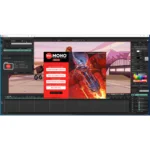
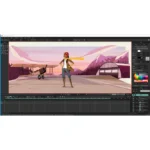
Moho Pro 14.2 2D animation software. Powerful rigging, character animation, bone tools, and PSD import. Windows 10/11. Lifetime activation. Professional animation tool.
Moho Pro 14.2 – Professional 2D Animation Software for Character & Motion Graphics
Elevate your 2D animation production with Moho Pro 14.2 by Smith Micro Software, the professional-grade 2D animation tool trusted by animation studios, motion graphics professionals, and digital artists worldwide. This powerful software empowers you to create high-quality character animations, motion graphics, and vector-based animations efficiently—without the labor-intensive process of frame-by-frame drawing.
Moho Pro 14.2 combines advanced bone rigging, intelligent animation tools, comprehensive character assets, and seamless creative workflow into a single, intuitive platform. Whether you’re animating characters for video, creating motion graphics sequences, designing cartoon content, or building complex vector animations, Moho Pro 14.2 delivers the professional power, speed, and creative flexibility modern animation production demands.
With lifetime activation and no recurring subscription fees, this is a one-time investment in professional animation software that will remain in your creative toolkit for your entire career.
What Is Moho Pro 14.2?
Moho Pro 14.2 is Smith Micro Software’s flagship 2D animation platform—designed specifically to eliminate the time-consuming process of frame-by-frame character animation. Unlike traditional animation that requires drawing every frame, Moho Pro’s intelligent rigging system allows you to create characters once, then animate them through bone-based rigging and intuitive motion controls.
Smith Micro’s official Moho Pro product page confirms that Moho Pro 14.2 represents the latest evolution of bone-based 2D animation, now with enhanced features for character rigging, vector animation, and professional animation workflows.
The software bridges the gap between traditional frame-by-frame animation and 3D animation tools—combining the artistic control of 2D drawing with the efficiency of rigged, bone-based character animation. This hybrid approach makes Moho Pro essential for studios seeking faster turnaround times without sacrificing creative quality.
Core Features – Professional 2D Animation Tools
1. Advanced Bone Rigging & Character Animation
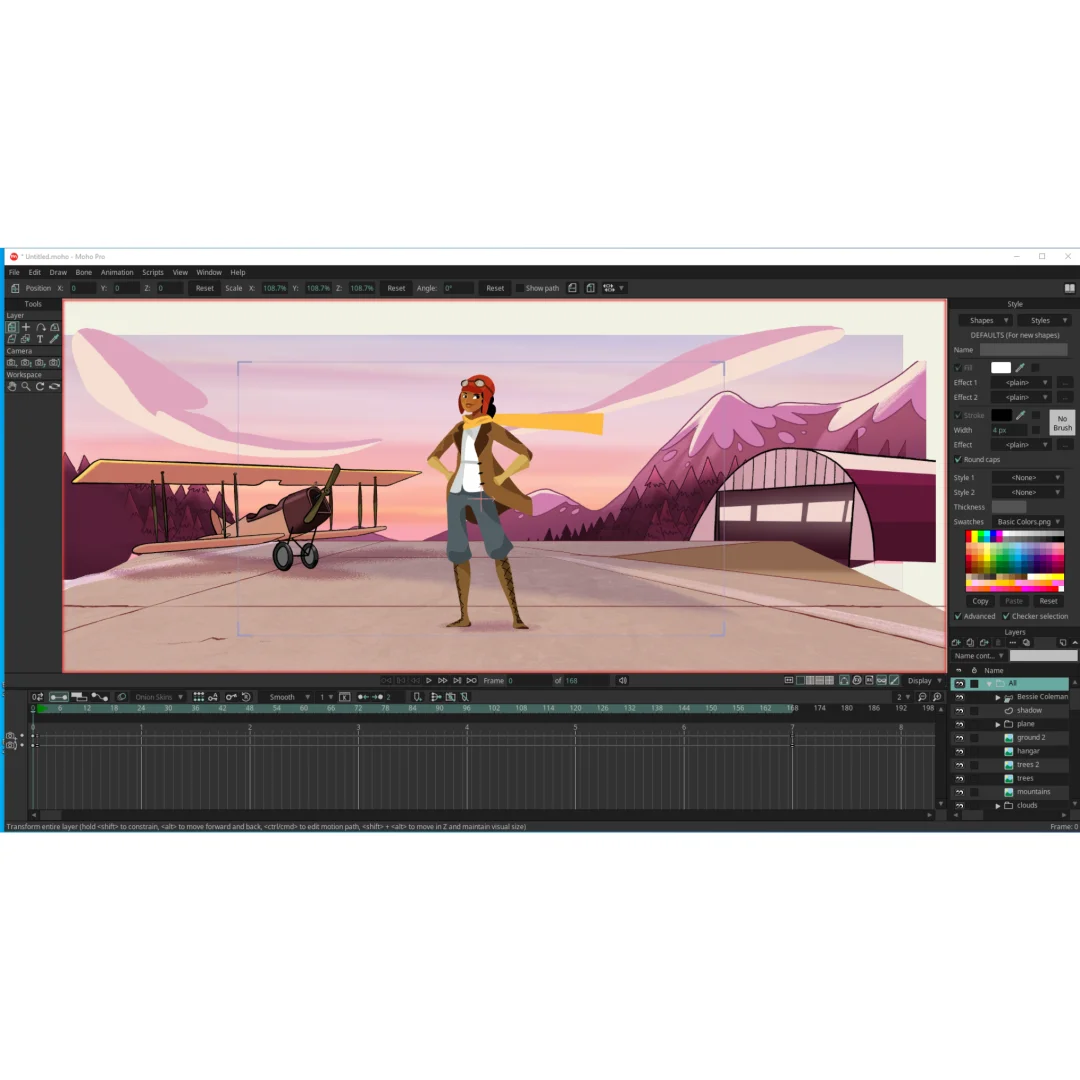
Moho Pro 14.2’s bone rigging system is the foundation of efficient 2D character animation. Create sophisticated character skeletons, set joint limitations, and animate through intuitive bone manipulation:
- Smart Bone System: Automatically adjust bone properties for natural motion and realistic deformations
- Improved Transform Bone Tool: Enhanced rigging controls for superior character articulation
- Bone Dynamics Control: Toggle bone dynamics via smart bones for realistic secondary motion
- Joint Constraints: Set rotation limits and joint behaviors to prevent unrealistic poses
- Deformer Bones: Create complex deformations for expressive character motion
- Parent-Child Relationships: Build hierarchical bone structures for intuitive animation control
- Bone Layer Organization: Group and manage bones efficiently in complex character rigs
- Real-Time Bone Preview: See character deformations instantly as you adjust bone positions
The improved Transform Bone Tool makes character rigging faster and more intuitive—essential for studios managing multiple character assets and tight production schedules. Animation Mentor’s guide to bone rigging fundamentals documents how proper bone setup accelerates animation production by enabling rapid pose creation and motion sequencing.
2. Animated Curve Profiles – Expressive Motion Control
One of Moho Pro 14.2’s most powerful new features is Animated Curve Profiles—enabling dynamic control over curve attributes for expressive character movement:
- Curve Shape Animation: Animate bezier curves and spline shapes throughout your timeline
- Attribute Morphing: Smoothly transition curve attributes for flowing motion
- Expression Control: Create facial expressions through animated curve deformations
- Custom Shape Tweening: Define how shapes transform between keyframes
- Organic Motion: Achieve natural, fluid character motion impossible with static shapes
- Real-Time Curve Feedback: See curve animations instantly in the canvas preview
Animated Curve Profiles transform character animation possibilities—enabling sophisticated lip-sync, facial expressions, and complex shape morphing that previously required multiple workarounds.
3. Smart Boil for Vector Noise – Hand-Drawn Character Feel
Moho Pro 14.2 includes Smart Boil technology, adding natural hand-drawn characteristics to digital vector animations:
- Intelligent Noise Application: Add hand-drawn jitter to vector lines automatically
- Boil Intensity Control: Adjust hand-drawn effect intensity to match your artistic style
- Selective Boil: Apply hand-drawn effects to specific layers or strokes
- Animation-Aware Boil: Maintain consistent boil effects throughout animation sequences
- Natural Aesthetics: Achieve organic, hand-animated visual character without manual frame-by-frame work
Smart Boil gives vector-based animations the warmth and character of hand-drawn animation—essential for studios seeking to balance digital efficiency with traditional artistic aesthetics.
4. Enhanced PSD Import – Seamless Adobe Integration
Moho Pro 14.2 dramatically improves Photoshop integration with enhanced PSD import capabilities:
- Layer Clipping Support: Maintain complex layer masking from Photoshop files
- Color Burn Blend Mode: Preserve advanced blending modes during import
- Layer Hierarchy Preservation: Import complete Photoshop group structures
- Smart Layer Detection: Automatically organize imported layers for animation
- Adjustment Layer Support: Maintain Photoshop effects and adjustments
- Text Layer Compatibility: Import text objects while maintaining editability in Moho
Adobe Photoshop’s layered design approach integrates seamlessly with Moho Pro 14.2’s workflow, enabling designers to create artwork in Photoshop and animators to import it directly into Moho with minimal asset preparation.
5. Improved Lip Sync at Low Frame Rates
Moho Pro 14.2’s enhanced lip-sync engine now delivers accurate automated lip-syncing at varying frame rates:
- Frame Rate Adaptation: Lip-sync accuracy maintained whether animating at 24fps, 30fps, or 60fps
- Phoneme Detection: Intelligent audio analysis for accurate mouth shape mapping
- Customizable Phoneme Ranges: Adjust phoneme sensitivity to match your character design
- Smooth Transitions: Natural blending between phoneme shapes
- Real-Time Lip-Sync Preview: See synchronized audio and animation instantly
- Manual Override Control: Fine-tune automated lip-sync for creative or corrective purposes
Professional animation requires frame-rate flexibility—whether matching broadcast standards (24fps), web delivery (30fps), or high-frame-rate content (60fps). Moho Pro 14.2’s adaptive lip-sync ensures character dialogue remains natural across all production formats.
6. Document & Layer Pixilation Preview – Real-Time Visual Feedback
Moho Pro 14.2 includes real-time pixilation preview capabilities enabling animators to see precise visual output while working:
- Canvas Pixilation Display: View exact pixellation of document and layers in real-time
- Anti-Aliasing Visualization: See how anti-aliasing affects edge quality
- Raster/Vector Interaction Preview: Understand how raster and vector elements blend
- Export Quality Verification: Confirm final output appearance before rendering
- Performance Optimization: Identify rendering issues before time-consuming exports
Real-time pixilation feedback eliminates render surprises—ensuring animators and designers understand exactly what the final animation will look like.
7. Customizable Timeline Display Options
Moho Pro 14.2 provides flexible timeline display controls enabling customized workflow organization:
- Display Interval Options: Show timeline markers at custom intervals (every 5, 10, 20, 30 frames)
- Frame Rate Timeline Numbering: Timeline numbering automatically adapts to your project frame rate
- Marker Organization: Create custom timeline markers for scene divisions, transitions, dialog cues
- Color-Coded Layers: Organize layers with color coding for visual clarity
- Streamlined View Options: Show/hide timeline elements to reduce visual clutter
- Context-Specific Layouts: Save custom timeline layouts for different animation tasks
Timeline customization accelerates workflow—especially in studios managing complex multi-layer animations with multiple animators on the same project.
8. Advanced Blend Modes & Visual Effects
Moho Pro 14.2 includes an expanding palette of professional blend modes and visual effects:
- Color Burn Blending Mode: Create advanced color blending for richer visual compositions
- Canvas Preview Enhancements: Improved preview of complex fill effects and blending
- Mask Anti-Aliasing (Exclude Strokes): Superior mask edge smoothness without affecting stroke rendering
- Layer Effects Rendering: Accurate rendering of layer effects in real-time
- Nested Effect Compositing: Complex effect layering for sophisticated visual design
Advanced blend modes enable professional color grading and visual effects within Moho Pro 14.2—reducing dependency on external compositing software for many animation projects.
9. Command Line Lua Scripting – Pipeline Integration & Automation
Moho Pro 14.2 includes Command Line Lua scripting capabilities enabling pipeline integration and task automation:
- Lua Script Execution: Run Lua scripts from command line for batch automation
- Pipeline Integration: Integrate Moho into production pipelines alongside other software
- Batch Processing: Automate repetitive tasks across multiple animation files
- Render Automation: Script export settings and rendering processes
- Asset Management: Automate character rigging, layer organization, and file management
- Data Exchange: Import/export animation data through scripting interfaces
Lua scripting language documentation combined with Moho Pro’s scripting engine enables sophisticated automation—essential for studios managing large animation projects with consistent technical requirements.
10. ProRes & Professional Export Compatibility
Moho Pro 14.2 delivers professional-grade export capabilities compatible with industry-standard formats and software:
- ProRes Alpha Compatibility: Export with alpha channels for seamless compositing in Final Cut Pro, Premiere Pro, After Effects
- Accurate Video Frame Rates: Faithful timing in exported video—no frame rate drift or timing errors
- Image Sequence Export: Frame-by-frame export for maximum flexibility in post-production
- SWF Export: Flash-compatible export for web and interactive projects
- Multiple Format Support: QuickTime, AVI, MP4, and other standard video formats
- Batch Export: Render multiple projects simultaneously using available system resources
Professional export compatibility ensures Moho Pro animations integrate seamlessly into post-production pipelines using industry-standard software like Adobe Creative Cloud, Final Cut Pro, and Avid.
================================================================================
System Requirements – Windows 10/11 64-Bit
| Requirement | Specification |
|---|---|
| Operating System | Windows 10 or Windows 11 (64-bit required) |
| Processor | Intel Core i3 2.0 GHz or higher (quad-core recommended for complex animation) |
| RAM Memory | Minimum: 4 GB | Recommended: 8 GB or more for complex projects |
| Hard Drive Space | 1.6 GB for installation + additional space for project files (variable) |
| Graphics | OpenGL 4.1 compatible graphics card (1920×1080 resolution recommended) |
| Display | 1920×1080 recommended for optimal interface and canvas workspace |
| Internet Connection | NOT required after offline activation |
Note: Moho Pro 14.2 is optimized for Windows 10 and Windows 11 systems. Adequate RAM (8GB+) is recommended for complex character rigs and long animation sequences. Graphics card with OpenGL 4.1 support ensures smooth real-time preview and canvas rendering.
================================================================================
Professional Use Cases – Who Uses Moho Pro 14.2
Animation Studios & Production Companies
Professional animation studios use Moho Pro 14.2 to accelerate character animation production. The bone-rigging system and smart animation tools reduce production timelines significantly compared to frame-by-frame animation—allowing studios to manage larger project volumes and tighter deadlines.
Character Animation for Video & Television
Television and video production uses Moho Pro 14.2 for character animation in commercials, explainer videos, educational content, and broadcast productions. The efficient rigging system and automated features enable rapid character animation without compromising visual quality.
Motion Graphics & Animated Typography
Motion graphics designers use Moho Pro’s vector animation capabilities for animated logos, kinetic typography, and dynamic graphical sequences. The seamless vector editing and animation tools enable sophisticated motion design within a single application.
Web & Interactive Animation
Web developers and interactive designers use Moho Pro’s SWF export and image sequence capabilities to create animated content for websites, applications, and interactive experiences. The efficient animation workflow accelerates web animation production.
Educational & Training Content
Educational content creators use Moho Pro for animated tutorials, explainer videos, and training materials. The character animation tools enable creation of engaging animated presenters and instructional graphics.
Cartoon & Comic Content Creation
Comic creators and cartoon artists use Moho Pro to animate existing artwork, creating animated comic sequences and cartoon content. The ability to import Photoshop artwork directly accelerates this workflow significantly.
Live Streaming & Real-Time Animation
Live streamers and content creators use Moho Pro to generate animated overlays, intro sequences, and on-screen graphics. The real-time preview and rapid animation capabilities support dynamic content creation.
Game Animation & Interactive Media
Game developers use Moho Pro’s bone-rigged characters and animation capabilities to create character animations for 2D games and interactive media. The efficient animation workflow supports rapid game asset creation.
================================================================================
Moho Pro 14.2 vs. Alternative 2D Animation Tools
Moho Pro 14.2 vs. Traditional Frame-by-Frame Animation
Traditional frame-by-frame animation offers artistic control but requires drawing every frame—extremely time-consuming. Moho Pro’s bone-based rigging eliminates this labor, enabling rapid character animation while maintaining artistic quality. For efficiency-focused studios, Moho Pro is dramatically faster.
Moho Pro 14.2 vs. Toon Boom Harmony
Toon Boom Harmony excels at frame-by-frame animation but lacks bone-rigging capabilities. Moho Pro offers rigging advantages for character animation. Harmony is superior for traditional drawn animation; Moho Pro wins for rigged character animation efficiency.
Moho Pro 14.2 vs. Adobe Animate
Adobe Animate offers vector animation but lacks Moho’s sophisticated bone-rigging system. Moho Pro’s rigging capabilities make it superior for character animation. Adobe Animate is simpler for basic animation; Moho Pro is more powerful for complex character work.
Moho Pro 14.2 vs. Spine 2D
Spine is a specialized skeletal animation tool for game development. While powerful for games, Spine lacks the comprehensive animation and effects features of Moho Pro. Moho Pro is more versatile for general 2D animation production.
Moho Pro 14.2 vs. Blender Grease Pencil
Blender’s Grease Pencil offers free 2D animation within a 3D environment. Moho Pro’s dedicated 2D animation features, bone-rigging system, and professional workflow make it superior for specialized 2D animation work. Grease Pencil is excellent for free/3D integration; Moho Pro wins for dedicated 2D animation power.
================================================================================
Installation & Activation – Easy Windows Setup
Prerequisites
- Windows 10 or Windows 11 (64-bit required)
- Intel Core i3 processor 2.0 GHz or higher
- 4 GB RAM minimum (8 GB recommended)
- 1.6 GB free hard drive space for installation
- OpenGL 4.1 compatible graphics card
- Administrator access to your Windows computer
- Valid serial number (included with lifetime-activated package)
Installation Steps
- Download Windows Installer: Download Moho Pro 14.2 installer for Windows.
- Run Installer: Execute the installer and follow the setup wizard.
- Select Installation Location: Choose installation directory (default is Program Files).
- Choose Components: Select installation components (full install recommended for all features).
- Activate License: Enter your serial number when prompted. Offline activation codes supported for air-gapped systems.
- Install Fonts & Libraries: Install included character assets and animation libraries.
- Verify Installation: Launch Moho Pro 14.2 and verify all features are accessible.
- Test Project Creation: Create a test project to ensure animation tools function correctly.
- View Installation Video: Review included installation video for step-by-step guidance if needed.
Offline Activation: Air-gapped or offline Windows systems can use offline authorization codes—no internet connection required during installation or regular use.
================================================================================
Frequently Asked Questions (FAQ)
Q1: Can I import characters and assets from other animation software into Moho Pro 14.2?
Moho Pro 14.2 supports importing from Photoshop (PSD files) and can work with vector files, raster images, and SVG files. Characters created in other software can be imported as image/vector files, then rigged within Moho Pro. Direct import from Toon Boom Harmony or other animation software requires manual asset conversion, but the process is straightforward.
Q2: Is Moho Pro 14.2 suitable for professional broadcast television animation?
Yes. Moho Pro 14.2 meets professional broadcast standards with configurable frame rates (24fps, 30fps, 60fps), accurate video export with alpha channels, ProRes compatibility, and professional-grade rendering. Major animation studios use Moho Pro for broadcast television content.
Q3: How does Moho Pro’s bone rigging compare to 3D animation software character rigging?
Moho’s bone rigging is specialized for 2D character animation and is significantly faster and simpler than 3D rigging. However, it lacks the 3D flexibility of 3D software. For pure 2D character animation, Moho’s rigging is superior in speed and ease of use; for 3D work, dedicated 3D software is necessary.
Q4: Can I use Moho Pro 14.2 on Mac?
Moho Pro 14.2 is Windows-only (Windows 10/11 64-bit). Mac users should check Smith Micro’s website for Mac-compatible versions of Moho Pro, though recent versions may be Windows-exclusive. Running Windows via Parallels Desktop or Boot Camp on Mac is possible but not officially supported.
Q5: Does Moho Pro 14.2 support lip-sync in any language, or just English?
Moho Pro 14.2 includes automated lip-sync tools optimized for English phonemes. The software features multi-language UI support, but automated lip-sync is primarily English-optimized. Manual phoneme mapping allows creation of lip-sync for other languages, though automated detection works best with English audio.
Q6: How much does rendering/exporting take with Moho Pro 14.2?
Rendering speed depends on animation complexity, resolution, frame rate, and your system specifications. Simple animations on modern hardware typically render in real-time or near-real-time. Complex multi-layer animations with effects may require additional rendering time. ProRes export with alpha channels takes longer than standard video export.
Q7: Can I script repetitive animation tasks in Moho Pro 14.2?
Yes. Moho Pro 14.2’s Lua scripting engine and command-line scripting capabilities enable automation of repetitive tasks. You can script bone adjustments, layer organization, export settings, and complex animation procedures—essential for studios managing large asset libraries.
Q8: Is there a learning curve for someone new to 2D animation software?
Moho Pro’s interface is intuitive for users familiar with Adobe Creative Suite or similar design software. However, bone rigging and character animation concepts may require learning time for those new to animation. Smith Micro provides documentation and tutorials, and the animation community offers extensive online learning resources.
Only logged in customers who have purchased this product may leave a review.


Reviews
There are no reviews yet.