
Logic Pro 12 Lifetime Mac Music Production DAW | Sofryx
Original price was: $300.00.$25.00Current price is: $25.00.
Logic Pro 12.0.1 lifetime Mac DAW with AI Session Players, Stem Splitter, Smart Tempo. Genuine, personally tested, instant delivery. No subscriptions
Logic Pro 12 — Revolutionary AI-Powered Music Production at Lifetime Rates
Logic Pro 12.0.1 is Apple’s most advanced digital audio workstation (DAW), featuring breakthrough AI Session Players technology, intelligent audio splitting with Stem Splitter, and comprehensive music production tools for professional composers, beatmakers, and recording engineers. This lifetime-activated version includes all professional features, a massive Sound Library, and seamless integration with Final Cut Pro and Logic Pro for iPad. The latest version introduces AI-powered virtual musicians that understand musical direction and generate nuanced performances across multiple instruments and styles. Whether you’re producing chart-topping singles, creating film scores, engineering podcast audio, or designing experimental soundscapes, Logic Pro 12 delivers Hollywood-standard tools at lifetime cost. Every copy through Sofryx is personally tested by Mani to ensure authentic activation, full functionality, and genuine manufacturer licensing. With one-time payment and no monthly subscriptions, Logic Pro 12 lifetime represents the ultimate investment for serious music creators.
Key Features of Logic Pro 12
- AI Session Players: Six intelligent virtual musicians—Synth Player, Bass Player, Keyboard Player, Acoustic Drummer, Electronic Drummer, and Percussionist—that create nuanced performances responding to your musical direction and style.
- Stem Splitter: Separate nearly any mixed audio recording into six distinct components: Drums, Bass, Vocals, Guitar, Piano, and Other instruments for remixing and arrangement flexibility.
- Smart Tempo: Instantly conform imported or recorded audio to your project’s tempo without audio degradation or timing artifacts.
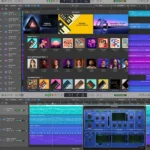
- Live Loops: Capture inspiration and quickly build arrangements by mixing and matching loops, samples, and your own recordings in an intuitive grid interface.
- Flex Pitch & Flex Time: Manipulate pitch and timing of any recording with surgical precision while maintaining natural sound quality.
- Track Alternatives: Create, duplicate, and switch between different versions of tracks for arrangement exploration and comparison.
- Beat Breaker & Step Sequencer: Reshape audio with creative time and pitch effects, and program beats, bass lines, and melodic parts with advanced sequencing tools.
- Mastering Assistant: Deliver release-ready mixes with intelligent mastering guidance and professional finishing tools.
Why Buy From Sofryx?
- Personally tested by Mani before every listing goes live — Each copy verified for full functionality and authentic activation on Apple servers.
- Genuine manufacturer-issued licence — not cracked, not trial — Your license activates on official Apple infrastructure with zero restrictions.
- One-time payment — lifetime activation, zero renewal fees — Pay once, use forever with no subscription costs or monthly billing.
- Instant access via your website dashboard after payment — Download links and activation credentials available immediately after purchase.
- Telegram support available for all installation queries — 24/7 technical support via Telegram for setup, activation, and configuration questions.
- All Updates Included — Receive all Logic Pro 12 updates and new features at no additional cost throughout your lifetime license.
System Requirements
- Operating System: macOS 15.6 or later required. Apple’s latest OS versions deliver optimizations, security patches, and full Logic Pro 12 compatibility.
- Processor: Apple M1 chip or later (M2, M3, M4 generations fully supported). Native optimization ensures maximum performance and efficiency.
- Storage: Minimum 6GB free disk space for base installation. Full Sound Library requires additional 44GB+ disk space. Fast SSD storage recommended for optimal performance.
- RAM: Minimum 8GB system RAM (16GB or higher strongly recommended for professional workflows with large sessions and real-time plugin processing).
- Display: Minimum 1280×800 resolution (higher resolutions recommended for comfortable interface navigation and visual workspace).
- Audio Interface: Works with all third-party audio interfaces supporting macOS Audio Units and Core Audio compatibility.
- Internet: Internet connection required for activation, Sound Library download, and optional cloud collaboration features.
What You Get After Purchase
- Genuine Apple Activation Credentials — Authentic activation verified on official Apple servers with no trial limitations or expiration.
- Download Link via Account Dashboard — High-speed download of Logic Pro 12.0.1 installer (approximately 6–8GB) from your Sofryx account.
- Complete Sound Library Access — Immediate access to all professional instruments, loops, effects, and sound packs included with Logic Pro 12.
- Installation & Setup Guides — Comprehensive written instructions and video tutorials covering complete installation, activation, and initial configuration.
- Telegram Technical Support — Direct access to support team for installation help, activation troubleshooting, or configuration questions.
- Lifetime Updates — All future Logic Pro 12 updates, feature additions, and improvements included at no additional cost.
Who Is This For?
Logic Pro 12 lifetime edition serves professional music producers working in commercial studios, independent artists recording at home, film and television composers scoring visual media, podcast creators and audio engineers producing spoken-word content, beatmakers and electronic music producers, songwriters arranging complex compositions, sound designers creating original audio textures, and educational institutions teaching music production. Professional recording engineers leverage Logic Pro’s comprehensive editing tools and mixing capabilities for client projects. Independent musicians eliminate recurring subscription costs while maintaining access to professional-grade software. Producers in emerging markets gain access to world-class tools at lifetime cost rather than expensive monthly fees. Music educators equip students with industry-standard software for learning production fundamentals. Remote collaborators benefit from Logic Pro’s cross-platform compatibility with Final Cut Pro and iPad versions. Anyone committed to music production as a serious creative or professional endeavor will find Logic Pro 12’s comprehensive features and lifetime accessibility extraordinary value compared to subscription-based alternatives.
AI Session Players — Revolutionary Virtual Musicians
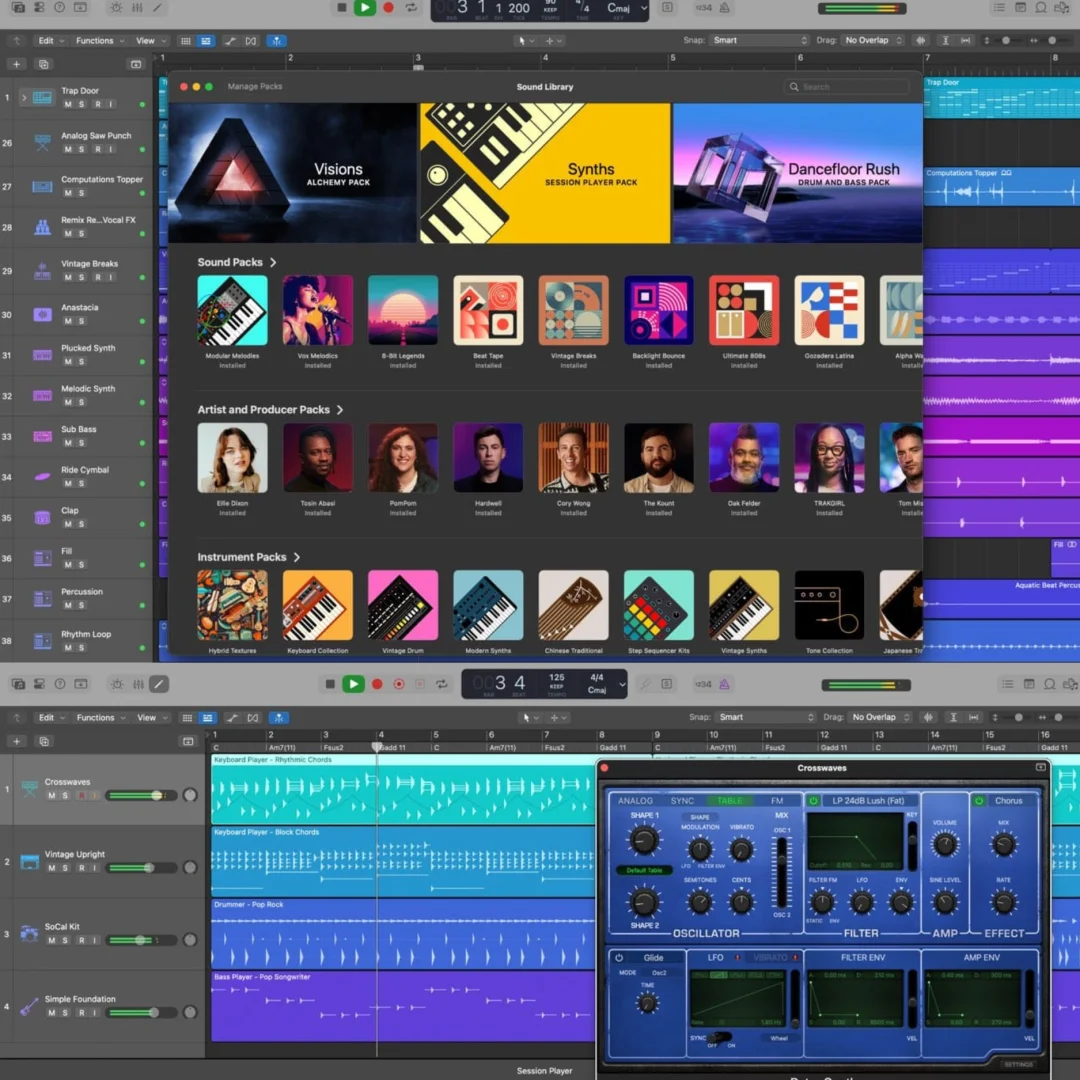
The breakthrough feature in Logic Pro 12 is AI Session Players—six intelligent virtual musicians that understand your musical direction and generate sophisticated performances. The Synth Player generates dynamic synthesizer performances that play specific notes and manipulate instrument parameters based on your input. The Bass Player creates bass lines responding to your chords and musical style preferences. The Keyboard Player adds harmonic layers and accompaniment patterns. The Acoustic Drummer creates natural-sounding acoustic drum performances with human-like timing variations. The Electronic Drummer produces electronic drum patterns ranging from subtle to driving rhythms. The Percussionist adds percussion textures and world music elements. Each virtual musician understands Chord ID—automatically identifying chords from any part of your song and adapting performance accordingly. Use Simple Pad to add lush harmonic layers, Modulated Pad for movement and dynamics, or Rhythmic Chords for driving accompaniment. Explore pre-programmed styles including 808 Bass, Pump Bass, and Sequenced Bass to dial in the perfect low-end character. This AI-powered approach transforms composition workflow—generate complete arranged backing tracks in minutes instead of hours of manual programming.
Stem Splitter — Separate Mixed Audio into Components
Stem Splitter separates nearly any mixed audio recording into six distinct parts: Drums, Bass, Vocals, Guitar, Piano, and Other instruments. This breakthrough capability lets you remix existing recordings, extract acapella vocals for resampling, isolate drum tracks for rhythm editing, or rebuild arrangements from finished master files. Import a favorite song and isolate individual elements for study and inspiration. Extract vocal tracks from commercial recordings for remix projects. Break down complex arrangements to understand composition structure. Separate podcast intro music from spoken content. This technology opens creative possibilities previously impossible in traditional DAW workflows—remix finished productions, create mashups, adapt songs for different arrangements, or use separated stems as raw material for new compositions.
Smart Tempo & Live Loops — Fast Arrangement Building
Smart Tempo instantly conforms imported or recorded audio to your project’s tempo without time-stretching artifacts or quality loss. Record a vocal performance loosely in time, and Smart Tempo automatically syncs the performance to your session’s steady beat. Live Loops lets you capture inspiration by mixing and matching loops, samples, and your recordings in an intuitive grid interface. Trigger loops in real-time to build arrangements on the fly. Layer multiple loops simultaneously. Switch between arrangement variations. Record live improvisation into loop cells. Export complete arrangements with minimal editing. This combination accelerates the composition process from initial idea through complete arrangement in a single session, perfect for rapid beat production and electronic music creation.
Flex Pitch & Flex Time — Advanced Audio Manipulation
Flex Pitch corrects vocal pitch imperfections while preserving natural tone and character. Adjust individual notes in complex vocal arrangements without affecting surrounding notes. Create perfect harmony stacks by pitching background vocal layers to match lead vocal melodies. Reshape melodic content by transposing notes up or down. Flex Time adjusts audio timing without time-stretching artifacts common in basic time-stretching algorithms. Tighten up rushed vocal performances. Straighten slightly ahead-of-the-beat guitar parts. Match vocal timing perfectly to instrumental backing tracks. Professional recording engineers rely on these tools for fixing performances that would otherwise require re-recording, saving expensive studio time while maintaining original performance character.
Track Alternatives — Non-Destructive Arrangement Exploration
Track Alternatives let you create, duplicate, and switch between different versions of tracks without complex track management or destructive editing. Record multiple vocal takes on the same track and switch between versions instantly. Create alternative arrangements with different instrument selections. Experiment with different effect chains without duplicating tracks. Layer multiple arrangements and toggle between them for comparison. This non-destructive approach accelerates the creative process—explore multiple directions simultaneously, maintain every creative iteration, and choose the best version without losing alternatives.
Beat Breaker, Step Sequencer & Sound Design
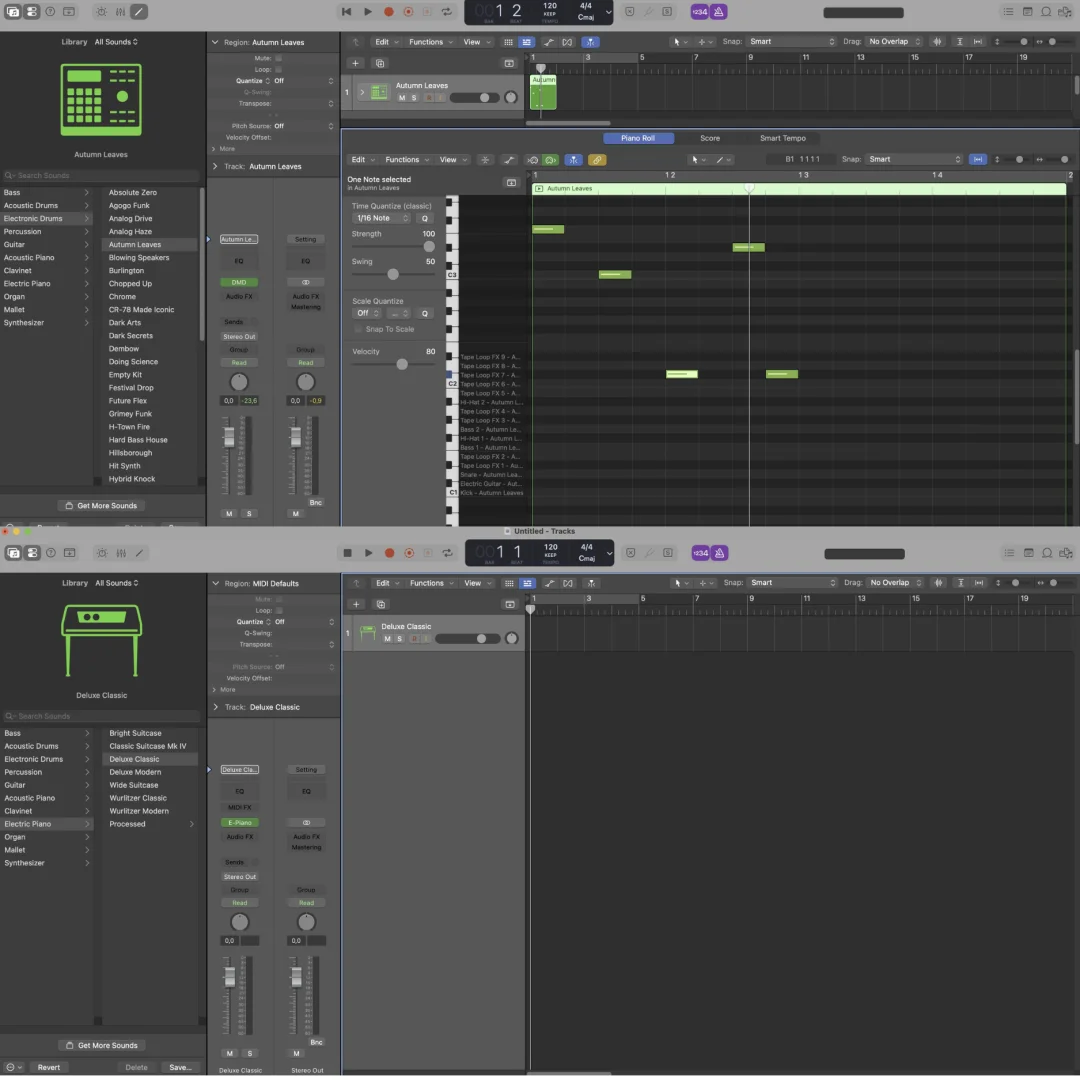
Beat Breaker is a creative time and pitch effect that reshapes audio rhythmically and tonally. Process drum samples with time stretching and pitch manipulation. Create glitchy, rhythmic variations of audio. Transform static sounds into evolving, dynamic textures. Step Sequencer programs drum beats, bass lines, and melodic parts with precise timing control. Create custom drum kits using favorite samples. Design unique percussion grooves. Program complex polyrhythmic patterns. Layer multiple step sequences for sophisticated arrangements. Shape sounds over time with dynamic parameter control. These tools give electronic music producers the capabilities of expensive hardware synthesizers and drum machines in software form.
Professional Instrument & Effects Collection
Logic Pro 12 includes a massive collection of software instruments and effects covering all genres and production styles. Professional synthesizers including analog, wavetable, and FM synthesis engines. Realistic sampled instruments—pianos, guitars, strings, brass, woodwinds, drums. Virtual analog modeling synthesizers reproducing classic hardware. Extensive effects including vintage delays, precise equalizers, dynamic compressors, creative modulation effects, and professional reverbs. Effect chains that rival expensive third-party plugin collections. Alchemy sample-based synthesizer transforms audio into playable instruments. All included instruments and effects rival professional plugins costing thousands of dollars when purchased separately. Build complete productions using only Logic Pro’s included sounds without requiring external plugins.
Mastering Assistant & Release-Ready Mixes
Mastering Assistant guides you toward release-ready mixes by analyzing frequency content, dynamic range, loudness levels, and compliance with streaming platform specifications. Receive intelligent suggestions for EQ adjustments, compression, and limiting. Compare your mix against reference tracks. Ensure compliance with Spotify, Apple Music, and professional release standards. Apply professional-grade mastering to your productions without expensive mastering studio sessions. Deliver confident, competitive mixes optimized for streaming platforms and professional distribution.
Final Cut Pro Integration & iPad Compatibility
Round-trip capabilities let you move seamlessly between Logic Pro for Mac and Final Cut Pro for video editing. Edit music-to-picture workflows with Logic Pro scoring directly in Final Cut Pro timelines. Import and export XML files supporting complete video post-production integration. Export spatial audio mixes in professional formats. Work across devices using Logic Pro for iPad compatibility—start compositions on iPad for creative mobility, continue on Mac for detailed editing and mixing. Cloud synchronization maintains project continuity across devices. This integration positions Logic Pro as the central hub for complete post-production workflows combining audio and video.
Frequently Asked Questions
Q: How do I activate Logic Pro 12.0.1 after purchase?
After purchase, you’ll receive Apple activation credentials and a download link through your Sofryx account dashboard immediately. Download the Logic Pro 12.0.1 installer, run it, and follow on-screen installation prompts. When prompted for activation, input your Apple credentials to complete licensing on Apple’s official servers. Our proprietary activation setup ensures smooth, hassle-free activation without technical complications. We provide comprehensive video installation guides and detailed written step-by-step instructions covering the entire process from download through initial setup and configuration. If you encounter any activation issues, contact our Telegram support team for remote assistance via screen sharing. Typical activation time is 10–15 minutes plus Sound Library download initialization. First launch may take longer as the application optimizes for your Mac hardware configuration.
Q: Is Logic Pro 12 compatible with my Mac hardware?
Logic Pro 12 requires macOS 15.6 or later and Apple M1 chip or later processors (M2, M3, M4 fully supported). Check your Mac: Click Apple menu → About This Mac to verify your processor and OS version. Logic Pro 12 runs natively on all Apple Silicon Macs with full optimization and performance benefits. Older Intel-based Macs are not compatible with Logic Pro 12—consider Logic Pro 11 if you have Intel Macs. Most Macs purchased after 2020 contain Apple Silicon processors and meet requirements. Contact our support team with your exact Mac model if you’re uncertain about compatibility before purchasing.
Q: Can I use this lifetime license on multiple Mac computers?
Yes, absolutely. Your lifetime Logic Pro 12 license activates on multiple Macs using the same Apple credentials. Install Logic Pro on your MacBook Pro, iMac, Mac Studio, and Mac mini without additional charges. The license ties to your Apple account, not specific hardware. Use sequentially across all your Macs depending on where you’re working. However, simultaneous use on multiple Macs at the exact same time is not permitted—only one active Logic Pro instance per account. Many professional producers maintain Logic Pro 12 across both laptop and desktop setups, using the same lifetime license across all equipment without limitation or additional charges.
Q: Will I receive free updates to Logic Pro 12?
Yes, all updates to Logic Pro 12 are included free throughout your lifetime license. Apple regularly releases point updates (12.0.2, 12.0.3, etc.) addressing stability, new features, and macOS compatibility enhancements. Updates download automatically when you launch Logic Pro, or manually check via Logic Pro menu → Check for Updates. You’ll never see payment requests or subscription renewal notices. The lifetime license grants perpetual access to Logic Pro 12 with all future improvements. If Apple eventually releases Logic Pro 13 or major new versions in the distant future, that would be separate licensing—but for the foreseeable future, all Logic Pro 12 updates are free with your lifetime license.
Q: How quickly can I start using Logic Pro 12 after purchase?
Instantly. Your download links and activation credentials appear in your Sofryx account immediately after payment processes (typically within seconds). Log in right after payment and you’ll see everything needed. The Logic Pro 12.0.1 installer (6–8GB depending on options selected) downloads to your Mac immediately. Initial installation takes 15–30 minutes depending on Mac speed and internet connection. Activation and configuration complete in 10–15 minutes additional. From payment to fully activated Logic Pro ready for production typically takes 45–90 minutes total. Our support team is available 24/7 via Telegram if you experience any delays or questions during download or activation.
Q: What are the exact macOS and Mac hardware requirements for Logic Pro 12?
Logic Pro 12 requires macOS 15.6 or later and Apple M1 chip or later (M2, M3, M4 processors fully supported). Minimum storage is 6GB free disk space for base installation; full Sound Library requires an additional 44GB. Minimum RAM is 8GB (16GB or higher strongly recommended for professional workflows). Check your configuration: Apple menu → About This Mac. If running an older macOS version, you’ll need to update first—Apple offers free OS upgrades for compatible Macs. Contact our support team with your exact Mac model and OS version, and we’ll confirm Logic Pro 12 compatibility before purchase.
Q: What is Sofryx’s refund policy if Logic Pro doesn’t work as expected?
For complete details about our refund policy, satisfaction guarantees, and coverage, please visit the full Refund Policy page. Our policy covers software that fails to install, doesn’t activate, or doesn’t function as described. Since digital software cannot be “returned” traditionally, we support customers with technical assistance and alternative solutions before discussing refunds. We strongly recommend requesting a pre-purchase consultation via AnyDesk or UltraViewer where our team demonstrates Logic Pro 12, answers questions, and confirms it meets your production needs before you purchase. This live demonstration eliminates purchase uncertainty. After purchase, if Logic Pro doesn’t work as expected, our support team provides thorough troubleshooting and alternative solutions. Please review our complete policy to understand coverage before purchase.
Q: How do I get technical support if Logic Pro won’t install or activate?
Our Telegram support team provides direct technical assistance for all Mac installation and activation issues. Contact us with your specific problem—installation failure, activation errors, system compatibility questions, or Sound Library download issues. We arrange remote support sessions via AnyDesk or UltraViewer where our technician shares your screen and guides you through each step. Response times: Telegram messages receive responses within 2 hours during India business hours (9 AM–9 PM IST); 4-hour response typical during off-hours. Provide screenshots of error messages, your Mac model (from About This Mac), macOS version, available storage space, and description of where installation failed. Our team has successfully resolved Logic Pro activation problems for hundreds of users. Most issues resolve within 1–2 hours of support contact. If standard support doesn’t resolve problems, contact Mani directly for advanced troubleshooting.
Only logged in customers who have purchased this product may leave a review.

Reviews
There are no reviews yet.