


IBM SPSS Statistics 27 — Lifetime Licence | Sofryx
Original price was: $300.00.$15.00Current price is: $15.00.
Buy IBM SPSS Statistics 27 genuine lifetime licence. Professional statistical analysis with regression, ANOVA, and data mining. Personally tested. Instant delivery.
IBM SPSS Statistics 27 — Professional Statistical Analysis Software for Research Data Mining and Decision Making
IBM SPSS Statistics 27 is the industry-leading statistical analysis software that provides a powerful and comprehensive set of analytical functions for extracting maximum value from research data, survey results, business metrics, and scientific datasets. Used by researchers, academics, and analysts across social sciences, healthcare, business, and government, SPSS Statistics enables in-depth data analysis that improves decision-making, optimizes research outcomes, ensures regulatory compliance, and maximizes return on investment. This version 27.0.1 IF026 includes a simplified installer that automatically handles both the licence file and update in a single operation. Whether you are a graduate student analyzing thesis data, a market researcher processing survey responses, or a healthcare analyst evaluating clinical outcomes, IBM SPSS Statistics delivers the analytical power you need. Every licence on Sofryx is personally tested by Mani.
Key Features of IBM SPSS Statistics 27
- Comprehensive Statistical Procedures: Complete library of statistical tests including descriptive statistics, inferential statistics, regression, ANOVA, factor analysis, cluster analysis, and nonparametric tests.
- Missing Data Handling: Advanced procedures for identifying and accounting for missing data patterns that might otherwise compromise the validity and reliability of analytical results.
- Enterprise Data Source Support: Connect to and import data from all major enterprise sources including databases, spreadsheets, text files, and other statistical software formats.
- Regression Analysis: Linear, logistic, ordinal, multinomial, and nonlinear regression models for predicting outcomes and understanding relationships between variables.
- Descriptive and Frequency Analysis: Generate frequency tables, descriptive statistics, cross-tabulations, and summary reports for exploring and understanding data distributions.
- ANOVA and Hypothesis Testing: One-way ANOVA, factorial ANOVA, repeated measures, MANOVA, and t-tests for comparing group means and testing research hypotheses.
- Open Programming Integration: Support for external programming languages including Python and R for extending analytical capabilities and automating custom procedures.
- Simplified Installer: Packaged as a RAR SFX file that automatically applies the licence and update in one step — just select the installation folder and run.
Why Buy From Sofryx
- Personally tested by Mani before every listing goes live
- Genuine manufacturer-issued licence — not cracked, not trial
- One-time payment — lifetime activation, zero renewal fees
- Instant access via your website dashboard after payment
- Telegram support available for all installation queries
System Requirements
- Operating System: Windows 7, Windows 8, Windows 8.1, Windows 10, or Windows 11 (64-bit)
- Processor: Intel or AMD 64-bit processor, 1 GHz or faster
- RAM: 4GB minimum (8GB recommended for large datasets)
- Storage: 2GB free disk space for installation
What You Get After Purchase
- Licence key or activation file
- Official download link via your account dashboard
- Step-by-step installation guide (video or written)
- Telegram support contact for installation help
Who Is This For
IBM SPSS Statistics 27 serves researchers, analysts, and decision-makers across academic, scientific, healthcare, business, and government sectors who need reliable statistical analysis tools for their data-driven work. Academic researchers in social sciences, psychology, education, and behavioral sciences use SPSS as their primary analytical tool for processing survey data, experimental results, and longitudinal study datasets. Graduate students and PhD candidates conduct thesis and dissertation analyses using the comprehensive statistical procedures that SPSS provides. Market researchers analyze consumer surveys, brand perception studies, and customer satisfaction data to extract actionable business insights. Healthcare analysts evaluate clinical trial results, patient outcome data, and epidemiological study findings. Business analysts process operational metrics, financial data, and performance indicators for strategic decision support. Government researchers analyze census data, policy evaluation studies, and social program effectiveness measures. Survey researchers process large-scale questionnaire responses with complex sampling designs. Economists analyze economic indicators, labor market data, and trade statistics. Statisticians and data scientists use SPSS alongside programming tools for production analytical workflows.
Comprehensive Statistical Procedures — Every Test You Need
SPSS Statistics 27 provides the most comprehensive collection of statistical procedures available in any single analytical platform, covering every category of statistical test from basic descriptive statistics through advanced multivariate analysis. The statistical function library separates analytical procedures from the underlying data, reducing the risk of errors by ensuring that raw data remains unmodified while multiple analyses are performed. Descriptive statistics functions generate means, medians, modes, standard deviations, variance, skewness, kurtosis, and percentile distributions for understanding data characteristics. Inferential statistics procedures including t-tests, chi-square tests, and non-parametric equivalents test research hypotheses with configurable confidence levels. Correlation analysis measures the strength and direction of relationships between continuous variables using Pearson, Spearman, and Kendall correlation coefficients. The breadth of available procedures means that researchers working across virtually any discipline can find the appropriate statistical test for their specific analytical question without requiring additional software modules.
Regression Analysis — Predicting Outcomes from Data
IBM SPSS Statistics 27 provides a complete suite of regression analysis procedures for modeling relationships between predictor variables and outcome measures. Linear regression fits straight-line relationships between continuous predictors and continuous outcomes, producing regression coefficients, R-squared values, and significance tests that quantify the strength and reliability of predictive relationships. Multiple regression extends this to models with several predictor variables, enabling researchers to determine which factors most strongly influence outcomes while controlling for other variables. Logistic regression handles binary and categorical outcomes, making it essential for clinical research, marketing analysis, and social science studies where the dependent variable is a yes-no classification or a category membership. Professional reviews on G2 consistently rate SPSS regression capabilities as among the most accessible for researchers who need powerful analysis without extensive programming knowledge. Ordinal and multinomial regression extend logistic models to ordered and multi-category outcomes respectively.
ANOVA and Hypothesis Testing — Comparing Groups and Conditions
Analysis of Variance procedures in SPSS Statistics 27 provide the statistical framework for comparing means across two or more groups or experimental conditions. One-way ANOVA tests whether the means of three or more independent groups differ significantly, with post-hoc comparison tests including Tukey HSD, Bonferroni, and Scheffe identifying which specific pairs of groups differ. Factorial ANOVA examines the effects of two or more independent variables simultaneously, testing both main effects and interaction effects that reveal how factors combine to influence outcomes. Repeated measures ANOVA handles within-subjects designs where the same participants are measured under multiple conditions, accounting for the correlation between repeated measurements. MANOVA extends the analysis to situations with multiple dependent variables measured simultaneously. Independent samples and paired samples t-tests provide the foundation for two-group comparisons. Non-parametric alternatives including Mann-Whitney U, Kruskal-Wallis, and Friedman tests handle data that does not meet the assumptions required for parametric ANOVA procedures.
Missing Data Management — Protecting Result Validity
IBM SPSS Statistics 27 includes advanced missing data handling procedures that address one of the most common challenges in research data analysis. Missing values in survey responses, experimental measurements, and longitudinal tracking data can introduce bias and reduce the statistical power of analyses if not handled properly. SPSS provides multiple approaches to missing data management including listwise deletion, pairwise deletion, mean substitution, regression imputation, and expectation-maximization algorithms that each suit different missing data patterns and analytical contexts. The missing value analysis module identifies patterns of missingness in your dataset, determining whether data is missing completely at random, missing at random, or missing not at random, which guides the selection of the appropriate handling method. For comprehensive guidance on missing data procedures, the IBM SPSS documentation provides detailed technical documentation on each available method and its appropriate application contexts.
Data Source Connectivity — Import from Any Enterprise System
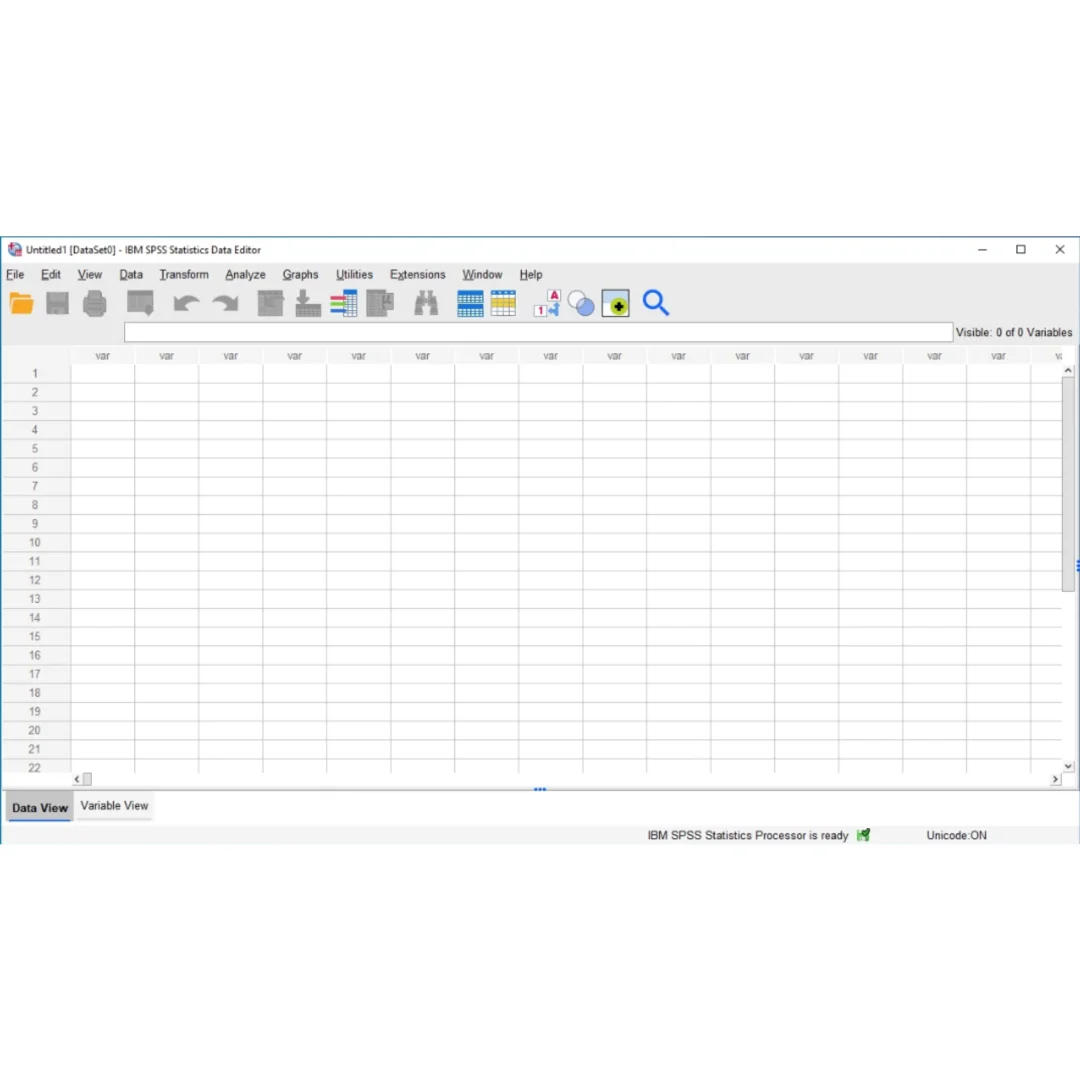
SPSS Statistics 27 supports importing data from all major enterprise data sources that organizations use for storing and managing their information. Direct database connectivity enables reading data from SQL Server, Oracle, MySQL, PostgreSQL, and other relational database systems through ODBC and OLE DB connections. Spreadsheet import reads data from Microsoft Excel files in both older XLS and current XLSX formats, preserving variable names, data types, and value labels during the import process. Text file import handles CSV, tab-delimited, and fixed-width text files with configurable delimiters and encoding settings. Data from other statistical packages including SAS, Stata, and previous SPSS versions can be imported directly without manual conversion. The data editor provides a spreadsheet-like interface for viewing, entering, and modifying data values and variable properties within SPSS itself. Variable view enables defining variable names, types, labels, value labels, and missing value codes that structure the dataset for meaningful analysis and properly labeled output.
Open Technology — Python and R Programming Integration
IBM SPSS Statistics 27 supports open technology integration that enables the use of external programming languages including Python and R for extending analytical capabilities beyond the built-in procedures. Python scripting allows automation of repetitive analysis tasks, custom output formatting, and the creation of new analytical functions that leverage Python extensive library ecosystem including NumPy, pandas, scipy, and scikit-learn. R integration enables access to the vast collection of R statistical packages for specialized analyses not included in the SPSS base installation. This programming extensibility is valuable for researchers and analysts who need to implement custom statistical methods, create automated reporting pipelines, or integrate SPSS analysis into larger data processing workflows. The programming interfaces operate within the SPSS environment, accessing the same data and producing output in the same viewer, maintaining a unified analytical workspace. Industry organizations like the American Statistical Association recognize the importance of software interoperability in modern statistical practice.
Simplified Installation — Automatic Licence and Update
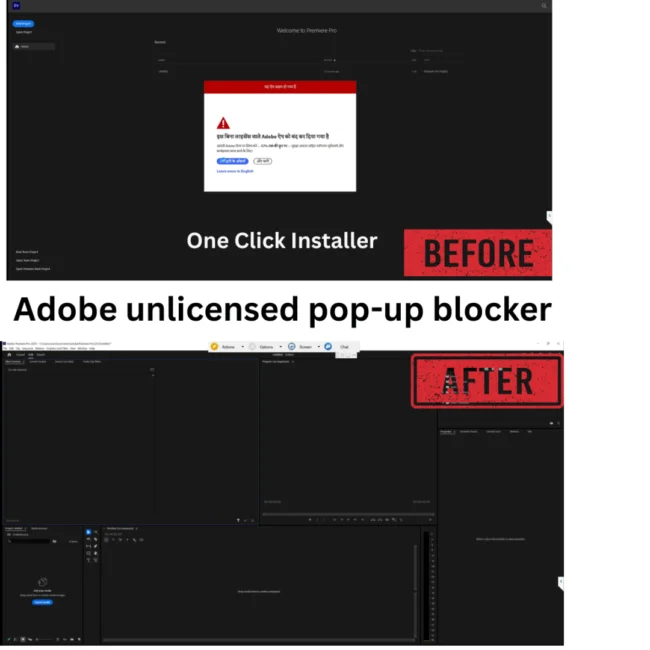
This SPSS Statistics 27 package from Sofryx includes a simplified installation process that combines the licence file and update into a single RAR SFX (self-extracting archive) file. In the standard release, the licence and update files are in separate folders requiring manual installation steps. The Sofryx package automates both operations — you simply run the installer, select the installation folder (the default folder is used initially), and the SFX file automatically applies both the licence activation and the IF026 update in one seamless operation. This streamlined approach eliminates the multi-step manual process and reduces the chance of installation errors, getting you from download to working SPSS installation in the minimum number of steps. Leading research methodology resources like Statistics Solutions recommend SPSS as the standard analytical platform for academic and professional research. Pair SPSS Statistics with other tools from Sofryx like Adobe Photoshop CS3 for research graphics, QuarkXPress 2023 for research publication layout, PowerISO for data archive management, Revo Uninstaller Pro for system maintenance, and K-Lite Codec Pack for media playback.
Frequently Asked Questions
Q: How do I activate IBM SPSS Statistics 27 after purchase
To activate your IBM SPSS Statistics 27 on Windows after completing your purchase, follow the provided instructions carefully. This version includes a simplified RAR SFX installer that automatically handles both the licence activation and the IF026 update in a single operation — you simply select the installation folder and run the file. Your order also includes a detailed step-by-step installation guide. A video tutorial or written instruction document will be included alongside the setup files. If you encounter any difficulties during the activation process, reach out via Telegram for immediate assistance.
Q: Is this a genuine lifetime licence or a subscription
This is a genuine lifetime-activated licence that you own permanently after a single one-time payment. There are no monthly fees, no annual renewal charges, and no subscription commitments of any kind. Once activated, your IBM SPSS Statistics 27 remains fully functional on your Windows system indefinitely without requiring any additional payments. Every licence sold on Sofryx is personally verified by Mani to ensure authenticity and reliable long-term functionality. You receive the complete application with all statistical procedures, regression, ANOVA, and data management features activated for lifetime use.
Q: Can I use this on multiple computers
Yes, multiple device use is supported with your IBM SPSS Statistics 27 licence. You can install and activate the software on more than one Windows computer, allowing you to work between your office desktop workstation and a portable laptop for fieldwork, conference presentations, and remote analysis sessions. This flexibility ensures that your professional statistical analysis toolkit is available wherever your research takes you. The activation process works identically on each machine.
Q: Will I receive future software updates
There is no immediate need to update your IBM SPSS Statistics 27 after installation as the current version 27.0.1 IF026 includes all statistical procedures and the latest interim fix updates. If a critical update becomes necessary in the future or if you require a newer version for specific compatibility reasons, contact Mani directly through Telegram support. The update will be provided free of charge within one year of your original purchase date. This ensures you always have access to a functioning version without additional cost.
Q: How long does delivery take after payment
Delivery is instant and fully automated. Immediately after completing your payment through the Sofryx checkout, your download links become available in your personal account dashboard. Simply log in to your Sofryx account, navigate to the My Account section, and click on Downloads to access all your purchased files. The complete IBM SPSS Statistics 27 installation package including the simplified RAR SFX installer and instructions will be ready for immediate download. There is no waiting period and no manual processing required. You can begin installing within minutes.
Q: Which operating system versions are compatible
IBM SPSS Statistics 27 is compatible with Windows 7, Windows 8, Windows 8.1, Windows 10, and Windows 11 in 64-bit editions. Your system requires an Intel or AMD 64-bit processor running at 1 GHz or faster, 4GB RAM minimum with 8GB recommended for processing large datasets, and 2GB free disk space for installation. The application does not require any versions of the .NET Framework and runs on all supported Windows versions from XP through 11, though the v27 release is optimized for Windows 7 and newer.
Q: What is your refund policy
For complete details regarding our refund terms and conditions, please review the full Refund Policy page available on our website at bydigital.in/refund_returns/. The refund policy outlines all applicable terms including eligibility criteria, timeframes, and the process for requesting a refund on digital product purchases. We encourage every customer to read the policy thoroughly before completing their purchase so they have a clear understanding of their rights and our obligations. Our commitment is to ensure complete customer satisfaction with every product sold on the Sofryx platform.
Q: How do I get support if I have an installation problem
If you encounter any installation difficulties with your IBM SPSS Statistics 27 on Windows, comprehensive support is available through multiple channels. Windows users can receive direct remote support via AnyDesk, UltraViewer, or Zoom Meeting where a support representative will connect to your computer and resolve the installation issue in real time. This is particularly helpful for running the simplified RAR SFX installer, verifying licence activation, and confirming all statistical modules are functioning correctly. If the standard installation encounters any issues, an alternative setup file along with revised instructions will be provided promptly. For all support requests, contact us directly through Telegram at t.me/sofryxhelp for fast and reliable assistance.
Only logged in customers who have purchased this product may leave a review.


Reviews
There are no reviews yet.